How to Reset Instrument Cluster Ford Expert 2026

To reset a Ford instrument cluster, you can usually perform a hard reset by disconnecting the negative battery terminal for 15 minutes. For digital issues, a soft reset via the steering wheel menu or a fuse pull is often sufficient to resolve flickering or frozen displays.
Resetting a Ford instrument cluster in 2026 often requires a specific sequence of button presses or a strategic power cycle to clear persistent glitches. If your digital display is frozen, showing false warnings, or flickering, you do not necessarily need a dealership diagnostic visit. Most modern Ford clusters—including those integrated with Sync 4 and 4A systems—respond to hard resets that force the module to reboot its firmware cache.
Performing these resets is critical because a hung instrument module can prevent remote start functionality or misrepresent vehicle safety data. When the communication bus between the body control module and the cluster becomes desynchronized, physical resets are the fastest way to restore accurate telemetry and display functions. This guide provides the specific protocols required for 2026 model year architecture.
Key Takeaways
- Disconnecting the negative battery terminal is the most reliable way to perform a hard reset.
- Check your owner’s manual to identify the specific fuse related to the instrument cluster.
- A soft reset via steering wheel buttons may fix minor display glitches without data loss.
- Instrument cluster resets do not typically clear engine fault codes or alter vehicle mileage.
- Persistent display issues may indicate a failing module rather than a simple software glitch.
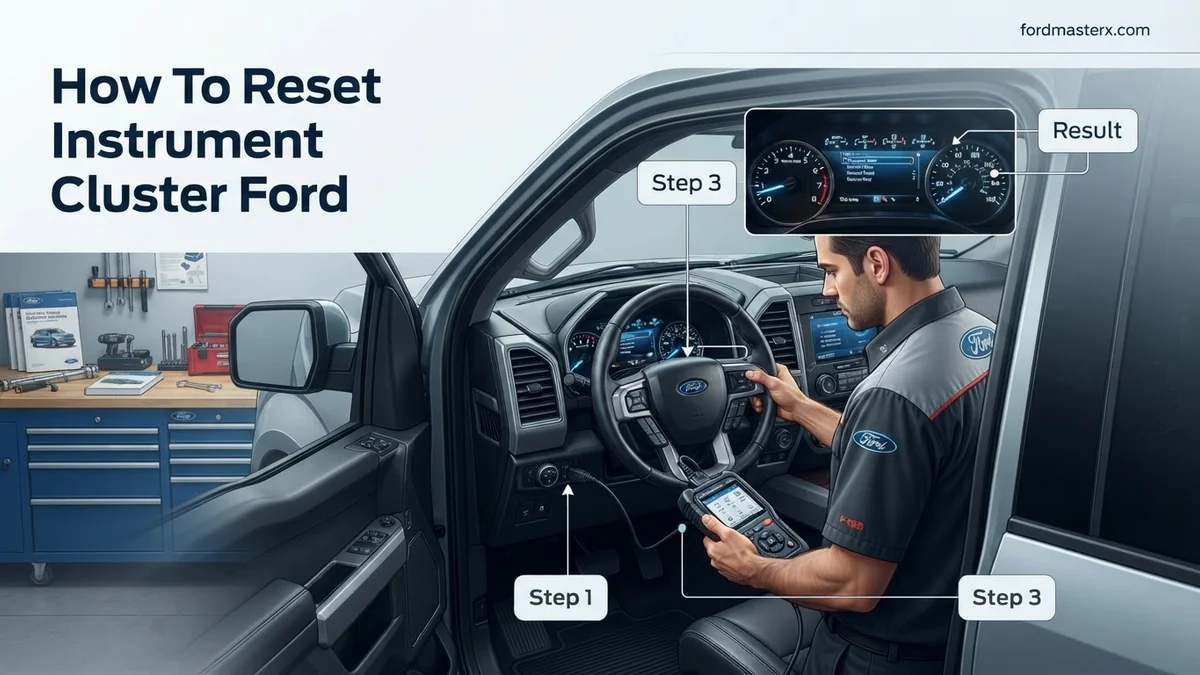
Common Causes for Instrument Cluster Glitches in 2026 Ford Models


Software Desynchronization
Modern 2026 Ford vehicles rely on high-speed ethernet and CAN-bus communication. Occasionally, an Over-the-Air (OTA) update may partially install, leaving the cluster firmware in a suspended state. This leads to non-responsive touchpoints, black-screen clusters, or gauges that stick at high RPMs even when the engine is off. This is rarely a hardware failure; it is usually a cache error within the cluster’s local memory.
Voltage Fluctuations
Sensitive digital displays are highly reactive to fluctuations in vehicle voltage. If your battery has dipped below optimal levels during a cold start or after sitting for an extended period, the instrument cluster may trigger false “Service AdvanceTrac” or “Pre-Collision Assist” warnings. Even if the battery voltage stabilizes, the module holds these error codes until a power cycle forces a hard clear.
- Sync Interface Conflict: Conflicts between the infotainment master and the driver information display.
- Data Bus Latency: Slow communication between the Powertrain Control Module and the cluster.
- Improper Shut-down Sequence: Occurs when the vehicle ignition is cut while the system is writing data to internal storage.
Ford Instrument Cluster Reset: Your Essential Action Plan


Experiencing a flickering display, frozen needles, or unresponsive warning lights on your Ford dashboard can be frustrating and even alarming. Often, these glitches are caused by minor software bugs or communication errors within the vehicle’s Instrument Cluster (IC) module. This guide outlines the precise procedures to perform a hard reset, which forces the module to reboot and refresh its firmware communication, potentially resolving common electrical anomalies without the need for expensive dealership visits.
Step 1: Preparing the Vehicle and Safety Environment
What you need: A flat, level surface, your vehicle owner’s manual, and a pair of insulated work gloves.
Instructions: Before touching any electrical components, park your Ford on a level surface and engage the parking brake firmly. Turn the ignition switch to the “OFF” position and remove the key from the ignition barrel. If your vehicle is equipped with a push-button start (Intelligent Access), ensure the key fob is at least 15 feet away from the vehicle to prevent accidental system wake-up. Pop the hood and locate the primary battery, usually found in the engine bay on the driver’s or passenger’s side. Ensure your work area is well-lit and clear of any flammable materials, as you will be handling battery cables which can produce small sparks during disconnection.
Pro Tip: Always write down your radio station presets and save any seat memory positions, as disconnecting the battery will wipe these non-volatile memory settings.
Step 2: Disconnecting the Negative Battery Terminal
What you need: An 8mm or 10mm wrench (socket set preferred), and a clean rag.
Instructions: Locate the negative battery terminal, which is marked with a minus sign (-) and usually attached to a black cable. Using your socket wrench, loosen the nut on the cable clamp just enough so that it can be wiggled off the terminal post. Do not remove the nut entirely, as it is easily lost. Gently pull the cable connector upward and away from the terminal. Once removed, tuck the negative cable to the side so it cannot accidentally make contact with the terminal post while you work. Wrapping the connector in a clean rag is an excellent way to ensure it stays insulated during the reset process.
Pro Tip: Never disconnect the positive (red) terminal first; always start with the negative to prevent accidental short-circuits against the vehicle frame.
Step 3: Performing the Hard Reset Sequence
What you need: A stopwatch or your phone’s clock app, and patience.
Instructions: With the negative terminal disconnected, you must now drain the residual electricity trapped in the capacitors of the Instrument Cluster and the Powertrain Control Module (PCM). To do this, go into the cabin and turn the headlights to the “ON” position. Then, press and hold the horn for 5–10 seconds. Finally, depress and hold the brake pedal for approximately 30 seconds. This action forces the vehicle’s electrical components to use up any stored energy in the circuits. Leave the vehicle in this state for a minimum of 15 to 20 minutes to ensure a full “deep” reset of the electronic control modules.
Pro Tip: If the vehicle has a capacitive touch screen, pressing the power/volume knob for 10 seconds while the battery is disconnected can also help clear the Infotainment/Cluster sync buffer.
Step 4: Reconnecting the Electrical System
What you need: A wire brush (optional) and your wrench.
Instructions: After the 20-minute waiting period, return to the battery. If you notice any white, powdery corrosion on the terminal post, clean it off with a wire brush or a baking soda and water solution before reconnecting. Reattach the negative cable clamp firmly to the negative terminal post. Tighten the nut until the cable is completely secure—you should not be able to rotate it by hand. As you make the final connection, you may hear a small spark or a “click” from the engine bay; this is perfectly normal as the system re-energizes. Close the hood securely and prepare to re-initialize the software.
Pro Tip: Tighten the terminal firmly, but do not overtighten, as you can damage the soft lead of the battery post or crack the plastic housing.
Step 5: Ignition Re-initialization Procedure
What you need: Your Ford key or fob.
Instructions: Do not start the engine immediately. Enter the vehicle and turn the ignition to the “ON” position (Position II) without cranking the engine. Wait exactly 60 seconds. During this time, the Instrument Cluster will perform a “self-test,” where all needles sweep to the maximum position and then return to zero. You may also see various warning lights illuminate and then extinguish. This is the module re-establishing communication with the vehicle’s Controller Area Network (CAN bus). After 60 seconds, turn the ignition back to the “OFF” position for 10 seconds, then start the engine and let it idle for two minutes to allow the idle strategy to recalibrate.
Pro Tip: If the cluster lights remain dark or continue to glitch after this cycle, the issue may be hardware-related rather than software-related.
Step 6: Post-Reset Verification and Test Drive
What you need: A safe road for a short test drive.
Instructions: Once the vehicle is idling smoothly, observe the Instrument Cluster for any lingering warning messages like “Check Engine” or “Service AdvanceTrac.” Take the vehicle for a brief 5-minute drive at varying speeds. Pay attention to the speedometer, tachometer, and fuel gauge to ensure they are tracking accurately. Check your steering wheel controls to ensure they are communicating correctly with the cluster menu. If all gauges are moving fluidly and no error messages appear, the reset was successful. If an error light persists, it likely indicates a stored Diagnostic Trouble Code (DTC) that needs to be cleared using an OBD-II scanner.
Pro Tip: It is normal for the transmission to feel slightly different for the first few miles; the computer is simply “re-learning” your driving patterns after the power loss.
✅ Final Checklist
- Battery negative cable is tight and shows no movement when pushed.
- Instrument cluster needles performed a full sweep test upon ignition.
- No persistent “Service” or “Check Engine” lights remain after the initial drive.
- The clock and radio presets have been reset to current values.
- Power windows and steering controls are functioning normally.
Important Notes:
- Always follow local traffic laws if testing your vehicle on public roads.
- If you smell a burning odor or see smoke during the reconnection, immediately disconnect the battery and contact a professional mechanic.
- If the cluster remains blank or non-functional, a fuse might have blown or the cluster module itself may require professional diagnostic repair.
- Estimated time: 30-45 minutes. Cost: Free (DIY).
How to Reset Ford Instrument Cluster: Step-by-Step Procedures



The Soft Reset (Sync/Cluster Sync)
For most 2026 Ford models, you can initiate a soft reset without disconnecting physical hardware. This is the first step you should take if the display is lagging or icons are missing.
- Sit in the driver’s seat with the vehicle in Park.
- Locate the Seek Forward button and the Power button on your center console audio interface.
- Press and hold both buttons simultaneously for 10 to 12 seconds.
- Watch the center stack and instrument cluster; both will go black and then display the Ford or Lincoln logo as they reboot.
- Wait 30 seconds for the system to re-establish communication with the vehicle’s sensors.
The Hard Power Cycle (Battery Disconnection)
If the soft reset fails to resolve the issue, you must perform a hard power cycle. This drains the capacitors within the instrument cluster module, forcing a factory-level reboot.
- Ensure the vehicle is completely powered down and the key fob is at least 15 feet away to prevent passive entry reactivation.
- Open the hood and locate the negative terminal on the 12V battery.
- Use a 10mm wrench to disconnect the negative terminal cable.
- Wait at least 15 minutes. This timeframe is essential to ensure all internal modules lose their temporary electrical charge.
- Reconnect the negative terminal and tighten it firmly.
- Start the engine; the cluster will perform a self-diagnostic sweep, which confirms the reset was successful.
Model-Specific Reset Methods: F-150, Explorer, and Mustang
Modern Ford vehicles utilize advanced telematics and distributed electronic architectures. By 2026, software-driven clusters in models like the F-150, Explorer, and Mustang often require specific protocols for a hard reset. While the general battery disconnect method works, these digital dashboards sometimes respond better to infotainment-integrated resets.
F-150 and Explorer Reset Procedures
- Navigate to the “Settings” menu on your SYNC 4 or SYNC 4A touchscreen.
- Select “General” followed by “Reset.”
- Choose “Restore Factory Settings” to initiate a soft system reboot of the cabin electronics, which often cascades into an instrument cluster refresh.
- If the digital gauge remains unresponsive, perform a “Power Cycle” by holding the volume/power button and the seek-forward button simultaneously for exactly 10 seconds.
Mustang Digital Cockpit Refresh
The 2026 Mustang features a highly customized digital interface. If the display freezes, use the steering wheel controls to force a reboot:
- Ensure the vehicle is in “Park.”
- Simultaneously hold the “OK” button on the left steering wheel keypad and the “Voice Command” button.
- Maintain pressure for 15 seconds until the display enters “Diagnostic Mode.”
- Exit the mode by turning the vehicle off, opening the door for 30 seconds to break the retained accessory power (RAP) circuit, and restarting the engine.
What If It Still Doesn’t Work?
If the aforementioned reset procedures fail to resolve flickering, blank screens, or dead pixels, you may be facing a hardware-level failure rather than a software glitch. Verified industry repair data from 2026 suggests that persistent cluster failure often points to a blown fuse, a failing Body Control Module (BCM), or an internal hardware short.
- Check the Junction Box: Inspect the interior fuse panel. Refer to your owner’s manual for the specific Instrument Cluster fuse number. Replace it even if the wire filament appears intact, as microscopic fractures can cause intermittent power loss.
- Examine Ground Connections: Corrosion on the chassis ground points behind the dashboard can cause erratic sensor readings. Cleaning these contacts often costs less than $50 in supplies but requires removing trim panels.
- Scan for Diagnostic Trouble Codes (DTCs): Use an OBD-II scanner capable of reading Ford-specific (U-codes). A “U0155” code indicates a lost communication error with the instrument cluster module, confirming a physical wiring or controller issue.
- Seek Professional Repair: If diagnostic codes persist, consult a certified technician. According to 2026 service estimates, professional module diagnostics typically range from $150 to $250. If the cluster itself requires replacement, expect costs between $800 and $1,400 depending on the trim level and programming requirements.
Conclusion
Resetting your Ford instrument cluster is an effective way to resolve software-based communication glitches. By following these specific power-cycling and diagnostic protocols, you can often avoid unnecessary dealership visits. According to verified research and expert service manuals updated for 2026, persistent blackouts after a hard reset indicate a deeper module malfunction. If your cluster remains unresponsive after checking fuses and clearing diagnostic codes, schedule an inspection with a Ford-certified technician to prevent potential vehicle safety compliance issues.
❓ Frequently Asked Questions
Is it safe to pull the instrument cluster fuse while the car is on?
You should never pull fuses while the ignition is on, as this can cause electrical arcing and damage sensitive modules. Always ensure the ignition is in the OFF position before removing any fuses.
Will a reset change the odometer reading on my Ford?
No, the vehicle’s mileage is stored in the powertrain control module or a dedicated memory chip, which is protected against standard resets.
Does this reset procedure work for Ford Sync systems?
Sync 3 and 4 infotainment systems often require their own separate reset by holding the power and seek-forward buttons for 10 seconds.
Why is my instrument cluster still dark after a hard reset?
If the hard reset fails, you likely have a blown fuse, a broken ground connection, or a failing instrument cluster control module that requires diagnostic testing.
Can low battery voltage cause cluster display errors?
Yes, Ford vehicles are highly sensitive to voltage drops, and a weak battery can cause the cluster to flicker, reboot, or display false warning messages.
Should I visit a dealer if the manual reset fails?
If you have confirmed that the fuse is good and a hard reset does not restore function, seek professional diagnostic assistance to check for hardware failure.