
Ford Anti Theft Reset 2026 Proven Steps to Fix Your 2026

When your Ford’s anti-theft system activates, a simple reset procedure can often resolve the issue, but understanding the underlying cause is crucial for a lasting fix.
Experiencing a Ford anti theft reset issue can be incredibly frustrating, leaving you stranded and your vehicle immobilized. Fortunately, many common anti-theft system activations can be resolved with a few proven steps in 2026.

Prime for Young Adults — 6 Months Free
Students and 18–24s get six months of Prime free, then half price.
Start 6 Months Free As an Amazon Associate I earn from qualifying purchases.We’ll guide you through diagnosing the problem and applying effective reset procedures. Understanding your Ford’s security system empowers you to get back on the road quickly.
When your Ford’s anti-theft system activates, a simple reset procedure can often resolve the issue, but understanding the underlying cause is crucial for a lasting fix.
Key Takeaways
- Recognize common anti-theft activation signs.
- Follow key cycle or battery reset methods safely.
- Understand Ford’s PATS system basics and types.
- Troubleshoot persistent security light issues.
- Know when professional help is truly essential.
Key Takeaways
Recommended Best Deal Products

- Recognize common anti-theft activation signs.
- Follow key cycle or battery reset methods safely.
- Understand Ford’s PATS system basics and types.
- Troubleshoot persistent security light issues.
- Know when professional help is truly essential.
How Do I Know My Ford’s Anti Theft System Is Active?
Recognizing the symptoms of an active anti-theft system is the critical first step to fixing the problem. Your Ford is designed to prevent unauthorized starting, and it provides clear warnings when its security protocols engage.
Blinking Security Light
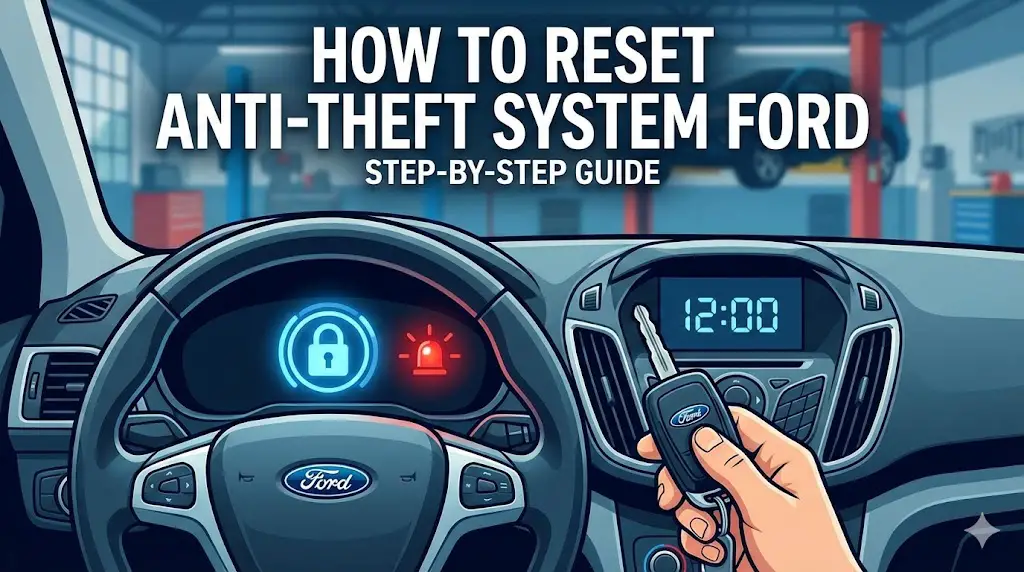
A rapidly blinking red security light on your dashboard is the most common indicator of an active anti-theft system. This typically signifies that the vehicle’s Passive Anti-Theft System (PATS) does not recognize the key.
The symbol often looks like a car with a padlock, flashing quickly to alert you of an immobilization event. .
Engine Cranks but Fails
If your Ford’s engine cranks normally but refuses to start, the anti-theft system might be preventing fuel delivery or ignition. The starter motor functions, but the engine never catches or fires up, indicating an active immobilizer.
This symptom differentiates an anti-theft issue from a dead battery or a faulty starter itself.
Starter Disabled Completely
In some cases, the anti-theft system can completely disable the starter, resulting in a silent turn of the key. No cranking sound occurs at all, making it seem like a battery or starter problem.
However, if your security light is also active, it points directly to an anti-theft lockout. Understanding these signs is the first step, but what exactly causes them? Let’s look closer at the underlying Ford PATS technology.

Audible — Listen Free for 30 Days
One free credit a month and thousands of titles included.
Listen Free for 30 Days As an Amazon Associate I earn from qualifying purchases.What Are the 3 Main Types of Ford PATS Systems?
Recommended Best Deal Products


Ford’s Passive Anti-Theft System (PATS) has evolved over the years, becoming increasingly sophisticated to protect your vehicle. All PATS systems aim to prevent the engine from starting without the correct, authorized key.
Passive Immobilizer System
This early version of PATS uses a simple transponder within the ignition key. When the key is inserted, a coil around the ignition lock cylinder reads a unique code from the transponder chip. If the code matches the vehicle’s stored code, the engine is allowed to start.
.
Key Based Transponder
Most modern Ford vehicles utilize a more advanced key-based transponder system. The key contains an RFID (Radio-Frequency Identification) chip programmed to communicate with the car’s Powertrain Control Module (PCM). This system ensures that only keys with matching electronic codes can enable the engine’s fuel and ignition systems.
.
Advanced Encrypted Modules
Newer Ford models, especially those from the mid-2010s onward, often integrate highly encrypted modules and communication protocols. These systems involve complex algorithms between the key, the PATS module, and the PCM. They offer enhanced security, making unauthorized starting significantly more difficult. .
Knowing how these systems work helps, but when they malfunction, you need practical steps to get your Ford running again.
How to Reset Your Ford Anti Theft System in 4 Steps
When your Ford’s anti-theft system acts up, several common reset methods can often restore normal operation. We will walk you through the most effective procedures.

Always exercise caution when working with your vehicle’s electrical system.
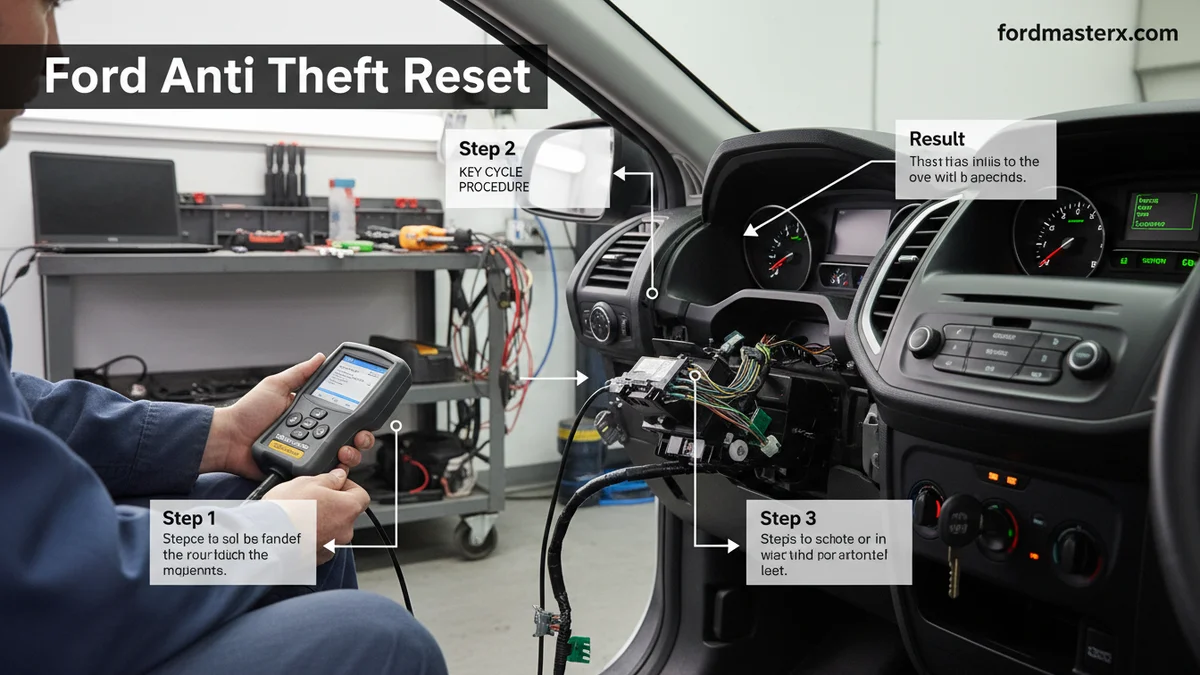
Key Cycle Procedure
This procedure can help re-synchronize your key with the vehicle’s immobilizer.
Audible Premium Plus — Annual Membership
12 audiobook credits up front, plus the full Audible catalogue.
See Annual Plans As an Amazon Associate I earn from qualifying purchases.- Insert your ignition key and turn it to the “ON” position (do not start the engine).
- Leave the key in “ON” for 3-5 seconds.
- Turn the key to the “OFF” position and remove it.
- Repeat steps 1-3 at least three more times, using a total of four key cycles.
- After the fourth cycle, try to start your vehicle.
.
Battery Disconnect Method
A full power cycle can sometimes clear a minor anti-theft system glitch.
- Ensure your vehicle is turned off, and the key is removed from the ignition.
- Locate your car battery.
- Using a wrench, loosen and remove the negative battery cable (black).
- Then, remove the positive battery cable (red).
- Wait at least 15-30 minutes for the vehicle’s electrical system to fully discharge.
- Reconnect the positive battery cable first, then the negative cable.
- Try starting your Ford.
Safety Warning: Always disconnect the negative cable first to prevent accidental shorts. .
Door Lock Trick
This simple method can sometimes disarm the factory alarm system.
- Ensure all doors are closed and locked.
- Insert your physical key into the driver’s side door lock.
- Turn the key to the “UNLOCK” position.
- Hold it in the “UNLOCK” position for 20-30 seconds.
- Release the key, remove it, and then try to start the vehicle.
This trick manually signals the system that an authorized entry has occurred.
Remote Fob Reset
If your remote key fob is not communicating with the vehicle, a re-synchronization might be needed.
- Enter your vehicle and close all doors.
- Insert the key into the ignition and turn it from “OFF” to “RUN” eight times in 10 seconds. The last turn should end in the “RUN” position.
- The door locks will cycle (lock then unlock) to confirm programming mode.
- Press any button on your remote fob within 20 seconds. The locks will cycle again to confirm.
- Repeat for any other fobs you wish to program.
- Turn the ignition to “OFF” to exit programming mode.
While these reset methods often work, sometimes your Ford’s anti-theft system can be more stubborn, requiring further investigation.
7 Common Reasons a Ford Anti Theft Reset Fails
Recommended Best Deal Products


If the basic reset procedures don’t work, a deeper problem might be at play. Understanding these underlying issues is key to effective troubleshooting.
Faulty Transponder Key
The transponder chip inside your key can become damaged or lose its programming. If the PATS module cannot read the key’s code, the system remains immobilized. Trying a spare key can quickly diagnose this.
Damaged Wiring Harness
Corroded, cut, or shorted wires in the anti-theft system’s harness can disrupt communication. This prevents the PATS module from receiving or sending vital signals, keeping the immobilizer active.
Defective PATS Module
The Passive Anti-Theft System module itself can fail internally. A faulty module might incorrectly read key codes or refuse to disarm the immobilizer, even with a correct key. This often requires replacement and reprogramming.
PCM Issues
The Powertrain Control Module (PCM issues) is central to the vehicle’s operation, including PATS. If the PCM is damaged or has corrupted software, it may fail to communicate with the anti-theft system, leading to persistent immobilization.
Low Battery Voltage
A weak or dying car battery can cause erratic electrical behavior, including triggering the anti-theft system. Insufficient voltage can prevent modules from operating correctly, leading to false alarms or failed resets.
Corrupted Software
Software glitches or corruption within the vehicle’s computer systems can sometimes activate the anti-theft system incorrectly. This might require specialized diagnostic tools to reflash or update the vehicle’s firmware.
Ignition Switch Problems
A worn or faulty ignition switch can fail to send the correct signals to the PATS module when the key is turned. This can mimic a non-recognized key, preventing the system from disarming. .
Identifying these issues helps narrow down the problem, but some situations demand specialized tools and expertise.
When Should You Seek Expert Help for Ford Anti Theft?
While many anti-theft issues can be solved DIY, certain situations necessitate professional assistance. Knowing when to call a mechanic can save you time, money, and further frustration.

Persistent Immobilizer Issues
If you’ve tried multiple reset procedures and your Ford remains immobilized, it’s time for professional diagnosis. A qualified technician has specialized diagnostic tools to pinpoint complex electrical or module failures.
Complex Module Failures
Problems with the PATS module, PCM, or instrument cluster often require reprogramming or replacement. These tasks typically need Ford-specific diagnostic software and equipment, which are beyond most DIY capabilities.
Aftermarket Alarm Conflicts
If your Ford has an aftermarket alarm system, it can sometimes conflict with the factory anti-theft. Diagnosing and resolving these conflicts often requires expertise in both systems. An improper installation can cause recurring issues.
Advanced Diagnostic Needs
Modern Ford vehicles use sophisticated networks and sensors. When anti-theft problems generate specific diagnostic trouble codes (DTCs) that don’t point to a simple fix, professional scanners can interpret these codes accurately. [Potential costs of professional vs. DIY repair: While professional repair has an upfront cost, it can prevent expensive guesswork and incorrect part replacements].
Knowing when to call a professional brings us to a comprehensive understanding of managing your Ford’s anti-theft system.
Frequently Asked Questions About Ford Anti Theft Reset
Why Is My Ford’s Anti-theft Light Blinking Rapidly?
A rapidly blinking anti-theft light usually indicates the PATS system has detected an unprogrammed key or a system fault, preventing the engine from starting. It’s a clear sign your immobilizer is active, requiring a reset or diagnosis.
Can I Permanently Bypass My Ford Anti-theft System?
Permanently bypassing the Ford anti-theft system is highly complex and not recommended. It often requires specialized module reprogramming or hardware, which can compromise vehicle security, potentially lead to further issues, and may violate local laws.
How Long Does a Ford Anti-theft Reset Procedure Take?
Most basic Ford anti-theft reset procedures, like the key cycle or battery disconnect method, can be completed in 10-30 minutes. More complex issues requiring specialized diagnostic tools or module reprogramming will naturally take longer at a service center.
What Does PATS Mean on a Ford Vehicle?
PATS stands for Passive Anti-Theft System. It’s Ford’s proprietary engine immobilizer technology that uses a transponder chip embedded in your ignition key to communicate with your vehicle’s powertrain control module, preventing unauthorized starting.
Will Disconnecting the Battery Reset My Ford Anti-theft System?
Yes, disconnecting the battery for a short period can sometimes clear minor glitches and reset the Ford anti-theft system. Always follow safe procedures: disconnect the negative terminal first, wait at least 15-30 minutes, then reconnect.
Final Thoughts on Your Ford Anti Theft Reset
Tackling a Ford anti theft reset can seem daunting, but with the right information, many issues are resolvable. We’ve outlined how to identify active anti-theft systems and provided actionable reset steps.
Remember that diagnosing anti-theft symptoms is the first crucial step. Basic reset procedures can often resolve common issues effectively. However, recognizing deeper problems and seeking professional help prevents further frustration and potential damage.
If your Ford anti theft reset attempts are unsuccessful or the problem persists, we recommend consulting a certified Ford technician for a thorough diagnosis.

