
How To Reset Door Code On Ford F150 Reset Ford F150 2026

Resetting your Ford F-150 door code typically involves using the factory master code to program a new personal entry code. If you’ve lost the master code, you can often find it on a sticker in your truck or by contacting a Ford dealership for assistance.
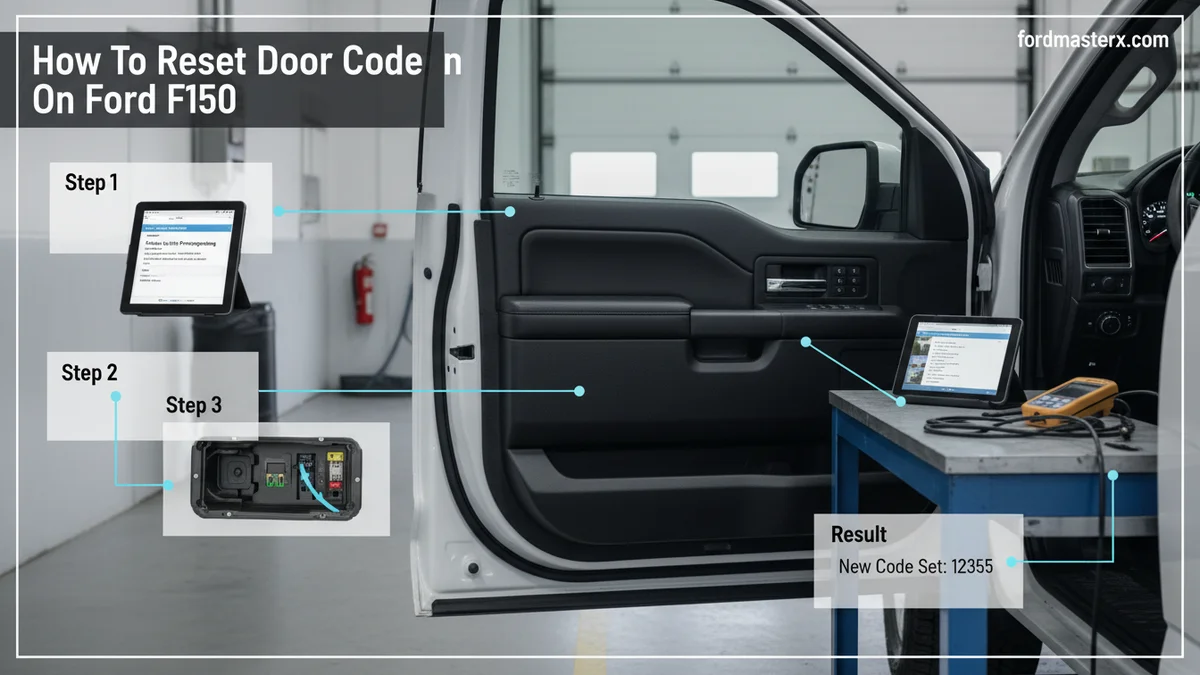
Resetting the door code on your Ford F-150 is a straightforward process that enhances both convenience and vehicle security. Whether you purchased a used truck, forgot your current code, or simply want to set a new personal entry, we provide clear, step-by-step instructions. This guide covers how to find your factory master code, program a new code, and troubleshoot common keypad issues for F-150 models up to 2026.

Prime for Young Adults — 6 Months Free
Students and 18–24s get six months of Prime free, then half price.
Start 6 Months Free As an Amazon Associate I earn from qualifying purchases.We will walk you through each critical step to ensure your truck remains secure and accessible on your terms.
Resetting your Ford F-150 door code typically involves using the factory master code to program a new personal entry code. If you’ve lost the master code, you can often find it on a sticker in your truck or by contacting a Ford dealership for assistance.
- Factory master code is essential for programming.
- Locate master code on vehicle sticker or manual.
- Programming a new code is a multi-step process.
- Dealerships can help if the master code is lost.
- Model year can influence specific instructions.
Key Takeaways
Recommended Best Deal Products


- Factory master code is essential for programming.
- Locate master code on vehicle sticker or manual.
- Programming a new code is a multi-step process.
- Dealerships can help if the master code is lost.
- Model year can influence specific instructions.
Where Is Your F150 Factory Door Code Located?
Locating the factory master code is the crucial first step for any F-150 door code reset. This permanent, 5-digit code is pre-programmed at the factory and cannot be changed. It is required to set or modify any personal entry codes. Understanding where to find this essential number will save you time and potential frustration.

Under Driver Door
For many F-150 models, the factory door code is on a white sticker located inside the driver’s side door jamb. Open the driver’s door and look at the body pillar, typically below the door latch. The sticker often contains other vehicle information alongside the 5-digit code.
Passenger Door Decal
In some F-150 generations, particularly older models, the code might be found on a decal inside the passenger side door jamb. Always check both front door frames if the driver’s side doesn’t yield results. Consulting your F-150’s owner’s manual provides the most accurate location for your specific model year.
Manual Lookup
Your F-150 owner’s manual is an excellent resource for locating the factory door code. Look under sections related to “Keyless Entry System” or “SecuriCode Keyless Entry.” The manual often has a dedicated card or page where the code is printed. Keep this manual in a safe place for future reference.
Dealership Assistance
If you cannot find the code anywhere in your truck or manual, a Ford dealership can retrieve it for you. They can access your vehicle’s records using your VIN. Be prepared to provide proof of ownership and potentially pay a small service fee for this assistance. .
Once you have successfully identified your F-150’s factory master code, you are ready to program a new custom entry code.
How to Program a New F150 Door Code in 6 Steps
Recommended Best Deal Products


Programming a new personal code is simple with your factory master code. This process allows you to customize your F-150’s keyless entry to a memorable number. Follow these six precise steps to set your new code. Remember to perform these steps carefully to ensure correct programming.

Audible — Listen Free for 30 Days
One free credit a month and thousands of titles included.
Listen Free for 30 Days As an Amazon Associate I earn from qualifying purchases.Gather Materials
Ensure you have your 5-digit factory master code handy. It is also helpful to have your desired new 5-digit personal code chosen and written down. Make sure all your truck’s doors are closed and unlocked before you begin.
Start Engine
Open the driver’s door, then close it. Turn the ignition to the “ON” position (do not start the engine), then turn it to “OFF.” Repeat this cycle one more time. This prepares the system for programming.
Enter Master
Within five seconds of the last ignition cycle, enter your 5-digit factory master code on the exterior keypad. You should hear a chime or a lock cycle to confirm acceptance of the master code.
Input New
After entering the master code, press the ‘1/2’ button on the keypad within five seconds. You will hear another chime, indicating the system is ready for your new personal code.
Confirm Entry
Enter your chosen 5-digit personal code. Press the buttons quickly, as there is a time limit between each digit. After entering your new code, press the ‘1/2’ button again to save it. The doors should cycle lock and unlock, confirming the new code is stored.
Test New Code
Step away from the truck, close all doors, and then try your new 5-digit personal code. If successful, the doors should unlock. Always test the code multiple times to ensure it works reliably before relying on it. Refer to Ford’s official keyless entry documentation for additional details.
Should you face the challenge of a lost or unreadable master code, there are still several avenues you can explore.
What If You Lost Your F150 Master Code?
Losing your F-150’s master code can be frustrating, but it does not mean you are out of options. While the primary method involves using this code, several alternatives exist to retrieve it or access your system. We explore these methods to help you regain control over your truck’s keyless entry.

Dealership Visit
The most reliable way to retrieve a lost master code is by visiting a Ford dealership. Using specialized diagnostic tools, they can read the code directly from your vehicle’s computer module. This service usually requires proof of ownership and a fee. This ensures your vehicle’s security is maintained and the correct owner is granted access.
.
Module Access
For some F-150 models, the master code might be on a sticker directly on the Keyless Entry Module. This module is often located behind the rear seat, under the dash, or occasionally in the engine bay fuse box. Accessing these areas may require removing interior trim or panels.
Exercise caution when attempting this yourself to avoid damaging components. Always consult your specific F-150 service manual before disassembly.
OBD Scan
Certain advanced OBD (On-Board Diagnostics) scanners can retrieve the factory door code from your F-150’s computer. These are typically professional-grade tools used by locksmiths or experienced mechanics. While a standard consumer OBD scanner might not have this capability, it is worth checking with a local automotive specialist. This can be a quicker alternative to a dealership visit if available.
FordPass App
For newer F-150 models (typically 2017 and later) equipped with FordPass Connect, the FordPass app might display your factory door code. After activating your vehicle within the app, navigate to the vehicle details section. The code may be listed under security or remote features. This offers a convenient digital solution for code retrieval.
.
that these procedures might vary slightly depending on your F-150’s specific model year and installed features.
Audible Premium Plus — Annual Membership
12 audiobook credits up front, plus the full Audible catalogue.
See Annual Plans As an Amazon Associate I earn from qualifying purchases.Are F150 Door Code Procedures Different by Year?
Recommended Best Deal Products


While the core principles of F-150 door code programming remain consistent, specific steps or code locations can vary by model year. Ford continually updates its vehicle systems, leading to minor differences across generations. Understanding these distinctions helps ensure you follow the correct procedure for your particular truck.
Pre-2015 Models
Older F-150 models, generally those before the 2015 redesign, primarily relied on physical stickers for the factory master code. These codes were commonly found in the door jambs or occasionally on the keyless entry module itself. Programming steps were largely manual, involving ignition cycles and keypad presses.
Diagnostics were less integrated digitally. .
2015-2020 Models
The 2015-2020 F-150 generation saw increased integration of digital systems. While physical stickers remained common, the advent of features like FordPass Connect began to offer digital avenues for code retrieval in later years. The programming sequence for personal codes largely stayed similar, focusing on the same ignition and keypad input method.
Module locations might have been optimized for easier access in some cases.
2021+ Models
With the 2021 and newer F-150 models, digital integration has become even more prominent. While a physical code sticker is still usually present, the FordPass app is a reliable method for finding the factory code for compatible vehicles. The underlying programming sequence for personal codes is generally consistent with previous generations.
Always refer to your truck’s specific owner’s manual for the most accurate instructions for your model year.
Even with the correct codes, keypads can encounter issues, but many common problems are easily fixable with a few troubleshooting steps.
7 Common F150 Door Keypad Troubleshooting Fixes
Even a correctly programmed F-150 door code can sometimes fail to work. Keypad issues can range from simple user error to minor electrical problems. Before seeking professional help, try these seven common troubleshooting fixes. Many of these solutions are quick and can resolve the problem effectively.

Check Battery
Ensure your truck’s main battery has sufficient charge. A weak or dead vehicle battery can affect the functionality of electronic accessories, including the keypad. A low battery might cause the keypad to not light up or respond erratically.
Clean Keypad
Dirt, grime, or ice can accumulate on the keypad buttons, preventing proper contact. Use a soft cloth and a gentle cleaner to wipe down the keypad. Ensure the buttons move freely and are not stuck. This simple step can often resolve unresponsive keypads.
Re-enter Code
Sometimes, simply re-entering the code slowly and deliberately can resolve an issue. Ensure you are pressing each digit firmly and within the specified time limit. Improper timing or missed presses can prevent the code from being accepted.
Restart Truck
Turning the ignition on and off, or even disconnecting the battery for a few minutes, can sometimes reset minor electronic glitches. This “soft reset” can clear temporary errors affecting the keypad’s operation. .
Fuse Inspection
Check your F-150’s fuse box for any blown fuses related to the keyless entry system or general electrical components. A blown fuse can cut power to the keypad, rendering it inoperable. Consult your owner’s manual for the specific fuse location and diagram.
Module Reset
In some cases, a hard reset of the keyless entry module itself may be necessary. This typically involves disconnecting the truck’s battery for an extended period (e.g., 30 minutes) or accessing the module to disconnect its power directly. This should only be attempted if comfortable with basic automotive repairs.
Professional Help
If none of these troubleshooting steps resolve the issue, it may indicate a more complex problem, such as a faulty keypad, wiring issue, or a problem with the keyless entry module. In such cases, it is best to seek professional assistance from a Ford dealership or a certified automotive technician.
A mechanic can perform advanced diagnostics to identify and fix the underlying cause.
How to Ensure Your F150 Stays Secure
Mastering how to reset door code on Ford F-150 models up to 2026 is a key aspect of maintaining your vehicle’s security and convenience. By following our detailed guide, you can confidently locate your factory master code and program personal entry codes tailored to your needs.
This knowledge empowers you to keep your truck secure, whether you’re a new owner or an experienced F-150 enthusiast. Always refer to your owner’s manual for model-specific instructions and consider contacting a Ford dealership for complex issues. Taking these steps ensures your Ford F-150 remains accessible and protected for years to come.
How Many Personal Door Codes Can My Ford F-150 Have?
Your Ford F-150 can store one factory master code and up to two personal entry codes. This allows you to set a primary custom code for daily use and an optional second one, providing flexibility for different users without sharing the permanent factory code.
Does Disconnecting the Battery Reset the F-150 Door Code?
Disconnecting your F-150’s battery typically does not reset or erase the programmed personal door codes. These codes are usually stored in non-volatile memory within the keyless entry module, meaning they persist even without power. You will still need the master code to change them.
What If My F-150’s Door Keypad Is Not Lighting Up?
If your F-150’s door keypad is not lighting up, first check your truck’s battery, as low power can affect it. Also, inspect the relevant fuse in your truck’s fuse box. If these are fine, the keypad itself might be faulty, or there could be a wiring issue requiring professional diagnosis.
Can I Use the FordPass App to Find or Reset My F-150’s Door Code?
For newer Ford F-150 models (typically 2017 and later) equipped with FordPass Connect, you can often view your factory door code through the FordPass app. However, the app generally does not offer a direct method to reset or change personal codes; the physical keypad programming sequence is still required.
How Do I Know If My F-150 Has a Factory Keyless Entry Keypad?
You can easily determine if your F-150 has a factory keyless entry keypad by looking at the driver’s side door. The keypad is a distinctive five-button, back-lit panel integrated into the door panel itself. If you don’t see this panel, your truck likely doesn’t have the factory system.

