Ford SYNC Version Chart by Year and Model (2008–2026)

The Ford SYNC version in your truck depends entirely on the model year and trim level — and Ford’s naming has been inconsistent enough to confuse even longtime owners. A 2015 F-150 and a 2016 F-150 look nearly identical on a used car lot, but they carry completely different infotainment hardware. The same applies across Super Duty, Ranger, Expedition, and Bronco.
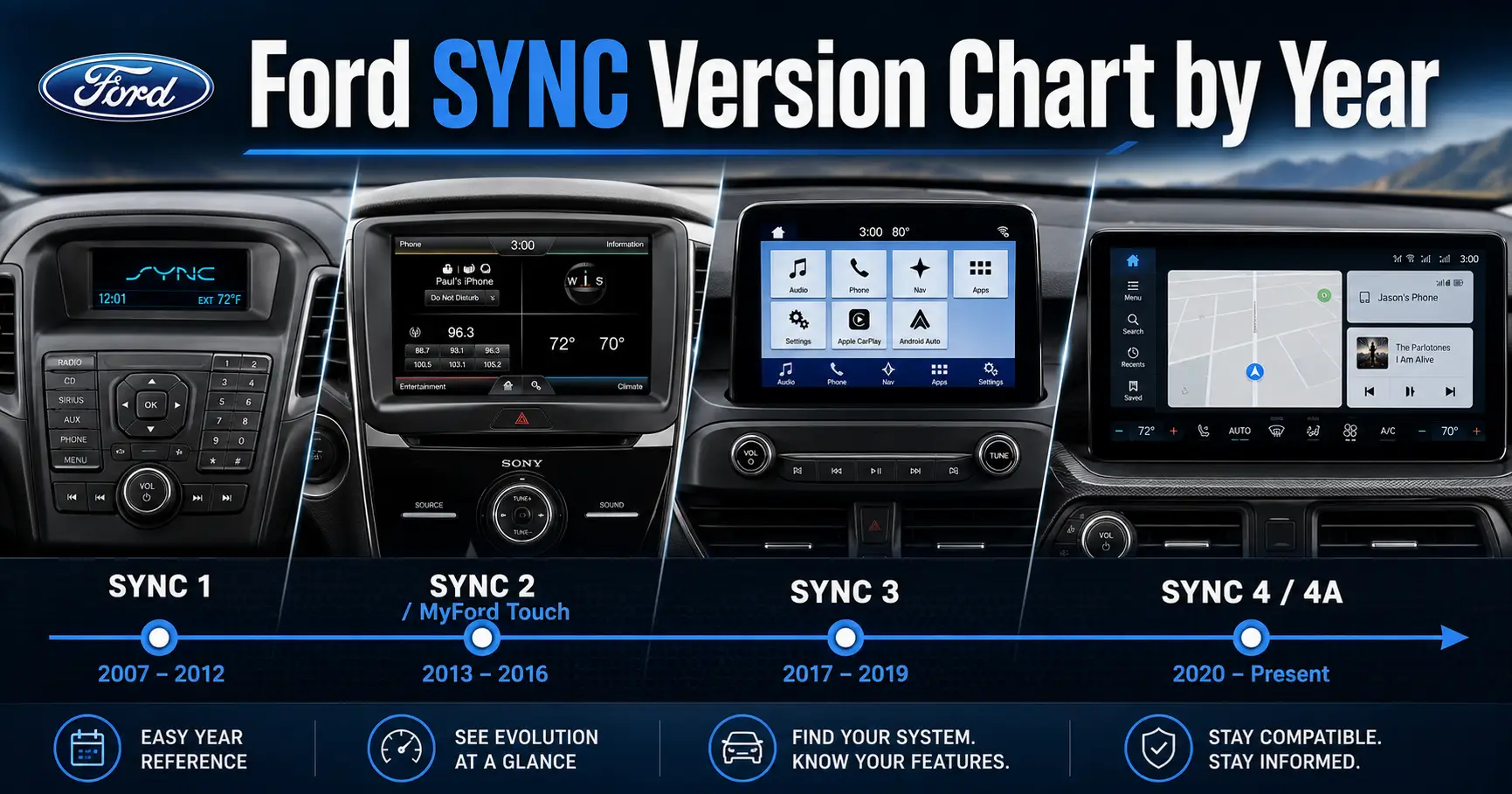
There are four distinct SYNC hardware generations, and knowing which one your truck has determines what features you can access, whether your system supports Apple CarPlay, and whether any upgrade path makes sense. The chart below maps every SYNC generation to the specific trucks and years that received it.

Prime for Young Adults — 6 Months Free
Students and 18–24s get six months of Prime free, then half price.
Start 6 Months Free As an Amazon Associate I earn from qualifying purchases.Ford SYNC Version Chart by Model Year and Truck
Recommended Best Deal Products


| Model Years | F-150 | F-250 / Super Duty | Ranger (US) | Expedition / Explorer |
|---|---|---|---|---|
| 2008–2012 | SYNC Gen 1 | SYNC Gen 1 (F-350 2009+; F-250 standard by 2010) | N/A (not sold in US) | SYNC Gen 1 |
| 2013–2015 | SYNC 2 / MyFord Touch | SYNC Gen 1 (Super Duty did not get MyFord Touch) | N/A (not sold in US) | SYNC 2 / MyFord Touch |
| 2016–2020 | SYNC 3 | SYNC Gen 1 (2016) / SYNC 3 (2017–2022) | SYNC 3 (2019–2022 US relaunch) | SYNC 3 |
| 2021–2024 | SYNC 4 / 4A | SYNC 4 (standard 8″; 12″ on higher trims from 2022) | SYNC 4 / 4A (2024 redesign) | SYNC 4 / 4A |
| 2025+ | SYNC 4 / 4A | SYNC 4 | SYNC 4 / 4A | Ford Digital Experience (Explorer 2025+) |
One important caveat: trim level within the same model year can change the SYNC version. A 2022 Super Duty XL shipped with a smaller screen configuration, while the King Ranch and Platinum trims received the 12-inch SYNC 4 display. When in doubt, use the VIN check method in the next section to confirm what’s actually installed.
Once you know your generation from the chart, here’s how to confirm it directly on your screen.
How to Check Your Ford SYNC Version in 60 Seconds
The fastest way to confirm your SYNC version is directly through the screen. Each generation uses a different path, and the steps below take under a minute.
SYNC Gen 1 Steps
- Press the Aux button until the screen displays “Line In”
- Press Menu
- Scroll to System Settings, press OK
- Scroll to Advanced, press OK
- Scroll to System Info, press OK
- Scroll to FPN, press OK
The FPN code identifies your exact SYNC Gen 1 software build. Ford’s official SYNC version check page at ford.com/support provides a lookup table to match your FPN to a build number.
SYNC 3 Steps
- Tap Settings on the touchscreen
- Tap General
- Tap About SYNC
Your SYNC 3 software version displays as a number like 3.0, 3.2, 3.3, or 3.4. Version 3.4 is the final SYNC 3 build.
SYNC 4 and SYNC 4A Steps
- Tap Settings on the touchscreen
- Tap General
- Tap About SYNC
For OTA update status specifically, go to Settings > System Updates > Update Details. SYNC 4 trucks receive Ford Power-Up over-the-air updates automatically over Wi-Fi, so the build number here reflects the most current software installed on your truck.
Knowing which generation you have also tells you which features are available and whether your system can still receive updates.
What Each Ford SYNC Generation Means for Your Truck
Each SYNC generation represents a distinct hardware platform. The differences matter if you’re buying used or deciding whether an upgrade is worth the cost.
SYNC Gen 1
Available on F-150 and most Ford trucks from 2008 through 2012. SYNC Gen 1 runs on Microsoft’s Windows Embedded Automotive platform and offers no touchscreen. Features include basic Bluetooth calling, USB and Aux audio input, voice commands for phone calls and media playback, and SMS text-to-speech on supported phones. No navigation, no CarPlay, no Android Auto.

Audible — Listen Free for 30 Days
One free credit a month and thousands of titles included.
Listen Free for 30 Days As an Amazon Associate I earn from qualifying purchases.Best for: Owners who need basic hands-free calling and nothing more.
SYNC Gen 2 and MyFord Touch
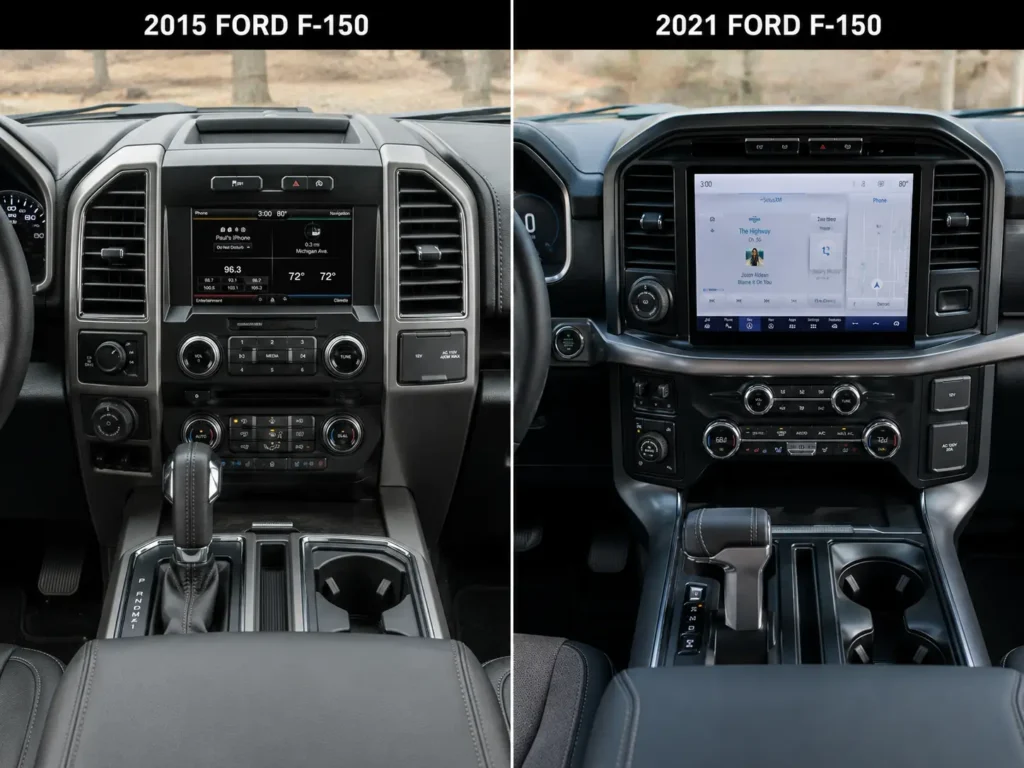
Arrived on the 2013–2015 F-150 and Explorer, but notably the Super Duty skipped this generation entirely and stayed on Gen 1 hardware through 2016. SYNC 2 / MyFord Touch introduced a 6″ or 8″ color touchscreen and dual 4.2″ cluster displays. Ford built it on the same Microsoft platform, and it earned a widely-documented reputation for sluggish response, frequent crashes, and a confusing interface. No CarPlay or Android Auto on any variant. If your used F-150 has a large screen but behaves erratically, a failing APIM module is a common cause — our guide on how to tell if your Ford APIM module is bad covers the symptoms.
Best for: Owners who prioritize the larger screen but have upgraded to the latest SYNC 2 firmware.
SYNC 3
SYNC 3 arrived on the 2016 F-150 and 2017 Super Duty, moving to the QNX operating system and a dramatically more reliable platform. This was Ford’s first generation to support Apple CarPlay and Android Auto, though SYNC 3 CarPlay is wired-only — wireless requires a third-party dongle adapter. The 6″ or 8″ screen is faster and more responsive than the Gen 2 system. SYNC 3 supports OTA updates via USB download or dealership Wi-Fi, with version 3.4 being the final build. The 2019–2022 US Ranger also shipped with SYNC 3.
Best for: Owners who want reliable CarPlay and Android Auto without upgrading hardware.
SYNC 4 and SYNC 4A
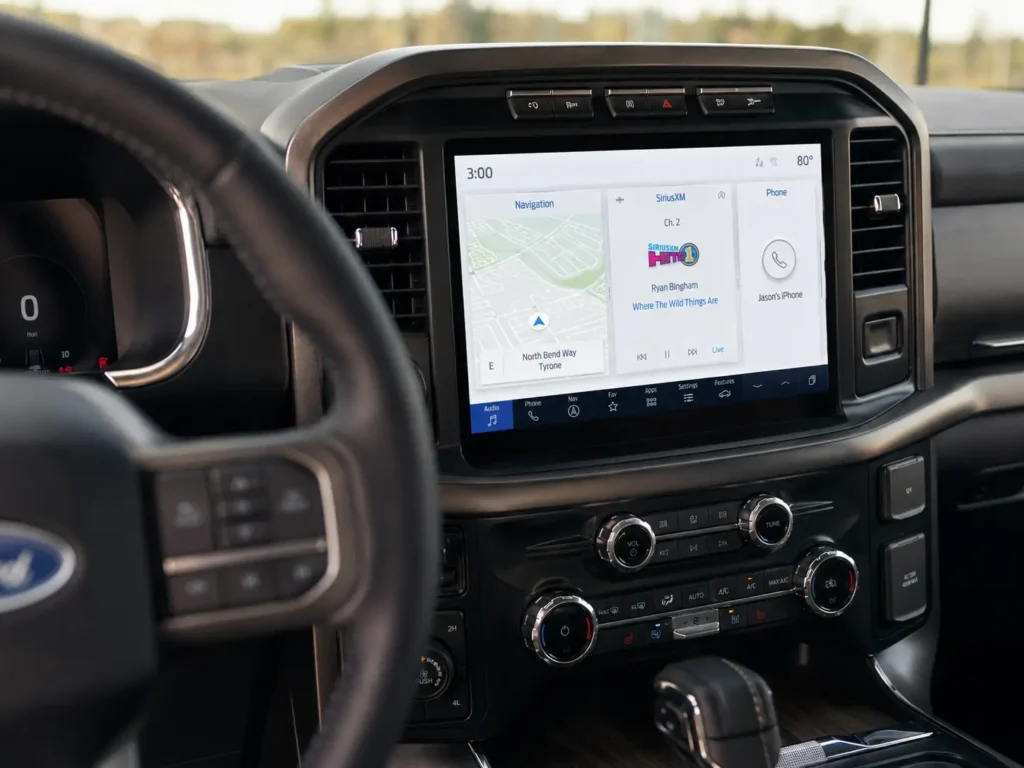
SYNC 4 launched on the 2021 F-150 and 2021 Super Duty, confirmed by Ford across the Maverick, Bronco, Explorer, Edge, Escape, and Expedition from that model year forward. SYNC 4 ships with an 8″ or 12″ horizontal embedded screen, natural voice control (“Hey Ford”), and wireless Apple CarPlay and Android Auto as standard. True Power-Up OTA updates push automatically over Wi-Fi with no USB or dealer visit needed. SYNC 4A is the vertical-screen variant, featuring a 12″ or 15.5″ portrait-mounted display and Adaptive Dash Cards. The 2024 Ranger received SYNC 4/4A with its redesign. For troubleshooting connectivity on these systems, our complete guide to connecting to Ford SYNC covers Bluetooth pairing, CarPlay setup, and common failure fixes across all generations.
Best for: Owners who want wireless connectivity, natural voice control, and future-proof OTA updates.
If your truck’s SYNC version is holding you back, there are upgrade paths worth knowing about.
Ford SYNC Upgrade Paths by Model Year and Generation
SYNC upgrades are possible for most F-150 and Super Duty generations, but the path depends on what you’re starting with.
SYNC Gen 1 or Gen 2 to SYNC 3: This is a hardware swap, not a software update. It requires replacing the APIM module and USB hub. Aftermarket kits are available for 2013–2014 F-150 models to reach SYNC 3. For 2015–2020 F-150 and 2017–2022 Super Duty trucks, plug-and-play SYNC 3 to SYNC 4 upgrade kits are available from vendors including FordSync4.com, and include the OEM 12-inch screen. Our guide on replacing the APIM module in a Ford covers the hardware process in detail.
Audible Premium Plus — Annual Membership
12 audiobook credits up front, plus the full Audible catalogue.
See Annual Plans As an Amazon Associate I earn from qualifying purchases.SYNC 3 to SYNC 4: Aftermarket kits exist for 2015–2020 F-150 and 2017–2022 F-250/F-350 trucks originally equipped with SYNC 3 or SYNC Gen 1. For 2021–2023 F-150 and 2023–2025 Super Duty trucks that shipped with a factory 8-inch screen, OEM-grade 12-inch SYNC 4 upgrade kits are also available. These require a bezel swap to accommodate the larger screen.
SYNC 4 Power-Up OTA updates: Any 2021+ truck with SYNC 4 receives Ford’s Power-Up updates automatically over Wi-Fi. No dealer visit, no USB drive. Ford’s official SYNC update page at owner.ford.com confirms the update schedule and how to verify your current build. For a step-by-step walkthrough, see our guide on how to update Ford SYNC software.
One firm limit: SYNC 2 cannot be upgraded to SYNC 4 through software alone. It requires a full physical hardware replacement. The operating systems are completely different.
Find Your Ford SYNC Version and Plan Your Next Move
The Ford SYNC version chart above covers every major truck generation from 2008 through 2025. Four distinct hardware platforms exist, and they are not interchangeable. Matching your model year and trim to the right row in the chart is the fastest way to understand what your truck’s infotainment can and cannot do.
If you’re still unsure after checking the chart, the 60-second screen check in Section 3 will confirm your installed version directly. For trucks where the SYNC version is a limiting factor, hardware upgrade kits exist for most F-150 and Super Duty model years from 2015 onward.
Buy a used Ford truck knowing exactly what generation SYNC it carries. That single detail determines CarPlay compatibility, wireless connectivity, and whether OTA updates are even possible on that truck.
Frequently Asked Questions
What SYNC version does the 2021 Ford F-150 have?
The 2021 F-150 comes with SYNC 4 as standard. Higher-trim models with the 12-inch portrait screen use SYNC 4A. Both versions support wireless Apple CarPlay, Android Auto, and Ford’s Power-Up over-the-air software updates.
Does the 2019 Ford F-250 Super Duty have SYNC 3?
No. The F-250 Super Duty received SYNC 3 starting with the 2017 model year, not 2019. A 2019 Super Duty has SYNC 3, but 2016 and earlier Super Duty trucks run SYNC Gen 1.
How do I know if my Ford has SYNC 3 or SYNC 4?
Go to Settings > General > About SYNC on your touchscreen. SYNC 3 shows a version number like 3.0–3.4. SYNC 4 shows a build code like “22280_PRODUCT.” Physically, SYNC 4 trucks have a faster, sharper screen with a cleaner card-based home screen layout.
Can I upgrade my Ford F-150 from SYNC 3 to SYNC 4?
Yes, for 2015–2020 F-150 models. Aftermarket plug-and-play kits replace the APIM module and screen with OEM SYNC 4 hardware. It is a hardware replacement, not a software update, and requires a bezel swap for the larger 12-inch display.
What is the difference between SYNC 4 and SYNC 4A?
SYNC 4 uses an 8″ or 12″ horizontal screen embedded in the dashboard. SYNC 4A uses a 12″ or 15.5″ vertical screen that floats in front of the dash. Both share the same core software features — wireless CarPlay, natural voice control, and OTA updates — but SYNC 4A adds Adaptive Dash Cards that rearrange based on your usage habits.