How to Replace the APIM Module in a Ford: Steps and Programming

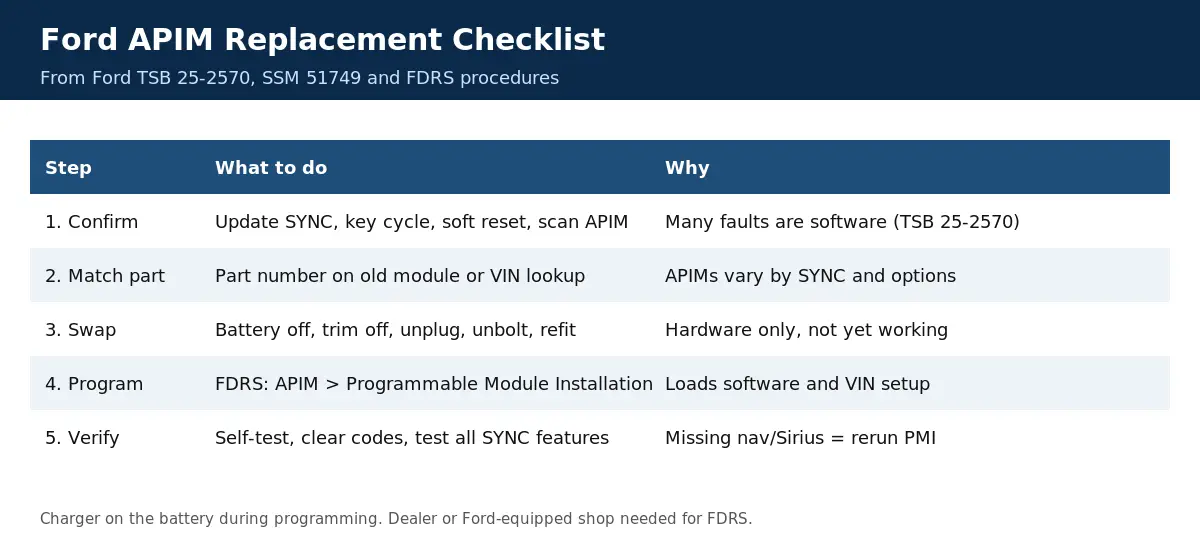
The programming step is the one most DIY guides skip. Ford’s procedure after a new APIM is installed is Programmable Module Installation (PMI) in the Ford Diagnosis and Repair System (FDRS), and Ford’s SSM 51749 notes that a wrongly configured APIM on some 2022 F-150s left navigation and SiriusXM inoperative until PMI was run.
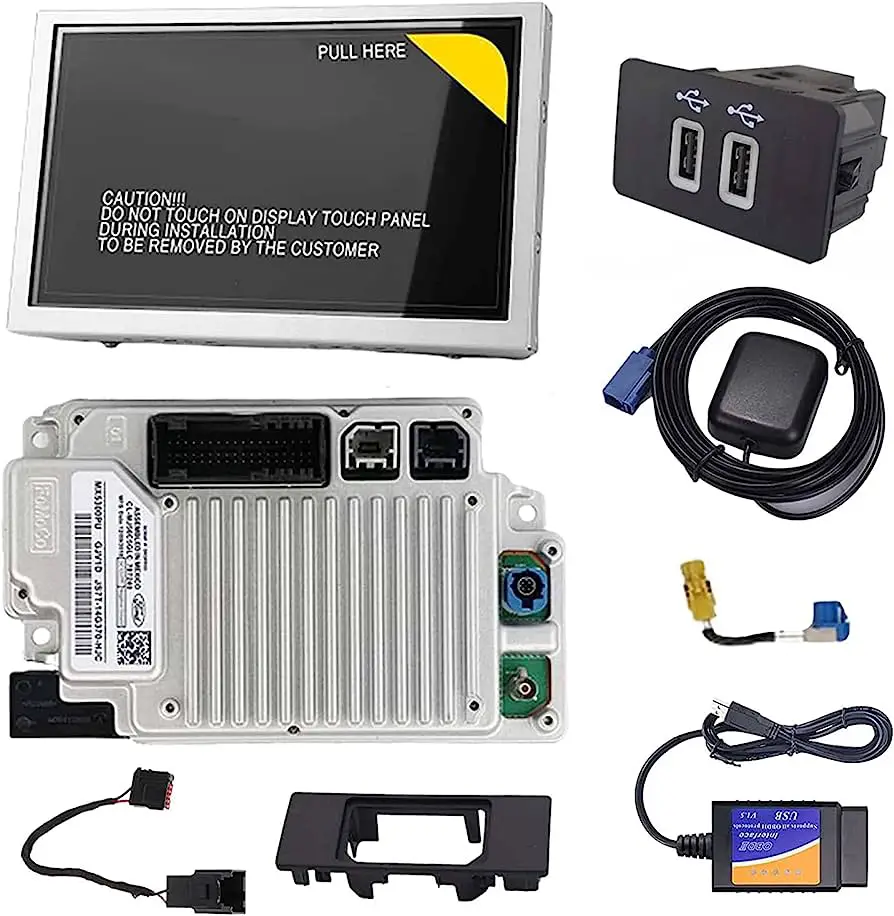
The APIM, or Accessory Protocol Interface Module, runs Ford SYNC: the touchscreen, phone, audio, navigation, apps and, on many models, the rear camera display. Before you buy one, confirm the module has really failed. Our guide to bad APIM symptoms, resets and recalls covers the checks, and Ford says many SYNC problems are fixed with a software update instead of a new module.
What the APIM Module Does in Ford Vehicles


The APIM is the SYNC module. It connects the infotainment system to the vehicle network so the screen, Bluetooth phone, audio sources, USB ports and apps can work together.
Common signs of a problem include a black, blue or frozen screen, lost CarPlay, Android Auto or Bluetooth, and a blank rear camera image. Most are software issues first. Ford’s TSB 25-2570 says some APIMs returned for inspection only had outdated software, so update and reset before you replace anything. See our bad APIM symptoms guide for the full list and current recalls.
If updates, a key cycle and a soft reset don’t fix it, have a shop scan the APIM for codes before you buy hardware.
Preparing for the APIM Module Replacement


Before you start, get the correct module. APIMs differ by SYNC generation, model, year and options (for example navigation), so match the part number on your old module or have a Ford parts counter look it up by VIN. Note your radio presets and paired phones, because a new module starts without them.
You will need trim removal tools, a socket set and a battery charger or maintainer, plus access to Ford FDRS (a dealer or a shop with Ford’s software) for programming. Ford’s procedures call for a charger on the battery during programming to keep the voltage up.
Once you have the right part and access to programming, you are ready to start.
Step-by-Step Guide to Replacing the APIM Module in Ford Vehicles


- Disconnect the negative battery cable.
- Remove the dash trim, and the screen or radio bezel if needed, to reach the APIM. Its location varies: on many models it sits behind the center stack or glovebox, so check the workshop manual for your vehicle.
- Unplug the connectors and antenna leads, then remove the mounting bolts and the module.
- Fit the new module, reconnect every connector, and reinstall the bolts and trim.
- Reconnect the battery and have the module programmed (next section) before judging whether it works.
Don’t force connectors, and keep the old module until the new one is programmed and working.
The removal is usually the quick part. The programming is what makes the new module work in your vehicle.
Programming and Configuring the New APIM Module
A new APIM has to be set up for your VIN. In Ford’s FDRS the technician selects the APIM and runs Programmable Module Installation, which loads the software and vehicle configuration. Ford’s SYNC software procedures, such as the one in this 2025 Ford service document, also require a charger on the battery, a stable internet connection and an exFAT USB drive.
After programming, the shop should run a self-test and clear codes in all modules. Then check the screen, Bluetooth, CarPlay or Android Auto, navigation, SiriusXM and the rear camera.
If you skip this step, the module may not power up correctly, features may be missing, or you may get codes in other modules.
Tips and Troubleshooting for APIM Module Replacement
If navigation or SiriusXM is missing after a replacement, the APIM is probably configured wrong. Ford’s SSM 51749 for some 2022 F-150s says to run APIM PMI again in FDRS.
Double-check every connector and ground. A loose plug can look like a dead module. A used APIM from another vehicle is not a reliable test, because it needs to be configured for your VIN.
If the new module still won’t work after correct programming, go back to diagnosis. Our APIM symptoms and fixes guide lists the Ford bulletins worth checking.
Frequently Asked Questions: How to Replace the APIM Module in a Ford
How Do I Know If My Ford APIM Module Needs To Be Replaced?
Only after software updates and resets fail. Black, blue or frozen screens, lost phone connections and a blank camera image are typical APIM symptoms, but most are fixed with a software update. A shop scan of the APIM confirms a hardware failure.
Can I Replace the APIM Module in My Ford on My Own?
You can swap the hardware yourself, but the new module needs Ford FDRS programming (Programmable Module Installation) to work in your vehicle. Most owners need a dealer or a shop with Ford software for that step.
Where Can I Buy a New APIM Module for My Ford?
From a Ford dealer parts counter or an online Ford parts retailer. Match the part number on your old module or look it up by VIN, because APIMs vary by SYNC generation and options.
How Much Does It Cost to Replace the APIM Module in a Ford?
It varies widely with the module (SYNC generation, navigation), labor and programming. We could not find a reliable average, so get a quote that includes the part, labor and FDRS programming. Rule out a software fix first, since that usually costs much less.
How Long Does It Take to Replace the APIM Module in a Ford?
The removal and refit time depends on how much trim has to come off on your model, and programming adds more, and Ford notes a SYNC USB update alone can take up to 25 minutes. Ask the shop for the labor time for your model.
Conclusion
Replacing a Ford APIM is a hardware swap plus programming. Confirm the fault first, buy a module that matches your VIN, and plan for FDRS programming.
Disconnect the battery, remove and fit the module carefully, then have it programmed and test every SYNC feature.
Not sure the APIM is really bad? Start with our guide to bad APIM symptoms, resets and recall checks.