
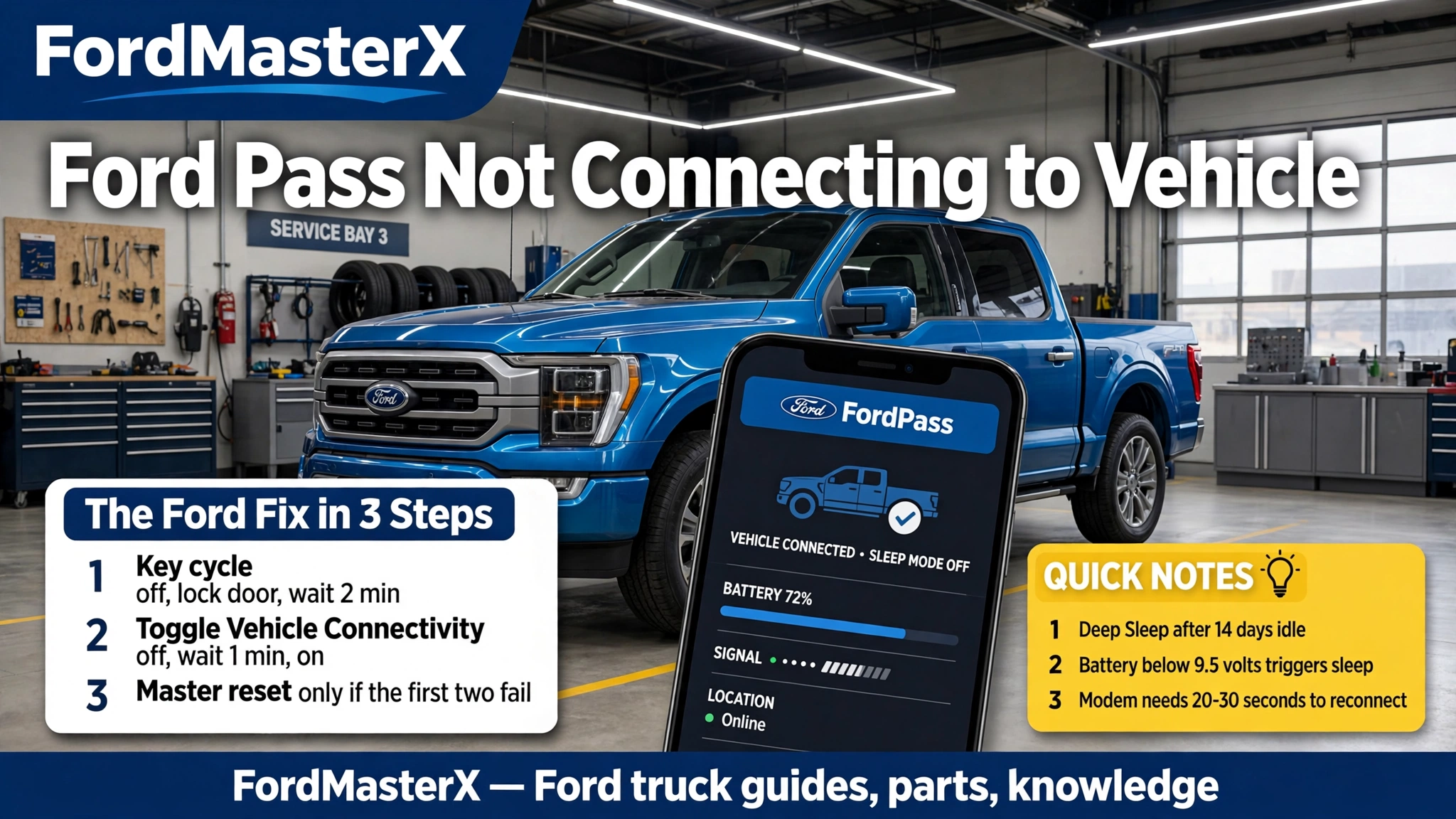
Ford Pass Not Connecting to Vehicle 2026 Complete Fix Guide

Ford Pass not connecting to your vehicle usually means one link in a three-part chain has broken: your phone, your Ford account, or the modem inside your truck. The fix depends on which link failed, and the wrong fix wastes an afternoon.
This guide sorts the failure in about a minute, then gives the official Ford steps for the link that broke. It covers the app, the account, SYNC settings, the modem, and Deep Sleep mode.
Use only the official Ford app and Ford support pages named in this guide. Never type your Ford account password into any other site or app that claims to fix FordPass.
The Short Answer in 6 Checks
Six checks find almost every FordPass failure. Work them in order and test the app after each one, because the first check that passes tells you where the chain broke.
| Check | What to look for | The fix |
|---|---|---|
| Phone and data | App opens but the data is stale | Update the app and restart the phone |
| Account and user | Activation Pending or the wrong account | Primary user approves, or re-add by VIN |
| Connectivity setting | Vehicle Connectivity is off | Settings, FordPass Connect, toggle it on |
| Key cycle | App still fails after the phone fixes | Off, open and lock the door, wait 2 minutes, restart |
| Deep sleep | Vehicle sat 14 days or the battery is low | Start and drive, wait 20 to 30 seconds |
| Modem ESN | ESN blank in About SYNC | Fuse reset, then a dealer reprogram |
FordPass Fix At a Glance
The six checks that find most FordPass connection failures, as observed in November 2026.
| Check | What to look for | The fix |
|---|---|---|
| Phone and data | App opens but the data is stale | Update the app and restart the phone |
| Account and user | Activation Pending or the wrong account | Primary user approves, or re-add by VIN |
| Connectivity setting | Vehicle Connectivity is off | Settings, FordPass Connect, toggle it on |
| Key cycle | App still fails after the phone fixes | Off, open and lock the door, wait 2 minutes, restart |
| Deep sleep | Vehicle sat 14 days or the battery is low | Start and drive, wait 20 to 30 seconds |
| Modem ESN | ESN blank in About SYNC | Fuse reset, then a dealer reprogram |
Direct answer: Most FordPass failures are a stale app session, a switched-off connectivity setting, or a sleeping modem. Work the six checks in order and test after each one.
Sources: Ford support pages on modem activation, connectivity troubleshooting, Deep Sleep mode, and activation pending. Menu names vary by model and SYNC version.
Most owners fix the problem in the first three checks. The phone side takes five minutes, the account side takes three steps, and the vehicle side follows one official Ford sequence.
The rest of this guide explains how the connection works, then walks each branch in the order Ford recommends. Start with the diagnosis, not with a reinstall.
How FordPass Talks to Your Vehicle
Your phone never talks to your truck directly when you press remote start. The command travels from your phone over mobile data or Wi-Fi to Ford servers, then over the cellular network to a modem built into your vehicle, and the modem passes the command to the vehicle systems.
That modem is called the Telematics Control Unit, or TCU, and it is part of FordPass Connect. It is a separate module from the SYNC screen computer, which Ford calls the Accessory Protocol Interface Module, or APIM. The screen shows you menus and settings, while the modem carries the actual connection to Ford.
Bluetooth is not part of this path. Your phone can pair with SYNC over Bluetooth for calls and music while FordPass remote features stay dead, because remote start, lock, and vehicle status travel through the cellular modem instead. Owners who chase Bluetooth settings for a FordPass failure are fixing the wrong link.
The Ford app, formerly called the FordPass app, is the phone end of the chain. Ford lists its features as remote start, remote lock and unlock, vehicle status checks such as fuel level, odometer reading, and tire pressure, plus vehicle location and service scheduling. Every one of those features needs all three links working: phone, account, and modem.
Our guide to what SYNC is in a car explains the screen side of the system in plain terms. The key point here is simple: SYNC is the display and the controls, while the modem is the connection, and the two can fail separately.
Find the Break in 60 Seconds
Three quick tests tell you which link broke. Run them before you change anything, because each result points at a different section of this guide.
Test the Phone Side
Open another app that needs mobile data, such as a map or a browser page. If that app loads normally and the Ford app still shows old fuel level or tire pressure numbers, the phone connection is fine and the fault sits further down the chain.
Check the time stamp in the Ford app if it shows one. Data from hours ago with a healthy phone signal means the app stopped hearing from the vehicle, not that the phone stopped hearing from the internet.
If the Ford app itself will not open, freezes on launch, or crashes, the phone side is the suspect. Skip to the phone fixes and do not touch the vehicle settings yet.
Test the Account Side
Look at the vehicle screen in the Ford app. A vehicle that shows “Activation Pending” is an account problem, not a modem problem, because the vehicle has not finished joining your account.
Check that you are signed in with the account that first added the vehicle. FordPass treats the first person to connect as the primary user, and anyone else as a secondary user who needs the primary user to approve them in the app.
A vehicle that vanished from the app after a phone change points at the account too. The vehicle is tied to the Ford account, not to the phone, so a new phone with the same account should show the same garage.
Test the Vehicle Side
Start the vehicle and open the SYNC screen. Go to Settings, then FordPass Connect, then Connectivity Settings, and look at the Vehicle Connectivity switch. If it is off, you found the fault in ten seconds.
Next, open the About SYNC screen and look for the modem Electronic Serial Number, or ESN. A missing or blank ESN means the modem is not talking to the SYNC system at all, and no app fix will reach it.
Finally, think about when the vehicle last ran. A truck that sat untouched for two weeks, or one with a weak battery, may be in Deep Sleep mode, which shuts the modem down to save power. The diagnosis section below tells you how to confirm that.
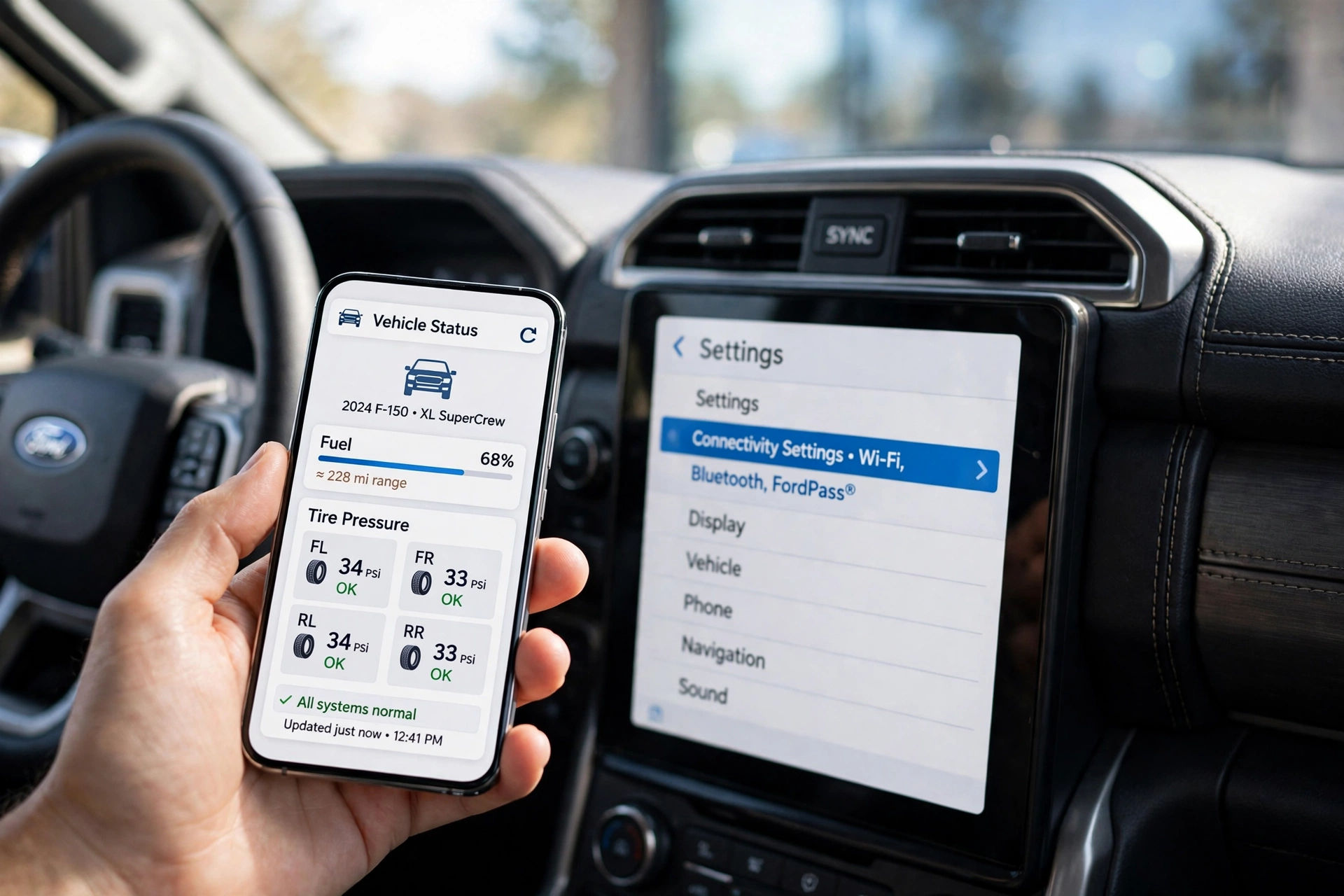
AI-generated illustration: a phone showing the Ford app vehicle screen beside a SYNC touchscreen. The fuel, range, and tire pressure values shown are illustrative examples, not readings from a real vehicle.
Fix the Phone Side in 5 Minutes
Phone fixes are cheap and fast, so they come first. Do them in this order and test the app after each step, because the step that works tells you what went wrong.
Update the Ford App
Open your phone app store and check for a Ford app update. App updates fix broken sessions and bad releases, and an old version can stop talking to Ford servers after Ford changes something on its side.
Turn on automatic updates for the Ford app if you keep hitting this problem after updates. A truck that worked yesterday and broke today often traces back to an app update that landed overnight.
Check your phone operating system version while you are there. Ford lists the app as compatible with select smartphone platforms, and a phone that stopped receiving operating system updates can fall out of support without warning.
Restart the Phone Fully
Force close the Ford app, then restart the phone completely instead of just locking the screen. A full restart clears the temporary files and stuck background sessions that a simple app close leaves behind.
Reopen the Ford app after the restart and pull down to refresh the vehicle screen. Give it a full minute, because the first refresh after a restart has to rebuild the session with Ford servers.
Test on both Wi-Fi and mobile data if the refresh fails. A home or office Wi-Fi network can block the app while mobile data works fine, and the test tells you whether the phone or the network is at fault.
Reinstall the Ford App
Delete the Ford app, restart the phone, then install a fresh copy from the official app store. This clears corrupted app data that an update alone cannot fix, and it is the step Ford support asks about most often.
Sign in with the same Ford account after reinstalling. Do not create a new account, because a new account has no vehicle in its garage and the app will look empty.
Check the phone permissions for the Ford app after the reinstall. Location access, mobile data, and background refresh all matter, because the app needs location permission for vehicle location features and background access to keep its session alive.
Log out and log back in if the app opens but still shows stale data. A stale login session can look exactly like a dead modem, and a fresh login is faster than any vehicle reset.
Fix the Account Side in 3 Steps
Account problems hide behind the same symptoms as modem problems, so owners often reset the truck when the real fault is a user role. These three steps sort the account out.
Confirm the Primary User
Find out who first added the vehicle to FordPass. That person is the primary user, and only the primary user can approve other people or remove the vehicle from an account.
If you bought the truck used, the previous owner may still hold the primary user role. Ask the seller or the selling dealer to remove the vehicle from their FordPass account, because a new owner cannot force that removal from their own phone.
A fleet message points at the account too. Ford says a “Feature Unavailable for fleet vehicles” message needs Ford app support through Account, then Help, in the app. That message is a Ford-side label on the account, not a fault in your truck.
Approve a Secondary User
A secondary user sees “Activation Pending” until the primary user approves the request. The approval happens in the primary user’s app, so a secondary user waiting alone will wait forever.
Ask the primary user to open the Ford app, find the pending request, and approve it. The vehicle should activate within a few minutes of approval if the modem and signal are healthy.
Check that the secondary user signed in with the right email address. A request sent from a different email sits in the wrong account, and the primary user will never see it.
Remove and Readd Vehicle
Remove the vehicle from the Ford app, then add it again with the VIN. This rebuilds the link between the account and the vehicle from scratch, and it fixes activations that stalled halfway.
Ford’s own activation guide lists the pre-conditions for a clean activation. The vehicle must have an embedded modem, it must be added to the Ford app, and the phone needs a strong cellular signal before you start.
Follow the official activation steps after re-adding the vehicle. Ford explains how to activate the vehicle modem with the Ford app, including the in-vehicle prompt you must accept on the SYNC screen and the two minutes the connection can take to complete.
Our guide to how to get FordPass Points covers the rewards side of the same account. Points and remote features share one Ford account, so a sign-in problem can show up in both places at once.
Fix the Vehicle Side in 3 Steps
Ford publishes one official sequence for connectivity problems, and the order matters. Do the key cycle first, then the settings toggle, then the master reset, and test the app after each step.
Park the vehicle in an open area with good cell signal before you start. The modem needs a cellular signal to talk to Ford, and a concrete parking garage can block the very test you are running.
Run the Key Cycle
Turn the vehicle off completely. Open the driver door and lock the door, then close the door and wait two minutes until the radio display turns off completely.
Restart the vehicle after the wait. This key cycle lets the vehicle systems power down fully, which clears the stuck modem state that a quick off and on never reaches.
Open the Ford app after the restart and refresh the vehicle screen. Ford lists this key cycle as step one in its connectivity troubleshooting, and it fixes more cases than any other single step.
Toggle Connectivity Settings
Go to Settings on the SYNC screen, then FordPass Connect, then Connectivity Settings. Toggle the Vehicle Connectivity switch off, wait one minute, then toggle it back on.
This toggle restarts the handshake between the modem and SYNC. It is the step to try when the key cycle failed but the modem ESN still shows on the About SYNC screen.
Confirm the setting stays on after the toggle. A switch that flips itself back off points at a deeper modem fault, and that result belongs in the modem section below.
Ford lists the key cycle, the settings toggle, and the master reset as its connectivity troubleshooting sequence. Follow that order instead of jumping to the master reset first.
Run the Master Reset
Try a soft reset before the master reset. Press and hold the Power button and the Seek Right button together for about 10 seconds until the screen goes black, then wait for the Ford logo and the system to reboot. This restarts SYNC without deleting your settings.
Run the master reset only if the soft reset and the settings toggle both failed. On SYNC 3, go to Settings, then General, then Master Reset, then Continue, while newer SYNC 4 screens use Settings, then General, then Reset, then Factory Reset. The system turns off, the screen goes blank, and it may take a few minutes to resume.
Know what a master reset erases before you tap Continue. It removes paired phones, saved Wi-Fi networks, navigation favorites, and radio presets, and you will need to pair your phone again afterward.
Dealer documentation citing Ford guidance says some connected services, including Navigation and BlueCruise, may be unavailable for up to 10 business days after a factory reset while the system re-establishes its connections. That delay is normal, so do not run a second reset while you wait.
Our guide to how to connect to Ford SYNC walks through phone pairing after a reset. Our guide to how to update Ford SYNC with USB covers the software update step if the dealer or Ford support points at an old SYNC version.
A SYNC screen that has sound problems is a different fault from a FordPass failure. Our guide to Ford SYNC connected but no sound covers that case, and it should not be confused with a modem problem.
Wake a Sleeping Vehicle in 3 Steps
Deep Sleep mode is the most misunderstood FordPass failure, because nothing is broken. The vehicle deliberately shut its modem down to protect the battery, and the app cannot wake it from the outside.
Spot Deep Sleep Signs
Ford says Deep Sleep activates after 14 consecutive days of inactivity, when battery voltage drops below 9.5 volts, or in extremely cold or hot weather. The Ford app may show a “Vehicle Has Entered Deep Sleep Mode” notification, and remote start, lock, and location all stop answering.
A vehicle that worked fine last week and went silent after a holiday trip fits this pattern exactly. So does a truck with an aging battery that dips below 9.5 volts on a cold morning, even if it still starts normally.
Check the battery if Deep Sleep keeps returning within days of a drive. A battery that cannot hold voltage will keep triggering the mode, and no amount of app reinstalling will stop it.
Start and Drive It
Unlock and start the vehicle directly with the key or push-button start. Remote start will not exit Deep Sleep, because the modem that receives the remote command is the part that is asleep.
Drive the vehicle for a normal trip after starting it. A short idle in the driveway may not recharge the battery enough to keep the modem awake, while a real drive gives the charging system time to work.
Wait 20 to 30 seconds after starting before you check the Ford app. Ford says the modem needs that long to reconnect with the app, and checking too early looks like a failure that never happened.
Stop Deep Sleep Returning
Drive the vehicle at least once a week if it normally sits unused. Short regular drives keep the battery voltage above the threshold that triggers Deep Sleep.
Test the battery at a parts store or dealer if the mode returns after a full drive. A load test shows whether the battery holds charge under demand, which a simple voltage reading cannot prove.
Our guide to the best battery for the Ford F-150 lists replacement options if the test shows the battery is done. Our guide to how long a battery lasts with a bad alternator explains why a weak charging system can drain a new battery in days.
Ford explains why a vehicle enters Deep Sleep mode and how to exit it by starting and driving the vehicle. The 14-day trigger, the 9.5 volt threshold, and the 20 to 30 second reconnect time all come from that Ford page.
When the Modem Itself Is Dead
A dead modem looks like every other failure from the phone, which is why it comes last in this guide. Two checks separate a dead modem from a sleeping one, and both take a minute.
Check the Modem ESN
Open the About SYNC screen and look for the modem Electronic Serial Number. A present ESN means the modem is alive and talking to SYNC, so the fault is in settings, signal, or the account.
A blank ESN field means the modem is not communicating at all. No remote command can reach the vehicle until the modem talks again, and no app reinstall will change that.
Check the ESN again after a key cycle and a settings toggle. A modem that shows its ESN after a reset was stuck, not dead, and the problem is solved.
Try the Fuse Reset
According to a Go-Parts guide to the APIM and TCU modules, Ford service message SSM 49084 covers inoperative remote features on many 2017 to 2020 Ford and Lincoln vehicles. Its first step is to remove the TCU fuse for 5 minutes, then reinstall it and test the app.
Find the exact fuse in your owner’s manual before you pull anything. Fuse numbers and locations vary by model and year, and pulling the wrong fuse can shut down a system you were not trying to fix.
Test the ESN again after the fuse reset. If the ESN returns, the modem rebooted and the app should reconnect within a few minutes.
Ask for a Reprogram
Book a dealer visit if the ESN stays blank after the fuse reset. The same Ford service message says the next step is a dealer reprogram of the TCU to the latest software level, which needs dealer equipment.
Tell the dealer exactly what you already tried: key cycle, settings toggle, master reset, and fuse pull, plus the blank ESN reading. A clear history stops the dealer from repeating your steps and billing you for the time.
Ask the dealer to check for a TCU software update and for any open service messages on your VIN. Modem faults on 2017 to 2020 vehicles are a known pattern, and the fix is usually software, not a new part.
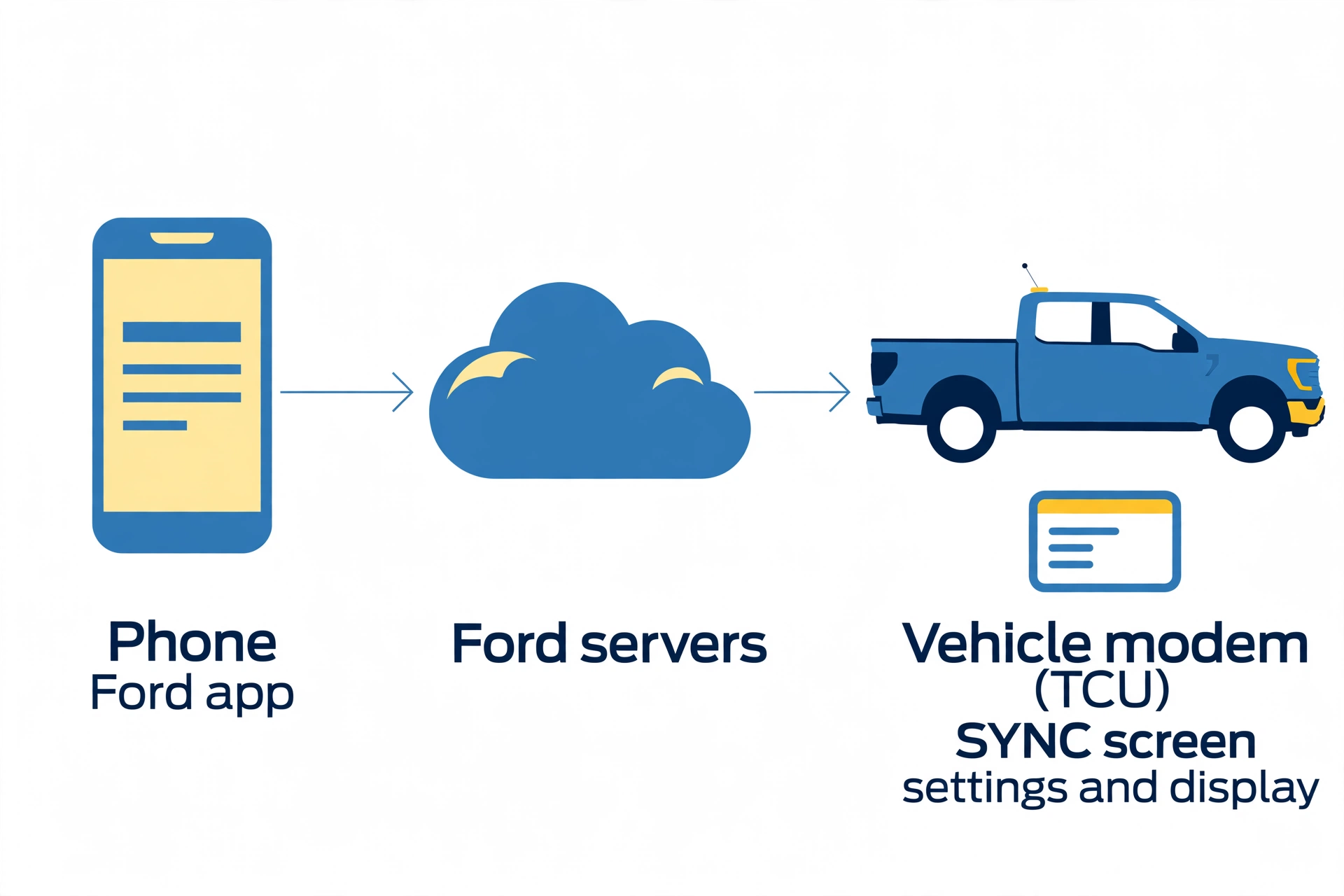
AI-generated illustration: the phone to cloud to modem chain that carries FordPass commands.
What Changed When FordPass Stopped
FordPass rarely breaks for no reason. Something changed, and naming the change points straight at the fix.
An app update is the most common change. The app worked yesterday, updated overnight, and now it freezes or shows stale data. Update again, reinstall, or wait for the next release, and check the phone fixes first.
A new phone is the next most common change. The vehicle is tied to the Ford account, so signing in with the same account on the new phone should restore it. A different account, a mistyped email, or a phone that restored from an old backup can all break the link.
A SYNC software update can break the modem handshake too. The screen may look fine while the modem stops answering, and the key cycle plus settings toggle sequence is the right response. Check for a newer SYNC version only after the official sequence fails.
A vehicle that sat unused, a battery that weakened in cold weather, or a move to an area with weak cell signal can all look like an app failure. The Deep Sleep section covers the parked vehicle, and the modem section covers the signal problem.
A key fob with a dying battery can block remote start from the fob while the app still works, which confuses the diagnosis. Our guide to how to replace a Ford key fob battery covers that small fix, and it is worth ruling out before you blame the modem.
Remote start has its own blockers beyond the connection. A hood or door left open, a low fuel level, or a fault light can stop a remote start even when the app connects fine. Our guide to the 2014 Ford F-150 remote start system explains how the factory remote start behaves, and the same principles apply to newer trucks.
When Only the Dealer Can Fix It
Some failures end at the dealer, and knowing which ones saves a weekend of resets. Book the visit when the evidence points at hardware or Ford-side records.
Go to the dealer when the modem ESN stays blank after a fuse reset, when activation is declined again and again after a clean re-add, or when the “Feature Unavailable for fleet vehicles” message appears and Ford app support cannot clear it. Those three point at the modem, the Ford account record, or both.
Go to the dealer when the vehicle never had FordPass Connect hardware. Some base trims from 2016 and 2017, and some commercial vehicles, shipped without an embedded modem. No app or setting can add hardware that was never installed, and the window sticker will show whether FordPass Connect was fitted.
Ask the dealer to check warranty cover before authorizing any modem work. Our guide to the Ford factory warranty explains how Ford cover works, and a modem fault on a vehicle still inside its warranty period should be checked as a warranty repair first.
Bring the evidence with you: the blank ESN reading, the steps you already ran, and the exact message the app shows. A dealer that sees a blank ESN and a completed Ford troubleshooting sequence will start at the reprogram, not at the beginning.
Questions Owners Ask About FordPass
Why Does FordPass Say Pending
Activation Pending means the vehicle has not finished joining your Ford account. A secondary user waits for the primary user to approve the request, while a primary user should re-add the vehicle by VIN and follow the official activation steps.
Ford has a dedicated page on why activation stays pending in the Ford app.
Does FordPass Use Bluetooth
FordPass remote features do not use Bluetooth. They travel from the phone to Ford servers and then over the cellular network to the vehicle modem, so a working Bluetooth pairing proves nothing about the FordPass connection.
Can I Use FordPass Abroad
Ford says connected services work only in the country where the vehicle is registered. Travel abroad can cut the connection, and it returns when the vehicle is back on its home network.
Is FordPass Free to Use
The Ford app itself is free to download, and the core remote features are included with a compatible vehicle. Some connected services run on a trial or a plan after the complimentary period, so check your account if a feature that worked last year now asks for payment.
Why Did Remote Start Stop
Remote start stops when the connection breaks, when the vehicle enters Deep Sleep, or when a vehicle condition blocks the start. Check the connection first, then the Deep Sleep signs, then the hood, doors, fuel level, and warning lights.
What If I Sold the Truck
Remove the vehicle from your Ford app before handover, or as soon as you can after the sale. The new owner cannot become the primary user until the old account releases the vehicle.
Your 5 Step FordPass Fix Check
Ford Pass not connecting to your vehicle is a chain problem, not a mystery. The phone, the account, and the modem each have their own test, and the test result picks the fix.
Run the five step check before your next dealer call. Update the app and restart the phone, confirm the right account and user role, run the Ford key cycle, toggle the connectivity setting, and check the modem ESN.
That check costs about fifteen minutes. It fixes most failures at home, and when it does not, it hands the dealer a clear fault instead of a vague complaint.