
2014 Ford F-150 Remote Start: Upgrade & Activation Guide

Most 2014 Ford F-150 trucks can be upgraded with plug-and-play remote start kits that utilize the factory key fob. For successful operation, the vehicle must have a functional hood switch and the feature must be enabled in the Body Control Module (BCM) via FORScan or a dealership tool.
🎯 Key Takeaways
Recommended Best Deal Products


- Verify your truck has a factory hood switch before attempting installation.
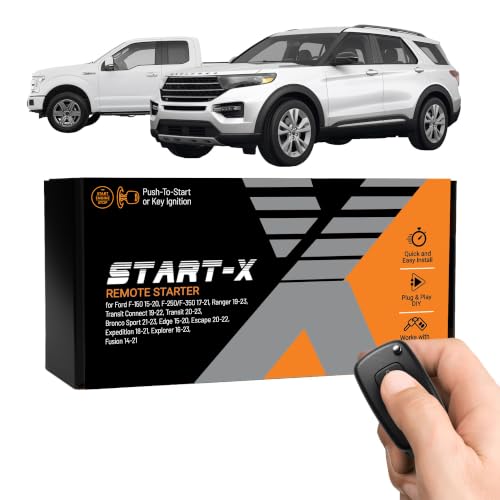
- Plug-and-play modules like Start-X are the most popular aftermarket options.
- The BCM must be flashed via FORScan to recognize new hardware.
- Standard fobs usually trigger start with a Lock-Unlock-Lock button sequence.
- OEM Ford kits provide better range but require a separate antenna.
Adding remote start to your 2014 Ford F-150 is one of the most practical upgrades you can perform. Because Ford pre-wired most 12th-generation trucks for this feature, you do not need to deal with the messy wire-splicing of the past. To get the system running, you simply need a hardware module, a functional hood pin switch, and a way to tell the truck’s computer that the remote start feature is now active. Whether your truck is a base XL or a loaded Lariat, the internal architecture is ready to accept the upgrade.

Prime for Young Adults — 6 Months Free
Students and 18–24s get six months of Prime free, then half price.
Start 6 Months Free As an Amazon Associate I earn from qualifying purchases.
The 2014 model year represents the final iteration of the steel-bodied F-150, meaning the electronics are stable and well-documented. You have two main paths to follow: installing the official Ford OEM hardware or opting for a modern, 100% plug-and-play aftermarket kit. Both options utilize the truck’s existing CAN bus system, but they differ significantly in terms of cost, key fob requirements, and ease of installation. Understanding these differences is the first step toward a successful DIY project.
Hardware Options: OEM Ford Kits vs. Aftermarket Plug-and-Play Modules
Choosing your hardware is the most important decision in this process. Your choice dictates whether you will need to carry a second key fob or if you can continue using your original factory keys to start the engine remotely.

The Ford OEM Series 100 and 200 Kits
The Ford OEM Series 100 kit (Part No. BC3Z-19G364-A) was the standard dealership upgrade for years. It consists of a small antenna that plugs into the Tire Pressure Monitoring System (TPMS) module located behind the glovebox. Once installed, you must use a new Ford key that features a dedicated 2X button. The main benefit is reliability, as it is genuine Ford equipment designed specifically for your VIN. However, the downside is the added expense of getting new keys cut and programmed by a locksmith or dealer.
Modern Aftermarket Modules (Start-X and Others)
In recent years, aftermarket modules like those from Start-X or 12Volt.Solutions have become the preferred choice for 2014 F-150 owners. These systems are 100% plug-and-play and typically use a “T-Harness” that plugs directly into the back of your OBD-II port or your ignition switch. The primary advantage is that you keep your original keys. These modules are programmed to recognize a specific button sequence, usually “Lock-Unlock-Lock,” to trigger the engine. Key features include:
- No wire cutting: The T-Harness ensures you don’t void any electrical warranties.
- Quick Removal: If you sell the truck, you can unplug the module in minutes.
- Cost-effective: You save money by not purchasing or cutting new high-security keys.
- Stealth installation: The entire module sits hidden behind the lower dash panel.
2014 Ford F-150 Remote Start Made Easy: Your Essential Action Plan
Recommended Best Deal Products


The 2014 Ford F-150 is a legendary workhorse, but nothing diminishes that legend faster than stepping into a freezing cabin in the winter or a sweltering interior in the summer. Fortunately, most F-150s from this era were built with the necessary wiring already in place, making a remote start upgrade a highly accessible DIY project. This guide covers the process of installing an OEM-style plug-and-play remote start system, which integrates directly with your truck’s existing computer system and key fobs. By following these steps, you will save hundreds of dollars in dealership labor costs while ensuring a factory-quality installation that won’t compromise your vehicle’s electrical integrity.
Step 1: Verify Hardware Compatibility and Hood Switch Presence
What you need: A flashlight and a helper to sit in the driver’s seat.
Instructions: Before purchasing any parts, you must verify if your truck is equipped with a hood pin switch. This is a critical safety feature that prevents the engine from starting remotely while the hood is open. Open the hood and look at the driver’s side fender ledge near the air filter box. If you see a rubber-booted plunger switch, you are ready to go. If you only see a pre-wired connector clipped to the fender, you will need to purchase a kit that includes the hood switch. Additionally, ensure your truck has an “SA” or “S” stamped on your current keys, indicating they are transponder-equipped. If your truck doesn’t have the hood switch, the remote start system will refuse to engage as a fail-safe measure.
Pro Tip: If you see the connector but no switch, do not try to “jumper” the wire to bypass it. Ford’s Body Control Module (BCM) looks for specific resistance, and a bypass can lead to “Hood Ajar” warnings on your dash constantly.
Step 2: Source the Correct Remote Start Kit
What you need: Your VIN (Vehicle Identification Number) and an internet connection.

Audible — Listen Free for 30 Days
One free credit a month and thousands of titles included.
Listen Free for 30 Days As an Amazon Associate I earn from qualifying purchases.Instructions: For a 2014 F-150, you have two primary options: the official Ford OEM kit (which usually requires a separate long-range antenna) or a high-quality aftermarket plug-and-play kit (like those from Start-X or 12Volt.Solutions). The OEM path often requires new 4-button keys and dealership programming. However, modern plug-and-play kits often allow you to use your existing 3-button fobs by pressing “Lock-Unlock-Lock.” When ordering, ensure the kit is specifically for the 2011–2014 model years, as the communication protocols changed significantly in 2015. Double-check that the kit includes a T-harness, which allows you to plug into the ignition barrel without cutting or splicing a single factory wire.
Pro Tip: Look for kits that include a “FORScan” compatible OBDII adapter if you plan on doing the software activation yourself; it will save you a separate $30 purchase later.
Step 3: Access the Ignition Harness and Install the T-Harness
What you need: 7mm socket wrench, plastic trim removal tool, and the T-harness from your kit.
Instructions: Begin by removing the three 7mm screws located on the underside of the steering column shroud. Use your plastic trim tool to gently pop the top and bottom halves of the plastic clamshell apart. Once the shroud is removed, locate the main ignition harness plugged into the key cylinder on the right side of the column. Press the tab to disconnect the factory plug. Take your T-harness and plug the female end into the factory plug you just removed, and the male end into the ignition cylinder. The connection should be firm and “click” into place. This interceptor harness allows the remote start module to mimic a key turn without interfering with the truck’s security immobilizer.
Pro Tip: Use zip ties to secure the T-harness away from the tilt-steering mechanism. If the wires are too loose, they can get pinched or pulled when you adjust the steering wheel height.
Step 4: Mount the Remote Start Module and Antenna
What you need: Zip ties, rubbing alcohol, and a clean microfiber cloth.
Instructions: Find a secure location for the control module. A common spot is tucked behind the plastic panel to the right of the steering column or near the glove box. Use zip ties to ensure the module doesn’t rattle against metal supports. If your kit includes an external antenna for extended range, clean a spot on the top of the windshield behind the rearview mirror with rubbing alcohol. Mount the antenna and route the thin wire down the A-pillar, being careful to tuck it behind the weatherstripping. Avoid running the wire across the side-curtain airbag. Plug the antenna and the T-harness into the control module. You should see a status light on the module blink or turn solid, indicating it is receiving power.
Pro Tip: When routing wires through the dash, follow existing factory wire looms. This ensures your new wires stay away from heat sources like the heater core and moving parts like the brake pedal assembly.
Step 5: Program the Module to the Vehicle
What you need: Both of your original programmed ignition keys.
Instructions: Most plug-and-play modules require a “handshake” with the vehicle’s computer. Insert your first original key and turn it to the “On” (not start) position for 3 seconds, then remove it. Within 5 seconds, insert the second original key and turn it to “On” for 3 seconds. Finally, if your kit uses the “Lock-Unlock-Lock” method, press the Lock button on your first remote. The module’s LED should flash rapidly or change color to signal that it has successfully copied the transponder ID. If you only have one key, you will likely need to use a laptop with FORScan software to perform a “module initialization” or “key clone” procedure, as the vehicle requires two unique keys to authorize new security devices.
Audible Premium Plus — Annual Membership
12 audiobook credits up front, plus the full Audible catalogue.
See Annual Plans As an Amazon Associate I earn from qualifying purchases.Pro Tip: Timing is everything here. Have both keys in your hand and ready to go before you start the sequence. If you wait more than 10 seconds between keys, the security system will time out and you’ll have to start over.
Step 6: Activate Remote Start via FORScan (Software Step)
What you need: A Windows laptop, a compatible OBDII USB adapter (like the OBDLink EX), and the FORScan software.
Instructions: This is the step that replaces a trip to the dealer. Plug your adapter into the OBDII port under the dash and connect it to your laptop. Open FORScan and connect to your vehicle. Navigate to the “Configuration and Programming” tab (the chip icon). Look for the “BdyCM” (Body Control Module) and “IC” (Instrument Cluster) modules. Under BdyCM, find the “Remote Start” parameter and change it from “Disabled” to “Enabled.” Next, go to the Instrument Cluster (IC) module and enable “Remote Start” there as well. This tells the truck that the hardware is now present and allows the dash menus to appear. Write the changes to the modules, cycle the ignition, and clear any temporary diagnostic trouble codes (DTCs) that appeared during the process.
Pro Tip: Always save a backup of your factory “As-Built” data in FORScan before making any changes. If you accidentally change the wrong line of code, you can easily restore your truck to its original state.
Step 7: Configure Climate Settings in the Dash
What you need: Your ignition key and the steering wheel D-pad controls.
Instructions: Once the software is enabled, a new menu will appear in your productivity screen (the small screen between the tachometer and speedometer). Using the arrows on your steering wheel, navigate to “Settings,” then “Vehicle,” and then “Remote Start.” Here, you can customize how the truck behaves when started remotely. You can choose “Auto” climate control, which will automatically turn on the heat and defrost if it’s cold outside, or the A/C if it’s hot. You can also set the “Duration” for how long the engine runs (5, 10, or 15 minutes) and decide whether the heated seats should activate. Setting these to “Auto” ensures the truck is at a comfortable temperature regardless of how you left the dials when you last parked.
Pro Tip: Set the duration to 10 minutes. This is usually the “sweet spot” that allows the engine oil to reach operating temperature and the cabin to de-ice without wasting excessive fuel.
Step 8: Final System Testing
What you need: Your key fob and a clear view of the truck.
Instructions: Step outside the vehicle and close all doors, the hood, and the tailgate. Perform the start sequence (usually Lock-Unlock-Lock or hitting the dedicated Start button twice). The parking lights should flash once, and after a 2-second delay, the engine should crank and stay running. Walk up to the truck and try to shift it out of “Park” without inserting the key; the engine should immediately shut down as a theft-deterrent measure. Finally, test the hood safety by opening the hood and attempting a remote start—the truck should flash the lights but refuse to crank. If everything works as described, snap the steering column shroud back together and tighten the 7mm screws.
Pro Tip: If the truck starts and then immediately shuts off, check your fuel level. Ford vehicles will automatically disable remote start if the “Low Fuel” light is on to prevent you from running out of gas while the vehicle is unattended.
✅ Final Checklist
- Confirm the hood pin switch is installed and prevents starting when the hood is open.
- Verify the “Remote Start” menu options are visible in the instrument cluster.
- Ensure the engine shuts down automatically if the brake pedal is pressed without the key in the ignition.
- Check that both original keys still start the vehicle manually.
- Test the range of the remote start from at least 50 feet away to ensure the antenna is working.
Important Notes:
- Safety Warning: Never remote start your vehicle in an enclosed space like a closed garage due to carbon monoxide risks.
- Professional Help: Seek a professional if you are uncomfortable with OBDII programming or if your truck has a complex aftermarket alarm system already installed.
- Estimated Time: 45–90 minutes depending on your familiarity with FORScan software.
- Estimated Cost: $150 – $300 (Kit: $120-$200, OBDII Adapter: $30-$50).
The Critical Role of the Hood Pin Switch for System Safety
One of the most common reasons a remote start installation fails on a 2014 F-150 is the absence of a hood pin switch. Ford’s computer (the Body Control Module) will not allow the engine to crank remotely if it detects the hood is open. This is a vital safety feature. It prevents the truck from starting while a mechanic is working on the engine, which could cause severe injury.

Checking Your Truck for the Factory Switch
Before you buy any hardware, you must verify if your truck already has this switch installed. Pop your hood and look at the driver-side fender, near the air filter box. You are looking for a small, rubber-booted plunger switch. If you see it, your truck is ready. If you see an empty hole in the metal fender but a two-pin electrical connector is clipped to the wiring harness nearby, your truck is “pre-wired” but lacks the actual sensor. You must purchase the switch (Part No. BT4Z-19G366-A) and snap it into place, or the remote start will never engage.
Troubleshooting the “Hood Ajar” Message
If you have the hardware installed but the truck only honks once when you try to remote start, look at your instrument cluster. If you see a “Hood Ajar” warning while the hood is closed, the switch is either dirty, misaligned, or faulty. Because the 2014 F-150 uses a ground-completion circuit for this safety check, a broken switch sends a constant “open” signal to the computer. You cannot bypass this easily with simple jumpers on modern Ford models; the computer expects a specific resistance or state change to permit the remote start sequence.
- OEM Switch Cost: Usually between $20 and $45.
- Installation Time: Less than two minutes; it literally clicks into the fender.
- Common Failures: Dirt buildup in the plunger or a loose wiring harness connector.
Software Requirements: FORScan and Dealer BCM Programming
Recommended Best Deal Products


Installing the physical hardware is only half the battle. Because the 2014 Ford F-150 operates on a sophisticated Body Control Module (BCM), the truck needs to be “told” that it now possesses remote start capabilities. Without this software handshake, pressing the buttons on your new key fob will result in nothing but silence. You essentially have two paths to bridge this digital gap: the DIY route or the professional service route.
FORScan: The DIY Enthusiast’s Secret Weapon
For many 12th-generation F-150 owners, FORScan is the preferred method for activation. This powerful software allows you to access the truck’s various modules using a laptop and an OBDII adapter (like the OBDLink EX). It is a cost-effective way to toggle the “Remote Start” bit from Disabled to Enabled within the BCM and the Instrument Cluster (IC) settings.
- Module Access: You will specifically need to modify the BCM to recognize the hardware and the IC to enable the settings menu on your dashboard.
- Customization: Beyond just turning the system on, FORScan allows you to adjust climate control defaults and run-time durations.
- Hardware Tip: Ensure your OBDII adapter has an HS-CAN/MS-CAN switch or automatic switching capability to communicate with all necessary modules.
The Dealership Route: Ford IDS
If the idea of plugging a laptop into your truck feels daunting, any Ford dealership can perform the activation using their proprietary Integrated Diagnostic System (IDS). While this typically carries a labor charge (often 0.5 to 1 hour of shop time), it guarantees the programming is done to factory specifications. This is often the best choice for owners who want a “plug-and-play” experience without the learning curve of third-party software.
Troubleshooting Common Remote Start Failure Points on 12th Gen F-150s
Even with the right hardware and software, you might encounter a situation where the truck honks or flashes its lights but refuses to crank. The 2014 F-150 has several built-in safety “inhibitors” designed to prevent the vehicle from starting under unsafe conditions. Understanding these triggers can save you hours of frustration and unnecessary part replacements.
The Hood Latch Sensor Hurdle
The most frequent culprit for a failed remote start on the 2014 model is a faulty or misaligned hood switch. For safety reasons, the F-150 will never remote start if it believes the hood is open. Over time, the switch integrated into the latch can become clogged with road grime or the mounting bracket can slightly bend.
- Diagnostic Tip: If your truck honks twice when you try to remote start, it is often signaling that a “perimeter” is open—usually the hood.
- Easy Fix: Cleaning the latch mechanism with electrical cleaner or ensuring the wiring harness hasn’t vibrated loose is a common solution.
System Safety Inhibitors and Error Messages
The truck’s computer acts as a gatekeeper for the remote start system. If certain parameters aren’t met, the system will bypass the start command to protect the engine or the battery. Common inhibitors include:
- Check Engine Light (CEL): If your F-150 has an active diagnostic trouble code, remote start is automatically disabled to prevent starting a potentially damaged engine.
- Low Battery Voltage: If the BCM detects that the battery charge is too low to sustain a start and subsequent electronics, it will ignore the remote command.
- Low Fuel Level: To prevent you from accidentally idling your truck until the tank is dry, the system will often refuse to engage if the “Low Fuel” warning is active.
Conclusion
Upgrading your 2014 Ford F-150 with remote start is one of the most rewarding functional improvements you can make. By understanding that the process requires both the correct “Series 100” or “Series 200” hardware and the necessary software activation through FORScan or a dealer, you can avoid the common pitfalls of a partial installation. Remember to double-check your hood latch and clear any existing engine codes before you begin the programming phase.
Next Steps: Start by identifying if your truck already has the long-range antenna behind the glovebox. If not, pick up a high-quality kit and a compatible OBDII adapter to begin your upgrade. There is no better feeling than walking out to a perfectly pre-conditioned cabin on a freezing morning—get started today and give your F-150 the modern convenience it deserves!
❓ Frequently Asked Questions
What is the difference between an OEM Ford kit and a Start-X module?
OEM kits typically require a separate antenna and specialized fobs for long-range use. In contrast, Start-X modules are 100% plug-and-play and work with your existing factory fobs, though they have a shorter range limited by your standard remote.
How can I tell if my 2014 F-150 is equipped with the necessary hood switch?
Open your hood and look for a plunger-style switch on the driver’s side fender near the firewall. If this switch is missing or broken, the remote start system will not engage for safety reasons, as it prevents the engine from starting while someone is working under the hood.
Can I use FORScan to enable remote start myself?
Yes, you will need an OBDII adapter (such as the OBDLink EX) and a Windows laptop with the FORScan software. You must access the BCM configuration to change the ‘Remote Start’ parameter from disabled to enabled for the hardware to function.
Does the 2014 F-150 remote start support smartphone app control?
The standard factory and basic aftermarket kits do not, but you can add a cellular module (like DroneMobile or Ford’s SmartLink) to gain start/stop capabilities via a mobile app.
Why does my truck shut off when I open the door?
This is usually a setting related to ‘MyKey’ restrictions or a specific aftermarket module configuration. However, for most 2014 F-150s, the engine should stay running until you insert the key and turn it to the ‘On’ position.
How many keys do I need to program a new remote start fob?
To program a new Ford transponder key yourself, you typically need two existing, unique programmed keys. If you only have one key, you will likely need a locksmith or dealer to program additional fobs.

