
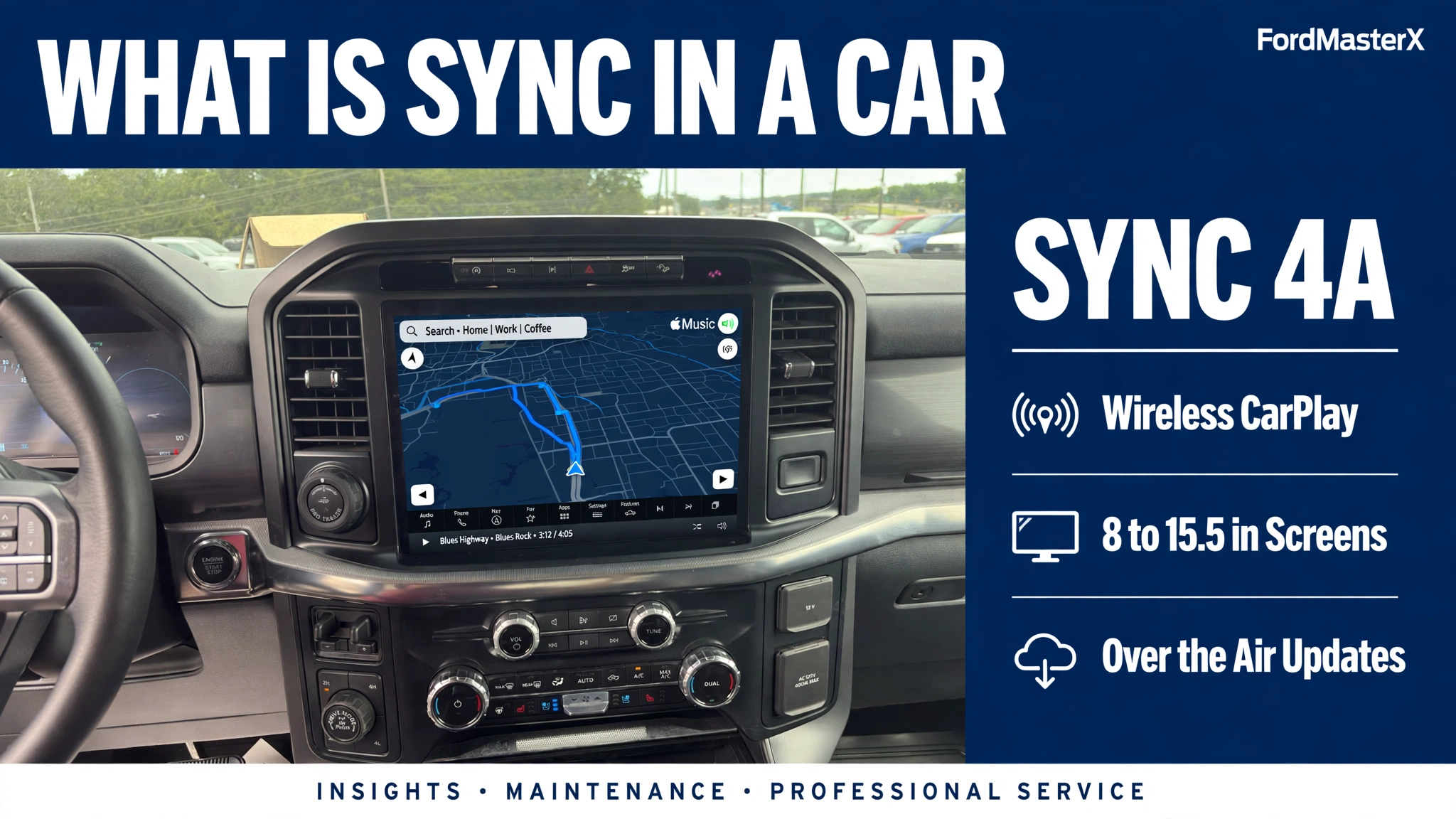
What Is SYNC in a Car? 7 Proven Facts for 2026

SYNC is Ford’s built-in infotainment system, and it is the screen and voice control that runs your calls, music, and navigation. It connects to your phone over Bluetooth and lets you make hands-free calls, play music, and hear text messages read aloud without touching your phone.
SYNC is fitted in Ford and Lincoln vehicles, and it has changed a lot since 2007. The early versions handled calls and music only, while SYNC 4 and 4A add wireless CarPlay, cloud navigation, and over-the-air updates.


This guide covers the seven facts, your generation, pairing, updates, and first fixes for a frozen screen.
7 Proven Facts About Ford SYNC in a Car
SYNC links your phone with your truck, so your contacts, music, and messages work through the dashboard instead of the phone in your hand.
| # | Fact | What It Means for You |
|---|---|---|
| 1 | SYNC is Ford’s factory infotainment system | It runs hands-free calls, music, navigation, and voice commands |
| 2 | It launched in September 2007 | The first SYNC appeared in twelve 2008-model Ford vehicles |
| 3 | It is Ford’s system, also in Lincoln vehicles | Lincoln models use it too |
| 4 | Five generations so far | SYNC 1, MyFord Touch, SYNC 3, SYNC 4 and 4A, and the Ford Digital Experience |
| 5 | Screen size grew from 8 to 15.5 inches | SYNC 3 uses an 8-inch screen, while SYNC 4 and 4A span 8 to 15.5 inches |
| 6 | Phone mirroring improved each generation | SYNC 3 needs a cable for CarPlay and Android Auto, while SYNC 4 and 4A work wirelessly |
| 7 | Updates changed from USB to over the air | SYNC 3 updates by USB or Wi-Fi, while SYNC 4 and 4A update themselves automatically |
Ford’s own SYNC system overview describes it the same way: voice commands for calls, music, directions, and information while you drive.
Ford SYNC at a Glance
Verified SYNC figures from Ford support pages and the Ford SYNC generation record.
APIM note: the APIM (Accessory Protocol Interface Module) is the computer behind SYNC in most Fords from about 2011 onward. A black screen, boot loop, or frozen touchscreen that survives a soft reset and a master reset usually points to the APIM. USB update: SYNC 3 needs a USB 2.0 or 3.0 drive, 16 to 32 GB, formatted exFAT, empty, with no password; the install can take up to 45 minutes.
What SYNC Actually Does in Your Ford


SYNC puts your phone’s contacts, music, and apps on the dashboard screen.
SYNC downloads your phonebook over Bluetooth, so you can say a name and the system dials it through the truck speakers.
Music works three ways: Bluetooth audio from your phone, a USB drive, or apps such as Spotify through CarPlay.
SYNC 3 trucks use stored maps that need manual updates, while SYNC 4 and 4A use cloud-connected navigation with live traffic and weather data.
Press the voice button on the steering wheel and say a command such as “Call Mom” instead of reaching for the phone.
Two safety features are worth knowing. 911 Assist, now called Emergency Assistance, calls a local 911 operator automatically after a serious accident with airbag deployment.
On early SYNC systems, some features lock out above 3 mph. Set them up while parked.
Which SYNC Generation Is in Your Ford
A 2018 F-150 with SYNC 3 cannot get wireless CarPlay, while a 2022 F-150 with SYNC 4 has it.
| Generation | Model Years | Screen | How to Spot It |
|---|---|---|---|
| SYNC 1 | about 2008-2010 | Small text display, no touch | Buttons and a small screen, voice prompts only |
| SYNC with MyFord Touch | about 2011-2015 | 8-inch touch, four color quadrants | Four-corner home screen for phone, navigation, and climate |
| SYNC 3 | 2016-2021 | 8-inch capacitive touch | Simple tile menus, wired CarPlay and Android Auto |
| SYNC 4 | 2021 and newer | 8 to 13.2 inches | Horizontal screen, wireless CarPlay |
| SYNC 4A | 2021 and newer | 12 to 15.5 inches, portrait | Tall vertical screen, Adaptive Dash Cards |
| Ford Digital Experience | 2025 and newer | 13.2 inches on new Explorer | Google built in, apps install directly on the screen |
Year ranges vary by model, so confirm yours on the screen. On SYNC 3, tap Settings, then General, then About SYNC, and the version shows as 3.4 plus a build string. Ford also runs a VIN lookup on its software updates page.
The newest system is not called SYNC 5. Ford’s next-generation platform is the Ford Digital Experience, and it runs on Android Automotive OS.
For 2025 model-year trucks sold in the US, no new vehicle still uses SYNC 3. The Explorer and Expedition moved to the Ford Digital Experience, while the F-150, Super Duty, Bronco, and Maverick still use SYNC 4 or 4A, and the Ranger and F-150 Lightning use SYNC 4A.


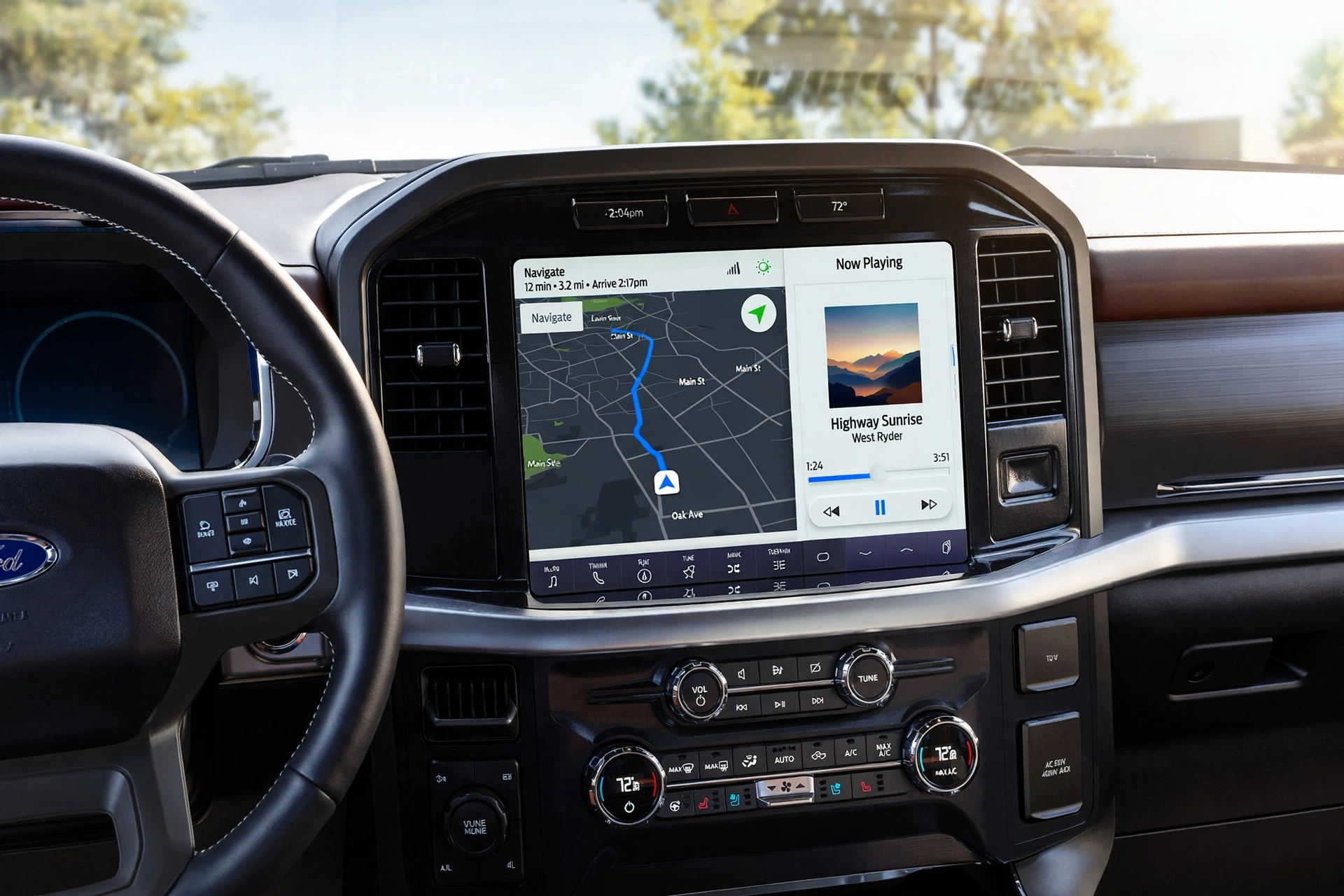
If your SYNC screen’s features do not match the table, the module behind the screen may be the issue. The APIM, or Accessory Protocol Interface Module, is the computer that runs SYNC. Our guide to identifying the APIM module in Ford vehicles shows where it sits.
SYNC 3 vs SYNC 4 vs SYNC 4A Compared


SYNC 3, SYNC 4, and SYNC 4A look similar in a photo, but they differ in six ways that matter.
| Difference | SYNC 3 (2016-2021) | SYNC 4 (2021+) | SYNC 4A (2021+) |
|---|---|---|---|
| Screen size | 8 inches | 8 to 13.2 inches | 12 to 15.5 inches, portrait |
| CarPlay and Android Auto | Wired only, USB cable required | Wireless | Wireless |
| Voice control | Fixed phrases | Cloud-connected, natural language | Cloud-connected, natural language |
| Navigation maps | Manual updates by USB or Wi-Fi | Cloud maps, over-the-air updates | Cloud maps, over-the-air updates |
| Software updates | USB drive or Wi-Fi | Over the air (Ford Power-Up) | Over the air (Ford Power-Up) |
| Home screen | Fixed tile menus | Fixed layout | Adaptive Dash Cards that learn your habits |
The gap between SYNC 4 and SYNC 4A is smaller than most owners expect. Ford states that the only differences are Adaptive Dash Cards. It also puts your most used items at the top of the screen automatically.
SYNC 4 cannot be upgraded to SYNC 4A. Ford’s SYNC 4 and 4A guide lists the same two differences.
A 2021 F-150 with SYNC 4 will never gain the 4A card layout.
Ford also says SYNC 4 has about twice the processing power of SYNC 3, which is why the newer screens respond faster.
Connect Your Phone to Ford SYNC in 6 Steps
Pair once, and SYNC reconnects automatically each time you start the truck.
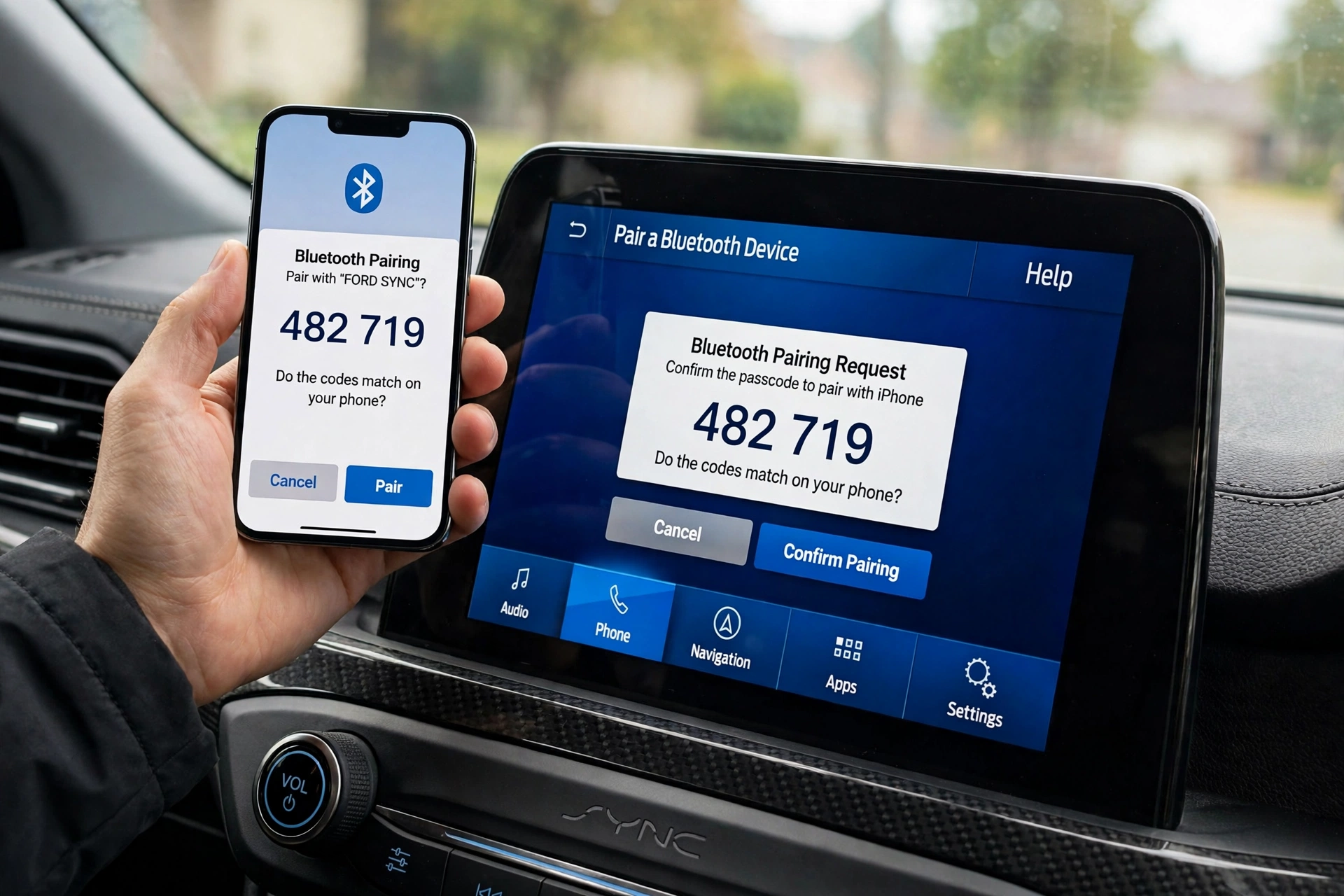
Follow these six steps on SYNC 4 or 4A:
- Park the truck and turn on Bluetooth.
- Tap Add a Phone on the SYNC screen and follow the prompts.
- Wait for SYNC to show a passcode.
- Check that the same passcode shows on your phone, then confirm on both screens.
- Allow SYNC to access your contacts when the phone asks.
- Choose Use CarPlay or Use Android Auto if you want phone mirroring as well.
On SYNC 3 the path is slightly different. Press the Phone button, tap Add Bluetooth Device, then enter the 6-digit PIN shown on the SYNC screen into your phone’s Bluetooth settings.


Ford’s phone pairing guide for SYNC 4 and 4A lists the same steps.
If the passcodes do not match, cancel and start again from step 1. If the phone still will not pair, delete SYNC from the phone’s Bluetooth list and delete the phone from SYNC, then pair from scratch.
Our step-by-step guide to connecting to Ford SYNC covers every generation.
How to Update Ford SYNC Without a Dealer Visit
SYNC updates fix bugs, add features, and keep maps current. The method depends on your generation.
| Generation | Update Method | What You Need |
|---|---|---|
| SYNC 3 | USB drive or Wi-Fi | USB 2.0 or 3.0, 16 to 32 GB, exFAT, empty, no password |
| SYNC 4 and 4A | Over the air only (Ford Power-Up) | Automatic Updates on, Wi-Fi or cellular |
| SYNC 1 and 2 | USB drive | USB 2.0, 4 to 32 GB, FAT32; owner account and VIN to download the file |
For SYNC 3 by USB, the steps are:
- Sign in at Ford’s software updates page, enter your VIN, and download the update file.
- Copy the files to the empty exFAT USB drive without adding extra folders.
- Start the truck, plug the drive in, and follow the on-screen prompts.
- Leave the truck running and do not remove the drive. Ford says the install can take up to 45 minutes.
- After the screen says the install is complete, report the installation on Ford’s site with the same drive so your records update.
For SYNC 3 by Wi-Fi, connect the truck to your home Wi-Fi under Settings, then turn on Automatic System Updates. Downloads can take hours or days. Wi-Fi updates are not available on 2016-2017 models without a touchscreen or navigation.
For SYNC 4 and 4A, there is no USB option at all. Check the System Updates screen and confirm Automatic Updates is on.
Ford’s SYNC update instructions confirm the USB drive requirements and the 45-minute install time.
Our USB update guide for Ford SYNC walks through the same SYNC 3 process with the exact drive format and the reporting step most owners skip.
5 SYNC Problems and the Fix to Try First
Most SYNC problems are software glitches, not dead hardware. Try a soft reset first, then a master reset, then suspect the APIM.
Black or Frozen Screen


Start with a soft reset. With the truck running, press and hold the Power button in the center of the volume knob and the Seek Right button (>>|) together for about 10 seconds, until the screen goes black and the Ford logo appears.
If the screen stays black, try a key cycle. Switch the truck off, open the driver door so the radio powers down, close it, wait two to three minutes, then restart.
If both fail, try a master reset at Settings, then General, then Master Reset.
Bluetooth Will Not Pair
Delete the pairing on both sides and start fresh. Remove SYNC from the phone’s Bluetooth list, then remove the phone from SYNC, then pair again from scratch.
A phone that pairs but drops the connection often needs a SYNC software update or a master reset. Check your version at Settings, then General, then About SYNC, and compare it with what Ford’s VIN lookup offers.
Connected but No Sound


No sound with a connected phone usually means the audio source is wrong or the phone is sending audio to itself. Check that SYNC is the selected audio source, then check the phone’s volume.
If music plays but calls have no sound, the phone may be routing call audio to its own speaker. Re-pair the phone and allow contact and audio access when prompted. Our guide to SYNC connected but no sound covers each cause in order.
CarPlay Will Not Start
On SYNC 3, CarPlay needs a cable, and it needs the right cable and port. Use an Apple-certified Lightning cable, and unlock the phone when you plug it in.
On SYNC 4 and 4A, wireless CarPlay needs Bluetooth and Wi-Fi on for its data link. Turn both on, then forget the truck in the phone’s CarPlay settings and pair again. Our CarPlay not working guide covers both fixes side by side.
System Reboots Again and Again


A boot loop is the most serious symptom here. The Ford logo appears and the system restarts without ever loading.
Run a soft reset first, then a master reset at Settings, then General, then Master Reset. Our APIM reset guide covers both resets step by step.
A master reset wipes paired phones, call history, and saved data, so use it only after the soft reset fails. If the loop continues after a master reset, the APIM is the likely cause.
Ford bulletin TSB 23-2307 covers screen flickering, lag, Bluetooth pairing loss, and unresponsive touchscreens on 2019 and newer models. Our guide to telling if the APIM module is bad lists the symptoms and codes.
A replacement APIM must be programmed to your VIN with FORScan or Ford IDS. A straight swap from another truck will not work.
Should You Use SYNC or Just CarPlay in Your Ford
SYNC runs the truck, while CarPlay and Android Auto run your phone.
SYNC is the right choice for climate controls, vehicle settings, built-in navigation when your phone has no signal, and Emergency Assistance after a crash.
CarPlay and Android Auto are the right choice for your apps. They give you Waze, Spotify, and your messages in the interface you already know.
On SYNC 3, wired CarPlay is the daily driver and SYNC handles calls and settings. On SYNC 4 and 4A, wireless CarPlay starts automatically and SYNC stays in the background for climate and vehicle controls.
Ford SYNC Questions Answered for Owners
Is SYNC Free to Use
Yes. SYNC itself is free, and Ford software updates are free from Ford’s owner site.
Does SYNC Work Without a Phone
Yes, partly. Built-in navigation, radio, and climate controls work without a phone, but calls, texts, and phone music need a paired Bluetooth phone.
Can SYNC 3 Get Wireless CarPlay
No, not from Ford. SYNC 3 supports CarPlay only through a USB cable, and Ford offers no software update that adds wireless CarPlay to SYNC 3 hardware.
What Is the APIM in SYNC
The APIM, or Accessory Protocol Interface Module, is the computer that runs SYNC in most Fords from about 2011 onward. When it fails, the screen goes black, freezes, or reboots, and a replacement must be programmed to your VIN.
Does SYNC Drain the Phone Battery
Bluetooth audio uses little battery. Wireless mirroring can use more, so plug the phone in on long drives.
Final Word on SYNC in a Car
What is SYNC in a car? It is the system that turns your Ford’s dashboard into a hands-free phone, music player, and navigation screen. It started in 2007 as a simple Bluetooth voice system, and it is now a wireless, cloud-connected platform.
SYNC 3 covers the basics with a cable, while SYNC 4 and 4A add wireless CarPlay, cloud navigation, and automatic updates.
Pair your phone once, keep the software updated, and try a soft reset before you assume the screen is dead. Check your generation before you buy parts or follow a fix guide, because the steps change with the system.