2007 Ford Explorer Oil Reset: Executed in Seconds

Is that ‘Change Oil Soon’ message on your 2007 Ford Explorer dashboard driving you crazy, even after a fresh oil change? Many owners find themselves frustrated by the digital interface, often struggling to locate the correct menu or failing to confirm the 100% threshold needed to clear the warning. In this guide, we provide a foolproof, step-by-step method to perform a 2007 Ford Explorer oil reset and get your dash back to factory defaults.
Understanding the 2007 Ford Explorer Oil Life Monitor Technology
Recommended Best Deal Products


Modern vehicle maintenance has evolved significantly from the days of simple mileage stickers. The 2007 Ford Explorer utilizes an sophisticated Engine Oil Life Monitor (EOLM) integrated into the Message Center. It is critical to understand that this system does not rely on a chemical sensor inside your oil pan to test the viscosity or contaminants in your motor oil.

📤 Share Image

How the Message Center Calculates Engine Health
The system employs a complex algorithm that tracks various operating conditions. It calculates the degradation of your oil based on factors such as engine revolutions, operating temperatures, and vehicle load. For instance, if your 2007 Ford Explorer frequently undergoes heavy towing or experiences excessive idling in stop-and-go urban traffic, the algorithm will accelerate the countdown to the oil change alert compared to a vehicle primarily used for consistent highway driving.

Why You Shouldn’t Ignore the Oil Change Soon Alert
One common point of confusion is mistaking the oil maintenance reminder for a ‘Check Engine’ light. The ‘Change Oil Soon’ message is a service interval reminder, not a sign of a mechanical fault. However, ignoring this warning can lead to accelerated engine wear, as the oil’s additive package eventually depletes regardless of how well the engine is running. Always treat this message as a prompt for scheduled maintenance, not an emergency repair requirement.
By The Numbers
Full Reset Value
Algorithm Dependent
Performing the 2007 Ford Explorer Oil Reset Procedure
Executing a proper reset is a straightforward process, provided you follow the specific sequence required to interact with the onboard computer. The goal is to inform the engine control module that the lubrication system has been serviced and the oil is fresh.
📋
Step-by-Step Guide
Recommended Best Deal Products


Turn the ignition to the ‘ON’ position. Do not start the engine. The ‘ON’ position is the click just before the starter engages where all the dash lights illuminate.
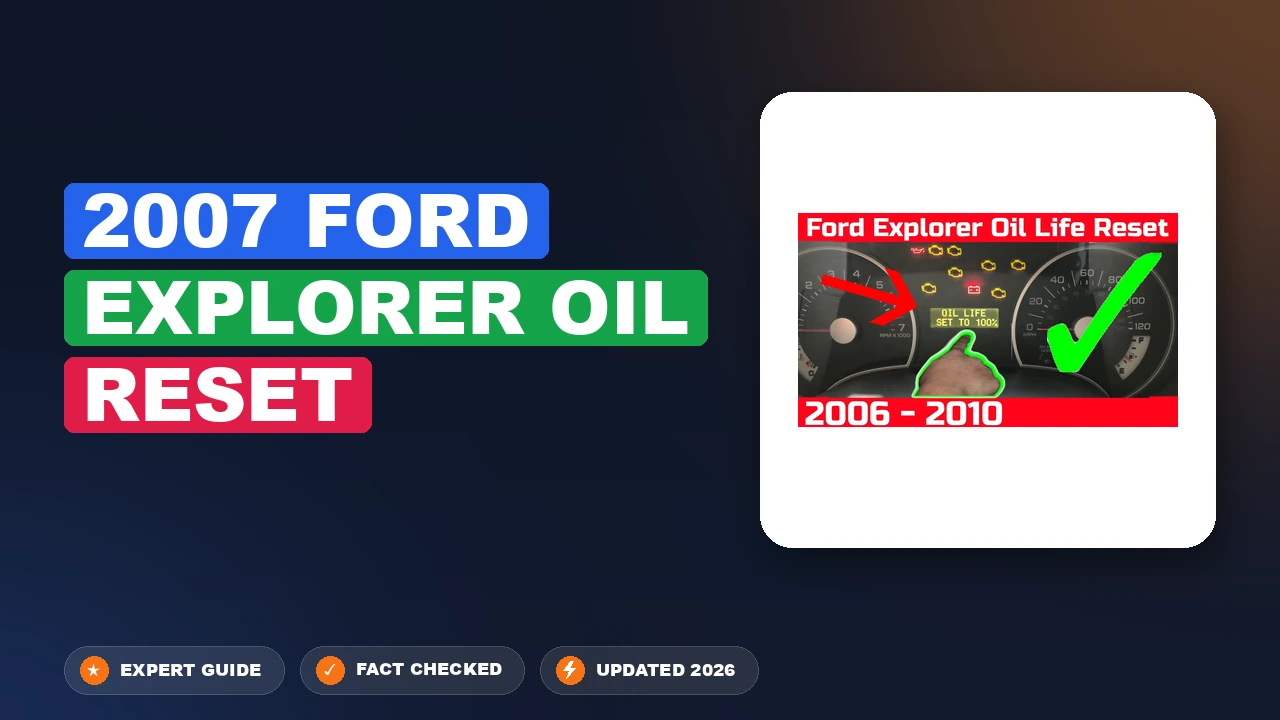
Press the ‘SETUP’ button on your dash display center until the ‘OIL LIFE = XX% HOLD RESET = NEW’ prompt appears on the screen.
Once the prompt is displayed, press and hold the ‘RESET’ button for several seconds. The screen will transition to ‘OIL LIFE SET TO 100%’.
Common 2007 Ford Explorer Oil Reset Problems and Fixes
Even with a clear process, users occasionally encounter roadblocks when attempting to restore the system to factory defaults. Understanding these common pitfalls saves time and ensures the maintenance cycle is accurately tracked.
- Attempting the reset while the engine is running: The computer locks the setup menu while the vehicle is in motion or idling to prevent accidental changes. Always ensure the engine is off.
- Confusing the ‘RESET’ button duration: A quick tap of the button often fails to trigger the initialization. You must hold the button firmly until the display confirms the update.
- Software vs. Physical maintenance: If the warning message persists after a successful digital reboot, it may be a sign that the message is being triggered by a different system, such as a low oil level warning or an actual mechanical sensor alert.
- Menu navigation errors: If the ‘OIL LIFE’ prompt does not appear, keep pressing ‘SETUP’ to cycle through the menu. If it remains missing, turn the ignition off, wait five seconds, and begin the sequence again.
Maintenance Best Practices After Your 2007 Ford Explorer Oil Reset
Recommended Best Deal Products


It is vital to distinguish between a digital system reboot and the physical task of servicing the vehicle. Resetting the monitor is merely the final step in a broader maintenance routine.

Prime for Young Adults — 6 Months Free
Students and 18–24s get six months of Prime free, then half price.
Start 6 Months Free As an Amazon Associate I earn from qualifying purchases.The Difference Between Physical Changes and System Reboots
Resetting the oil life monitor does not physically change the engine oil or the filter. It does not remove sludge, replace depleted additives, or restore lubrication properties. Never use the reset button as a shortcut to bypass an actual oil change. If you reset the monitor without performing the physical drain and filter swap, you are essentially “fooling” the computer, which will lead to prolonged periods of engine operation on contaminated oil.
Always verify your oil level with the manual dipstick after completing an oil change. The digital monitor is an estimation tool and cannot replace the visual confirmation of proper fluid levels.
Documenting Your Service Intervals
For long-term vehicle health, keep a physical backup or digital log of your service intervals. While the 2007 Ford Explorer provides a convenient digital reminder, having a paper trail of the date, mileage, and type of oil used is invaluable for resale value and warranty documentation. Always stick to the manufacturer-recommended oil viscosity for your specific engine configuration to ensure longevity.
If you frequently drive in dusty or severe conditions, consider performing oil changes more frequently than the 100% monitor suggests. The monitor provides an estimate based on average wear; adjusting your interval based on your actual driving environment is the gold standard for vehicle maintenance.
The oil life monitor is a calculated estimate, not a real-time chemical tester. The ‘SETUP’ and ‘RESET’ buttons on your dashboard are your primary tools for managing this data. Always verify that your oil service is physically complete before performing this digital reset to ensure your maintenance records stay accurate. Regularly check your dipstick to verify oil levels, and execute this reset every time you complete a standard oil change to keep your engine running at peak efficiency.
2007 Ford Explorer Oil Reset: Frequently Asked Questions
How do I reset the oil light on a 2007 Ford Explorer?
Turn the key to the ‘On’ position without starting the engine. Use the ‘Setup’ button to navigate the menu until ‘OIL LIFE = XX% HOLD RESET = NEW’ appears on the display. Once that specific message is shown, press and hold the ‘Reset’ button until the monitor updates to 100%. Turn the key to ‘Off’ to finalize the process.
Do I need tools to reset the oil light?
No, you do not need any mechanical tools to reset the oil life monitor. The process is entirely electronic and is performed using the built-in message center buttons located on your dashboard. Ensure your hands are clean to prevent debris from falling into the switch gaps, as this is a purely user-operated interface task.
Why does the change oil message stay on after my oil change?
The message remains because the vehicle’s onboard computer is unaware that the oil has been changed. It relies on a specific user-triggered command to initiate the reset sequence. Simply changing the oil does not send a signal to the ECU; you must manually perform the reset procedure to clear the previous count and begin a clean cycle.
Can I reset the oil life monitor without going to a mechanic?
Yes, this is designed to be a straightforward user-performed task. You do not need a specialized diagnostic scanner or a trip to a mechanic. By following the manual reset steps outlined in this guide, you can successfully restore the system to its factory default state in less than two minutes from the comfort of the driver’s seat.
Does this reset actually change the oil quality?
No, resetting the monitor does not physically change the oil, clean the engine, or alter the actual condition of the lubricant. It is strictly a software function that resets the tracking algorithm. Always perform an actual oil and filter change before performing the reset to ensure the engine is lubricated with fresh, high-quality oil.

Audible Premium Plus — Annual Membership
12 audiobook credits up front, plus the full Audible catalogue.
See Annual Plans As an Amazon Associate I earn from qualifying purchases.Other Explorer years: 2006 Ford Explorer Oil Reset · 2010 Ford Explorer Oil Reset
All Ford models: Ford Oil Life Monitor Reset Guide (All Models & Years)