Ford F-150 Battery Reset Steps For BMS And Idle 2026

Resetting your Ford F-150 battery is actually three separate jobs, and most guides online only cover one of them. If your battery or charging warning light stayed on after a swap, that is a Battery Management System (BMS) reset.
If the truck idles rough or hesitates, that is a Powertrain Control Module (PCM) idle and fuel trim relearn. If your windows bounce back or the radio lost its presets, that is a separate accessory relearn.

Prime for Young Adults — 6 Months Free
Students and 18–24s get six months of Prime free, then half price.
Start 6 Months Free As an Amazon Associate I earn from qualifying purchases.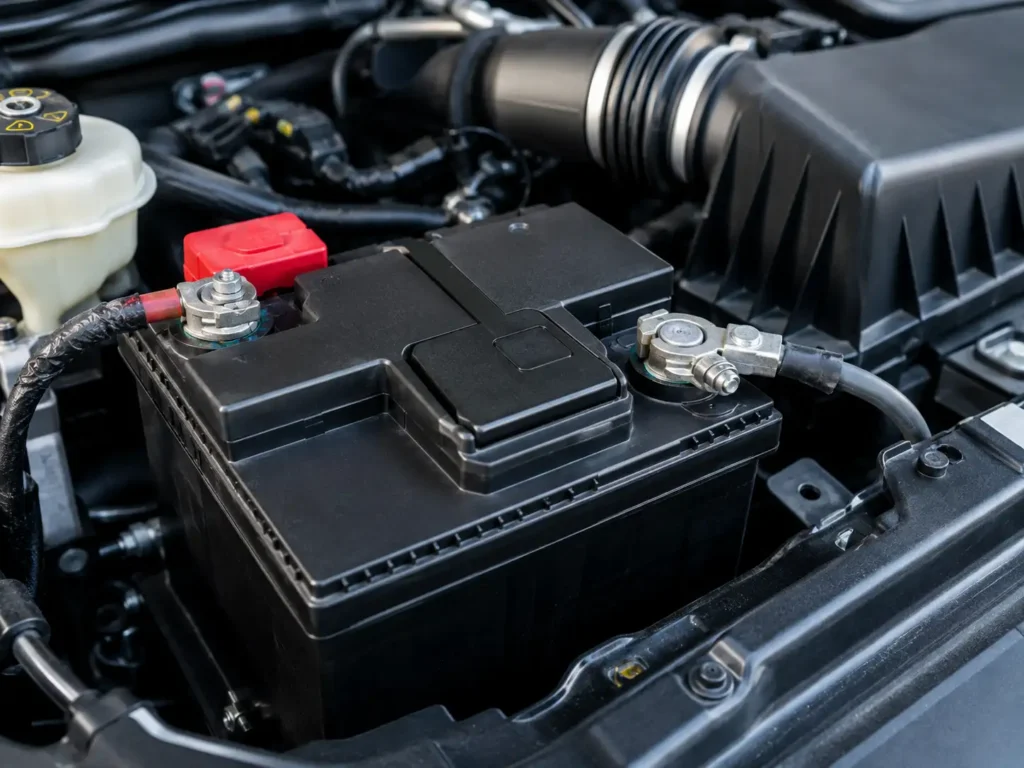
Doing the wrong one wastes time without fixing the symptom you actually have. This guide breaks the process into three clear paths, flags which Ford F-150 generations need a scan tool instead of the old dashboard trick, and walks through each fix in the order most owners need them.
Three Resets In One Disconnect
Three Resets Your F-150 Might Actually Need
Recommended Best Deal Products


A Ford F-150 has three separate resets hiding behind the phrase “battery reset.”
- BMS reset: clears the Battery Management System’s memory of the old battery so it monitors the new one correctly. This is the fix for a battery or charging warning light.
- PCM idle and fuel trim relearn: restores the smooth idle and throttle response the Powertrain Control Module loses when it is cut from power. This is the fix for rough idle, hesitation, or stalling.
- Accessory relearn: restores power window auto up and down, the clock, and radio presets, which run on separate memory from the engine computer.
A single battery disconnect or replacement can trigger all three at once, which is why owners get conflicting advice online when they only describe one symptom. If your dashboard shows a Service Now charging system warning instead of a plain battery icon, check what that specific message means before assuming it is the same issue covered here.
Start with whichever section below matches what you actually did to the truck.
How To Reset The BMS After A New Battery
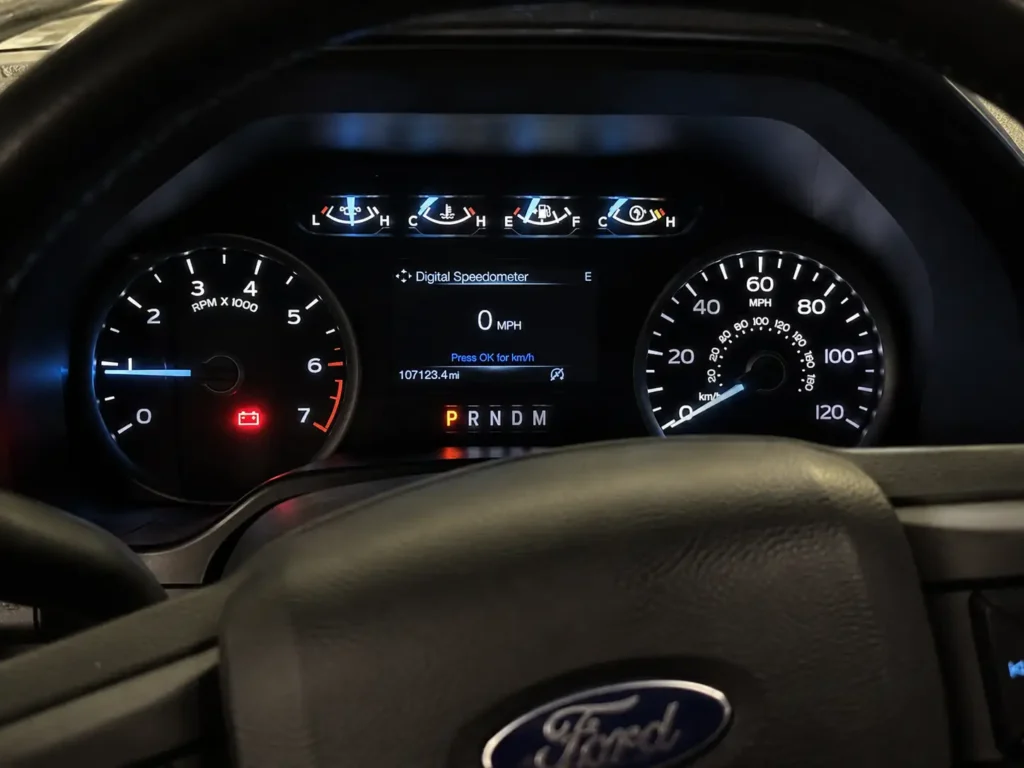
If your F-150’s battery or charging warning light came on after a battery swap, this is the section you need.
Ford’s documented method requires no manual action at all. After a battery replacement, the BMS needs about 8 hours of uninterrupted vehicle sleep time, fully locked with the ignition off, to relearn the new battery’s state of charge. Owners on the F-150 Forum report this is the factory-documented procedure, and that Ford does not currently sell an approved consumer device for forcing the reset yourself.
If you would rather not wait, the dashboard method works on most 2009-2020 F-150s:
- Park the truck and apply the parking brake.
- Turn the key to ON without starting the engine.
- Flash the high beam headlights 5 times within about 10 seconds.
- Press and release the brake pedal 3 times.
- Watch the battery warning light. It should flash, then go solid, then turn off.
The exact sequence and expected light behavior are documented in detail by F-150 owners who tested it directly. A shorter community-reported shortcut also works on many trucks: disconnect the negative terminal, wait about a minute, then reconnect and let the truck sit.
Before reinstalling battery cables, tighten both clamps until they are snug and cannot be twisted by hand. [UNVERIFIED — no Ford-published battery terminal torque spec was found during research; confirm against your specific model-year owner’s manual rather than relying on a generic number.] If you need a replacement battery first, see our guide to the best batteries for the F-150.

Audible — Listen Free for 30 Days
One free credit a month and thousands of titles included.
Listen Free for 30 Days As an Amazon Associate I earn from qualifying purchases.A reset BMS does not fix a rough idle on its own. That is a separate relearn, covered next.
How To Relearn Idle And Fuel Trim After A Reset
Recommended Best Deal Products


A rough or unusually high idle after reconnecting the battery is normal until the PCM relearns these settings.
The PCM relies on Keep Alive Memory (KAM), a small reserve of stored settings kept active by constant battery power. Cut that power, even briefly, and the KAM clears along with the learned idle and fuel trim values.
Ford’s relearn procedure, quoted directly from the owner’s manual by F-150 Forum members, runs as follows:
- With the truck at a complete stop, set the parking brake.
- Shift into Park, turn off all accessories, and start the engine.
- Run the engine until it reaches normal operating temperature.
- Let it idle for at least one minute.
Flex-fuel (FFV) trucks also relearn their ethanol content during this same period. After idle stabilizes, drive normally. Ford owner documentation for related platforms notes the relearn is not fully complete until roughly 10 miles of driving. Expect small dips or flares in idle speed during that drive. They settle out as the PCM finishes learning.
Once idle settles, the last thing to check is everything the disconnect wiped from memory.
How To Restore Power Windows Clock And Radio Presets
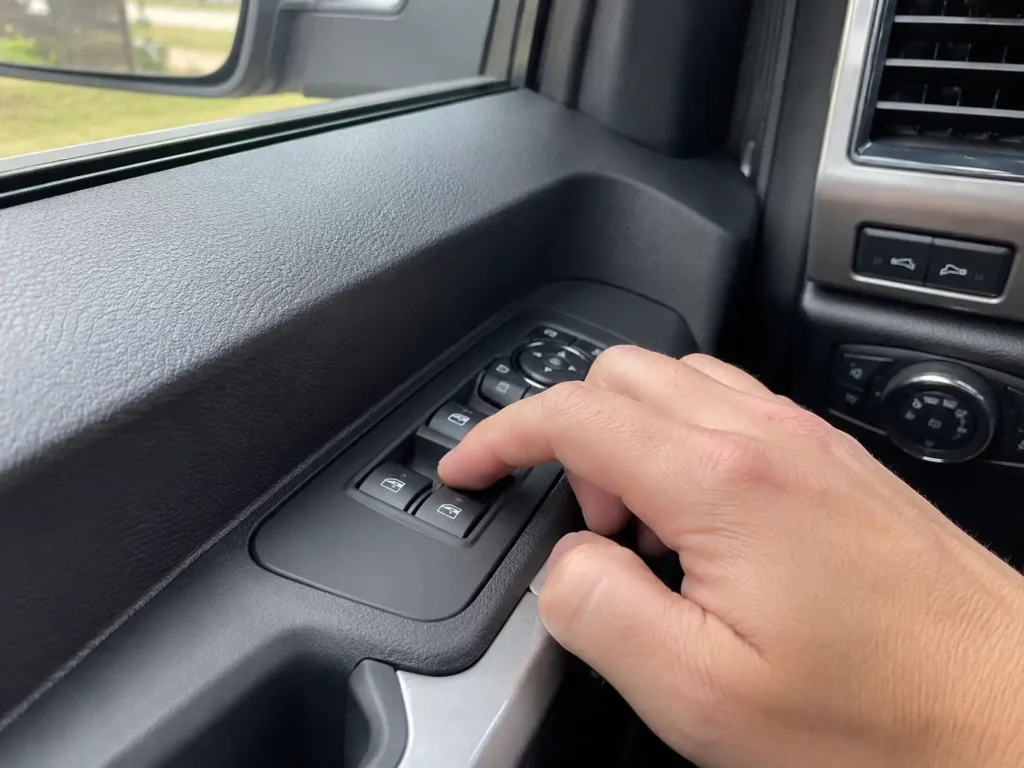
Power Window Reset Steps
Windows that stop responding in one-touch mode, or bounce back halfway, are not broken. They have lost their reference point for fully open and fully closed.
Ford’s documented bounce-back reset: close the window completely, then press and hold the switch until it is fully open and hold a few seconds, then press and hold until fully closed and hold again. Ford’s official service content repeats the open-close cycle once more, all within 30 seconds of starting. Do this separately for each window.
Radio And Clock Reset Steps
Radio presets and the clock reset to default whenever 12-volt power is interrupted, on every generation. Re-enter your stations and the time manually after reconnecting.
Whether the radio also asks for a security code depends on the head unit. Owners with SYNC-equipped F-150s report the radio simply needs a relearn, not a code, while older factory-radio trucks may lock and require the code listed in the owner’s manual or available from a dealer. If your symptoms go beyond a simple reset, see our guide to F-150 radio and clock flashing issues.
Audible Premium Plus — Annual Membership
12 audiobook credits up front, plus the full Audible catalogue.
See Annual Plans As an Amazon Associate I earn from qualifying purchases.Which Ford F-150 Generations Need The Scan Tool Method
Recommended Best Deal Products

Not every reset procedure applies to every generation, and mixing them up is the most common reason owners get stuck.
The high-beam-flash-and-brake-pedal sequence works reliably on most 2009-2020 F-150s. On 2021-and-later 14th generation trucks, owners on the F150gen14 forum report this method is hit or miss, since the BMS on these trucks does not require a manual reset and typically relearns automatically over a few normal drive cycles.
If the warning light is still on after several drive cycles on a 14th generation truck, the reliable fix is a scan tool such as FORScan or a dealer’s IDS, not repeating the dashboard sequence.
Common Questions About F-150 Battery Resets
Do I need to reset anything after jump-starting my F-150?
Usually not. A jump start alone rarely clears the BMS or PCM memory the way a full disconnect does. If the battery or charging light comes on afterward, follow the BMS reset steps above.
How long does it take for a Ford F-150 to reset the battery on its own?
The BMS needs about 8 hours of uninterrupted sleep time after a replacement. On 14th generation trucks it can relearn automatically over a few normal drive cycles instead.
Why does my F-150 battery light stay on after I replaced the battery?
This usually means the BMS has not recognized the new battery yet. Try the dashboard method or the 8-hour sleep method first, and move to a scan tool if the light persists on a 2021-or-later truck.
Can I reset my F-150’s BMS without a scan tool?
Yes, on most 2009-2020 trucks the dashboard method or the sleep method works without tools. On 14th generation trucks, a scan tool is the more reliable option.
Will disconnecting the battery erase my radio presets on a Ford F-150?
Yes. Disconnecting 12-volt power always clears radio presets and the clock, and on older factory-radio trucks it may also trigger a security code prompt.
Get Your F-150 Running Normally After Any Reset
A Ford F-150 battery reset is rarely just one step. Clearing a charging warning light, smoothing out idle, and restoring windows or radio settings are three separate jobs that happen to get triggered by the same disconnect.
Work through them in order: confirm the BMS recognizes the new battery, let the PCM relearn idle and fuel trim, then restore whatever the accessory memory lost. Check your truck’s generation before relying on the dashboard trick, since 14th generation trucks often need a scan tool instead.
Handled this way, resetting your Ford F-150 battery takes one afternoon instead of three separate trips to a forum looking for answers.