
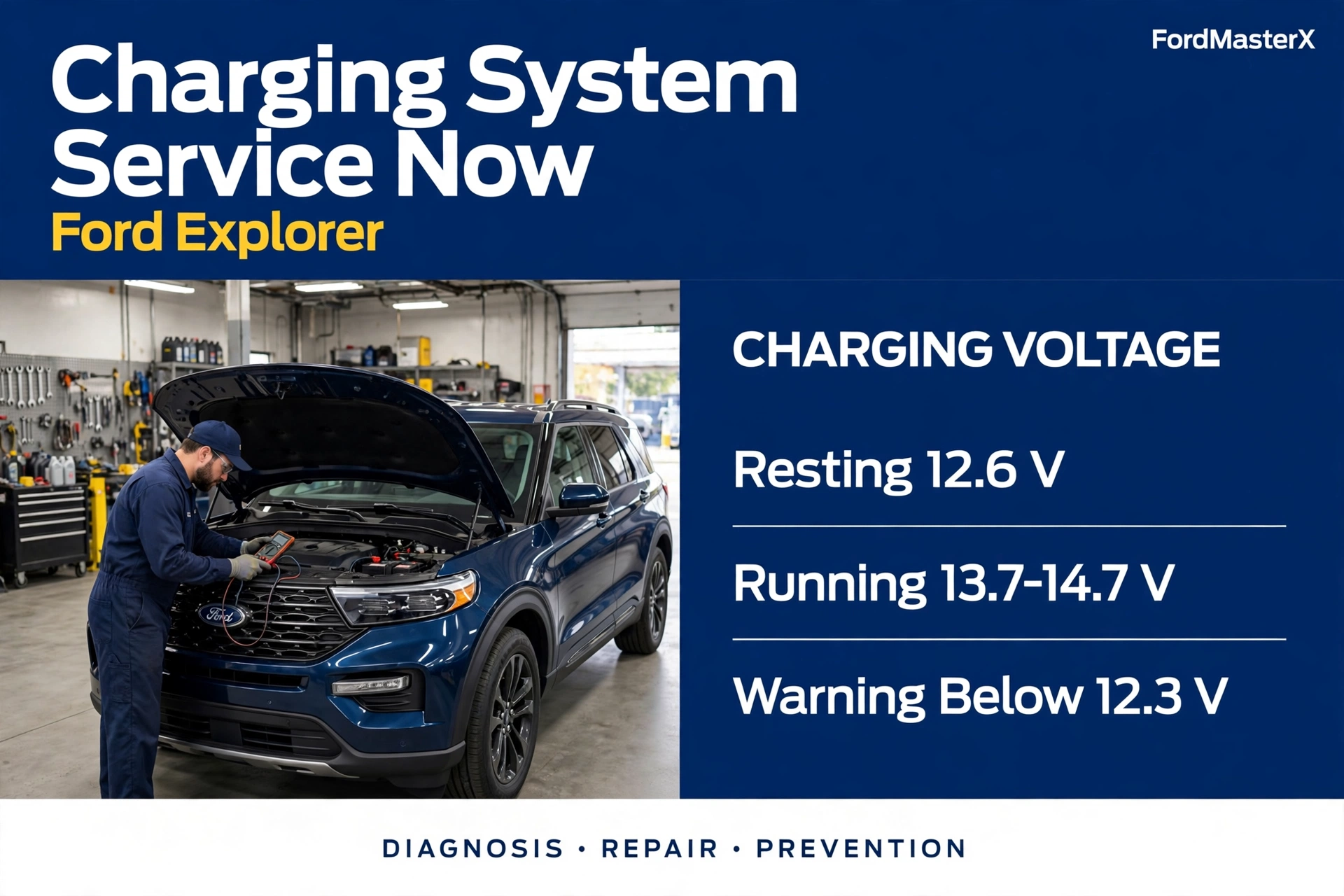
Charging System Service Now on Ford Explorer 7 Proven Fixes for 2026

Your Ford Explorer just put “Charging System Service Now” on the dashboard, and it means the charging system needs service right away. Ford tells owners to have the vehicle checked immediately, not at the next oil change. The fix is often simple: a corroded battery terminal, a worn serpentine belt, or a tired battery. This guide gives you the voltage numbers, the tests, and the seven causes in order.
What Charging System Service Now Means on Explorers
The message means the battery management system or the powertrain control module (PCM) found a fault in the charging circuit. The alternator is not keeping the 12 volt battery charged, or the battery is not accepting the charge. Either way, your Explorer is running on stored battery power.


Ford prints this message in the 12 volt battery section of the Explorer owner’s manual. The 2024 Ford Explorer owner’s manual says the charging system needs servicing and the vehicle should be checked immediately. The wording is the same across the 2020, 2021, 2024, and 2025 manuals we checked. “Service Soon” is the less urgent version of the same warning, and “Check Charging System” is the older wording Ford used on earlier Explorers. The 2021 Explorer owner’s manual still lists that wording. Related messages include “Battery State of Charge Low” and “Turn Power Off To Save Battery,” which mean the system is protecting a low battery.
How Your Explorer Charging System Works


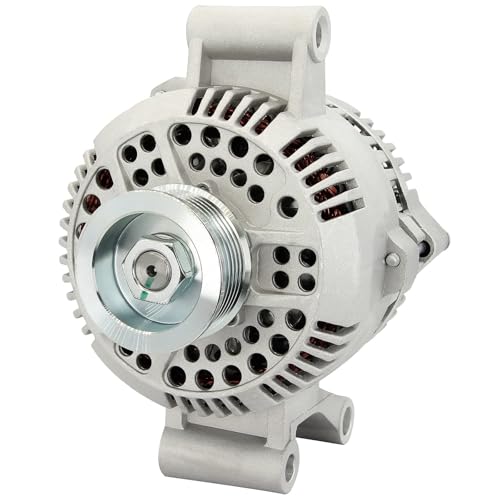
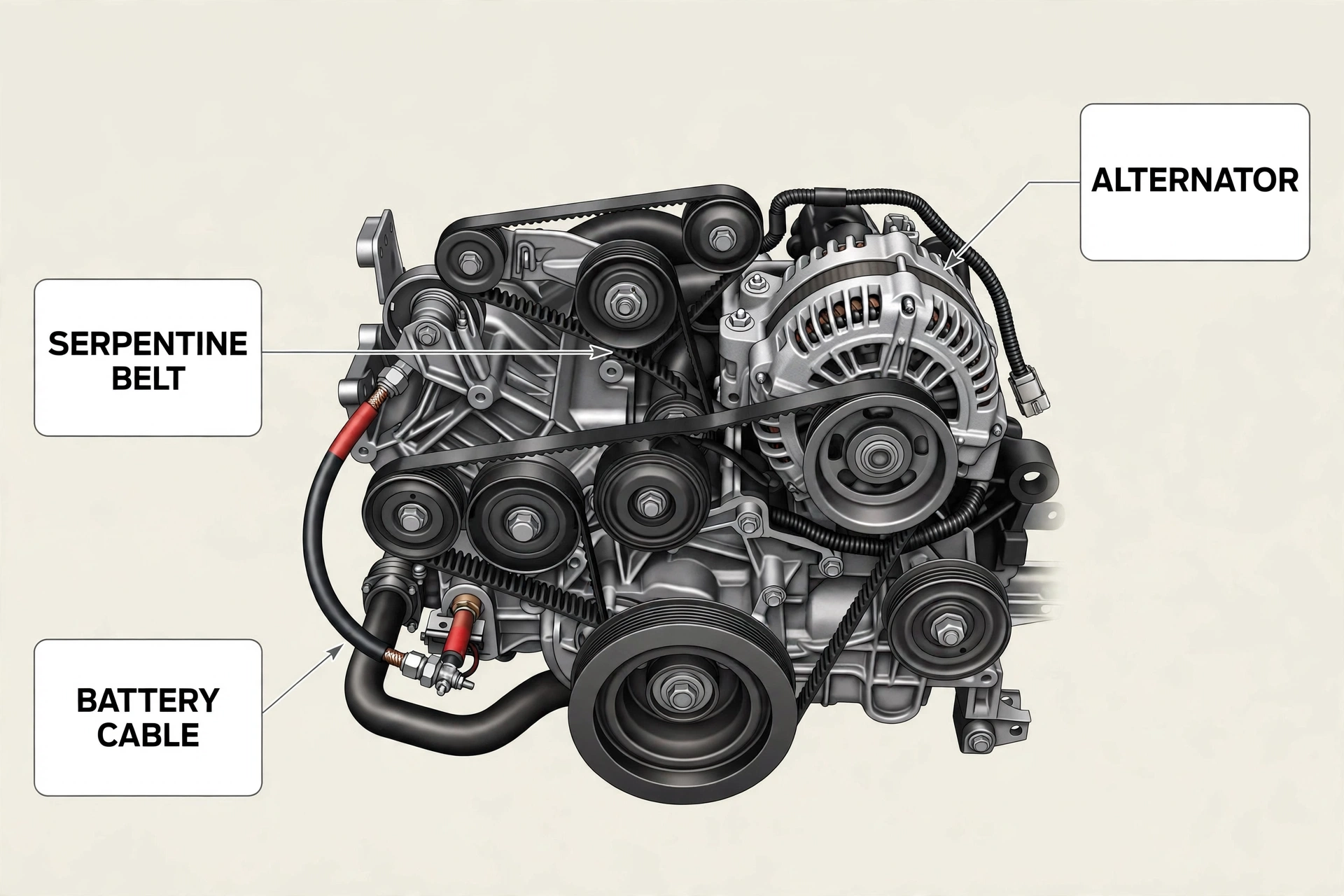
Four parts must all work together. The battery stores power and starts the engine. The alternator makes power while the engine runs and recharges the battery. The serpentine belt spins the alternator. The PCM and the battery management system (BMS) watch voltage and tell the alternator how hard to work.
Modern Explorers use smart charging. The PCM controls the alternator through its control connector and changes the charge rate based on load, battery temperature, and battery age. A current sensor on the negative cable reports the battery state of charge. When the PCM sees voltage outside its expected range, it sets the warning and often stores a trouble code.
7 Causes Behind the Warning on a Ford Explorer



1. Loose or corroded battery connections. Corrosion on the terminals adds resistance to the circuit, so the alternator works harder and the PCM sees low voltage.
2. A weak or dying battery. A battery older than three to five years can fail to hold a charge even when the alternator works fine. A battery with a bad cell pulls the whole system down.
3. A worn or slipping serpentine belt. The belt drives the alternator. A glazed, cracked, or stretched belt slips, so the alternator spins too slowly to charge.
4. A failing alternator. Brushes wear down, bearings fail, and the voltage regulator stops controlling output. A whining noise that changes with engine speed can be an early sign of alternator trouble.


5. A blown fuse or fusible link. A fusible link protects the main feed wire from the alternator to the battery. If it opens, the alternator spins but no charge reaches the battery.


6. A battery sensor or BMS fault. After a battery replacement, the battery management system can hold the old battery data and keep warning. This is common after a battery change done without a sensor reset.
7. A PCM or wiring fault. This is the least common cause and the hardest to fix at home. Damaged wiring, a failed alternator control driver inside the PCM, or an aftermarket alternator that does not communicate with the PCM can all set the warning. The Haynes guide to the Check Charging System message lists the same core causes: bad alternator, worn belt, weak battery, faulty wiring, and electrical faults.
Test Your Explorer Charging System in 5 Minutes
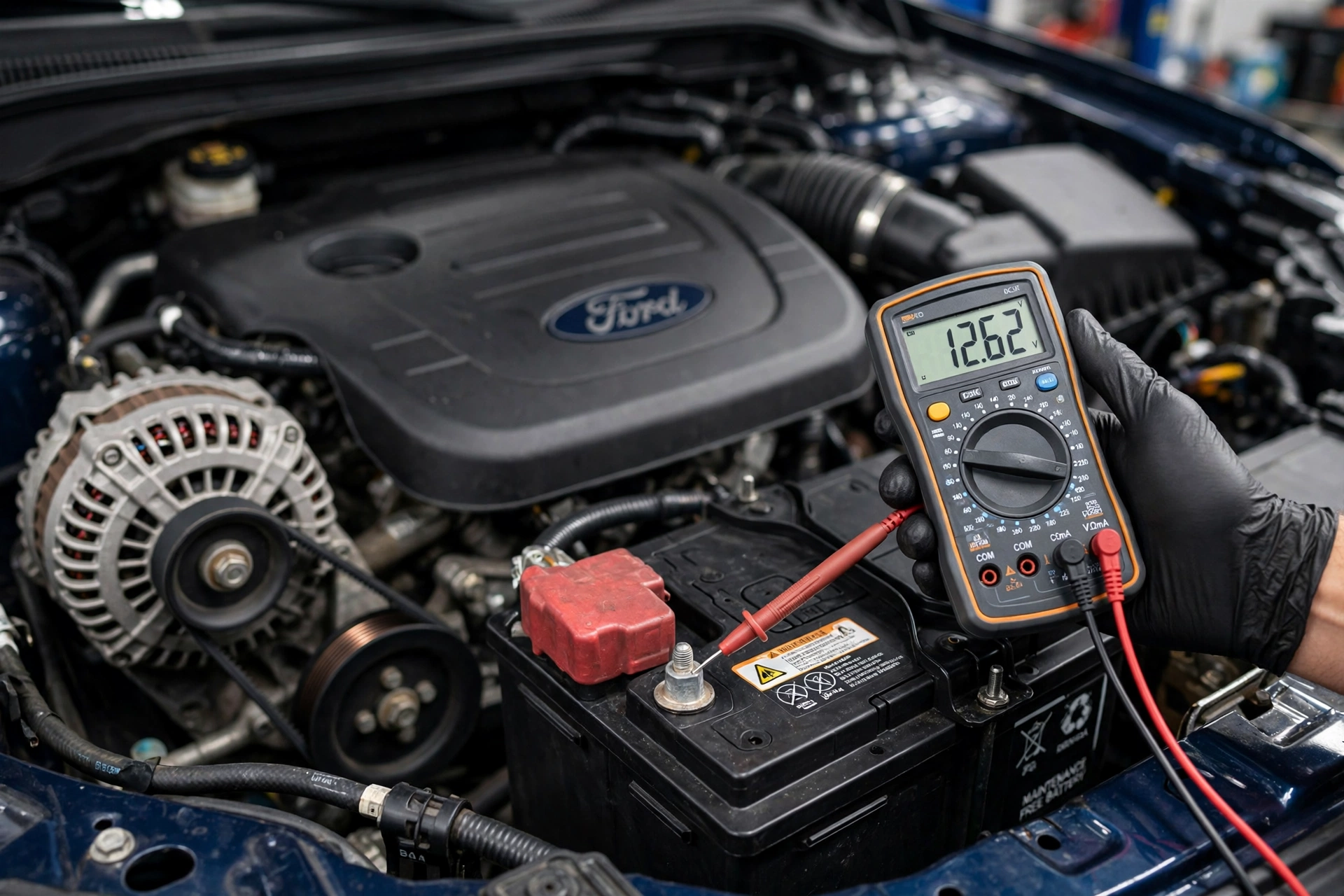
A basic digital multimeter is the only tool this test needs. Set it to DC volts, 20 volt range. Wear eye protection and keep your hands and clothing clear of the belt while the engine runs. Never disconnect a battery cable while the engine is running to test the alternator, because the voltage spike can damage the PCM and other modules.


Step 1. Resting voltage. Switch the engine off and wait at least 15 minutes so surface charge drains away. Touch the red probe to the positive terminal and the black probe to the negative terminal. A healthy battery reads about 12.6 volts. A reading between 12.0 and 12.4 volts means the battery is partly discharged, so charge it fully and then load test it. Below 12.0 volts points to a bad cell or a deeply discharged battery.
Step 2. Running voltage. Start the engine and take the same reading at the battery terminals. A healthy system reads 13.7 to 14.7 volts. Below 13.2 volts means the alternator is not charging enough. Above 15.0 volts means the regulator is overcharging, which can damage the battery and electronics.
Step 3. Loaded voltage. With the engine running, switch on the headlights, the rear defroster, and the blower fan on high. The reading should stay above 13.0 volts. If it falls below 12.6 volts under load, the alternator cannot keep up. Jumping readings point to a slipping belt, a loose connection, or a failing regulator.
Charging System Service Now? Follow the Voltage
Three multimeter readings tell you which part to fix first on your Ford Explorer.
Step 1: Resting Voltage, Engine Off, 15 Minute Rest
Red probe on the positive terminal, black probe on the negative terminal.
- About 12.6 V: HealthyBattery holds charge. Move to Step 2.
- 12.0 to 12.4 V: Partly DischargedCharge the battery, then load test it.
- Below 12.0 V: Bad Cell or Dead BatteryCharge fully, load test, and replace if it fails.
Step 2: Running Voltage, Engine On, No Load
Same reading at the battery terminals with the engine running.
- 13.7 to 14.7 V: HealthyAlternator charges correctly. Move to Step 3.
- Below 13.2 V: UnderchargingAlternator, belt, or connections. Check the belt first.
- Above 15.0 V: OverchargingVoltage regulator fault. Do not keep driving.
Step 3: Loaded Voltage, Lights and Blower On High
Headlights, rear defroster, and blower fan on high with the engine running.
- Above 13.0 V: HealthyAlternator meets demand. Charging system passes.
- Below 12.6 V: Cannot Keep UpAlternator is weak or the belt is slipping.
- Jumping Readings: UnstableBelt slip, loose connection, or failing regulator.
No match? The fault is in the sensor, wiring, or PCM. Scan for codes P0620 or P0625 before replacing parts. Never disconnect a battery cable with the engine running.
| Test | Healthy reading | What a bad reading means |
|---|---|---|
| Resting, engine off, 15 min rest | About 12.6 V | 12.0 to 12.4 V: partly discharged, charge and load test; below 12.0 V: bad cell or dead battery |
| Running, no load | 13.7 to 14.7 V | Below 13.2 V: undercharging; above 15.0 V: overcharging |
| Running, full electrical load | Above 13.0 V | Below 12.6 V: alternator cannot meet demand |
If your readings match none of these patterns, the problem is likely in the sensor, the wiring, or the PCM, so scan for codes instead of replacing more parts. A Ford technician gave 13.2 to 14.4 volts as the running range for a 2017 Explorer. A running reading between 13.2 and 13.7 volts is marginal, inside the technician range but below the healthy band, so recheck it under load before replacing any parts. One guide reports the warning appears below 12.4 volts or above 15 volts, and below 12.3 volts or above 15.1 volts on 2016 and newer Explorers. Those figures come from a secondary source, not from Ford.
Fix the Warning in These 7 Steps
Work through these fixes in order. Each step is cheap and quick, and each one rules out a cause before you spend money on parts. If the engine stalls, the headlights dim, or the running voltage reads below 12.0 volts, call for a tow instead of driving. A sulfur smell or a swelling battery case means the same.
1. Clean the Battery Connections
Switch the engine off and remove the key. Disconnect the negative cable first, then the positive cable. Clean both terminals and the inside of the cable ends with a wire brush and a mix of baking soda and water. Dry everything, reconnect the positive cable first, then the negative, and tighten both clamps until they cannot twist by hand.
2. Inspect the Serpentine Belt


With the engine off, look at the belt for cracks, missing ribs, glazing, and frayed edges. Press the belt midway between pulleys. It should feel firm, not slack. Replace a belt that shows cracks across three or more ribs or that squeals on startup. A slipping belt mimics a bad alternator exactly.
3. Test and Replace the Battery
If the resting voltage was below 12.0 volts, charge the battery fully, then have it load tested at a parts store. Replace a battery that fails the load test or is more than five years old and weak. Choose a battery that matches the group size and cold cranking amps for your Explorer year and engine. If you want to know how much time a weak battery gives you, see our guide on how long a battery lasts with a bad alternator.
4. Reset the Battery Sensor


This step matters most when the warning appeared right after a battery change. The Explorer owner’s manual gives a reset procedure that needs no scan tool. Switch the ignition on and leave the engine off. Within 10 seconds, flash the high beams five times, ending with them off, then press and release the brake pedal three times. The battery lamp flashes three times to confirm. After a battery replacement, the BMS also needs about eight hours of sleep time to relearn the state of charge, with the Explorer locked and the ignition off.
5. Check Fuses and Fusible Links
Check the charging system fuses in the battery junction box with a multimeter, not just by eye. Test the fusible link on the main alternator feed wire for continuity. If a fuse is blown, find the short before fitting a new one.
6. Test the Alternator Output


If the battery, belt, connections, and fuses all check out and the running voltage is still out of range, the alternator is the prime suspect. Confirm the diagnosis with a bench test at a parts store before buying a replacement. Use a Motorcraft unit or a quality remanufactured alternator with the correct part number. Some aftermarket alternators do not communicate correctly with the Ford PCM, and the warning stays on even though the new unit charges.
7. Scan for Stored Codes
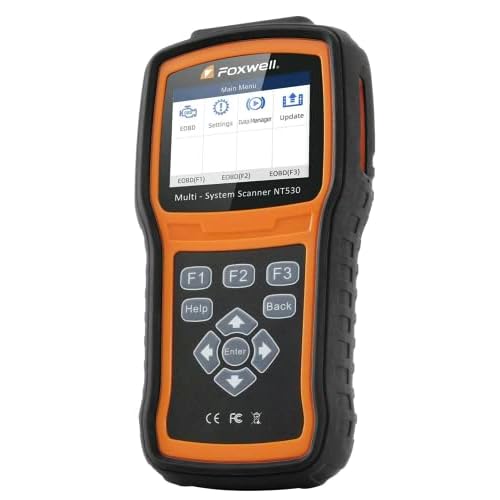
If the warning stays on after the steps above, scan every module with an OBD-II scanner and record the codes. The next section explains what they mean.
What the Charging Codes P0620 and P0625 Mean
A scan often returns one of these codes alongside the warning. Each code names a circuit, not a part, so use it as a pointer, not as a parts order.
P0620, Generator Control Circuit Malfunction. The PCM found a fault in the alternator control circuit. Possible causes include a worn belt, a damaged connector, an open or shorted control wire, a failed regulator, or a PCM fault. The same diagnostic logic applies to the field circuit code below.
P0625, Generator Field or F Terminal Circuit Low. The P0625 code definition names a low signal in the alternator field circuit. The usual suspects are an open or grounded field wire, a corroded connector, a failed regulator, or a dead alternator. Check the wiring and connector before replacing the alternator.
P0621, P0622, P0626, P0562, and P0563. P0621 is a fault in the generator lamp circuit, P0622 is a general field circuit fault, and P0626 means the field signal is above the expected range. P0562 sets when system voltage stays too low and P0563 when it stays too high. These codes often appear with P0620 or P0625 and confirm the fault is real rather than a one time glitch. Clear the codes after a repair and take a test drive with the lights and climate control on. If the warning stays away under load, the repair worked.
What an Alternator Repair Costs by Explorer Year
Prices vary by year, engine, and shop rate. RepairPal alternator replacement estimates put a 2025 or 2026 Explorer alternator job at $942 to $1,039, a 2021 to 2024 Explorer at $1,193 to $1,290, and a 2020 Explorer at $1,056 to $1,233. Older Explorers cost less, with 2019 models around $804 to $979. A shop diagnosis runs $50 to $150, and alternator labor usually takes 1.0 to 3.5 hours. A battery replacement runs $259 to $282 and a serpentine belt replacement $169 to $226 on RepairPal’s 2014 Explorer estimates.
4 Ways to Prevent the Warning Coming Back
1. Test the battery every fall. A load test once a year catches a weak battery before cold weather finishes it.
2. Keep the terminals clean and the belt fresh. Check the terminals at every oil change, and inspect the serpentine belt every 30,000 miles. Replace the belt at the first sign of cracks or glazing.
3. Reset the sensor after every battery change. Run the owner’s manual reset procedure after fitting a new battery, then leave the Explorer locked overnight so the BMS can relearn the state of charge.
4. Fix small electrical faults early. Flickering lights, a slow crank, or a screen that acts up are early signs of charging trouble. Our guides on a Ford Explorer display that stops working, how to reset a Ford Explorer screen, and how to reset the anti-theft system on a Ford Explorer cover the electrical glitches that often show up alongside charging faults.
Charging System Service Now Ford Explorer Questions
What does Charging System Service Now mean on a Ford Explorer?
It means the charging system needs servicing and Ford tells you to have the Explorer checked immediately. The alternator is not charging the battery correctly, or the battery is not accepting the charge.
Can I drive my Ford Explorer with the Charging System Service Now warning?
You can drive a short distance to a shop if the engine runs normally and the lights stay bright. Turn off all extra electrical loads first, and do not switch the engine off until you arrive.
What is the difference between Service Now and Service Soon?
Service Now means have the Explorer checked immediately, while Service Soon means have it checked as soon as possible. Treat Service Now as a same day problem.
Why does the warning stay on after I replaced the battery?
The battery management system still holds the old battery data. Run the owner’s manual sensor reset, then leave the Explorer locked for eight hours so the system can relearn.
What voltage should a Ford Explorer charging system show?
A healthy battery reads about 12.6 volts with the engine off and 13.7 to 14.7 volts with the engine running. Below 13.2 volts running means undercharging, and above 15.0 volts means overcharging.
Your Next Step After the Warning
The “Charging System Service Now” warning on your Ford Explorer means the charging system needs attention right away, but it does not have to mean a big repair bill. Start with the free checks: clean the terminals, look at the belt, and measure the voltage. Those three steps find the cause for most owners. If the readings point to the battery, replace it and reset the sensor. If they point to the alternator, confirm it with a bench test first. If the warning stays on after every step, scan for codes P0620 or P0625 and let them guide the wiring checks. Fix it now, while the Explorer still starts, and you will not be the owner calling for a tow from a parking lot at night.