
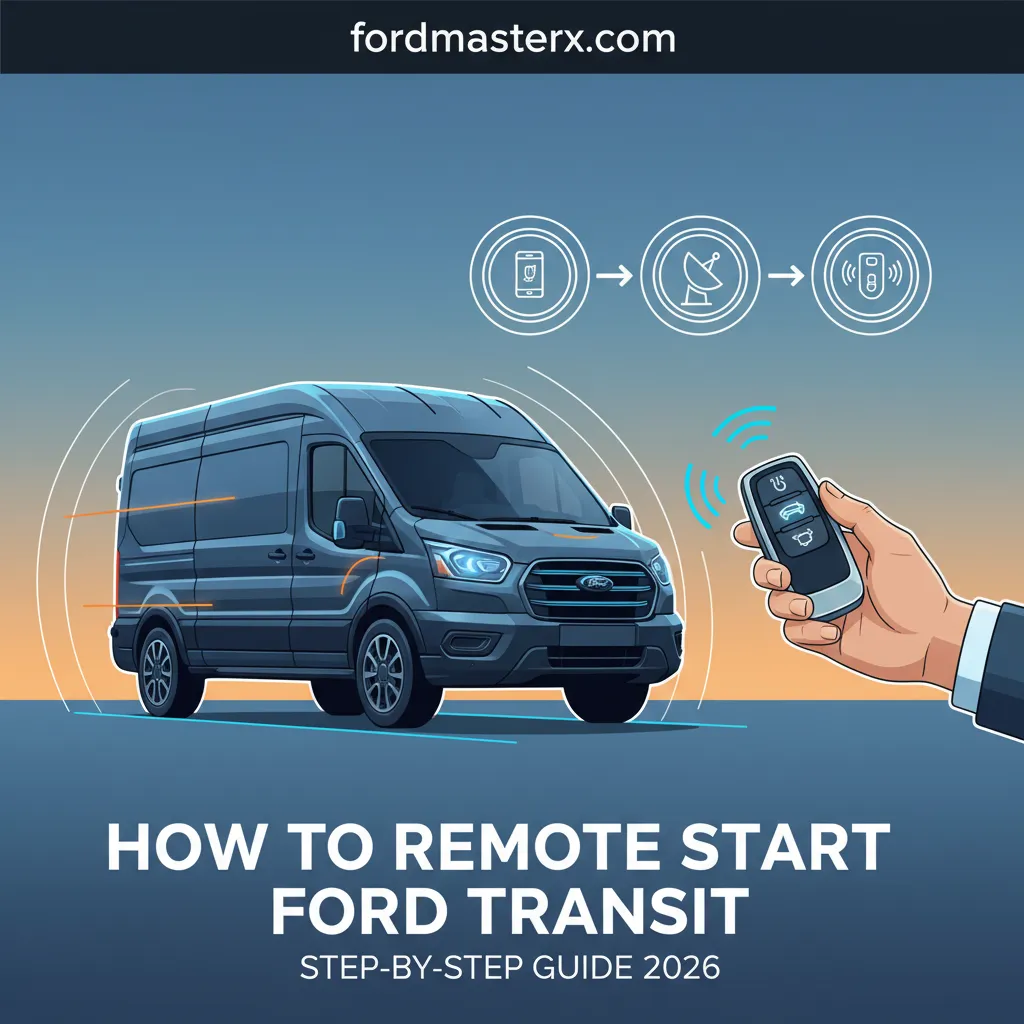
How To Remote Start Ford Transit: Step-By-Step Guide 2026

How To Remote Start Ford Transit: Step-By-Step Guide 2026
Imagine stepping into a perfectly pre-conditioned Ford Transit on a scorching summer afternoon or a frigid winter morning, ready for the day’s demanding tasks. For many Ford Transit owners, leveraging the convenience of remote start remains an underutilized feature, often due to unfamiliarity with its specific operation, prerequisites, or troubleshooting common issues. Understanding how to consistently and effectively remote start your vehicle can significantly enhance daily comfort and efficiency, yet many struggle with the precise steps or system nuances.
This comprehensive guide will meticulously detail every aspect of remote starting your Ford Transit, from understanding its underlying systems and essential prerequisites to mastering step-by-step key fob and FordPass app procedures, and effectively troubleshooting any challenges you may encounter. By 2026, you will be an expert in maximizing this invaluable feature for your Ford Transit.

Prime for Young Adults — 6 Months Free
Students and 18–24s get six months of Prime free, then half price.
Start 6 Months Free As an Amazon Associate I earn from qualifying purchases.SECTION 1: Understanding Ford Transit Remote Start Systems and Their Operation
Recommended Best Deal Products


For any Ford Transit owner, a foundational understanding of the vehicle’s remote start capabilities is essential. The landscape of remote start technology has evolved significantly, offering both integrated and auxiliary solutions. To effectively master this feature, it’s crucial to differentiate between the systems available for your Transit, particularly those relevant to models up to 2026.
📤 Share Image
Differentiating Factory-Installed vs. Aftermarket Systems
Ford Transit models primarily offer two types of remote start systems: factory-installed (OEM) and aftermarket. Factory systems are integrated directly into the vehicle’s electronics during manufacturing, ensuring seamless operation and full compatibility. These typically come in two forms: key fob functionality and FordPass Connect app integration. Ford’s OEM solutions are designed for reliability and come with the assurance of maintaining your vehicle’s warranty. For instance, a 2023 Ford Transit van equipped with FordPass Connect offers remote start capabilities directly through its sophisticated telematics unit.
Aftermarket systems, conversely, are third-party installations. While they can provide remote start functionality for older models, such as a 2018 Transit that might lack OEM options, they introduce variables. These systems may require tapping into vehicle wiring, which can potentially complicate diagnostics or even void specific portions of your manufacturer’s warranty if not installed by an authorized professional. Always consider warranty implications before opting for an aftermarket solution.
Core Components and Connectivity
The intricate functionality of remote start relies on several core components working in harmony. At the heart of the system is the vehicle’s onboard module, often integrated with the Body Control Module (BCM), which interprets commands and initiates the start sequence. For key fob operation, a radio frequency (RF) transmitter within your key fob sends a signal to a receiver in the vehicle. Research indicates that typical OEM remote start key fob range is often between 50-100 feet, influenced by environmental factors and obstructions.
For app-based remote start, the FordPass Connect modem is paramount. This embedded cellular modem allows your Transit to communicate with Ford’s servers and, subsequently, your smartphone via the FordPass app. This connectivity enables commands over vast distances, limited only by cellular network availability for both your phone and the vehicle. Understanding this interconnectedness helps in diagnosing issues, as a lack of cellular signal on either end can impede functionality.
Compatibility and Feature Availability
Remote start capability in Ford Transit models varies significantly by model year, trim level, and specific optional packages. Generally, FordPass Connect became standard on most new Transit models since 2020, though regional variations may exist. This means Transits from the 2020-2026 model years are highly likely to have integrated remote start via the FordPass app and often the key fob, especially in higher trim levels or with specific technology packages. To verify if your specific Transit is equipped, check your vehicle’s window sticker, owner’s manual, or the FordPass app’s “Vehicle Details” section. You can also look for the circular arrow remote start button on your OEM key fob.
Safety Protocols and Operational Prerequisites
Ford has engineered robust safety protocols into its remote start systems to prevent accidental operation or unsafe conditions. These built-in mechanisms are crucial for understanding why your system might not activate. For instance, the system will prevent remote start if the hood is open, any door is ajar, or if the ‘check engine’ light is active, indicating a potential mechanical issue. Furthermore, most systems will not engage if the vehicle’s fuel level is critically low. These intelligent safeguards ensure that the vehicle remains secure and operational integrity is maintained, acting as essential prerequisites for any remote start attempt.
SECTION 2: Pre-Requisites and Activation Procedures for Ford Transit Remote Start
Before you can consistently enjoy the convenience of remote starting your Ford Transit, there are several foundational requirements and initial setup steps to ensure proper functionality. This section guides you through these crucial procedures, helping you discover and prepare your vehicle for seamless remote operation.

Audible — Listen Free for 30 Days
One free credit a month and thousands of titles included.
Listen Free for 30 Days As an Amazon Associate I earn from qualifying purchases.Verifying System Readiness
The first step is to confirm your vehicle is in a state where remote start is permitted. Always ensure the following conditions are met:
- The transmission is in Park (P).
- All doors, the hood, and the rear cargo doors are securely closed. A slightly ajar door or hood will prevent activation.
- The vehicle’s battery is healthy and sufficiently charged.
- The ‘Check Engine’ light is not illuminated on the dashboard.
- There is adequate fuel in the tank (typically above a quarter tank).
These basic checks prevent activation failures, helping you understand why your Transit might not respond to a remote start command.
Setting Up FordPass Connect for App Remote Start
For newer Transit models (2020-2026), the FordPass app offers unparalleled convenience. To enable this, you must link your vehicle:
- Download the FordPass App: Install it on your smartphone from your device’s app store.
- Create an Account: Follow the prompts to create your FordPass account or log in if you already have one.
- Add Your Vehicle: Select ‘Add Vehicle’ and either scan your VIN (Vehicle Identification Number) or enter it manually.
- Activate Your Modem: Once your Transit is added, you’ll receive a prompt on your vehicle’s infotainment screen to activate FordPass Connect. Follow these in-vehicle instructions. This typically involves confirming the link. FordPass activation generally takes 5-10 minutes.
- Enable Remote Features: In the FordPass app, navigate to your vehicle’s details. Ensure that ‘Remote Features’ or ‘Vehicle Controls’ are enabled.
It’s important to note that while initial remote features often come with a complimentary period (e.g., 1-3 years for many new models), continued functionality beyond this period typically requires an active FordPass Connect subscription. Always check your subscription status within the app.
Key Fob Remote Start Configuration
For OEM key fob remote start, typically no elaborate initial setup is required beyond ensuring the key fob itself is paired to the vehicle, which happens at the dealership. However, it’s a good practice to periodically check your key fob battery life. Most Ford key fobs feature a distinct remote start button, often depicted as a circular arrow, as seen on many 2020-2026 Transit key fobs. Familiarizing yourself with its location is the primary ‘configuration’ needed.
In-Vehicle Settings for Remote Start Customization
Your Ford Transit’s infotainment system (if equipped) or driver information display allows for customization of remote start behavior. To explore these options, navigate to:
- Settings > Vehicle > Remote Start (on SYNC screen)
- Settings > Vehicle Settings > Remote Start (via steering wheel controls on the instrument cluster display)
Here you can discover options to adjust the remote start duration (e.g., 5, 10, or 15 minutes), set climate control preferences (auto, last settings), and enable automatic activation of heated seats/steering wheel during cold weather remote starts. These settings are crucial for truly optimizing your comfort.
Always ensure your FordPass app is updated to the latest version. App developers frequently release updates that improve connectivity, add new features, and resolve bugs, ensuring the most reliable remote start experience.
SECTION 3: Step-by-Step Guide to Master Remote Starting Your Ford Transit
Recommended Best Deal Products


Now that you understand the systems and prerequisites, it’s time to master the precise actions required to remote start your Ford Transit. This section provides clear, sequential instructions for both key fob and FordPass app methods, allowing you to confidently activate your vehicle’s engine and pre-condition its cabin.
📋
Step-by-Step Guide
Audible Premium Plus — Annual Membership
12 audiobook credits up front, plus the full Audible catalogue.
See Annual Plans As an Amazon Associate I earn from qualifying purchases.This method is ideal for short to medium ranges, typically within 50-100 feet, where direct line of sight or minimal obstructions exist. Here’s how to do it:
- Ensure Vehicle is Off and Locked: The vehicle must be completely off, and all doors (including cargo doors) must be securely locked.
- Press ‘Lock’ Button Once: On your Ford key fob, press and release the ‘Lock’ button once. You should hear a short horn chirp (configurable) or see the lights flash as confirmation.
- Immediately Press ‘Remote Start’ Button Twice: Within three seconds of pressing ‘Lock’, press the circular arrow ‘Remote Start’ button (often located below the lock/unlock buttons) twice.
- Observe Confirmation: The vehicle’s exterior lights (usually parking lights) will illuminate and remain on, and the engine will start. If configured, you may hear a second, longer horn chirp. Your Transit is now running and pre-conditioning.
For virtually unlimited range and enhanced control, the FordPass app is the go-to. This method requires an active FordPass Connect modem and subscription.
- Open the FordPass App: Launch the FordPass app on your smartphone and ensure you are logged in.
- Select Your Ford Transit: From the ‘My Vehicles’ section, tap on your specific Ford Transit to view its details and controls.
- Tap the ‘Start’ Button Icon: On the main vehicle screen, you’ll see a prominent ‘Start’ button icon (often a circular arrow or power button symbol). Tap this icon.
- Confirm Your Command: The app will prompt you to confirm the remote start. Tap ‘Start’ again to send the command.
- Wait for Confirmation: The app will display a ‘Starting Vehicle…’ message, followed by ‘Vehicle Started’. Simultaneously, your Transit’s exterior lights will flash, and the engine will start. Good cellular signal on both your phone and the vehicle is crucial for this to work effectively.
Understanding Remote Start Duration and Cancellation
Ford’s default remote start duration is typically 10 minutes, though this is configurable up to 15 minutes in some models via your vehicle’s settings. If you need more time, you can extend the remote start by repeating the entire remote start procedure (e.g., lock once, remote start twice on the key fob; or tap ‘Start’ again in the app) while the vehicle is still running. This usually grants an additional cycle of the set duration, but it cannot be extended indefinitely without cycling the ignition.
To cancel a remote start manually:
- Key Fob: Press the ‘Remote Start’ button once.
- FordPass App: Tap the ‘Stop’ button icon on your vehicle’s control screen.
Entering the Vehicle After Remote Start
Once your Transit is running via remote start, entering and taking control is straightforward:
- Unlock the Vehicle: Use your key fob or the FordPass app to unlock the doors. The engine will continue to run.
- Enter and Close Door: Get into the driver’s seat and close the door.
- Insert Key or Press Start Button: If your Transit has a traditional key, insert it into the ignition and turn it to the ‘On’ position. If it has a push-button start, simply press the brake pedal and then press the ‘Start/Stop’ button. The vehicle will now be fully operational, and you can shift into gear. The engine will not shut off during this transition, maintaining your climate settings.
SECTION 4: Troubleshooting Common Issues: What If Your Ford Transit Remote Start Doesn’t Work?
Even with a robust system, there are times when your Ford Transit’s remote start might not respond as expected. Understanding common failure points and diagnostic steps is crucial for resolving these frustrations swiftly and getting your vehicle pre-conditioned. This section will help you explore why your system might fail and how to remedy it.
Vehicle Not Responding to Key Fob Commands
If your key fob commands seem to be ignored, consider these common culprits:
- Out-of-Range: You might simply be too far away. While OEM key fob range is 50-100 feet, walls, buildings, and other vehicles can significantly reduce this. Try moving closer to the Transit.
- Key Fob Battery Depletion: This is a frequent cause. If the LED indicator on your key fob (if present) doesn’t light up, or the range has noticeably decreased, it’s likely time for a new battery. A key fob battery typically lasts 2-4 years depending on usage.
- Interference: Strong radio signals or large metallic objects can interfere with the key fob’s signal.
- Incorrect Button Sequence: Double-check that you are pressing the ‘Lock’ button once, then the ‘Remote Start’ button twice, in quick succession.
- Vehicle System Glitch: Sometimes, a quick reset helps. Unlock the vehicle with the key fob, get in, insert the key/press the start button to power on the ignition, then turn it off. Cycle the ignition and try the remote start again.
FordPass App Connectivity and Command Failures
App-based remote start relies on robust communication. Here’s what to check if it fails:
- Poor Cellular Signal: Both your smartphone and your Transit’s embedded modem need a good cellular connection. If either is in a dead zone, the command won’t go through. Look for ‘Vehicle not responding’ or ‘Command Failed’ messages in the app.
- App Glitches/Outdated App: Ensure your FordPass app is updated. Try closing the app completely and reopening it, or even reinstalling it if issues persist.
- Expired FordPass Connect Subscription: After the complimentary period, an active subscription is required. Check your subscription status within the app under your vehicle details.
- FordPass System Availability: Occasionally, Ford’s servers or the cellular network providing service to your Transit’s modem may experience outages. Check Ford’s official communication channels for service alerts.
Never attempt to force a remote start if the vehicle is displaying a ‘Check Engine’ light or other critical warning indicators. These safety interlocks are in place to prevent potential damage or unsafe operation. Address the underlying issue first.
Safety Interlocks Preventing Activation
Ford’s system prioritizes safety. The following conditions will actively prevent remote start:
- Hood Open/Ajar: A common culprit. Ensure the hood is fully latched. A faulty hood latch sensor can also trigger this, even if the hood appears closed.
- Doors Open/Ajar: All vehicle doors, including side and rear cargo doors, must be fully closed and latched.
- Low Fuel Warning: If your fuel tank is near empty, the system will prevent remote start to avoid running out of fuel while unattended.
- ‘Check Engine’ Light: An active ‘Check Engine’ or Malfunction Indicator Lamp (MIL) signals an emissions or engine-related fault, which will disable remote start.
- Active Alarm System: If the vehicle’s alarm is currently triggered, remote start will be prevented.
Engine Shuts Off Immediately After Remote Start
If your Transit starts but then quickly shuts down, consider these factors:
- Faulty Hood Latch Sensor: Even if the hood looks closed, a defective sensor might tell the vehicle it’s open, triggering a shutdown.
- Low Vehicle Battery Voltage: If the main vehicle battery is weak, it might have just enough power to crank the engine but not sustain operation, leading to an immediate shutdown.
- Specific Diagnostic Trouble Codes (DTCs): Certain critical system faults, even if not immediately displayed as a ‘Check Engine’ light, can be stored as DTCs and trigger a remote start shutdown. An OBD-II scanner can read these codes and help pinpoint the issue.
- Security System Trigger: If the vehicle detects tampering or an unauthorized entry attempt immediately after starting, it may shut down.
SECTION 5: Optimizing Your Ford Transit Remote Start Experience: Advanced Features and Best Practices
Beyond merely starting your engine, the Ford Transit’s remote start system offers a suite of advanced features and functionalities designed to enhance comfort, security, and efficiency. By exploring these capabilities and adopting best practices, you can truly discover the full potential of this valuable system.
Leveraging Climate Control Integration
One of the most appealing aspects of remote start is the ability to pre-condition your cabin. Modern Ford Transits (2020-2026) use sophisticated algorithms to manage climate control during remote start. You can:
- Set ‘Auto’ Mode: This is often the default. The system will automatically activate heating or air conditioning based on the outside ambient temperature to reach a comfortable interior temperature, often prioritizing defrosting in colder conditions.
- Use Last Settings: Configure your vehicle to remember the climate control settings from when you last turned it off.
- Activate Heated Seats/Steering Wheel: In colder climates, many Transits with these options can be set to automatically turn on heated seats and/or the steering wheel during a remote start when the ambient temperature drops below a certain threshold. Check your in-vehicle settings (e.g., via the SYNC screen: Settings > Vehicle > Remote Start > Climate Control).
Scheduling Remote Starts with FordPass
The FordPass app takes convenience a step further with its scheduling feature, perfect for consistent routines. To set up recurring remote starts:
- Open FordPass App: Navigate to your Transit’s controls.
- Access ‘Scheduled Start’: Look for an option like ‘Scheduled Start’ or ‘Vehicle Schedule’ within the remote features.
- Configure Schedule: Set your desired day(s) of the week and specific time (e.g., 6:00 AM on weekdays). You can also often configure desired climate settings for each scheduled start.
- Save Schedule: Confirm and save your schedule.
This feature not only boosts comfort but can contribute to fuel efficiency by allowing the engine to warm up under ideal conditions and avoid rapid cold starts while driving. Scheduled starts are typically limited to a certain number per day or week, depending on FordPass specifications.
Security Considerations and Best Practices
While the convenience is undeniable, responsible usage is key. Ford’s remote start systems are designed with inherent security features; for example, the vehicle’s immobilizer system remains active, meaning the engine will shut off if someone tries to drive away without the key present. However, always observe these best practices:
- Park Responsibly: Avoid remote starting in enclosed spaces like garages due to exhaust fumes.
- Awareness of Surroundings: Be mindful of your vehicle’s location and surroundings. While modern systems are secure, vigilance is always recommended.
- No Valuables Visible: Even if the vehicle is locked, visible valuables can be an invitation for theft.
- Understand Range Limitations: For key fob remote start, stay within range to monitor your vehicle.
Maintenance Tips for System Longevity
To ensure your remote start system remains reliable for years to come, integrate these maintenance tips into your routine:
- Regular Vehicle Maintenance: A well-maintained Transit is a reliable Transit. Ensure your battery is healthy, and all sensors (especially hood latch sensors) are functioning correctly.
- Check Key Fob Battery: Proactively replace your key fob battery every 2-3 years, or immediately if you notice reduced range or inconsistent operation.
- Keep FordPass App Updated: Enable automatic updates for the FordPass app on your smartphone to benefit from the latest features, bug fixes, and security enhancements.
- Monitor Dashboard Messages: Pay attention to messages like ‘Service Remote Start’ on your dashboard, which indicate a potential issue requiring professional inspection.
By The Numbers
Typical OEM Key Fob Range
Default Remote Start Duration
Year FordPass Connect Became Standard on Most Transits
FordPass Modem Activation Time
Conclusion
The Ford Transit, as a versatile workhorse, gains immense value from its remote start capabilities. Throughout this guide, we’ve learned that Ford Transit remote start systems offer significant convenience, with seamless options for both key fob and FordPass app activation. We’ve understood that prerequisites such as ensuring vehicle readiness, completing FordPass setup, and verifying all closures are securely in place are absolutely crucial for successful operation. Furthermore, we’ve explored that effective troubleshooting involves systematically checking safety interlocks, monitoring key fob battery health, and verifying app connectivity issues. Finally, we’ve seen how advanced features like climate control integration and scheduled starts can further enhance the user experience, transforming a simple engine start into a personalized comfort zone.
Master the art of remote starting your Ford Transit by implementing these steps and troubleshooting techniques. Consistent application of these insights will ensure your vehicle is ready when you are, every time. For persistent issues that go beyond these diagnostic steps, do not hesitate to consult your Ford dealer or an authorized service center to ensure your system is functioning optimally and safely. Your comfort and efficiency are paramount.
Frequently Asked Questions
Can all Ford Transit models be remote started?
No, not all Ford Transit models come with factory-installed remote start. Compatibility depends on the model year, trim level, and whether specific optional packages (e.g., FordPass Connect) were included. Older models or base trims may require an aftermarket system. Always verify your vehicle’s specifications or consult your owner’s manual to confirm factory remote start capability before attempting activation.
Why won’t my Ford Transit remote start, even with a working key fob?
Several safety interlocks can prevent remote start. Check if the hood is fully closed, all doors are shut, the transmission is in Park, and the ‘Check Engine’ light is off. A low fuel level, an active alarm system, or a dying key fob battery can also inhibit the system. Ensure you’re within key fob range and performing the correct button sequence.
How long does a Ford Transit stay running after a remote start?
Typically, a Ford Transit will run for 10 to 15 minutes after a remote start, depending on the vehicle’s programmable settings. You can usually extend this duration by repeating the remote start procedure with the key fob or FordPass app. However, the system is designed to prevent indefinite idling without the key in the ignition for safety and fuel efficiency reasons.
Can I use the FordPass app to remote start my Ford Transit without a subscription?
For most Ford Transit models equipped with FordPass Connect, the core remote start functionality via the FordPass app is usually included during an initial complimentary period (e.g., 1-3 years from purchase). After this period, a paid subscription to FordPass Connect services may be required to continue using remote features like start/stop, lock/unlock, and vehicle status checks. Always check your specific subscription status.
Does remote starting a Ford Transit also turn on the climate control?
Yes, factory-installed Ford Transit remote start systems are often integrated with the climate control system. Depending on the model and specific settings, the vehicle can automatically activate the air conditioning or heating to reach a comfortable cabin temperature based on ambient conditions. Some models allow you to pre-set climate preferences or even activate heated seats and steering wheel upon remote start.

