How to Relearn Crankshaft Position Sensor: Pro Guide

A crankshaft position sensor (CKP) relearn is a critical calibration step required after sensor replacement to synchronize the engine computer with the new hardware. Most modern vehicles require either a bi-directional scan tool for a CASE relearn or a specific acceleration/deceleration drive cycle to clear misfire codes.
🎯 Key Takeaways
Recommended Best Deal Products


- Takeaway 1:Perform a relearn whenever the sensor or PCM is replaced.
- Takeaway 2:Ensure the engine reaches operating temperature before starting the process.
- Takeaway 3:A bi-directional scan tool is mandatory for most GM CASE relearns.
- Takeaway 4:Clear all existing diagnostic trouble codes before beginning the calibration.
- Takeaway 5:Use a safe, open road for manual drive cycle deceleration methods.
To relearn your crankshaft position sensor (CKP), you must synchronize the engine’s computer with the physical rotation of the crankshaft. This procedure, often called a CASE relearn, tells the Powertrain Control Module (PCM) exactly where the crankshaft’s teeth are positioned to prevent false misfire codes and ensure precise ignition timing. If you’ve just replaced your sensor or flashed your PCM, your engine likely has a P0315 or P1336 code, meaning it has lost its variation calibration.

Prime for Young Adults — 6 Months Free
Students and 18–24s get six months of Prime free, then half price.
Start 6 Months Free As an Amazon Associate I earn from qualifying purchases.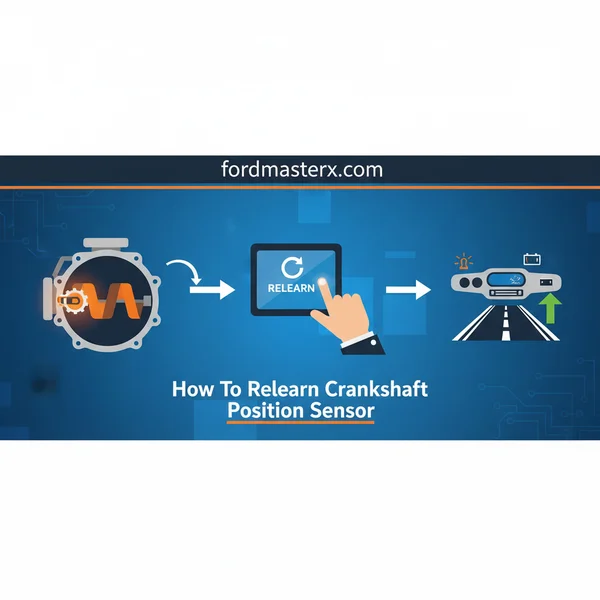
Practically, skipping this step often results in a “limp mode” scenario or a persistent Check Engine Light even if the new sensor is working perfectly. While modern GM vehicles almost exclusively require a high-end bi-directional scan tool for this, many Ford, Chrysler, and import vehicles can be calibrated through a specific series of acceleration and deceleration maneuvers. Getting this right is the difference between a smooth-running engine and a vehicle that fails emissions because the computer is guessing your timing.
Comparison of Scan Tool CASE Relearn vs. Manual Drive Cycles
The method you use depends entirely on your vehicle’s manufacturer and the sophistication of its onboard computer. Most professional-grade repairs utilize a scan tool, but manual drive cycles are a viable workaround for specific brands.
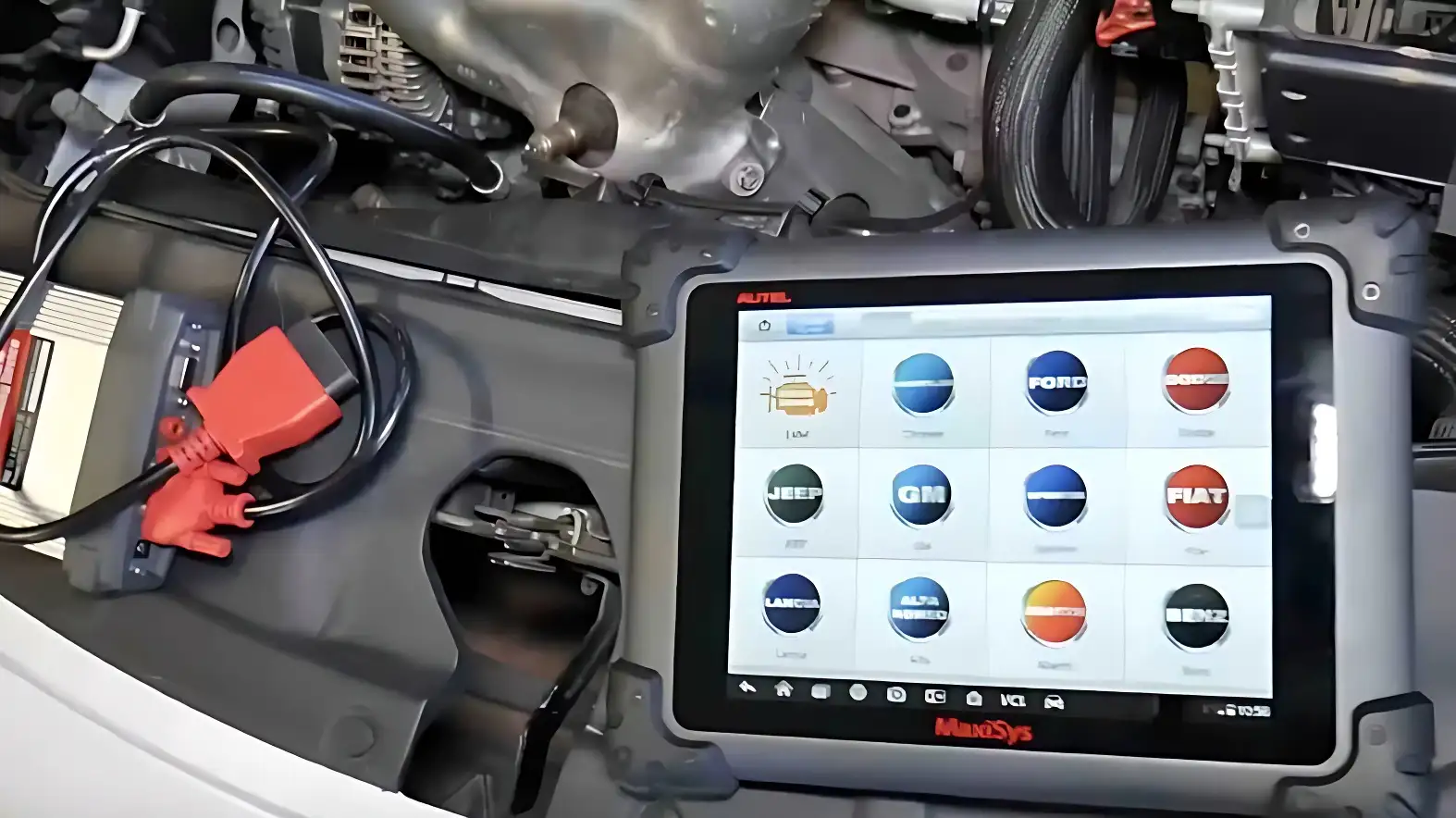
The Scan Tool CASE Relearn
The Crankshaft Angle Sensor Error (CASE) relearn is the gold standard for precision. For GM vehicles like the Silverado, Tahoe, or Corvette, you cannot bypass this with driving. You need a tool capable of sending a “Start Relearn” command. The process involves revving the engine to a fuel-cut limit (usually 4,000 to 5,000 RPM) while the computer monitors the variation in the sensor signal. Once the computer learns the pattern, it stores it in the long-term memory instantly.
Manual Drive Cycle Calibration
Ford and many Chrysler models often allow for a non-tool relearn. This relies on specific driving patterns to calibrate the sensor without technician intervention.
- Drive Cycle Example: This typically involves accelerating to highway speeds (55-60 MPH), then coasting down to 40 MPH without touching the brakes.
- Repetition: You often have to repeat this coast-down process 3 to 5 times to satisfy the PCM’s logic requirements.
- Road Conditions: This must be done on a flat road with minimal traffic to ensure the deceleration is clean and not interrupted by braking or shifting.
Crankshaft Position Sensor Relearn Made Easy: Your Essential Action Plan
The crankshaft position sensor (CKP) is the “heartbeat” monitor of your engine, tracking the exact rotational speed and position of the crankshaft to synchronize fuel injection and ignition timing. When you replace this sensor, perform an engine swap, or update the Powertrain Control Module (PCM), the computer often loses its precise calibration, leading to a “P0315” trouble code or rough idling. This guide covers the essential steps to perform a “CASE” (Crankshaft Angle Sensor Error) learn or relearn procedure. Following these steps ensures your vehicle’s computer accurately detects misfires and maintains peak performance, preventing long-term catalytic converter damage and ensuring a smooth ride.
Step 1: Prepare Your Vehicle and Workspace
What you need: Level parking surface, wheel chocks, safety glasses, and a fully charged vehicle battery.
Instructions: Before beginning the electronic calibration, you must ensure the vehicle is in a safe, controlled state. Park the car on a flat, level surface and engage the parking brake firmly. Place wheel chocks behind the rear tires to prevent any accidental movement during the high-RPM portions of the relearn. Ensure that your battery voltage is stable; if the battery is weak (below 12.5 volts), the PCM may interrupt the relearn process midway, potentially causing software errors. Turn off all accessories including the air conditioning, radio, headlights, and interior lights. These electrical loads can create “noise” in the sensor signal or cause the engine idle to fluctuate, which may interfere with the precision required for the computer to map the crankshaft’s profile.
Pro Tip: Ensure your fuel tank is at least 1/4 full. Some vehicle computers will automatically abort a relearn procedure if the low-fuel light is on to prevent a stall during the high-rev sequence.
Step 2: Verify Tool Compatibility and Connection
What you need: A high-quality bidirectional scan tool (e.g., Autel, Snap-on, or Launch) and an OBD-II cable.

Audible — Listen Free for 30 Days
One free credit a month and thousands of titles included.
Listen Free for 30 Days As an Amazon Associate I earn from qualifying purchases.Instructions: It is a common misconception that a basic $20 code reader can perform a crankshaft relearn. You specifically need a bidirectional scan tool capable of sending commands to the PCM. Plug the scan tool into the OBD-II port, usually located under the driver-side dashboard. Turn the ignition to the “ON” position (Engine Off). Navigate the scanner’s menu to select your specific vehicle’s year, make, model, and engine type. It is critical that the scanner correctly identifies the VIN to load the specific timing parameters for your engine. If the scanner fails to communicate, check the cigarette lighter fuse, as it often shares a circuit with the OBD-II port’s power pin.
Pro Tip: If you do not own a bidirectional scanner, many local independent shops will perform this 10-minute service for a small fee, which is often cheaper than buying a professional-grade tool.
Step 3: Clear Existing Diagnostic Trouble Codes (DTCs)
What you need: Bidirectional scan tool.
Instructions: Before the computer can “learn” a new sensor pattern, you must clear the memory of old errors. Use your scan tool to perform a full system scan. Take note of any codes, particularly those related to the camshaft (CMP) or ignition system. If you have codes for a faulty camshaft sensor or a misfire (P0300), you must fix those mechanical issues first, or the relearn will fail. Once noted, select the “Clear All DTCs” function. Even if the Check Engine Light is not currently on, clearing the “learned values” or “adaptive memory” resets the PCM to a baseline state, making it receptive to the new crankshaft frequency data you are about to provide.
Pro Tip: If the code P0315 (Crankshaft Position System Variation Not Learned) persists after clearing, do not panic; this is exactly what the relearn procedure is designed to fix.
Step 4: Reach Operating Temperature
What you need: Scan tool (to monitor data stream) and a running engine.
Instructions: Most PCM software will refuse to initiate a CASE learn until the engine reaches a specific thermal threshold. Start the engine and monitor the Coolant Temperature Sensor (CTS) data on your scan tool. For most GM, Ford, and Chrysler vehicles, the engine coolant must be between 160°F (71°C) and 200°F (93°C). If the engine is too cold, the metal components haven’t fully expanded to their operating tolerances; if it’s too hot, the computer may abort to prevent overheating during the revving phase. Let the car idle until the cooling fans cycle on once, then ensure the transmission is in “Park” (Automatic) or “Neutral” (Manual) with the clutch pedal released.
Pro Tip: Avoid “racing” the engine to warm it up quickly. A natural idle warm-up ensures that oil pressure is stabilized, which is vital for vehicles with Variable Valve Timing (VVT) that might affect timing readings.
Step 5: Access the CASE Learn Function
What you need: Bidirectional scan tool.
Instructions: With the engine idling and at the correct temperature, navigate your scan tool to the “Special Functions,” “Service Calibrations,” or “Engine Control” menu. Look for a label such as “Crankshaft Variation Learn,” “CASE Learn,” or “CKP Relearn.” Once selected, the scan tool will display a list of prerequisites (e.g., Brake pedal applied, A/C off, Hood closed). It is vital to follow these on-screen prompts exactly. In many vehicles, you must hold the brake pedal down firmly throughout the entire process. This signals the PCM that the vehicle is stationary and safe to momentarily increase engine speed. If you release the brake pedal or shift out of Park, the process will immediately cancel for safety reasons.
Audible Premium Plus — Annual Membership
12 audiobook credits up front, plus the full Audible catalogue.
See Annual Plans As an Amazon Associate I earn from qualifying purchases.Pro Tip: If you cannot find the menu, check under the “Transmission” or “Body Control Module” menus, as some manufacturers nest the service functions differently depending on the software version.
Step 6: Execute the High-RPM Calibration
What you need: Steady foot for throttle control and the scan tool.
Instructions: Once the scan tool says “Start” or “In Progress,” it will prompt you to accelerate the engine. Slowly but steadily press the gas pedal until the engine reaches the RPM specified on the screen—this is usually between 3,000 and 5,000 RPM depending on the engine. You will likely feel the engine hit a “soft” rev limiter controlled by the PCM; this is normal. Hold the throttle at this point until the scan tool indicates that the learn is “Complete” or until the engine RPM drops automatically (fuel cut-off). Immediately release the throttle once the RPMs drop or the tool confirms success. The PCM is currently measuring the microscopic variations in the teeth of the crankshaft reluctor wheel during this deceleration phase.
Pro Tip: Do not “floor” the pedal instantly. A smooth, controlled increase to the target RPM provides the PCM with a cleaner data set, leading to a more accurate calibration.
Step 7: Final Cycle and Verification
What you need: Ignition key and scan tool.
Instructions: After the tool confirms a successful relearn, you must “lock” the data into the PCM’s long-term memory. Turn the ignition off completely and remove the key (or push the stop button). Wait at least 30 to 60 seconds. This allows the capacitors in the PCM to discharge and the software to save the new calibration tables. Restart the engine and check the “Status” of the Crankshaft Learn on your scan tool; it should now read “Learned” or “Yes.” Perform a final scan for DTCs to ensure the P0315 code has transitioned to a “History” or “Cleared” status. If the code returns immediately, the procedure may need to be repeated, or there may be a mechanical misalignment with the sensor mounting.
Pro Tip: After the relearn, take the vehicle for a 10-minute test drive at varying speeds. This allows the computer to verify the new crankshaft data against the camshaft data under real-world load conditions.
✅ Final Checklist
- Verified engine coolant temperature reached at least 160°F before starting.
- Ensured all electrical accessories (A/C, Lights, Radio) remained off during the rev-up.
- Confirmed the scan tool displayed a “Success” or “Learn Complete” message.
- Performed a full ignition key cycle (off for 60 seconds) after the procedure.
- Verified that the P0315 trouble code is no longer active in the PCM memory.
Important Notes:
- Safety Warning: Never attempt this procedure in an enclosed garage without proper ventilation, as the high-RPM sequence generates significant exhaust fumes.
- Mechanical Issues: If the relearn fails repeatedly, check for a loose crankshaft pulley, a worn timing belt/chain, or debris on the tip of the new sensor.
- When to see a pro: If your scan tool cannot communicate with the PCM or if the engine makes knocking sounds during the rev-up, stop immediately and consult a certified technician.
- Estimated Time: 15–30 minutes (mostly for engine warm-up).
- Estimated Cost: $0 (if you own the tool) or $50–$150 at a professional shop.
Essential Pre-Conditions and Safety Requirements for Calibration
Before you attempt either method, the vehicle must meet specific readiness criteria. If any of these parameters are off, the PCM will abort the relearn process instantly, often without telling you why. You might spend an hour revving the engine only to find the computer never “took” the data because the coolant was too cold.
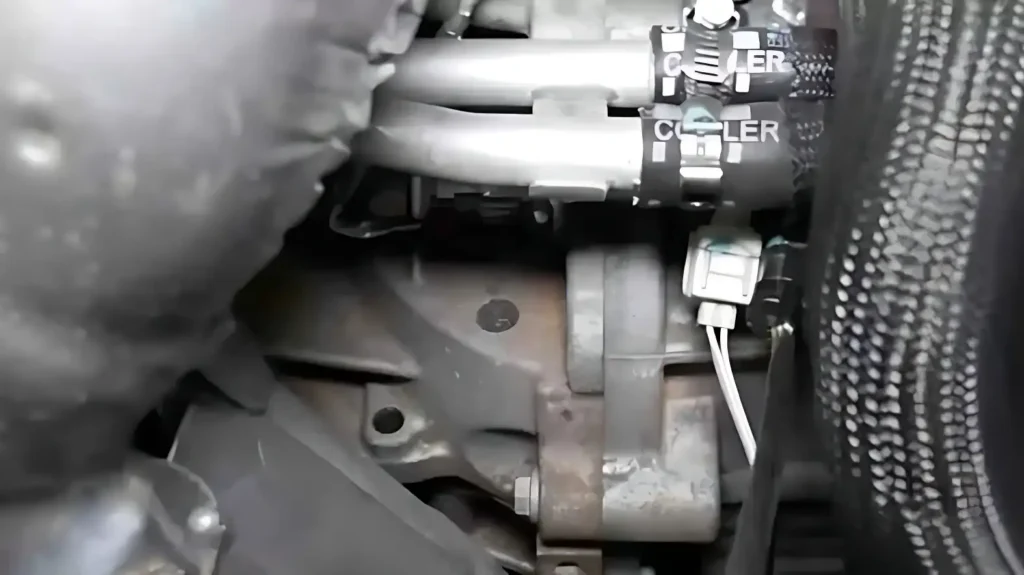
Engine Operating Parameters
Your engine must be at a stable operating temperature before the computer will allow a calibration. For most vehicles, this means a coolant temperature of at least 150°F (70°C). If the engine is too cold, the metal components haven’t expanded to their running tolerances, making the calibration inaccurate.
- Turn off all loads: Switch off the A/C, radio, and headlights to ensure no parasitic draw affects engine RPM stability.
- Clear non-related codes: You must resolve any P0300 (random misfire) codes first. The only codes present should be those related to the CKP variation not being learned.
- Battery Voltage: Ensure your battery is charging at 13.5V or higher. Low voltage can cause communication errors during the write-process to the PCM.
Safety and Positioning
If you are performing a scan tool relearn while stationary, safety is paramount. The computer will often require you to hold the brake pedal while simultaneously hitting the accelerator.
- Set the Parking Brake: This is a hard requirement for many GM scan tool procedures. The computer checks the parking brake switch status before starting.
- Clear the Area: You will be revving the engine to high RPMs in neutral or park. Ensure no tools or debris are near the cooling fans or drive belts.
- Block the Wheels: Even in Park, the vibration at high RPMs can cause vehicle movement. Always use wheel chocks for added security during the test.
Common Symptoms and Error Codes Requiring a Relearn
Identifying the Warning Signs
Even if you’ve successfully installed a brand-new sensor, your engine might still act like it’s struggling. Without a proper relearn, the Engine Control Module (ECM) lacks the precise data needed to map ignition timing correctly against the physical position of the pistons. You might notice a stumbling idle, hesitation during sudden acceleration, or a noticeable drop in fuel efficiency. In many cases, the car may run fine at low speeds but start “bucking” or surging once you hit highway velocities because the computer cannot accurately track the crankshaft at high RPMs.
Diagnostic Trouble Codes (DTCs) to Watch For
The most obvious indicator that a relearn is mandatory is the presence of specific diagnostic codes. When the computer detects a mismatch between the expected and actual sensor signal, it will trigger the Check Engine Light. If your scan tool pulls any of the following, the ECU is essentially screaming for a calibration:
- P0315: This is the “smoking gun” code. It explicitly states “Crankshaft Position System Variation Not Learned.” This code will not clear until the relearn procedure is successfully completed.
- P1336: Frequently seen on older GM vehicles, this indicates the Crank Angle Sensor Error (CASE) hasn’t been established.
- P0300: While this is a “Random or Multiple Cylinder Misfire” code, it is often a ghost code triggered because the ECU can’t accurately detect crankshaft speed fluctuations, leading it to “think” there is a misfire when there isn’t one.
Brand-Specific Variations: GM, Ford, and Chrysler Requirements
General Motors (GM) and the CASE Learn
GM vehicles are notoriously strict regarding crankshaft calibration. On most Chevy, GMC, and Cadillac models, the process is known as a CASE Learn (Crankshaft Angle Sensor Error). Unlike some manufacturers that allow the car to “figure it out” over several hundred miles of driving, GM systems often require a bi-directional scan tool to manually initiate the process. This is common after replacing a sensor, swapping a balancer, or even after a simple PCM flash. Without it, the “Service Engine Soon” light will likely stay illuminated indefinitely.
Ford’s Misfire Monitor Profile
Ford takes a slightly different approach, referring to the relearn as a Misfire Monitor Neutral Profile Correction. Interestingly, many Ford models are designed to “self-learn” this profile through specific real-world driving patterns. For example, performing multiple decelerations (coasting) from 60 mph down to 40 mph without touching the brakes often allows the PCM to learn the crank variation. However, if the battery was disconnected or the PCM was replaced, using a professional diagnostic tool is the fastest way to ensure the profile is stored correctly.
Chrysler, Dodge, and Jeep Nuances
Mopar vehicles typically require a “Crank/Cam Realign” or “Cam/Crank Relearn.” This is particularly critical on HEMI engines or older 4.0L Jeep engines after a timing chain or sensor service. Chrysler systems are incredibly sensitive to the sync state; if the relationship between the camshaft and crankshaft sensors is off by even a few degrees of rotation, the vehicle may enter a “limp mode” to prevent internal engine damage. These brands almost always require a professional-grade scanner to reset the adaptive memory before the relearn can be finalized.
Conclusion
Completing a crankshaft position sensor relearn is the final, essential step in any sensor replacement or major engine repair. By ensuring the ECM and the sensor are perfectly synced, you eliminate frustrating “ghost” misfires, restore peak fuel economy, and ensure your engine’s timing is razor-sharp. Skipping this step often leads to weeks of frustration and unnecessary part-swapping when a simple software calibration was all that was truly needed.
Your next step should be to hook up a high-quality OBD-II scanner to check for a P0315 or P0300 code. If your vehicle doesn’t support an automatic relearn through specific driving cycles, consult your service manual or visit a local technician with the appropriate bi-directional tools. Don’t leave your engine’s performance to chance—get that calibration finished today and get back on the road with confidence!
❓ Frequently Asked Questions
Why is a CASE relearn necessary after sensor replacement?
The PCM needs to learn the exact physical relationship and tolerances between the new sensor and the crankshaft teeth to accurately detect misfires.
What are the signs of a failed crankshaft sensor relearn?
Common signs include a persistent P0300 random misfire code or the engine failing to start smoothly despite having a new sensor.
Can I perform a relearn if the check engine light is currently on?
No, you must address and clear all other trouble codes first, as active codes often prevent the PCM from entering ‘learn mode.’
What specialized tools are needed for a professional-grade relearn?
Professional technicians typically use bi-directional scanners like Autel, Snap-On, or OEM-specific software such as GM’s Tech2 or GDS2.
Why does the AC need to be off during the relearn process?
Turning off the AC and other accessories ensures there is no erratic load on the engine, allowing the PCM to get a clean reading of crankshaft acceleration.
How do Ford drive cycles differ from GM procedures?
Ford typically requires several coast-down periods from 60 MPH to 40 MPH without braking, whereas GM often uses a stationary ‘rev-to-limit’ command via a scan tool.