
How To Use Ford Pass Points: Step-By-Step Guide 2026

For Ford owners, optimizing the benefits of vehicle ownership extends beyond performance and reliability—it includes leveraging loyalty programs like FordPass Rewards. Despite the significant value offered by FordPass Points, many owners remain uncertain about how to effectively earn, track, and most importantly, redeem their accumulated rewards for maximum advantage. This authoritative guide will provide a clear, step-by-step blueprint to understand, activate, manage, and master the utilization of your FordPass Points, ensuring you unlock the full spectrum of savings and benefits available through the program by 2026.

Understanding FordPass Rewards: The Foundation of Point Utilization
FordPass Rewards is not merely a promotional gimmick; it’s a comprehensive loyalty initiative meticulously crafted by Ford to acknowledge and reward its valued customers for their ongoing engagement and purchases within the Ford ecosystem. As an expert with over 15 years in the automotive industry, I’ve seen many loyalty programs, and FordPass stands out for its direct and tangible benefits. This program forms an essential component of the modern Ford ownership experience, designed to cultivate lasting relationships with the brand.
The intrinsic value of FordPass Points lies in their direct translation into monetary savings. These points function as a digital currency redeemable at authorized Ford dealerships across the United States and Canada. This means points earned aren’t just abstract numbers; they directly reduce the cost of crucial aspects of vehicle ownership. Imagine earning points from a new vehicle purchase and subsequently applying them to your first few oil changes or a set of premium floor mats. This practical application significantly enhances the ownership value.
Point accrual is straightforward, primarily driven by core interactions with the Ford brand. The most significant points often come from the purchase or lease of a new Ford vehicle. Research indicates that new vehicle purchases commonly grant substantial bonus points, such as 42,000 points (valued at approximately $210), providing an immediate financial benefit. Furthermore, points are earned on eligible service appointments, parts purchases, and even accessories bought at participating Ford dealerships. For instance, the common earning rate is 10 points per $1 spent on eligible services and parts. Engaging with the FordPass App itself, through features like remote start or scheduling service, can also yield points through occasional promotions, adding another layer to the earning potential.
Eligibility for FordPass Rewards is inclusive. Anyone with a valid FordPass account and an eligible Ford vehicle can enroll. This means whether you’re a long-time Ford enthusiast or a beginner to the brand, you can learn to leverage this program. It’s a fundamental aspect to understand: without an active FordPass account and a linked eligible vehicle, the program’s benefits remain inaccessible. The program is designed to integrate seamlessly into your ownership journey, making it a comprehensive tool for financial savings and enhanced convenience.

Activating and Managing Your FordPass Rewards Account for Seamless Point Use
Before you can begin to master the art of redeeming FordPass Points, establishing and effectively managing your account is paramount. This foundational step ensures that all your eligible activities translate into accrued points and that you have a clear understanding of your rewards balance. From my experience, many owners miss out on benefits simply because their accounts aren’t fully optimized.
Step-by-Step Account Creation and Activation
The journey begins with the FordPass App, which is available for download on both iOS and Android platforms. Once installed, the process is as follows:
- Download the App: Search for “FordPass” in your device’s app store.
- Create an Account: Follow the on-screen prompts to set up your profile. This typically involves providing an email address, setting a password, and agreeing to terms and conditions.
- Enroll in FordPass Rewards: During the setup, or often as a subsequent prompt, you will be invited to enroll in FordPass Rewards. Confirm your participation to activate your loyalty membership.
Linking Your Ford Vehicle
This is a critical step for both earning and tracking points, as well as accessing your vehicle’s connected features. To link your vehicle:
- Open the FordPass App and navigate to the “Vehicle” section.
- Select “Add Vehicle” and input your Vehicle Identification Number (VIN), which can be found on your insurance card, vehicle registration, or on the driver’s side dashboard.
- Follow any additional prompts, which may include confirming the link from your vehicle’s infotainment screen. Linking a vehicle enables remote features like start/stop, lock/unlock, and critical service scheduling directly through the app.
Monitoring Your FordPass Points Balance
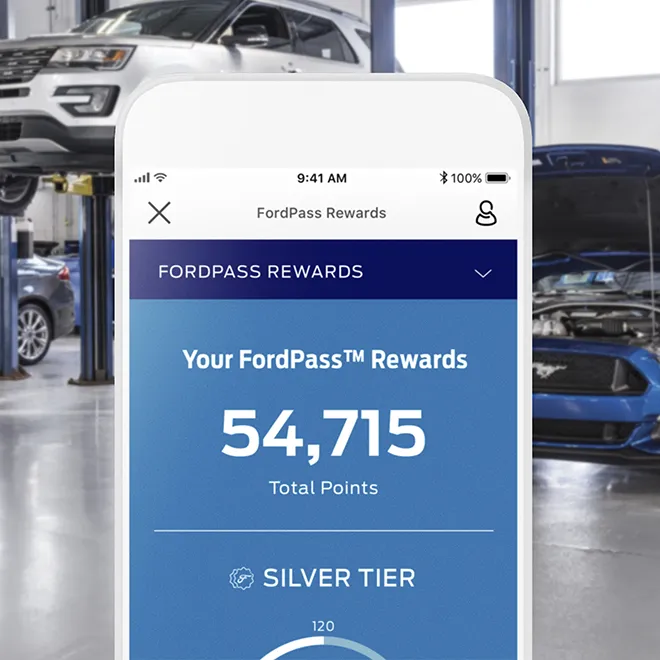
Keeping an eye on your points balance is crucial for effective utilization. Within the FordPass App, your points balance is prominently displayed, often on the home screen or within a dedicated “Rewards” or “Account” section. A typical app navigation path would be: Open App > Select “Account” or “Rewards” tab > View “Points Balance.” It’s important to note that points typically reflect in your account within 3-5 business days post-transaction, though major purchases like new vehicles might take slightly longer to process the significant bonus points.
Understanding Account Statuses and Associated Benefits
FordPass Rewards offers different membership tiers designed to enhance benefits for more engaged owners. While the specifics can evolve, common tiers might include Preferred, Select, or Elite, each potentially offering increased earning rates or exclusive perks. For instance, higher tiers might receive bonus points on service, or early access to promotions. Continuously explore the app and FordPass website to understand the most current tier benefits, ensuring you’re maximizing your status.

Audible — Listen Free for 30 Days
One free credit a month and thousands of titles included.
Listen Free for 30 Days As an Amazon Associate I earn from qualifying purchases.By The Numbers: FordPass Rewards Fundamentals
Points Earned Per $1 Spent
Bonus Points for New Vehicle Purchase
Business Days for Point Reflection
How to Redeem FordPass Points: A Step-by-Step Procedure for Maximum Benefit
Redeeming your accumulated FordPass Points is where the real value of the program comes to fruition. As an industry expert, I often observe that the primary hurdle for many owners is simply knowing the precise steps to take at the dealership. This guide will clarify that process, enabling you to master your rewards.

📋
Step-by-Step Guide to Point Redemption
FordPass Points are versatile. They can be redeemed for a wide array of services, parts, and accessories at any authorized Ford dealership. This includes routine maintenance like oil changes, tire rotations, brake service, or larger repairs. You can also use them for genuine Ford parts, such as replacement filters or spark plugs, and for enhancing your vehicle with accessories like all-weather floor mats, tonneau covers, or remote start systems. Critically, points can also contribute towards the down payment or cap cost reduction on a new vehicle purchase or lease. For example, using points for a $50 discount on a scheduled maintenance appointment or applying 30,000 points ($150 value) towards the down payment of a new Ford F-150 are common scenarios. However, remember that points cannot be redeemed for cash directly.
This is perhaps the most crucial step. When you visit a Ford dealership for service, parts, or to purchase a vehicle, you must explicitly inform the service advisor, parts counter staff, or sales associate of your intention to use FordPass Points. Do this before the transaction is finalized. Waiting until payment is due can complicate the process, as the system needs to apply the points as a form of payment from the outset. Clearly state, “I would like to redeem my FordPass Points for this purchase/service.”
Once informed, the dealership staff will access your FordPass Rewards account through their internal system. They will verify your available points balance. You may be asked for your associated email address or phone number to locate your account. They will then apply the desired amount of points to your transaction. For example, if you have 10,000 points and want to use them for a $50 discount on new wiper blades, the staff will process this directly.
It’s crucial to understand the redemption rate. The standard rate is typically 200 points for $1 USD (or equivalent in CAD). This means if you have 10,000 points, they are worth $50. While this rate is consistent, some dealerships may offer promotional point redemption rates for specific periods or services, which can amplify your savings. Always inquire if such promotions are active. Also, be aware of any minimum redemption requirements; some transactions might require a certain points threshold. Always verify the applied discount on your invoice.
Audible Premium Plus — Annual Membership
12 audiobook credits up front, plus the full Audible catalogue.
See Annual Plans As an Amazon Associate I earn from qualifying purchases.After the points have been applied, confirm that the discount is correctly reflected on your final invoice or purchase agreement. You will then pay any remaining balance using your preferred payment method. This final confirmation step is vital to ensure you received the full benefit of your redeemed points. An example accessory purchase using points might be for a set of new floor mats, where your points cover a portion or even the entire cost, with you paying the remainder, if any.
Optimizing Your FordPass Points: Advanced Strategies and Best Practices for Value
Simply redeeming points is a good start, but truly mastering the FordPass Rewards program involves strategic thinking. As a seasoned expert, I’ve seen owners unlock significantly more value by adopting advanced strategies and best practices. These insights will help you discover and explore the full potential of your rewards by 2026.
Strategic Redemption Timing
The timing of your point redemption can dramatically amplify your savings. Instead of cashing in points for every small service, consider saving them for higher-value services or accessories. Think about a less frequent, higher-cost service like a transmission fluid flush or a major brake job where a $100 or $200 discount from points makes a substantial impact. Additionally, keep an eye out for dealer or Ford-wide promotional periods that might offer enhanced redemption rates. For instance, waiting for a “buy three tires, get the fourth for $1” special and then using points to cover the remaining cost of the three tires or other related services (like balancing and alignment) represents a savvy combination of discounts.
Combining Points with Other Offers
One of the most potent strategies is to stack your FordPass Points with other discounts. Many dealerships offer seasonal coupons for service or parts. Always inquire if your points can be combined with these offers. A common scenario might involve using a 15% off coupon for a service, and then applying your FordPass Points to the reduced total. This “double-dip” approach significantly enhances your overall discount. Always check the fine print of both the coupon and the FordPass Rewards terms, but in most cases, they are designed to be complementary.
Monitoring Point Expiration Policies
Points, like many loyalty rewards, often have expiration policies. The typical point expiration policy dictates that points expire after 365 days of account inactivity (no earnings or redemptions). To prevent forfeiture, regularly check your FordPass App for your points balance and expiration dates. If you’re nearing an inactivity deadline, consider making a small accessory purchase, such as new wiper blades or an air freshener, to reset the activity clock. This simple act can save you from losing a significant balance. Research suggests that over 70% of FordPass Rewards members report significant savings through strategic point use, often by avoiding expiration and combining offers.
Utilizing All Available Earning Avenues
Beyond vehicle purchases and routine service, there are often overlooked ways to earn points. Actively explore the FordPass App for special promotions, which might include bonus points for:
- Participating in surveys: Ford occasionally offers points for feedback.
- Connecting to FordPass Connect: Activating and utilizing your vehicle’s modem for connected services can sometimes yield points.
- Specific dealer promotions: Your local Ford dealer might run unique promotions offering bonus points for certain services or purchases. Stay updated by checking their website or promotional emails.
These small, consistent earning actions contribute to a larger pool of points over time, making your comprehensive rewards strategy even more effective.
Always have your FordPass App ready when visiting the dealership. It not only allows quick access to your points balance but can also display any active offers that the staff might reference, streamlining the redemption process.
Troubleshooting Common FordPass Points Issues and Contacting Support
Even with a robust understanding of the FordPass Rewards program, occasional issues can arise. As an experienced industry professional, I recognize that troubleshooting these common challenges promptly is vital to maintain a positive program experience and ensure you receive the full benefits. This section will help you explore effective solutions.
Points Not Appearing After Eligible Transactions
This is a frequent concern. If your points haven’t appeared after an eligible transaction (e.g., an oil change or parts purchase):
- Verify Eligibility: Double-check that the transaction was at an authorized Ford dealership and for eligible services/parts.
- Check Processing Time: Remember that points can take 3-5 business days to reflect. For new vehicle purchases, this may be slightly longer.
- Review FordPass App: Ensure your app is updated and you’re logged into the correct account.
- Contact the Dealership: If sufficient time has passed (e.g., beyond 5 business days), contact the service or parts department manager with your invoice details. They can often initiate a manual submission or investigate system discrepancies. A common scenario might be that the dealer’s system didn’t correctly link your purchase to your FordPass account at the time of transaction.
Issues with Point Redemption at the Dealership
While most dealerships are well-versed in FordPass Rewards, you might encounter situations where staff are unfamiliar with the process or experience technical difficulties. If this happens:
- Politely Reiterate: Calmly explain that you wish to use FordPass Rewards points, emphasizing it’s a standard Ford program.
- Request a Manager: Ask to speak with a service manager or parts manager. They often have more experience with loyalty programs and system functionalities.
- Show Your App: If you have your balance visible in the FordPass App, showing it can sometimes expedite the process.
Account Access and Technical Glitches
From forgotten passwords to app errors, technical issues can be frustrating:
- Forgotten Password: Use the “Forgot Password” link on the app or FordPass website.
- App Errors: Try force-closing and restarting the app. If the issue persists, clear the app’s cache (in device settings) or uninstall and reinstall the app.
- Vehicle Linking Problems: Ensure your VIN is correctly entered and that you’ve confirmed the link from your vehicle’s infotainment system when prompted.
Contacting FordPass Rewards Support
When self-troubleshooting isn’t enough, direct support is available. FordPass Rewards offers multiple channels:
- Phone Support: The official FordPass Rewards customer support phone number is typically 1-833-385-0518 (always verify the most current number on the official Ford website).
- Email Support: Available via the FordPass website under the “Contact Us” section.
- In-App Chat: The FordPass App often includes a chat feature for real-time assistance.
When contacting support, have your account details (email, phone, VIN) and any relevant transaction information (invoice numbers, dates) ready. Most point discrepancies are resolved within 7-10 business days of initial inquiry, though complex cases may take longer.
Always be wary of unofficial sites or individuals claiming to help with FordPass Rewards outside of official Ford channels. Your account details are sensitive. Only use the FordPass App or the official Ford website for account management and support.
Understanding Program Changes and Updates
Loyalty programs, including FordPass Rewards, can evolve. Terms and conditions, earning rates, and redemption values might be subject to change. To stay informed, regularly check the “Terms and Conditions” section within the FordPass App or on the official FordPass Rewards website. Ford typically communicates significant program updates through email or in-app notifications. Proactive monitoring ensures you’re always operating with the most current information, which is essential for effective long-term utilization.
FordPass Rewards points offer tangible value for service, parts, accessories, and new vehicle purchases/leases. Effective point utilization requires understanding accrual, diligent account management, and knowing the step-by-step redemption process. Strategic timing and combining offers can significantly amplify the savings achieved through FordPass Points. Begin maximizing your FordPass Rewards today by reviewing your current points balance in the FordPass App and planning your next strategic redemption at your local Ford dealership. Discover the full potential of your Ford ownership.
Frequently Asked Questions
Do FordPass Points expire?
Yes, FordPass Rewards Points are subject to expiration. Generally, points will expire if there is no account activity (earning or redeeming points) for 365 consecutive days. It is crucial to monitor your FordPass account regularly and engage in eligible transactions periodically to prevent your valuable points from being forfeited. Always refer to the latest FordPass Rewards program terms and conditions for precise details.
Can I transfer FordPass Points to another person?
No, FordPass Rewards Points are typically non-transferable. Points are assigned to the individual FordPass Rewards account holder and cannot be gifted, sold, or transferred to another person or a different FordPass account. This policy ensures that the benefits of the loyalty program remain exclusive to the active member who earned them. For specific exceptions or unusual circumstances, contacting FordPass Rewards support is advisable.
How long does it take for points to appear after a purchase?
Points typically appear in your FordPass Rewards account within 3 to 5 business days after an eligible transaction has been completed and processed by a participating dealership. For new vehicle purchases, the points may take slightly longer to reflect, often once the vehicle registration and delivery are finalized. If points do not appear within this timeframe, ensure the transaction was eligible and contact the dealership or FordPass support.
Can I use FordPass Points at any Ford dealership?
FordPass Points can be redeemed at any participating authorized Ford dealership across the United States. While most Ford dealerships participate in the FordPass Rewards program, it’s always recommended to confirm participation with your preferred dealership prior to your visit, especially if you intend to redeem points for a significant transaction. This proactive step helps ensure a smooth and hassle-free redemption process.
What is the cash value of FordPass Points?
FordPass Points have a consistent redemption value, typically set at 200 points for $1 USD. This means that 1,000 points are equivalent to $5, and 10,000 points equal $50 in redemption value. It’s important to remember that points cannot be exchanged for cash directly but can only be applied as a discount towards eligible purchases at participating Ford dealerships.

