How To Remote Start Ford F150: Step-By-Step Guide 2026

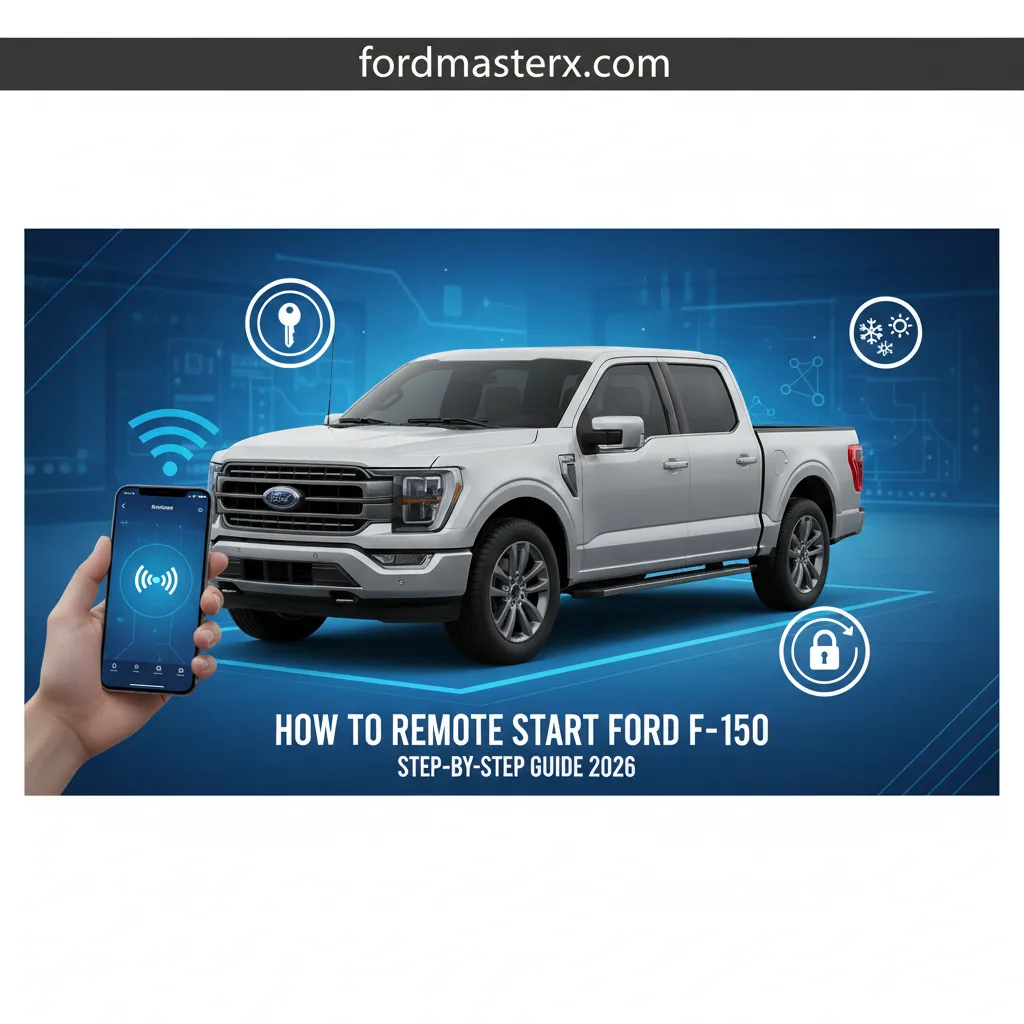
Imagine stepping into a perfectly conditioned Ford F-150, precisely warmed in winter or cooled in summer, all before you even open the door. The convenience of remote starting your F-150 is unparalleled, yet many owners are unsure how to effectively utilize this feature or troubleshoot potential issues, leaving valuable comfort and functionality untapped. This expert guide will meticulously detail every method to remote start your Ford F-150, from traditional key fob sequences to advanced FordPass Connect features, ensuring you master this essential function for models leading up to 2026.

Understanding F-150 Remote Start Systems: Types and Prerequisites
Recommended Best Deal Products


📤 Share Image
To truly master remote starting your Ford F-150, it’s essential to first understand the various systems at play. Ford F-150 models offer two primary methods for remote start: the factory-installed key fob system and the more advanced FordPass Connect app-based functionality. Distinguishing between these, and knowing their prerequisites, is foundational.
Key Fob Remote Start: The Traditional Approach
The factory-installed remote start, integrated directly with your F-150’s key fob, is a common feature across many trim levels and model years. This system relies on radio frequency (RF) signals transmitted from your fob to the truck’s Body Control Module (BCM). While convenient, its operational range is typically limited, often between 30 to 100 feet depending on environmental factors, key fob battery strength, and line of sight. This method is prevalent in F-150s from 2015 onwards, though its inclusion often depended on specific trim packages. For example, a 2020 F-150 XLT may feature factory remote start as standard or part of a comfort package, whereas a 2015 XL might require an aftermarket solution or a specific option bundle.
FordPass Connect: The Digital Evolution
The second, more modern approach leverages FordPass Connect, Ford’s integrated telematics system. This functionality became significantly more common from 2018 onwards, with research indicating that over 70% of F-150 models from 2018 onwards are equipped with FordPass Connect as standard or optional. This system requires a built-in FordPass modem within your F-150 and active cellular network connectivity for both the vehicle and your mobile device. The key advantage here is the virtually unlimited range for remote starting, as commands are relayed via cellular networks, not just direct RF signals. You can explore and utilize this feature from anywhere with adequate cellular coverage.
Universal Vehicle Prerequisites for Remote Start
Regardless of whether you’re using your key fob or the FordPass app, your F-150 must meet several critical conditions for a remote start to initiate successfully. These are safety and system integrity checks built into the truck’s software:
- All Doors Closed: Any open door will prevent the system from engaging.
- Hood Latched: A safety measure to prevent accidental starts during maintenance.
- Transmission in Park: The vehicle must be in a safe, stationary gear.
- Adequate Fuel Levels: Most systems require at least a quarter tank of fuel to start.
- Healthy Battery State: A weak battery can inhibit remote start to preserve starting power.
- No Malfunction Indicator Lamps (MILs): Check Engine or other critical warning lights typically disable remote start.
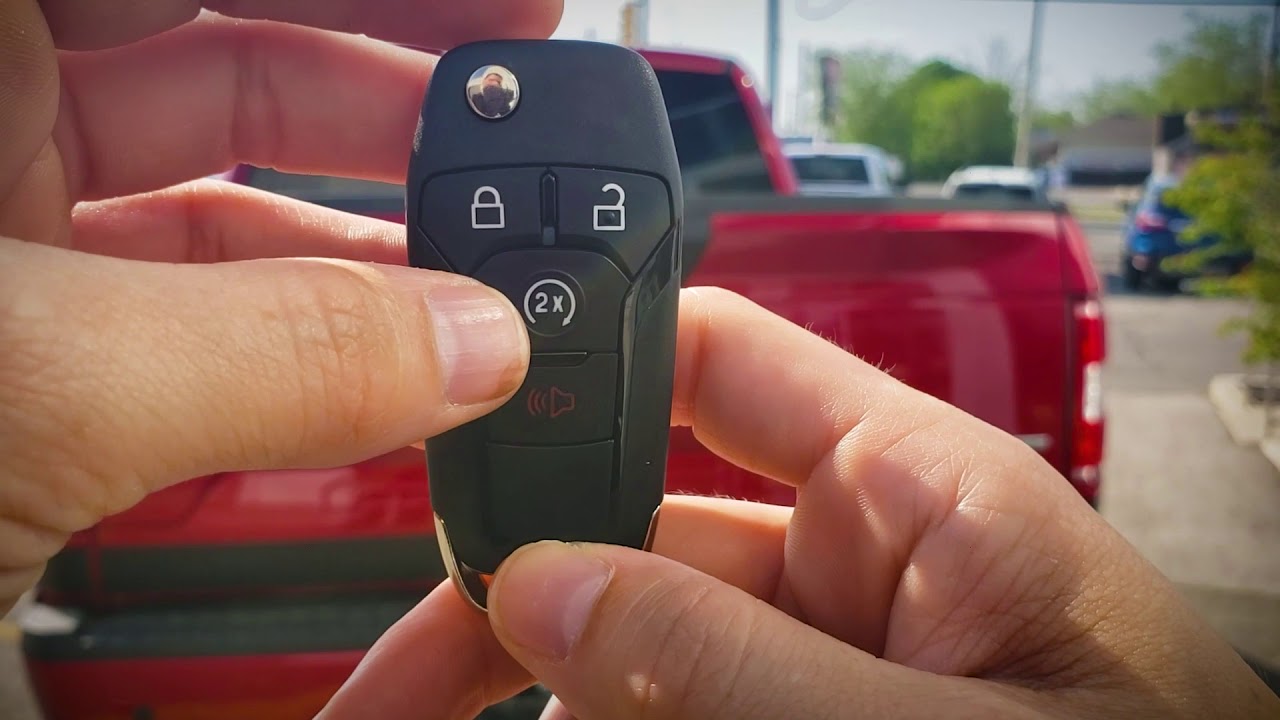
To discover your specific F-150’s capabilities, check your key fob for a circular arrow icon (often with a ‘2x’ or ‘Start’ text), which indicates factory remote start. For FordPass Connect, verify if your F-150 has a FordPass Connect modem (often indicated by an antenna on the roof or a specific option code) and that your VIN can be added to the FordPass app.
By The Numbers
F-150s (2018+) with FordPass Connect
Typical Key Fob Remote Start Range
How to Remote Start Your Ford F-150 Using Your Key Fob: A Step-by-Step Procedure
The traditional key fob method for remote starting your F-150 is straightforward and reliable, provided you follow the precise sequence. This section will guide you through the process, ensuring a high success rate.
📋
Step-by-Step Guide
Recommended Best Deal Products


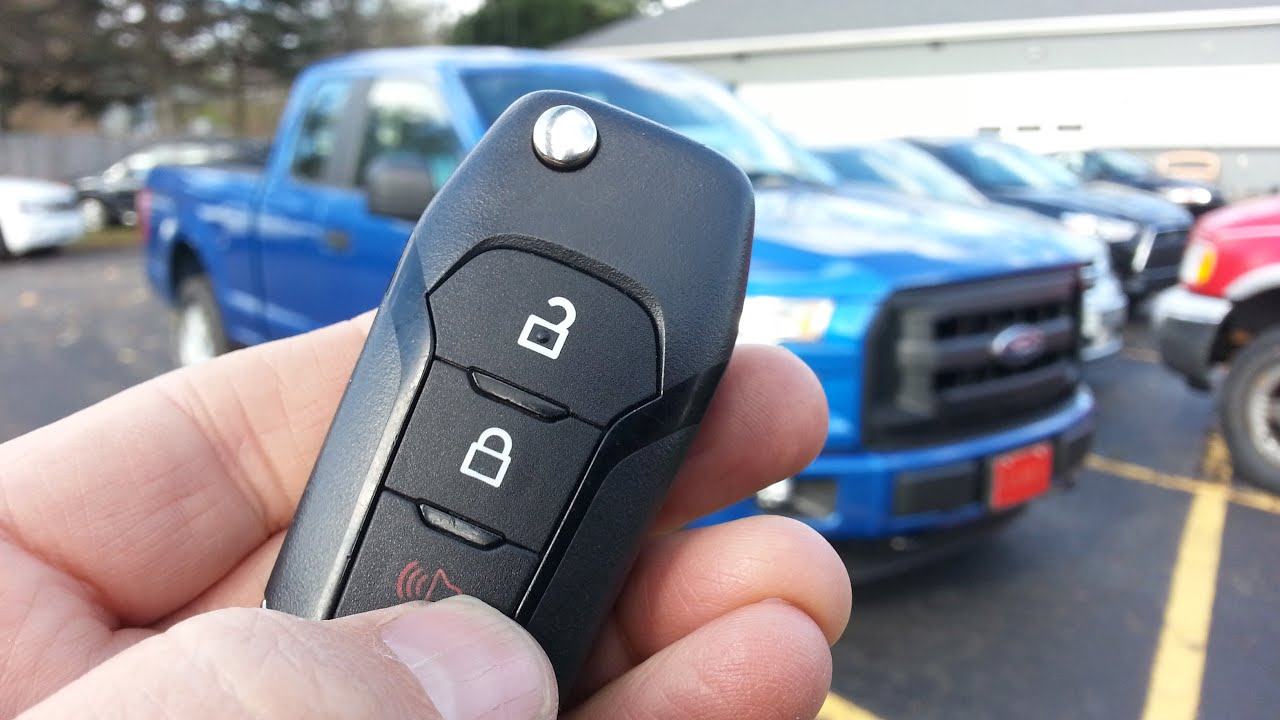
Locate the remote start button on your F-150 key fob. This is typically identifiable by a circular arrow icon, often with a “2x” or “Start” label. Older flip-keys and newer intelligent access fobs will have this dedicated button if equipped with factory remote start.

Audible — Listen Free for 30 Days
One free credit a month and thousands of titles included.
Listen Free for 30 Days As an Amazon Associate I earn from qualifying purchases.Press and release the ‘Lock’ button on your key fob once. Immediately after, press and release the remote start button (circular arrow/2x) twice. For optimal success, ensure a fluid press-release-press-release action, not a long hold or significant pause between presses.
Upon successful command, your F-150’s exterior lights (parking lights, sometimes headlights) will flash, and the engine will start. You may also hear a brief horn chirp, signaling that the vehicle has received and acted on the remote start command.
The engine will typically run for a default cycle of 10-15 minutes. You can often extend this runtime for another cycle by repeating the lock-and-start sequence within the first minute of the initial start. To cancel a remote start, simply press the remote start button once on your key fob.
After the remote start, simply unlock your F-150, open the door, and get in. To fully engage the ignition system and drive, place your foot on the brake pedal, and press the engine start/stop button (if equipped) or turn the key to the ‘On’ position. The vehicle will then transition from remote start to normal operation.
This straightforward procedure allows you to learn and execute key fob remote starts effectively, ensuring your F-150 is ready when you are, within its typical operating range of 30 to 100 feet. The default 15-minute runtime for most F-150 models provides ample time to prepare before departure.
Remote Starting Your F-150 with FordPass Connect: A Digital Guide
Beyond the physical key fob, the FordPass Connect app offers a sophisticated, virtually unlimited-range method for remote starting your F-150. To discover and master this modern convenience, follow these steps.
Initial FordPass App Setup
First, you’ll need to set up the FordPass app on your mobile device. Download it from your app store, create an account, and then add your F-150 by scanning its VIN or entering it manually. You’ll then need to activate FordPass Connect services directly from your F-150’s SYNC screen. This typically involves navigating to Settings > FordPass Connect > Activate Vehicle and following the on-screen prompts to pair your truck with your app account.
Audible Premium Plus — Annual Membership
12 audiobook credits up front, plus the full Audible catalogue.
See Annual Plans As an Amazon Associate I earn from qualifying purchases.Navigating the App for Remote Start
Once your F-150 is linked and FordPass Connect is active, the remote start process is intuitive:
- Open the FordPass app on your smartphone.
- Select your F-150 from your garage if you have multiple vehicles.
- On the main vehicle dashboard screen, you’ll see an engine icon or a “Start” button (often within a circle). Tap this button.
- The app will then prompt you to confirm the remote start action, sometimes requiring your FordPass PIN for security.
- After confirmation, the app will show a status update, confirming the command has been sent and, subsequently, that the vehicle has started.
The beauty of FordPass Connect is its range, which is virtually unlimited, constrained only by cellular coverage for both your truck and your device. Commands are relayed through Ford’s servers, allowing you to start your F-150 from miles away, ensuring it’s ready upon your arrival.
Advanced Features and Monitoring
FordPass Connect elevates remote start beyond simple engine ignition. You can explore these advanced features:
- Climate Control: Set precise cabin temperatures and activate heated/cooled seats (if equipped) before you even step inside.
- Scheduling: Create recurring remote start schedules, perfect for warming up your F-150 at 7:00 AM every weekday morning.
- Vehicle Status: Monitor fuel level, tire pressure, and even your truck’s location directly from the app after initiating a remote start.
- Stop Engine: Remotely turn off the engine via the app if needed.
It’s important to note that certain advanced features, such as remote lock/unlock and full vehicle health reports, may require an active FordPass subscription beyond the initial complimentary period that often comes with a new vehicle purchase.
Troubleshooting FordPass Connect Remote Start
If a FordPass remote start command fails, begin troubleshooting within the app. Check for:
- Network Connectivity: Ensure both your phone and the F-150 are in areas with adequate cellular signal.
- App Updates: Confirm your FordPass app is up to date.
- Subscription Status: Verify your FordPass Connect services are active and not expired.
- Vehicle Prerequisites: Re-check all the fundamental conditions (doors, hood, fuel, etc.) on your actual F-150.
The app itself often provides diagnostic messages if a command cannot be completed, helping you pinpoint the issue. By following these steps, you can confidently understand and manage your F-150’s remote start capabilities through FordPass Connect.
Troubleshooting F-150 Remote Start Problems: What to Do When It Doesn’t Work
Even with the most robust systems, remote start can occasionally falter. Rather than immediate frustration, an expert approach involves systematic troubleshooting. This guide will empower you to diagnose and often resolve common issues, preventing unnecessary service visits.
Never attempt to remote start your F-150 in an enclosed, unventilated area such as a garage due to the risk of carbon monoxide poisoning. Always ensure the vehicle is in a safe, open environment.
Fundamental Vehicle Condition Checks
The most frequent culprits for remote start failures are often the simplest. Begin by methodically checking these prerequisites:
- All Doors Securely Closed: Including the tailgate. Even a slightly ajar door will prevent remote start.
- Hood Latched: Confirm the hood is fully closed and latched. Sensors prevent starting if it’s open.
- Transmission in Park: Ensure the gear selector is firmly in the ‘P’ position.
- Parking Brake Disengaged (if applicable): While less common on newer models, some older systems might have this as a requirement.
- Fuel Level: Verify that your F-150 has at least a quarter tank of fuel.
- Dashboard Warning Lights: Scan your F-150’s dashboard. A ‘Check Engine’ light, low oil pressure, or high engine temperature warning will typically inhibit remote start for safety and diagnostic purposes. If your truck honks twice but doesn’t start, it usually indicates a fault condition preventing operation.
Research indicates that up to 30% of remote start complaints are resolved by simple checks like ensuring all doors are fully closed or addressing minor warning lights.
Key Fob Specific Troubleshooting
If you’re using the key fob and remote start isn’t working:
- Battery Strength: A weak key fob battery can significantly reduce range or prevent signal transmission entirely. Replace the battery if you suspect it’s low (typically a CR2032 coin cell).
- Distance: Are you within the typical 30-100 foot range? Try moving closer to the truck.
- Interference: Large buildings, power lines, or other electronic devices can interfere with the RF signal.
FordPass Connect Specific Troubleshooting
For app-based remote start failures, consider these points:
- Phone Connectivity: Ensure your mobile device has a stable internet connection (Wi-Fi or cellular).
- Vehicle Cellular Signal: Your F-150 needs cellular coverage to receive commands. If it’s in a basement garage or rural area with poor signal, it won’t work.
- FordPass App Status: Log out and back into the app, or even reinstall it. Check for any in-app messages or notifications.
- Subscription: Confirm your FordPass Connect services are active and paid for, if applicable.
When to Seek Professional Help
If you’ve exhaustively checked all the above, and your F-150 still refuses to remote start, it’s time to consult a Ford dealership. Problems could stem from a faulty remote start module, wiring issues, or other deeper electrical system problems. Ford diagnostic tools can often pinpoint module failures within minutes, providing a precise diagnosis and solution. Don’t hesitate to utilize their expertise when self-troubleshooting reaches its limit.
Maximizing Your F-150’s Remote Start Experience: Tips and Features
Remote starting your Ford F-150 isn’t just about turning on the engine; it’s about optimizing your comfort and convenience. By delving into the advanced functionalities and adopting expert tips, you can truly master your truck’s capabilities and enhance your daily driving experience.
Customizing Remote Start Settings via SYNC
Your F-150’s SYNC infotainment system offers a suite of customizable remote start settings. To learn and configure these, navigate to Settings > Vehicle > Remote Start. Here, you can typically adjust:
- Default Runtime: Change the engine’s remote run duration (e.g., from 10 to 15 minutes, or vice versa if options allow).
- Climate Control: Configure your F-150 to automatically turn on the climate control system to your last setting, or to a pre-defined temperature.
- Heated/Cooled Seats & Steering Wheel: In colder climates, set your F-150 to automatically activate heated seats and a heated steering wheel upon remote start. Conversely, cooled seats can engage in warmer weather. Ford data indicates that customizing climate settings via remote start can improve occupant comfort by up to 25% in extreme weather conditions.
- Temperature Synchronization: Link these climate actions to the ambient exterior temperature, ensuring heated features only activate when truly cold.
Advanced FordPass App Scheduling
The FordPass app takes customization a step further with its scheduling feature. This is ideal for consistent routines:
- Open FordPass and find the ‘Schedule’ option, usually under the remote start controls.
- Set specific times and days for your F-150 to automatically remote start. For instance, schedule your F-150 to warm up every weekday at 6:45 AM during winter months.
- The app will initiate the remote start at the designated time, ensuring your truck is pre-conditioned for your commute.
For optimal fuel efficiency and system health, avoid excessive short-cycle remote starts. While convenient, frequent short starts without adequate driving time can be harder on the engine and battery. Aim for a balance, using remote start when genuinely beneficial for comfort.
Integrated Security Protocols
Ford’s remote start systems are designed with robust security. Your F-150’s passive anti-theft system prevents anyone from simply driving off after a remote start. Even if the engine is running, a physical key (or intelligent access fob) must be detected inside the vehicle, and the brake pedal pressed, for the transmission to engage. If no key is detected, the engine will shut off if the brake is pressed or after the remote start cycle completes, providing peace of mind.
Extending System Life and Future Integration
Maintaining overall vehicle health is crucial for the reliability of your remote start system. Regular maintenance, a healthy battery, and addressing any dashboard warning lights promptly will ensure its consistent operation. The average F-150 remote start session lasts 10-15 minutes, which is a good duration for pre-conditioning without excessive idling.
As Ford continues to expand its connected vehicle ecosystem, we can anticipate further integration possibilities. Explore how your F-150’s remote start might someday connect seamlessly with smart home systems or virtual assistants, offering an even more integrated and convenient user experience.
Mastering F-150 remote start significantly enhances daily comfort and convenience. Both key fob and FordPass Connect offer reliable methods, each with distinct advantages in range and features. Understanding prerequisites and troubleshooting steps is key to consistent performance. Utilize this comprehensive guide to confidently remote start your Ford F-150 today. Explore your truck’s specific remote start options and consult your owner’s manual for detailed model-specific information to fully leverage its capabilities.
Frequently Asked Questions
Can I add remote start to my F-150 if it didn’t come with it?
Yes, it is often possible to add remote start to a Ford F-150 not originally equipped with it. Ford offers official accessory remote start kits that can be installed by a dealership, which integrate seamlessly with your truck’s existing electronics. Aftermarket solutions are also available, though professional installation is recommended to ensure proper function and avoid electrical issues with your vehicle’s sophisticated systems.
What’s the typical range of the F-150 key fob remote start?
The typical operating range for a Ford F-150 key fob remote start system is generally between 30 and 100 feet (9 to 30 meters). This range can vary significantly based on environmental factors like obstructions, electromagnetic interference, and the battery strength of your key fob. For extended range, the FordPass Connect app offers virtually unlimited remote start capability, restricted only by cellular signal.
Why does my F-150 shut off after 10-15 minutes when remote started?
Your Ford F-150 is designed to automatically shut off after approximately 10 to 15 minutes during a remote start session. This is a factory-set safety and efficiency feature to conserve fuel and prevent the vehicle from running unattended for extended periods. You can typically extend the runtime for an additional cycle using the key fob or FordPass app, depending on your model and settings.
Can I use remote start if my ‘check engine’ light is on?
No, if your Ford F-150’s ‘Check Engine’ light is illuminated, the remote start function will typically be inhibited. This is a safety and diagnostic precaution; the vehicle’s system prevents remote starting to ensure that any underlying mechanical or electronic issues indicated by the light are addressed before operation. You must resolve the check engine light issue for remote start to function again.
Is FordPass Connect free to use for remote start?
For many newer Ford F-150 models (e.g., 2017 onwards), basic FordPass Connect features, including remote start/stop, lock/unlock, and vehicle status, are offered complimentary for an extended period, often through the vehicle’s lifetime. However, certain advanced features like Wi-Fi hotspot functionality or specific navigation services may require a separate, paid subscription. Always verify your specific model’s terms and services within the FordPass app or Ford’s official website.