
How To Remote Start Ford Explorer: Step-By-Step Guide 2026

Imagine stepping into a perfectly climate-controlled Ford Explorer, regardless of the weather outside, all with the press of a button or a tap on your smartphone. Many Ford Explorer owners seek the convenience of remote starting their vehicle but may be unsure about the correct procedures, available methods, or how to troubleshoot when the system doesn’t respond as expected. This comprehensive guide will teach you how to remote start your Ford Explorer using both the key fob and the FordPass App, providing clear, step-by-step instructions and practical solutions for common operational challenges, ensuring you master this essential feature.

Exploring Ford Explorer Remote Start Systems: Key Fob vs. FordPass App
Recommended Best Deal Products
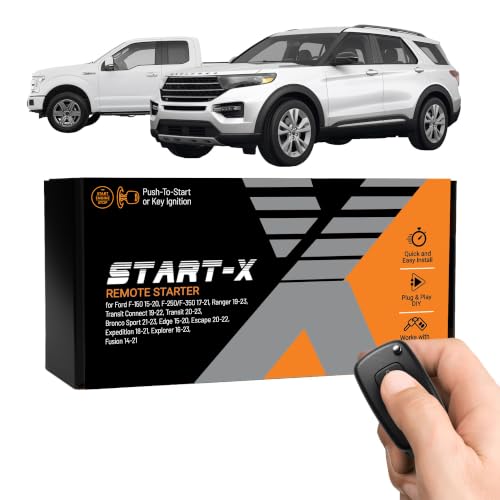


The Ford Explorer, a leader in its segment, offers sophisticated remote start capabilities designed for convenience and comfort. As we look towards 2026 models, these systems continue to evolve, becoming more integrated and user-friendly. Fundamentally, Ford provides two primary methods for remote starting your Explorer: the traditional factory-installed key fob and the advanced FordPass mobile application.
The factory-installed key fob remote start is a prevalent feature across many Explorer trim levels, including the XLT, Limited, and Platinum. This system operates via a dedicated radio frequency signal, transmitting commands directly from the key fob to the vehicle’s onboard computer. Prerequisites typically involve the vehicle being equipped with the necessary hardware from the factory. Its primary limitation is operational range; research indicates that key fob remote start typically has a maximum effective range of 50-100 feet (15-30 meters) under optimal conditions. This makes it ideal for starting your vehicle from within your home or office when it’s parked nearby.
Conversely, the FordPass App remote start leverages your vehicle’s FordPass Connect modem, offering a significantly expanded range and feature set. FordPass Connect became standard or widely available on many Explorer models starting around the 2020 model year, making it a ubiquitous feature by 2026. This technology allows you to remote start your Explorer from virtually anywhere with a stable cellular connection for both the vehicle and your smartphone. Beyond simple engine activation, the FordPass App allows for robust pre-conditioning of the cabin, integrating with your climate control preferences to set the desired temperature, and even activating heated/cooled seats or defrost functions on equipped models.
To utilize the FordPass App, the vehicle must be equipped with the FordPass Connect modem, and an active FordPass account linked to your vehicle is essential. While the basic remote start functionality often includes a complimentary service period, some advanced features or continued use beyond the initial term may require a subscription, depending on the model year and regional offerings. This global reach and enhanced control make the FordPass App particularly advantageous for scenarios such as starting your vehicle from a different geographical location, or scheduling recurring starts to ensure your Explorer is always prepared for your commute.
For Ford Explorer models equipped with automatic climate control, remote starting often activates the system based on the last settings or the ambient temperature to reach a comfortable cabin temperature. The FordPass App typically offers more granular control, allowing you to explicitly set the temperature before starting the engine.
Mastering Key Fob Remote Start on Your Ford Explorer: A Step-By-Step Guide
The key fob remains a straightforward and reliable method for remote starting your Ford Explorer. Mastering this technique ensures quick access to a pre-conditioned vehicle, especially beneficial in extreme weather. The process is intuitive once you learn the precise sequence.
📋
Key Fob Remote Start Procedure
Recommended Best Deal Products


Identify the remote start button on your Ford Explorer’s key fob. This button is typically located towards the bottom or side and is easily recognized by its distinctive circular arrow symbol or a “2X” icon, indicating a double-press action.

Audible — Listen Free for 30 Days
One free credit a month and thousands of titles included.
Listen Free for 30 Days As an Amazon Associate I earn from qualifying purchases.Ensure your vehicle is securely locked. Press the Lock button on your key fob once. This action prepares the system for the remote start command and is a security prerequisite.
Immediately after pressing the lock button, press the remote start button (circular arrow or “2X”) twice within three seconds. Precision in timing is crucial for the command to be registered correctly.
Upon successful remote start, your Explorer’s parking lights will flash twice, and the engine will start. The engine will run for a pre-set duration, typically 10-15 minutes, before automatically shutting off for safety and emissions compliance. You can extend this duration on some models by repeating the lock/remote start sequence.
If you need to turn off the engine remotely before entering the vehicle, simply press the remote start button once more. The parking lights will flash, and the engine will shut down.
This key fob method is perfect for quick, local starts, such as warming up your Explorer on a cold winter morning from your kitchen window or cooling it down before heading out on a hot summer afternoon. For optimal functionality, ensure your key fob battery is healthy, as a weak battery can lead to intermittent signal transmission.
Seamless Remote Starting: Understanding and Using the FordPass App for Your Explorer
The FordPass App transforms your smartphone into a powerful extension of your Ford Explorer, offering unparalleled convenience and control, including the ability to remote start from virtually anywhere. To truly understand and utilize its full potential, proper setup and connectivity are crucial.
📋
FordPass App Remote Start Setup & Use
Audible Premium Plus — Annual Membership
12 audiobook credits up front, plus the full Audible catalogue.
See Annual Plans As an Amazon Associate I earn from qualifying purchases.Download the FordPass App from the Apple App Store (iOS) or Google Play Store (Android). Create an account or sign in with your existing Ford credentials. The app is universally available across platforms.
Open the app, navigate to “Add Vehicle,” and enter your Explorer’s Vehicle Identification Number (VIN). This links your specific vehicle to your FordPass account.
Once your vehicle is added, you’ll need to activate the FordPass Connect modem from inside your Explorer. Go to your vehicle’s touchscreen, navigate to Settings > Connectivity > FordPass Connect, and accept the prompts to connect and activate. This step typically requires you to be physically in the vehicle.
From the main vehicle screen in the FordPass App, locate the remote start button (often a circular arrow). Tap and hold the button until the command is sent and confirmed. The app will usually display “Engine Started” and show a countdown for the run time.
To stop the engine, tap and hold the remote start button again. The app also allows you to schedule recurring remote starts for specific times and days, ensuring your Explorer is warmed or cooled precisely when you need it, which is an invaluable feature for daily commuters.
Beyond remote start, the FordPass App offers a suite of additional functionalities that enhance your ownership experience. You can remotely lock/unlock doors, check your fuel level, monitor tire pressure, and even locate your vehicle in a crowded parking lot. These features are all enabled by the FordPass Connect modem, transforming your interaction with your Explorer.
By The Numbers: FordPass Connectivity
Complimentary FordPass Connect Service
Explorer Models with Standard/Widespread FordPass Connect
Research indicates that the complimentary service period for FordPass Connect remote features typically ranges from 1 to 5 years, depending on the model year and initial purchase agreements. After this period, a subscription is usually required to maintain full functionality. It’s an important aspect to discover for long-term users.
Diagnosing and Resolving Ford Explorer Remote Start Malfunctions: A Practical Guide
Even with advanced systems, remote start functionality can occasionally fail. Knowing how to discover and diagnose common issues can save you time and frustration. As an expert with extensive hands-on experience, I can tell you that most problems stem from easily identifiable causes, allowing you to effectively troubleshoot and resolve them.
Common Reasons for Remote Start Failure
- Low Fuel Level: As a safety mechanism, remote start systems typically require at least a quarter tank of fuel (or often 5 gallons/19 liters) to operate. This prevents the vehicle from running out of fuel while unattended.
- Open Hood/Doors/Trunk: Any open closures will inhibit remote start. This is a crucial safety feature to prevent unexpected engine starts when someone might be working on or around the vehicle.
- Faulty Brake Switch: A malfunctioning brake pedal position sensor can trick the vehicle into thinking the brake is depressed, preventing remote start.
- Vehicle System Malfunction: Certain diagnostic trouble codes (DTCs) stored in the vehicle’s computer can inhibit remote start functionality. This often indicates a more significant underlying issue.
- Key Fob Battery Depletion: A weak or dead key fob battery may not transmit a strong enough signal for the remote start command to be received.
- FordPass Connect Issues: Poor cellular coverage, an expired subscription, or a temporary server outage can prevent the FordPass App from communicating with your vehicle.
- Low 12V Battery Health: The overall health of the vehicle’s 12V battery is critical. A weak main battery can prevent the starter motor from engaging or crucial electrical systems from powering up during a remote start attempt.
Troubleshooting Steps: Key Fob Remote Start
- Check Vehicle Conditions: Ensure all doors, the hood, and the tailgate are securely closed. Verify that the fuel tank has sufficient fuel. A common scenario: remote start fails, you check the fuel gauge, and it’s below the required threshold.
- Key Fob Battery: Replace the key fob battery if you notice reduced range or inconsistent operation. Most Ford key fobs use a CR2032 coin cell battery, readily available.
- Observe Dash Indicators: If the remote start fails, check the dashboard for any warning lights (e.g., check engine light, open door icon). These can provide clues to the inhibiting factor.
- Resynchronize Key Fob: In rare cases, a key fob might lose synchronization. Consult your owner’s manual for specific instructions on how to resynchronize, which often involves a sequence of button presses while inside the vehicle.
Troubleshooting Steps: FordPass App Remote Start
- Verify Cellular Connection: Ensure both your smartphone and your Ford Explorer (via its FordPass Connect modem) have a strong, stable cellular signal. If your app shows ‘vehicle not found’ or a similar error, weak connectivity is often the culprit.
- App Update & Cache: Confirm your FordPass App is updated to the latest version. Sometimes, clearing the app’s cache or reinstalling it can resolve communication glitches.
- Subscription Status: Log into your Ford account online or check within the app to ensure your FordPass Connect services subscription is active and has not expired, especially if your complimentary period has ended.
- Modem Reset: In some instances, performing a soft reset of the FordPass Connect modem in your vehicle can restore communication. This is typically done via your Explorer’s infotainment system settings (refer to your owner’s manual for precise steps).
- FordPass Account Linkage: Double-check that your Explorer is still correctly linked to your FordPass account and that the FordPass Connect features are enabled in your vehicle’s settings.
Never remote start your Ford Explorer in an enclosed space, such as a garage, as this can lead to a dangerous buildup of carbon monoxide. Always ensure adequate ventilation. Additionally, adhere to all local laws and regulations regarding idling vehicles, as these can vary by municipality.
If, after performing these troubleshooting steps, your Ford Explorer’s remote start system continues to malfunction, it’s advisable to seek professional assistance. An authorized Ford dealership has specialized diagnostic tools that can read specific Diagnostic Trouble Codes (DTCs) and perform more in-depth system checks to pinpoint complex electrical or module-related issues. Remember, consistent operation often hinges on the robust health of your vehicle’s 12V battery and critical sensors.
Remote starting your Ford Explorer is achievable through either the factory key fob or the versatile FordPass App, offering unparalleled convenience and comfort. Understanding the correct button sequences for key fob operation and ensuring proper setup and connectivity for the FordPass App are crucial for successful remote starts. Troubleshooting common issues often involves checking fundamental vehicle prerequisites, key fob battery status, and robust cellular or internet connectivity. Empower yourself with these detailed instructions to make the most of your Ford Explorer’s remote start capabilities, ensuring a comfortable and prepared start to every journey. Refer to your owner’s manual for model-specific details or contact your local Ford dealership for advanced diagnostics or system upgrades.
Frequently Asked Questions
Is remote start standard on all Ford Explorer models?
No, remote start is not standard across all Ford Explorer models and trim levels. It typically comes standard on higher trims or as an optional feature. Newer models (post-2020) with FordPass Connect are often equipped for app-based remote start, while key fob functionality varies by year and package. Always verify your specific vehicle’s configuration.
Can I add remote start to my Ford Explorer if it doesn’t have it?
Yes, it is often possible to add remote start to a Ford Explorer that didn’t come with it from the factory. Options include official Ford accessory kits, which integrate seamlessly with existing vehicle systems, or reputable aftermarket systems. Consulting a Ford dealership is recommended for official solutions to ensure compatibility and maintain warranty integrity.
How long will my Ford Explorer run after being remote started?
After being remote started, your Ford Explorer will typically run for approximately 10 to 15 minutes before automatically shutting off for safety and fuel efficiency. This duration can sometimes be adjusted through the vehicle’s infotainment settings or via the FordPass App, depending on the model year and installed software version.
Why won’t my Ford Explorer remote start using the key fob?
Common reasons for key fob remote start failure include low fuel, an open hood, door, or trunk, a depressed brake pedal, or a dead key fob battery. Ensure the vehicle is fully locked before initiating the sequence (press lock once, then remote start twice). Check for dashboard warning lights indicating underlying issues.
Do I need a subscription for Ford Explorer remote start via FordPass App?
For most recent Ford Explorer models equipped with FordPass Connect, basic remote start functionality via the FordPass App is often part of a complimentary service period upon vehicle purchase. However, extended usage beyond this period or access to certain advanced features may require a paid FordPass Connect subscription. Always check your specific vehicle’s service agreement details.