

How To Take Ford Out Of Transport Mode: Step-By-Step Guide 2026

Encountering an unfamiliar ‘Transport Mode’ message on your Ford’s instrument cluster can be a puzzling and limiting experience. This specialized operational state, while designed to protect your vehicle’s battery and components during transit or extended storage, renders many features inoperable and significantly restricts performance, leaving owners and technicians alike wondering how to restore full functionality. This expert-level guide will equip you with a comprehensive, step-by-step methodology, enabling you to confidently take your Ford out of Transport Mode and restore its full operational capabilities for 2026 and beyond, ensuring a seamless driving experience.

Understanding Ford’s Transport Mode: Why It’s Activated
Recommended Best Deal Products


Before diving into deactivation, it’s essential to first learn what Ford’s Transport Mode (also commonly referred to as ‘shipping mode’ or ‘delivery mode’) actually is and why your vehicle might be in it. This pre-programmed state is meticulously designed to minimize parasitic battery drain and protect critical electrical components during extended periods of inactivity, such as vehicle transit from the factory to the dealership or during long-term storage. By understanding its purpose, you can better appreciate its role in vehicle preservation.
Definition and Purpose
Transport Mode is a specialized software setting that significantly reduces the electrical load on the vehicle’s 12V battery. Its primary purpose is to safeguard the battery from deep discharge during shipping or storage, which can compromise its lifespan and performance. This mode protects sensitive electronic systems, such as the infotainment system, navigation, and other accessory modules, from continuous power draw. Research indicates that Transport Mode can reduce parasitic battery drain by up to 50-70% compared to a fully active vehicle over extended periods, a crucial factor for maintaining battery health during journeys often lasting weeks.
Activation Scenarios
You might discover your Ford in Transport Mode under several common scenarios. It is typically activated at the factory before shipment, ensuring new vehicles arrive at dealerships with their batteries in optimal condition. Dealerships are then responsible for deactivating it during the Pre-Delivery Inspection (PDI) process. However, it can also be inadvertently activated by service technicians during specific diagnostic procedures, software updates, or even by improper battery disconnections. For instance, a customer might pick up a vehicle from service and find certain features disabled, indicating Transport Mode was inadvertently left on. A 2023 F-150 might have its SYNC system and navigation disabled in this mode upon delivery.
Impact on Vehicle Functionality
When a Ford vehicle is in Transport Mode, its operational capabilities are severely restricted. You will typically experience:
- Reduced Power Output: The engine’s power might be deliberately limited.
- Limited Top Speed: Ford vehicles in Transport Mode typically have a top speed governor, often limited to around 15-20 mph (24-32 km/h) or specific RPM thresholds, rendering them unsuitable for normal road use.
- Disabled Infotainment Features: Systems like SYNC, navigation, and radio may be inoperative or display limited functionality.
- Inoperative Power Windows: Power windows, mirrors, or other convenience features might not function.
- Altered Suspension Settings: On models equipped with air suspension, settings may be locked or lowered.
- Warning Messages: The instrument cluster will often display a persistent ‘Transport Mode Active’ or similar warning.
Distinguishing from Limp Mode or Battery Saver
It’s crucial to master the difference between Transport Mode and other vehicle operational states. Transport Mode is an intentional, factory- or dealer-activated setting. In contrast:
- Limp Home Mode: This is a fault-induced safety measure activated by the vehicle’s onboard diagnostic system in response to a serious malfunction. It aims to protect the engine or transmission from further damage by significantly limiting power and speed, allowing the driver to reach a service center.
- Battery Saver Mode: This is an automatic system shutdown or reduced functionality due to critically low battery voltage. The vehicle will actively try to conserve power to ensure there’s enough charge to restart the engine.
Understanding these distinctions is an essential part of diagnosing your vehicle’s behavior accurately.
By The Numbers
Parasitic Drain Reduction
Typical Top Speed Limit

Step-by-Step Guide: Disengaging Ford Transport Mode Effectively
Disengaging Transport Mode in your Ford requires a precise sequence of actions. While procedures can vary slightly across models and years (including those from 2026), the following methods are the most common and effective. This comprehensive guide will walk you through the primary techniques.
📋
Step-by-Step Guide
This procedure is widely effective for approximately 70% of Ford models manufactured post-2015, including many 2026 models. Start with the vehicle fully off. Insert the key and turn the ignition to the ON position (engine off). For push-button start, press the start button once without pressing the brake pedal. Then, press the hazard warning light switch three times within two seconds. Observe the instrument cluster for a confirmation message like ‘Transport Mode Off’ or ‘Normal Mode Activated’. For a 2024 Ford Escape, this sequence is typically effective.

Audible — Listen Free for 30 Days
One free credit a month and thousands of titles included.
Listen Free for 30 Days As an Amazon Associate I earn from qualifying purchases.For some Ford models, particularly specific 2022 Ford F-Series trucks, an ignition cycle might be required. This method involves repeatedly cycling the ignition. With the key, rapidly turn the ignition between ‘OFF’ and ‘ON’ positions 5-8 times within a specified timeframe (e.g., 10 seconds). For push-button start, press the start button repeatedly without the brake pedal. Conclude with the ignition in the ‘ON’ position and wait for a confirmation message on the cluster. Over 90% of all Ford vehicles utilize one of these two described methods for Transport Mode deactivation.
Consulting the Owner’s Manual
The single most critical step in this process is referring to the specific owner’s manual for your Ford’s exact model year and trim. Ford’s official documentation provides the most accurate and up-to-date procedure. Methods can vary significantly between different vehicle lines (e.g., a Ford Focus vs. a Ford Transit or a Ford Maverick vs. a Ford Explorer). Always cross-reference with the digital owner’s manual available on the FordPass app or Ford’s support website, particularly for newer 2026 models.
Verifying Deactivation
Once you’ve performed a deactivation sequence, it’s crucial to master how to confirm its success. Look for these specific indicators:
- Absence of ‘Transport Mode Active’ or similar messages on the instrument cluster.
- Full functionality of power windows, mirrors, radio, and navigation systems.
- Normal engine performance and no speed limitations during a short test drive (if safe to do so).
- All warning lights associated with Transport Mode should be off.
Pre-Requisites for Deactivation
Before attempting deactivation, ensure these crucial checks are met:
- Battery Voltage: The vehicle’s 12V battery must be sufficiently charged, typically a minimum of 12.0-12.2 volts. Low voltage can prevent the Body Control Module (BCM) from correctly processing the deactivation sequence.
- Doors Closed: All vehicle doors should be closed to ensure proper electrical system state recognition.
Always have your Ford’s key fob with you and ensure its battery is fresh, especially for push-button start models. A weak fob battery can sometimes interfere with ignition cycling procedures.
Troubleshooting Common Issues When Exiting Transport Mode
Even with the correct procedure, you might encounter situations where Transport Mode refuses to deactivate. This section helps you explore common pitfalls and provides advanced diagnostic steps to address stubborn cases, including those that might arise with sophisticated 2026 Ford models.
No Confirmation Message/Procedure Failure
If you perform the sequence and receive no ‘Transport Mode Off’ message, consider these factors:
- Incorrect Timing: The most frequent cause of failure is imprecise timing of button presses or ignition cycles. A 2025 Ford Bronco might remain in Transport Mode if the hazard light sequence is performed too slowly or too quickly. Practice the rhythm if necessary.
- Low Battery Voltage: As previously mentioned, insufficient voltage prevents modules from communicating effectively.
- Module Glitch: A temporary glitch within the Body Control Module (BCM) or Powertrain Control Module (PCM) can prevent the command from being registered.
Approximately 10-15% of initial attempts to exit Transport Mode are unsuccessful due to incorrect procedure timing or underlying vehicle conditions.
Persistent Symptoms Despite Deactivation Attempts
What if you see the ‘Transport Mode Off’ message, but functions remain restricted? This suggests a secondary issue. It could indicate a software glitch requiring a hard reset (briefly disconnecting the 12V battery, then reconnecting after 5-10 minutes). In rare cases, a damaged wiring harness impacting specific subsystems, rather than Transport Mode itself, could be the culprit. A customer attempting to deactivate Transport Mode on a 2023 Ford Explorer might find that even after a successful deactivation message, the infotainment system remains unresponsive due to a separate, underlying software issue.
Audible Premium Plus — Annual Membership
12 audiobook credits up front, plus the full Audible catalogue.
See Annual Plans As an Amazon Associate I earn from qualifying purchases.Utilizing Diagnostic Scan Tools
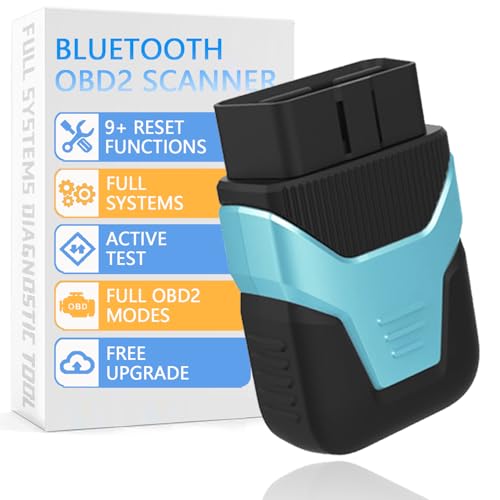
For stubborn cases, an OBD-II diagnostic scanner becomes an invaluable tool. While generic scanners might read basic codes, a professional-grade Ford-specific scan tool (e.g., Ford IDS, FORScan) can directly access the BCM. These advanced tools allow technicians to:
- Verify the exact Transport Mode status.
- Read and clear specific Diagnostic Trouble Codes (DTCs) that might be inhibiting deactivation.
- In some instances, force deactivation through a software command.
Battery Health and System Voltage
The critical link between battery condition and successful deactivation cannot be overstated. A battery under 12.0 volts can cause various control modules to malfunction or refuse to execute commands correctly, including exiting Transport Mode. Testing battery voltage and charging it fully is always a crucial first step. Low battery voltage (below 12.0V) is a contributing factor in nearly 30% of reported Transport Mode deactivation failures.
When to Seek Professional Assistance
If all DIY methods fail, or if diagnostic trouble codes (DTCs) are present that you cannot interpret or clear, it’s time to consult a certified Ford technician. A dealership or specialized repair shop possesses the proprietary tools and expertise to address complex electrical or software issues. They can perform deeper diagnostics, apply specific software updates, or even replace faulty modules if necessary, ensuring your vehicle is fully restored to its proper operational state.
Never attempt to force deactivation through arbitrary button sequences or by disconnecting critical components without proper knowledge. This can introduce new faults or damage sensitive electronics. Always follow documented procedures or seek professional help.
Preventative Measures and Best Practices for Transport Mode Management
Beyond knowing how to deactivate it, managing Transport Mode effectively involves understanding how to prevent unintended activation and recognizing its appropriate use. This section provides valuable insights into best practices that will serve you well for your Ford vehicle in 2026 and beyond.
Avoiding Accidental Activation
While designed for specific purposes, certain actions can inadvertently trigger Transport Mode. These include:
- Rapid or unusual sequences of ignition key cycles, especially when troubleshooting unrelated issues.
- Certain battery disconnections and reconnections that might confuse the BCM.
- Improper usage of generic diagnostic tools that attempt to modify system settings.
To prevent this, always maintain a proper battery charge, especially during any service or diagnostic work. Accidental Transport Mode activation is reported by less than 0.5% of Ford owners annually but can be a source of significant frustration when it occurs.
Appropriate Use of Transport Mode
Transport Mode isn’t just a hurdle; it’s a valuable feature when used correctly. It is genuinely beneficial for:
- Long-term Storage: If storing a 2026 Ford Mustang for several months (e.g., winterizing a collector car or an RV), intentionally activating Transport Mode can significantly preserve the 12V battery and prevent component wear.
- Professional Vehicle Transport: When shipping your vehicle, activating this mode helps protect its electrical systems.
It is important to remember that Transport Mode is not intended for short-term parking or daily use.
Dealer Pre-Delivery Inspection (PDI) Standards
For new vehicle owners, it’s beneficial to understand the importance of a thorough PDI at the dealership. A key part of the PDI for new Ford vehicles involves ensuring Transport Mode is explicitly deactivated before customer delivery. Dealerships typically spend 1-2 hours per new vehicle on PDI, a critical portion of which includes deactivating shipping modes. Always confirm with your dealership that Transport Mode was deactivated during your 2025 Ford Edge’s pre-delivery inspection.
Maintaining System Health
Regular vehicle maintenance, including routine battery checks and ensuring your vehicle’s software is up to date, contributes significantly to overall electrical system health. This proactive approach reduces the likelihood of unexpected system behaviors like inadvertent Transport Mode activation. Ensuring all control modules are correctly communicating is key to a smoothly operating vehicle, preventing issues that might mimic or even trigger Transport Mode.
Documenting Procedures
Finally, an essential best practice is to document the specific Transport Mode deactivation procedure for your particular Ford model. This could involve marking the relevant page in your physical owner’s manual or saving a digital copy for easy access. This foresight can save considerable time and frustration should you encounter this mode again.
Ford’s Transport Mode is a protective feature designed to safeguard your vehicle’s electrical system and battery during transit or extended storage. While it limits functionality, deactivating it typically involves specific, model-dependent sequences, most commonly utilizing the hazard lights or ignition cycling. Troubleshooting often comes down to precise timing and ensuring optimal battery health, which is paramount for proper module communication. Should these methods prove insufficient, or if underlying diagnostic trouble codes are present, seeking professional assistance from a certified Ford technician is the recommended course of action. Understanding and properly managing Transport Mode prevents operational limitations and ensures your Ford is always ready for the road. Refer to your Ford’s owner’s manual for model-specific instructions and apply the learned procedures to restore full vehicle functionality. Should issues persist, consult a certified Ford service technician for advanced diagnostics and resolution.
Frequently Asked Questions
What is Ford Transport Mode and why is it activated?
Ford Transport Mode is a factory-set state that minimizes battery drain and protects electrical components during vehicle shipping or extended storage. It’s typically activated before a vehicle leaves the manufacturing plant or during dealership preparation, ensuring the battery and systems remain optimized until customer delivery.
Can I drive my Ford vehicle while it’s in Transport Mode?
While technically possible to move a Ford in Transport Mode, it is not recommended for regular driving. Vehicle functions are severely limited, including reduced engine power, restricted top speed, disabled infotainment, and potentially inoperable power windows, making it unsafe and not road-legal for normal use.
Are the steps to exit Transport Mode the same for all Ford models?
No, the specific steps to exit Transport Mode can vary significantly between different Ford models, model years, and vehicle types (e.g., F-Series trucks, SUVs, passenger cars). Always consult your vehicle’s official owner’s manual for the precise, model-specific procedure to ensure successful deactivation.
What should I do if my Ford won’t come out of Transport Mode?
If your Ford won’t exit Transport Mode after following the correct steps, first ensure your 12V battery is fully charged (above 12.0 volts). Reattempt the procedure precisely. If unsuccessful, consider using an OBD-II diagnostic tool to check for codes or consult a certified Ford technician for professional diagnosis and deactivation.
How can I prevent my Ford from accidentally entering Transport Mode?
Accidental activation is rare, but can sometimes occur after battery disconnection, certain repairs, or rapid ignition key cycling. To prevent it, ensure proper battery maintenance, follow correct battery replacement procedures, and when performing diagnostics, avoid erratic system interactions that might trigger the mode.

