How to Reset Ford Garage Door Opener: Configured Simply

Is your Ford HomeLink system struggling to connect, or is it still holding the previous owner’s garage codes? Many vehicle owners frequently struggle to distinguish between the vehicle’s internal memory reset and the garage motor’s pairing mode, often leading to hours of wasted effort. In this guide, you will learn the exact sequence to factory reset your Ford garage door opener and pair your remote devices correctly on the first try.
Understanding Memory Systems and Why You Need to Reset Your Ford Garage Door Opener


One of the most common pitfalls for Ford owners is the confusion between the vehicle’s HomeLink module memory and the actual garage door motor’s memory. When you initiate a reset on your vehicle, you are merely clearing the interface that broadcasts the radio frequency signal. You are not “deleting” the vehicle from the garage motor’s whitelist.
📤 Share Image
Vehicle System Reset vs. Garage Motor Reset
The HomeLink Module is a programmable radio frequency transceiver integrated into your Ford’s overhead console or visor. When you clear this memory, you are purging the stored button mappings. However, the garage door opener motor, mounted to your garage ceiling, still retains the old security codes in its own non-volatile memory. If you are selling your vehicle, it is critical to perform both a system reset in the Ford and, if necessary, clear the codes from the garage motor itself if you want a complete security wipe.

When to Perform a Full Factory Reset
You should perform a full factory reset if you have purchased a pre-owned Ford, if you have recently moved to a new home, or if you are experiencing intermittent connectivity failures. Research indicates that persistent signal interference—often caused by nearby high-frequency electronics—can corrupt stored memory, making a fresh start necessary to restore reliable function. Always refer to your specific Ford Owner’s Manual, as placement of the buttons may vary by model year and trim level.
Industry Data
Wipe Efficiency for HomeLink
Typical Learn Window
How To Reset Ford Garage Door Opener: Step-by-Step Factory Restore


Executing a factory reset on the Ford HomeLink system is a straightforward procedure. This process will wipe all three programmable buttons simultaneously. Ensure your vehicle is parked in a safe, well-ventilated area before beginning.
Preparing the HomeLink Console
Before you begin, place your vehicle ignition in the ‘Accessory’ or ‘On’ position. The system will not accept the reset command if the vehicle is fully powered off, as the HomeLink module requires constant 12V power from the battery to initialize the clear command.
📋
Factory Reset Procedure


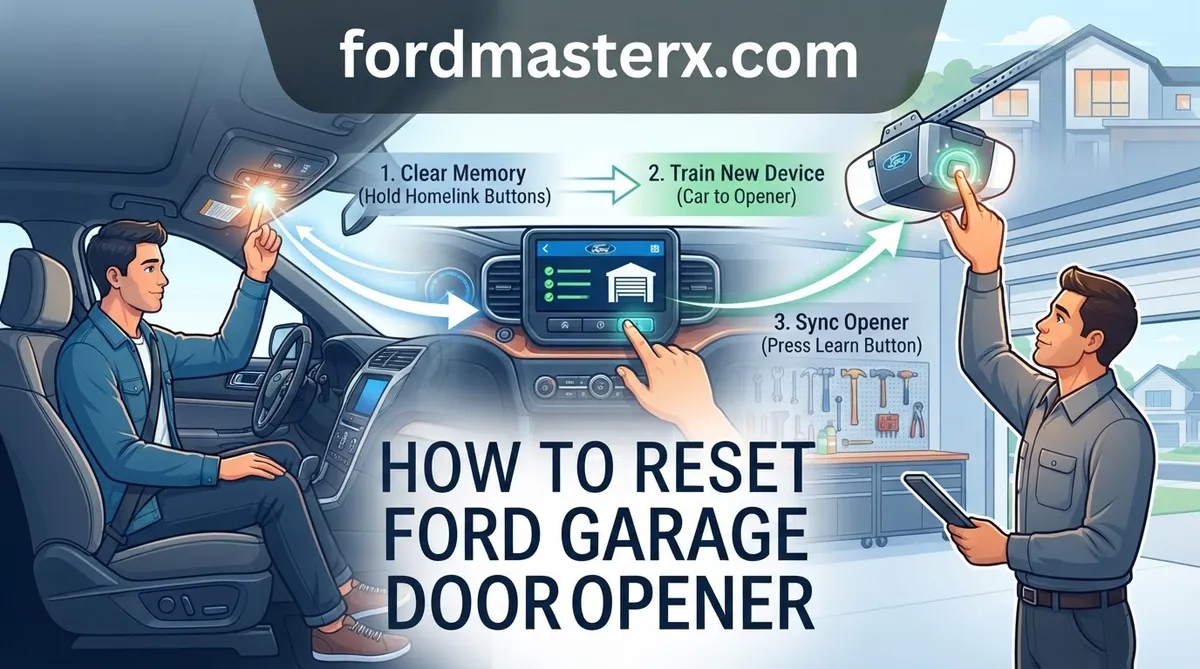
Press and hold the two outer HomeLink buttons simultaneously. Do not release them yet.
Hold for approximately 20 seconds. The indicator LED will transition from a slow, steady blink to a rapid, flashing light. This transition indicates that the system memory has been successfully cleared.
The Two-Button Reset Sequence
Once the LED flashes rapidly, release the buttons. The system is now in a default state. You have effectively wiped the previous programming and are ready to establish a new connection. Note that individual buttons cannot be reset alone; the system requires a full reset of all three slots to ensure security integrity.
How To Program Your Ford Garage Door Opener After a Reset
With your system cleared, you are ready for a fresh start. Programming requires you to bridge the communication gap between your Ford and your specific garage motor unit.
Pairing with Rolling Code Systems
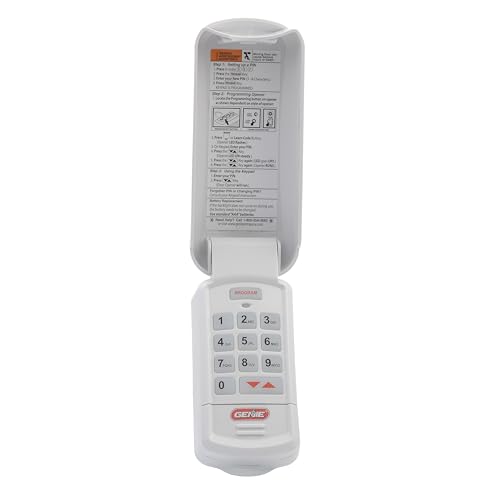
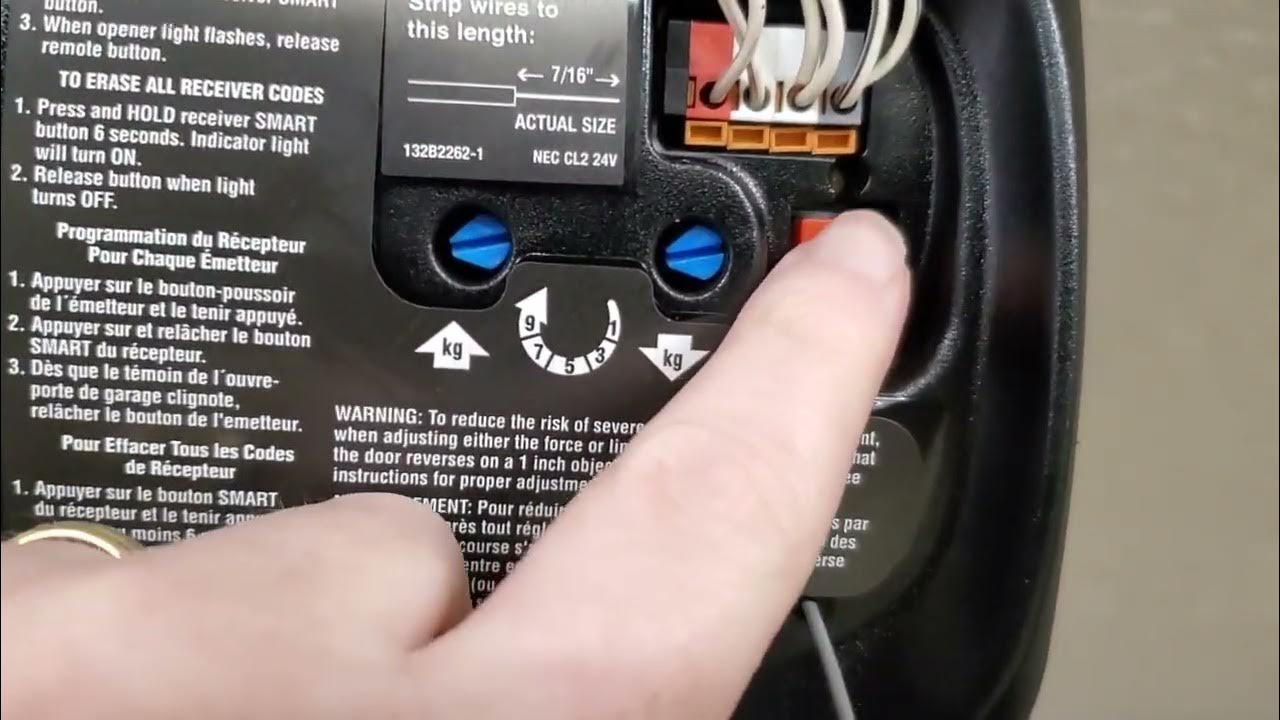
Most modern garage doors utilize Rolling Code technology. After the initial training phase, you must synchronize your vehicle with the actual motor unit. Locate the ‘Learn’ or ‘Smart’ button on your garage door motor—this is usually found under the light cover or on the side of the unit.
📋
Syncing Your Vehicle
Press the ‘Learn’ button on the garage door motor. You typically have 30 seconds to return to your vehicle to finish the process.
Inside your Ford, press and hold the desired HomeLink button for two seconds, then release. Repeat this “press, hold, release” cycle up to three times until the garage door moves. This sequence confirms the handshaking protocol between the two units.
Testing the New Connection
Once paired, test the button from the driveway. If the door does not respond, verify the radio frequency compatibility. Some older 390MHz openers require specific adapters if they do not support current HomeLink standards. If you are still struggling, visit HomeLink.com to check your compatibility with your specific Ford model and garage motor brand.
Troubleshooting HomeLink Sync and Reset Failures
If your system fails to reset or sync, consider environmental and hardware variables that may be interrupting the signal.
Fixing Unresponsive Buttons
- Check External Interference: Dense neighborhoods with many high-frequency devices or LED light bulbs can sometimes cause radio frequency interference that masks the signal during pairing.
- Power Cycle: If the LED does not blink during the reset, ensure the vehicle ignition is truly in the ‘Accessory’ mode and that the fuse associated with the overhead console is intact.
- Distance Matters: During the programming phase, keep your original handheld garage remote close to the HomeLink button you are programming—usually within 1 to 3 inches.
Handling Failed Sync Attempts
If you have performed a factory reset and the system still refuses to sync with a rolling code motor, the issue is likely with the garage door motor’s receiver, not your Ford. Ensure your garage motor is not in “Lock Mode,” which prevents new remote synchronization.
Remember that you can always re-attempt the reset procedure if a pairing sequence goes wrong. Unlike some vehicle modules that lock after multiple failed attempts, the HomeLink system allows for unlimited reset cycles. Take your time, follow the cadence of the button presses, and ensure your garage motor is actively in ‘Learning’ mode before final synchronization.
✅ Best Practices Summary
- Always perform a factory reset before starting a fresh pairing sequence.
- Verify the ignition status (Accessory/On) before attempting button holds.
- The ‘Learn’ button on your motor unit is essential for rolling code systems.
- Individual buttons can be reprogrammed without wiping the entire module memory, provided you know the specific button you wish to overwrite.
By following these steps, you ensure your Ford’s HomeLink system is optimized for your home. For further assistance, check your specific model’s owner manual for location-specific variants, and enjoy your seamless, factory-fresh garage entry. Taking the time to perform these steps accurately will provide long-term convenience and reliable security for your property.
How to Reset Ford Garage Door Opener: Frequently Asked Questions
How do I clear the memory on my Ford garage door opener?
To clear the memory, ensure your vehicle is parked and the ignition is in the accessory position. Press and hold the two outer HomeLink buttons on your overhead console simultaneously. Watch the indicator light; after approximately 20 seconds, the light will transition from a slow blink to a rapid, continuous flash, indicating that the memory has been wiped and restored to factory defaults.
Why won’t my Ford HomeLink sync with my new garage door?
If your HomeLink isn’t syncing, ensure you are utilizing the ‘rolling code’ procedure. After training the button, you must go to your actual garage door motor unit, press the ‘Learn’ or ‘Smart’ button, and then return to your vehicle to press the programmed HomeLink button up to three times. Interference from LED bulbs in the garage opener housing can also block the signal.
Do I need to be in the vehicle to reset the garage opener?
Yes, you must be in the driver’s seat to perform the reset. The HomeLink system is hardwired into the vehicle’s electrical system, and the reset process requires interaction with the specific buttons located on your sun visor or overhead console. While the initial reset doesn’t require the engine to be running, the system must have power from the ignition to execute the command.
Does a factory reset erase settings for all three buttons?
Yes, performing a factory reset on a Ford HomeLink system is a global operation. It completely clears all stored codes across all three buttons simultaneously. You cannot reset a single button in isolation; once the indicator light flashes rapidly during the 20-second hold, the internal memory for every channel is wiped clean, effectively providing a fresh start for your programming.
What do the blinking light patterns mean on the HomeLink buttons?
A slow, consistent blink typically indicates the system is in ‘training mode’ and waiting for a signal from your remote. A rapid, continuous flash indicates that the system has successfully completed a reset or has successfully learned a new code. If the light blinks rapidly for a short burst and then stops, it usually confirms that the command was successfully transmitted or stored.