
How To Program Ford Expedition Garage Door Opener 2026

Programming your Ford Expedition’s integrated garage door opener involves a few simple steps, typically requiring your original remote and access to your garage door opener’s learn button. This process allows you to conveniently open and close your garage with a button in your vehicle.
Programming your Ford Expedition garage door opener allows seamless entry into your home, enhancing both convenience and security. No more fumbling for a separate remote when you arrive home or leave for your daily commute. This integrated system, whether HomeLink or Car2U, makes your driving experience smoother and more efficient for 2026 and beyond.

OfferPrime for Young Adults — 6 Months Free
Students and 18–24s get six months of Prime free, then half price.
Start 6 Months Free
As an Amazon Associate I earn from qualifying purchases.We understand that vehicle features can sometimes seem complex. This comprehensive guide will walk you through each step. We cover everything from initial preparation to troubleshooting common issues. You'll soon have your Expedition's built-in opener working perfectly. Understanding the process ensures a successful setup.
Proper preparation is key to a smooth programming experience. Let's make sure you have everything ready before we begin.
Key Takeaways
Recommended Best Deal Products


Proper preparation prevents common programming errors.Rolling code openers require specific 'learn' button activation.HomeLink and Car2U systems have distinct setup nuances.Effective troubleshooting resolves most programming difficulties.Clear old codes for security or reprogramming needs.
How To Prepare Your Expedition For Programming Steps
Before you begin the programming process, taking a few preparatory steps will save you time and frustration. A little forethought ensures a smoother and more successful outcome.
How To Prepare Your Expedition For Programming Ste
How To Program Ford Expedition Garage Door Opener Gather Necessary Materials
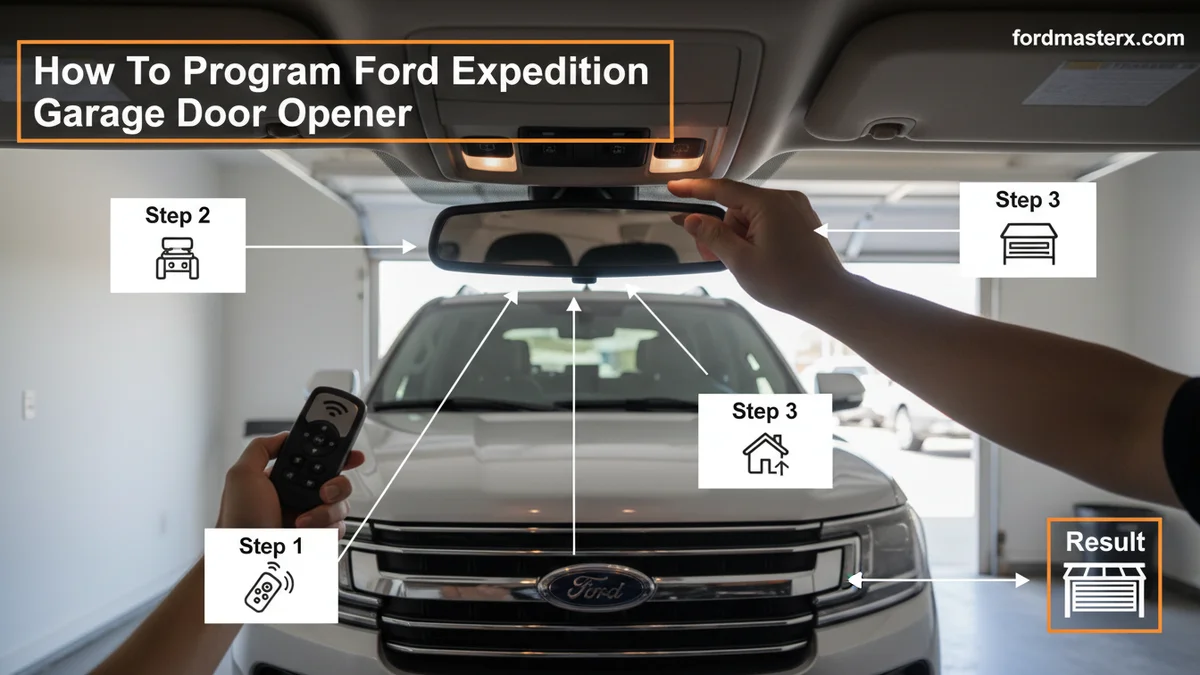
You will need your original garage door opener remote control. Make sure it is functioning correctly and has fresh batteries. Some older remotes might have weak signals. Keep your Ford Expedition's owner's manual handy for specific details on your vehicle's model year. If your garage door opener unit has a "learn" button, you might also need a sturdy ladder to reach it.
Park Your Vehicle Safely
Drive your Expedition into the garage or park it in the driveway, facing the garage door. Ensure your vehicle is close enough to the garage door opener unit for the signal to reach it. Put your vehicle in park, turn off the engine, and set the parking brake for safety. This proximity is especially important for the "learn" function.
Check Remote Battery Life
A weak battery in your original garage remote can prevent successful programming. Test your original remote before starting. If it doesn't operate the garage door reliably, replace the battery first. A strong signal from your remote is crucial for the Expedition's system to learn the code. With these preparations complete, you are ready to start the programming procedure.
9 Simple Steps To Program Your Expedition Garage Opener
Recommended Best Deal Products


Here are the core programming steps to link your Ford Expedition's integrated system with your garage door opener. Follow these instructions carefully for the best results.
Clear Existing Memory
To begin, press and hold the two outer buttons on your Expedition's HomeLink or Car2U system. Hold them simultaneously until the indicator light (usually above the buttons) begins to flash rapidly. This process erases any previous programming. This initial reset is vital for a clean setup.
Identify Expedition Buttons
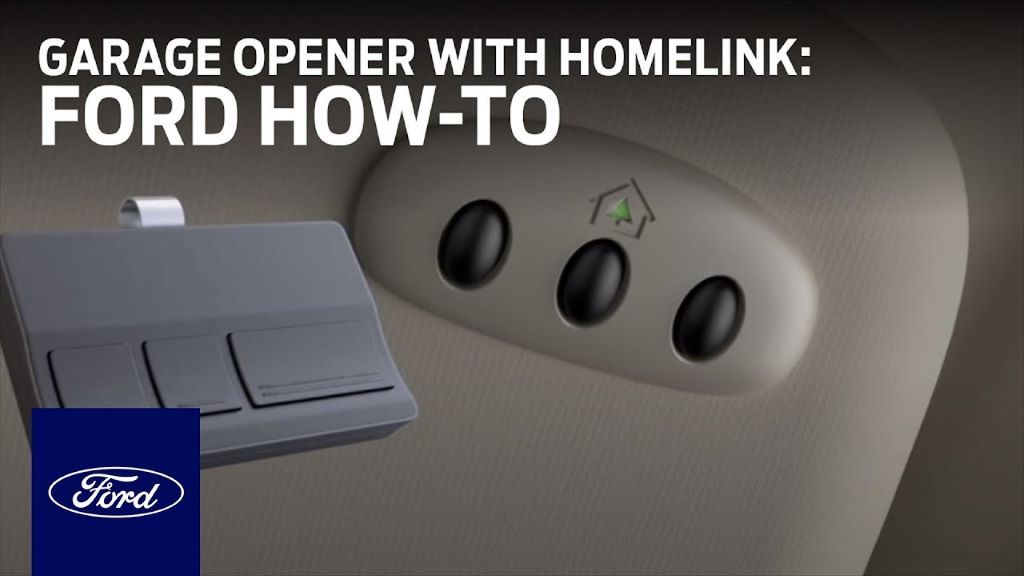
Your Expedition will have typically three buttons for the garage door opener, often located on the rearview mirror or overhead console. Choose the specific button you wish to program. You will use this button repeatedly during the pairing process. .

OfferAudible — Listen Free for 30 Days
One free credit a month and thousands of titles included.
Listen Free for 30 Days
As an Amazon Associate I earn from qualifying purchases.Retrieve Original Remote
Grab your functioning garage door opener remote control. You will need it to transmit the code to your Expedition. Ensure it is working properly before proceeding to the next step. This remote acts as the signal source.
Initiate Pairing Process
Position your original remote approximately 1-3 inches away from the Expedition's integrated garage door opener buttons. Simultaneously press and hold the desired Expedition button AND the corresponding button on your original garage door remote. Hold both buttons down.
Press Remote Control
Continue holding both buttons. The indicator light on your Expedition's system should first flash slowly, then more rapidly. When the light flashes rapidly, release both buttons. This rapid flashing indicates that the code has been successfully learned from your original remote. If the light does not flash rapidly, reposition the remote and try again.
Activate Learn Button
This step is crucial for most modern garage door openers, which use "rolling codes." Go to your garage door opener motorhead unit (usually on the ceiling). Locate the "learn" or "smart" button. Press and immediately release this button. The indicator light on the garage door opener will typically illuminate for about 30 seconds.
You must complete the next step within this timeframe.
Complete Pairing Sequence
Quickly return to your Expedition. Within the 30-second window, press and hold the button you just programmed in your vehicle for two seconds, then release it. Repeat this press/hold/release cycle up to three times. The garage door should activate (open or close) on one of these presses. This action synchronizes the rolling code.
Confirm Successful Link
Once the garage door responds, your programming is complete. Test the newly programmed button in your Expedition by pressing it once. The garage door should operate smoothly. The indicator light on the Expedition's system will remain solid. This confirms the successful link.
Test Opener Functionality
Test the programmed button multiple times to ensure consistent operation. If you have additional garage doors or gates, or wish to program the remaining buttons, repeat these steps for each one. Some systems require repeating the "Activate Learn Button" step for each button programmed. Successful programming means you are ready for convenience, but understanding your system helps further.
HomeLink Versus Car2U Systems Explained
Ford Expeditions can feature different integrated garage door opener systems, primarily HomeLink or Car2U. Recognizing which system you have can clarify programming nuances.

HomeLink Versus Car2U Systems Explained Identify Your System
You can usually identify your system by looking at the buttons themselves. HomeLink systems often have a house icon or the word "HomeLink" subtly printed on them. Car2U systems typically have the "Car2U" logo. These buttons are often found on your Expedition's rearview mirror or overhead console. Consult your owner's manual for definitive identification.
OfferAudible Premium Plus — Annual Membership
12 audiobook credits up front, plus the full Audible catalogue.
See Annual Plans
As an Amazon Associate I earn from qualifying purchases.HomeLink System Nuances
HomeLink is a widely adopted, universal transceiver system. It is compatible with a broad range of garage door openers and gate systems. Its programming process, as outlined in the previous section, is largely consistent across different vehicle models. HomeLink is known for its versatility. [EXTERNAL LINK: Learn more about HomeLink compatibility and features from the official HomeLink website].
Car2U System Specifics
Car2U is another integrated garage door opener system, sometimes found in Ford vehicles. While its programming is very similar to HomeLink, some users report minor differences in indicator light behavior or button responsiveness. Always refer to your Expedition's specific owner's manual if you have a Car2U system for precise instructions.
.
Handling Rolling Codes
Most modern garage door openers, manufactured after 1995, use "rolling code" technology. This technology enhances security by changing the access code every time the remote is used. This is why activating the "learn" button on your garage door opener motorhead is a critical step in the programming process.
Without it, the Expedition's system cannot synchronize with the constantly changing code. Understanding these differences helps prevent common frustrations during setup.
5 Common Expedition Programming Issues To Fix
Recommended Best Deal Products


Even with careful preparation, you might encounter issues when programming your Expedition's garage door opener. Here are solutions to common problems.
Opener Not Responding
If your garage door opener doesn't respond after programming, first ensure your original remote works. The battery might be low in the original remote. Try clearing the Expedition's memory again by holding the two outer buttons, then re-attempt the entire programming sequence. Sometimes, simply repeating the steps resolves the issue. Double-check your proximity to the garage door unit.
Lights Not Flashing
If the indicator light on your Expedition's system doesn't flash rapidly during the pairing process, it means the code wasn't learned. Ensure your original remote is close enough to the Expedition's buttons (1-3 inches). Try holding the original remote at different angles. A weak battery in the original remote is a common culprit.
Replace it and try again. .
Learn Button Refusal
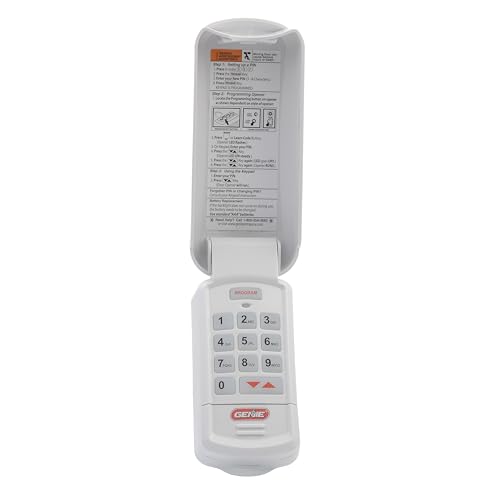
If the garage door opener's "learn" button doesn't seem to work, confirm you are pressing the correct button. Some openers have multiple buttons. Ensure you release the "learn" button immediately after pressing it. Holding it down too long can clear all existing programming. If it's unresponsive, your opener's logic board might be faulty or at its memory limit.
Refer to your garage door opener manual.
Short Range Operation
A common problem is the Expedition's opener only working at very short distances. This often indicates a weak signal transmission or interference. Ensure your garage door opener's antenna is hanging freely and is not obstructed. Some older garage door openers might have limited range. Consider repositioning your vehicle further away during the "learn" button step, then closer for testing.
Check for any metal objects near the antenna.
Incorrect Code Type
If you've followed all steps and it still won't program, you might have skipped the "learn" button step for a rolling code system. This is the most frequent oversight. Revisit "Activate Learn Button" (Step 6) and "Complete Pairing Sequence" (Step 7) in the main programming guide.
Fixed-code openers do not require the learn button, but rolling codes absolutely do. Addressing these issues makes the system work reliably, and sometimes you need to start fresh.
How To Clear Your Expedition's Stored Codes
Clearing your Expedition's integrated garage door opener memory is a simple process. This is useful for security or when reprogramming.
How To Clear Your Expeditions Stored Codes When To Clear Codes
You should clear the stored codes if you sell your Ford Expedition. This prevents a new owner from accessing your garage. Clearing codes is also necessary if you want to reprogram all buttons from scratch. It ensures no old, conflicting signals interfere with new programming. This is an important security measure.
Initiate Clearing Process
To clear all programmed channels, press and hold the two outer integrated garage door opener buttons on your Expedition. Continue holding both buttons simultaneously. The indicator light above the buttons will begin to flash slowly, then rapidly. Keep holding them until the indicator light flashes rapidly. This rapid flash signifies that all channels have been successfully cleared.
Verify Memory Erased
Once the light flashes rapidly, release both buttons. To confirm that the memory is erased, press one of the previously programmed buttons. The garage door should no longer operate. If it still does, repeat the clearing process. .
Managing your garage opener system effectively provides both convenience and peace of mind.
Frequently Asked Questions About Expedition Garage Door Openers
Why won't my Ford Expedition HomeLink program with my garage door?
Your HomeLink might not program due to a rolling code system requiring the "learn" button on your garage opener, or an incompatible frequency. Ensure your original remote has a fresh battery. Also, verify you are following the "learn" button step on your garage door unit, usually located on the motorhead itself, within its specific timeframe.
How do I find the "learn" button on my garage door opener?
The "learn" button is typically on the motor unit of your garage door opener, usually on the back or side panel. It might be red, orange, green, yellow, or purple, and could be labeled "Learn" or "Smart Button." Consult your garage door opener's manual for its exact location and color.
Can I program my Expedition opener without the original remote?
Programming without the original remote is often possible for rolling code systems using only the garage door opener's "learn" button. You would typically press and release the learn button, then quickly return to your vehicle and press your chosen Expedition button repeatedly. However, this method can be less reliable and might require multiple attempts.
How do I know if my garage door opener has a rolling code?
Most garage door openers manufactured after 1995 utilize rolling code technology. If your garage door opener has a "learn" or "smart" button on the motor unit, it almost certainly uses rolling codes. Check your garage door opener's owner's manual for confirmation or specific model information. Compatibility lists on HomeLink's website can also help.
What if the indicator light on my Expedition doesn't flash at all?
If the indicator light never flashes, it suggests a power issue, a malfunction with the Expedition's system, or incorrect initial button pressing. Ensure the vehicle's ignition is on (or accessory mode) and you are firmly pressing the correct buttons. If issues persist after trying a full reset, consult a Ford dealership for system diagnostics.
Programming your Ford Expedition garage door opener is a straightforward process when you follow the right steps. By preparing thoroughly, understanding your system, and knowing how to troubleshoot common issues, you can easily integrate this convenient feature into your daily routine. Enjoy the enhanced ease and security of a perfectly programmed garage door opener in your 2026 Expedition!

