
2011 Ford Explorer Oil Reset: Manual Versus OBD-II Methods

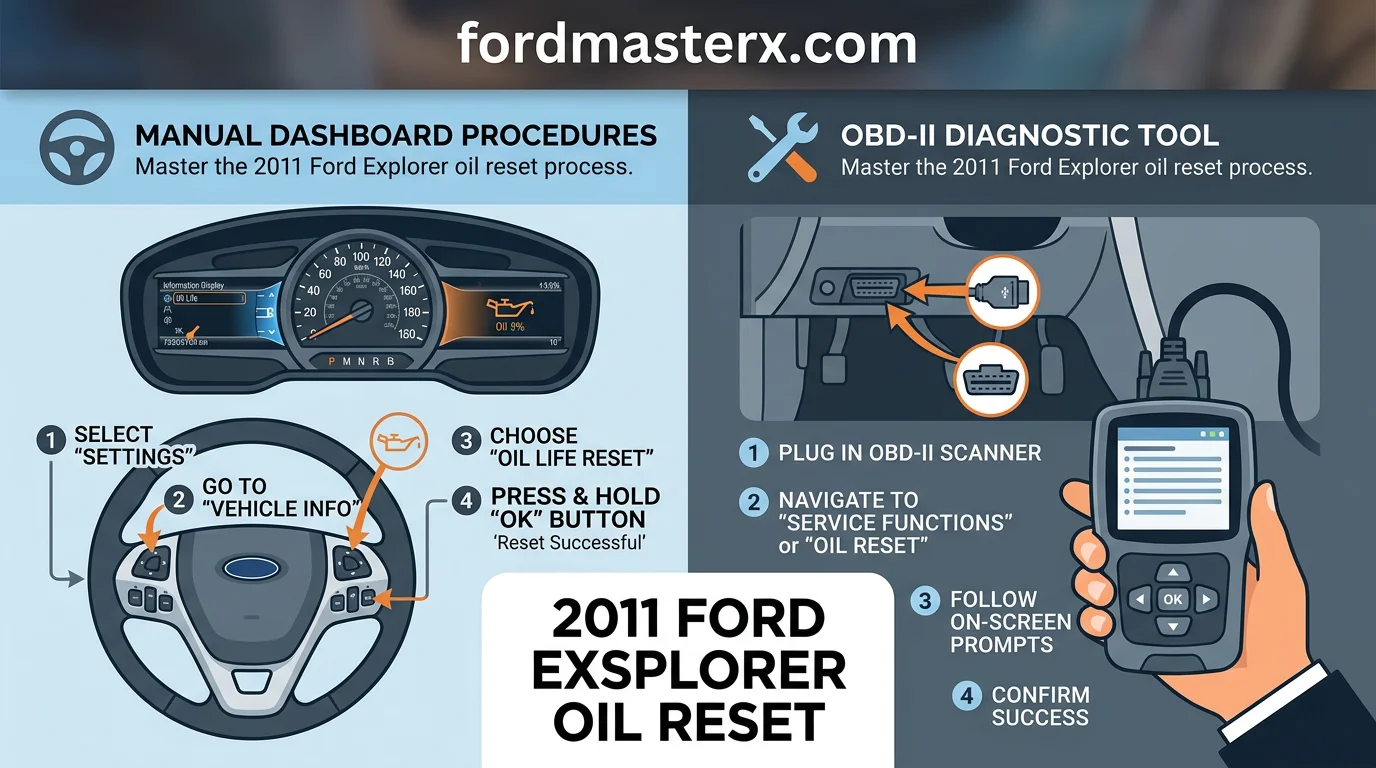
To reset the oil life monitor on a 2011 Ford Explorer, use the steering wheel-mounted directional pad to navigate to the “Settings” menu on your instrument cluster display. Select “Vehicle,” then “Oil Life,” and hold the “OK” button until the system confirms the reset to 100%. This guide covers the specific menu sequences, diagnostic methods, and essential maintenance factors required to manage your vehicle’s service intervals accurately.
2011 Ford Explorer Oil Reset Main Reference Chart


How to Read This Chart
This reference chart outlines the specific menu navigation required to clear the maintenance reminder on your 2011 Ford Explorer. The “Step” column provides a chronological order of operations to ensure a clean interaction with the vehicle’s onboard computer.



The “Input Device” column highlights that all interactions occur via the steering wheel directional keypad. You must ensure the vehicle ignition is in the “ON” position without the engine running; otherwise, the electronic dashboard may lock certain submenu options to prevent accidental changes while driving.
The “Action Required” column describes the exact commands to execute. The final confirmation step is vital: you must hold the “OK” button until the dashboard display explicitly confirms the system has reset to 100%. If you do not see this prompt, the system has not saved the update. This procedure is universal for the 2011 model year across all trim levels and engine configurations.
Navigating the 2011 Ford Explorer Dashboard Menu


The 2011 Ford Explorer utilizes a sophisticated message center located within the instrument cluster to relay vehicle data. Navigating this interface requires familiarity with the primary controls mounted on the steering wheel. Misidentifying these controls is the most common cause of confusion when attempting to perform an oil life reset.
You will primarily interact with the five-way directional pad situated on the left side of your steering wheel. This pad features directional arrows—up, down, left, and right—surrounding a central OK button. These buttons serve as your primary interface for shifting through the various menu tiers displayed on the dashboard screen.
To begin, look at the screen located directly in front of the driver. If you are currently viewing the main display, pressing the left arrow on the directional pad will allow you to cycle through the primary menu tiers. You will notice distinct categories titled Info, Settings, and Menu. It is vital to differentiate between these, as each houses unique data.


Locating the Settings Sub-Menu


The Info menu is designed primarily for real-time diagnostics, such as trip odometers, fuel economy, and tire pressure monitoring. While helpful for daily driving, this menu does not contain the necessary commands for resetting maintenance intervals. To find the reset procedure, you must toggle to the Settings menu instead.
If you reach a sub-menu and find yourself stuck, pressing the left arrow repeatedly will always back you out to the previous screen. Do not worry about accidentally altering critical engine settings; the system is designed to prevent unintended changes to vehicle performance parameters.
Once you have navigated to the Settings heading using the directional pad, use the down arrow to scroll through the available options. You are looking for the sub-menu labeled Vehicle. Within this section, the Intelligent Oil Life Monitor reset utility is stored. This nesting is deliberate to prevent accidental clearing of the data.
Confirm your selection by pressing the OK button when Vehicle is highlighted. From there, continue to use the down arrow to locate the Oil Life sub-menu. This area will display your current percentage remaining. It is within this specific window that you will initiate the reset process, provided your engine is in the correct mode as specified by your maintenance protocols.


Familiarizing yourself with this menu structure ensures you do not get lost in the sub-layers of the display. Always ensure the vehicle is in Park before navigating these menus, as the system restricts access to certain settings while the transmission is engaged to ensure driver focus remains on the road.
The Intelligent Oil Life Monitor: How it Calculates Data


The 2011 Ford Explorer utilizes an Intelligent Oil Life Monitor (IOLM) that relies on sophisticated software algorithms rather than physical sensors. This system continuously tracks your engine’s operational data to estimate the remaining quality of your motor oil.
The core logic of the IOLM focuses on three primary variables: total engine hours, cumulative revolutions, and internal engine temperatures. By monitoring these metrics, the computer calculates how much strain the oil has endured during your specific driving cycles.


For example, the system distinguishes between light highway commuting and high-load towing. Driving under heavy loads or in extreme stop-and-go traffic increases the rate at which the “oil life” percentage drops, as these conditions accelerate the chemical breakdown of the lubricant.
In contrast, steady-state highway driving results in a slower, more linear decrease in the monitor’s percentage. The software effectively creates a personalized maintenance timeline based on the actual stress placed on the engine components over time.
Common Misconceptions About Oil Quality Tracking


A frequent misunderstanding is the belief that the IOLM uses a physical chemical sensor to measure the oil’s viscosity or contamination levels. It is important to clarify that this is not an oil sensor; there is no probe inside your oil pan analyzing the fluid’s condition.
Because the IOLM relies on software-based estimations, it cannot detect mechanical failures, sudden coolant leaks, or the physical presence of metal debris in the oil. It is a predictive tool based on factory-defined thresholds of engine duty cycles.
Another major misconception is that resetting the system somehow performs a diagnostic check. Resetting the IOLM merely resets the software counter to 100 percent. It does not physically change your oil, nor does it verify that the oil level is correct or that the oil is clean.
You must always perform the actual oil change manually or have it serviced by a professional. Relying on the reset process as a substitute for checking your dipstick or verifying oil volume is a dangerous practice that can lead to catastrophic engine damage.
Finally, users should recognize the limitations of this software-based approach. The IOLM cannot account for the quality of the oil you choose to pour into the engine. It assumes the use of specific oil grades and standards recommended in your 2011 Ford Explorer owner’s manual.
If you use oil that does not meet the manufacturer’s required specifications, the IOLM’s calculations may become inaccurate. The software essentially tracks the “health” of the engine’s operating environment rather than the actual chemical state of the fluid currently circulating in the crankcase.
By understanding that this system is an algorithm-driven calculator and not an analytical sensor, you can better manage your vehicle’s health. Always pair the IOLM recommendations with regular physical fluid checks to ensure your engine maintains its longevity and peak performance throughout its service life.
Avoiding Common 2011 Ford Explorer Oil Reset Pitfalls
Executing an oil monitor reset on a 2011 Ford Explorer requires precise adherence to the vehicle’s ignition sequence. A frequent mistake owners make is attempting to initiate the reset process while the engine is still running. The vehicle’s onboard computer is programmed to ignore input commands from the steering wheel menu while the engine is engaged for safety and operational security reasons.
To successfully perform the reset, you must place the ignition in the “On” position without starting the engine. Attempting this while driving or with the engine idling is a common failure point that will result in the system rejecting your input. If the menu does not respond, turn the ignition completely off, wait five seconds, and begin the procedure again from the Accessory or “On” mode.
The Danger of Ignoring Post-Change Resets

Failing to reset the system immediately after an oil change leads to premature service warnings that complicate long-term maintenance tracking. If you neglect this step, the Intelligent Oil Life Monitor will continue to calculate based on the degraded, old oil data. This creates a discrepancy between the physical state of your engine and the digital feedback displayed on your dashboard.
Users often confuse the Oil Life monitor with the Check Engine Light, leading to unnecessary diagnostic anxiety. The oil message specifically pertains to the estimated longevity of your engine oil and the remaining life of the filter. A Check Engine Light, conversely, indicates a mechanical or electrical fault within the emissions or engine control systems that requires an OBD-II scan tool, not a simple menu reset.
Never attempt to reset the oil life system while the vehicle is in motion. Doing so is not only ineffective but poses a significant safety risk by distracting the driver from road conditions. Always park on a level surface and engage the parking brake before navigating the menu screens.
Delayed resets can cause the “Oil Change Required” message to persist indefinitely, potentially masking future legitimate warnings. By resetting the system immediately upon completing the fluid change, you ensure the algorithm starts from 100% accuracy. This keeps your service intervals aligned with the manufacturer’s specifications and helps preserve the integrity of your engine over its service life.
Manual Reset vs OBD-II Scan Tool Methods
How to Read This Chart


The table above outlines the core differences between the native dashboard method and external diagnostic tools. The “Dashboard Menu” column reflects the standard, manufacturer-approved method for resetting the oil life monitor after an oil change. The “OBD-II Scan Tool” column represents third-party diagnostic hardware.
This comparison applies specifically to the 2011 Ford Explorer, which transitioned to a sophisticated menu-driven interface. The “High” ease of use for the manual method highlights that no extra equipment is needed, while the “Deep Diagnostics” note for scan tools clarifies that such devices are intended for complex sensor troubleshooting rather than simple maintenance resets.
Do You Need a Professional Scan Tool?
For the average 2011 Ford Explorer owner, a professional scan tool is rarely required to reset the oil life monitor. The vehicle is specifically engineered to handle this task through the steering wheel-mounted controls and the onboard Driver Information Center (DIC).
Unlike older Ford models that frequently relied on specific gas-pedal-tapping sequences to clear maintenance lights, the 2011 redesign utilizes a digital menu architecture. This allows you to navigate directly to the settings menu to update the system to 100% without exiting the driver’s seat.
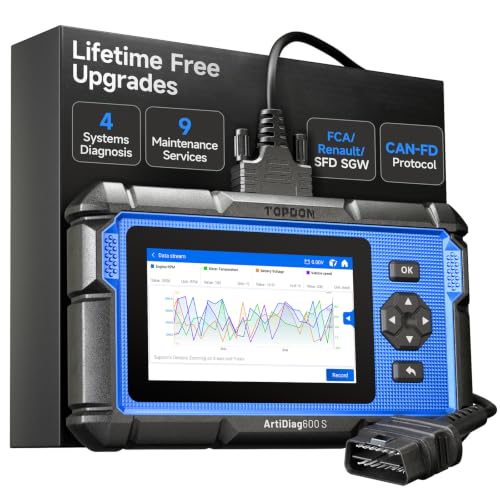
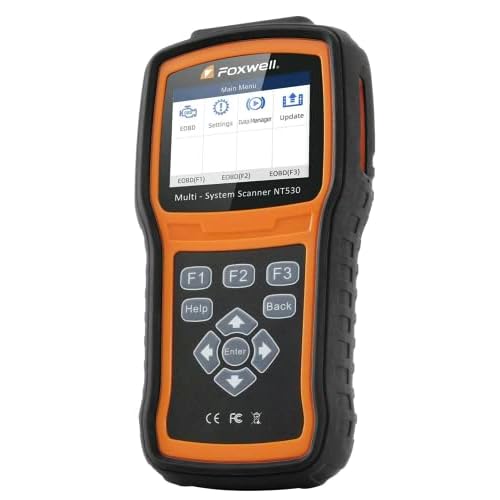
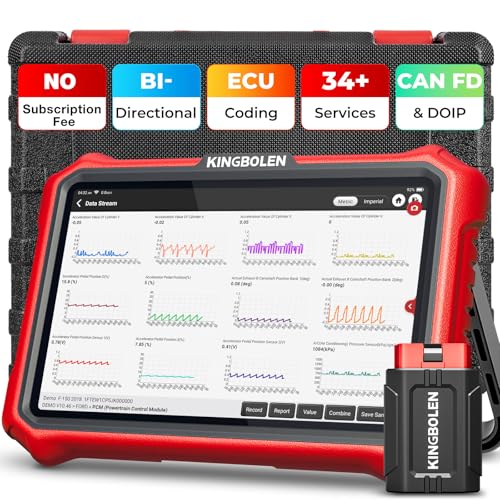
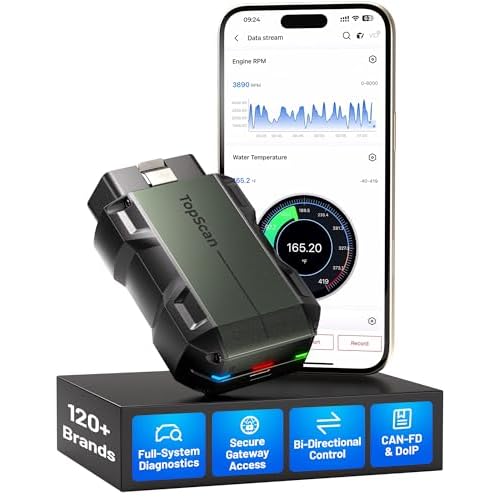
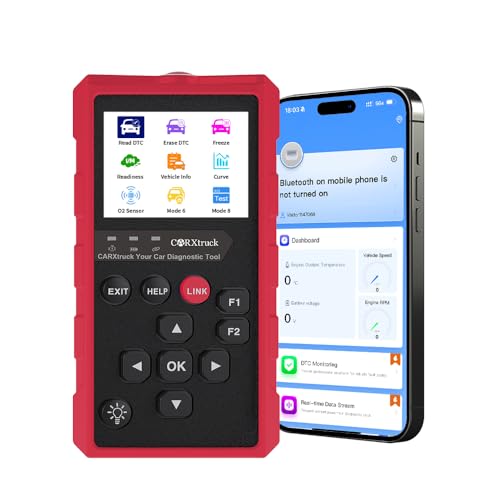
Professional scan tools are designed for much deeper mechanical interactions. They are essential for reading Diagnostic Trouble Codes (DTCs), testing specific electronic sensors, or monitoring real-time engine data. If your check engine light is illuminated or if you suspect a deeper powertrain issue, a scan tool is appropriate.
However, using a scan tool solely to reset an oil light is an unnecessary complication. The manual menu-navigation method is free, faster, and built into the vehicle’s firmware. Unless your dashboard buttons are physically damaged and non-responsive, the manual method will always be the most efficient route for maintenance resets.
Furthermore, relying on a scan tool for basic maintenance can introduce unnecessary variables. Many aftermarket code readers do not have the specific bi-directional communication required to interact with the Explorer’s Intelligent Oil Life Monitor. Stick to the built-in system to ensure the vehicle’s computer accurately logs the reset cycle.
Maintenance Scheduling and the 2011 Explorer Redesign
The 2011 model year marked a pivotal transition for the Ford Explorer, shifting from a truck-based, body-on-frame platform to a modern unibody architecture. This redesign introduced significant changes to how the engine operates and manages internal lubrication requirements, making the Intelligent Oil Life Monitor (IOLM) a critical feature for owners.
Because this generation relies on more complex sensors and specific engine tolerances, the oil reset procedure applies exclusively to this newer design language. Understanding the relationship between your driving habits and this system is essential to ensuring the long-term reliability of your Explorer’s powertrain components.
| Driving Condition | Recommended Interval (Miles) |
|---|---|
| Standard Highway/Commute | 7,500 miles |
| Severe Duty (Towing/Idling) | 5,000 miles |
| Maximum Oil Monitor Limit | 10,000 miles |
How to Read This Chart
This table outlines the realistic service intervals for the 2011 Ford Explorer redesign. The “Driving Condition” column identifies how your daily usage impacts oil degradation, while the “Recommended Interval” provides a safe mileage target to prevent engine wear.
Note that while the onboard computer may allow the monitor to reach 10,000 miles, this represents the maximum threshold under ideal conditions. For most owners of this generation, adhering to the 5,000 to 7,500-mile range remains the gold standard for engine protection regardless of the dashboard percentage.
Setting Your Own Service Intervals
You should never rely solely on the dashboard oil life monitor if you drive in demanding conditions. Frequent short trips, excessive engine idling, or heavy towing can accelerate oil breakdown significantly faster than the IOLM algorithm may account for during typical operations.
By establishing your own internal maintenance schedule, you gain better control over the vehicle’s health. We recommend resetting your oil life display only after a full service, using the 5,000 to 7,500-mile interval as a hard reminder to perform the oil change and reset procedure manually.
Equally important is the quality of the oil filter used during these intervals. On the 2011 redesign, the oil filter serves as the primary defense against debris accumulation within the tighter-tolerance engine components. Always replace the filter every time you change the oil to ensure the system flows efficiently.
Matching the filter specifications to the 2011 engine requirements prevents oil pressure drops and bypass valve failures. A high-quality filter paired with consistent 5,000 to 7,500-mile changes will keep your Explorer running well past its standard factory expectations. Documenting these dates independently will provide a better service history than relying on the reset monitor alone.
Key Takeaways
-
✓
Use the steering wheel D-pad to navigate to Settings > Vehicle > Oil Life Reset. -
✓
Hold the OK button for several seconds to finalize the 100% reset status. -
✓
Manual resets are cost-free but lack the detailed engine diagnostic features of scan tools. -
✓
OBD-II tools provide a real-world test of sensor data beyond just the oil percentage. -
✓
The Intelligent Oil Life Monitor calculates life based on engine revolutions and heat cycles.
❓ Frequently Asked Questions
1
What is the 2011 Ford Explorer oil reset process?
The process involves accessing the instrument cluster menu via steering wheel controls. By navigating to ‘Settings,’ ‘Vehicle,’ and finally ‘Oil Life Reset,’ you hold the ‘OK’ button to initiate the countdown. This informs the vehicle’s computer that fresh oil has been installed, resetting the maintenance timer to 100%.
2
How does the Intelligent Oil Life Monitor work?
The monitor doesn’t just track mileage; it calculates oil life based on engine revolutions, load, temperature cycles, and idle time. Its primary advantage is identifying ‘severe’ driving conditions that degrade oil faster than traditional interval-based schedules, ensuring the engine remains protected under various operating stresses.
3
Why is the oil life reset important?
Resetting the system is vital because it ensures the engine’s onboard computer tracks oil degradation accurately. If not reset, the system will trigger false alerts or fail to warn you when the oil has actually reached the end of its useful life, potentially leading to increased friction and engine wear.
4
What are the benefits of using an OBD-II scanner?
The primary advantage of an OBD-II scan tool is the ability to view real-time sensor data and potential error codes that the dashboard menu hides. While it adds a hardware cost, the expert verdict is that it provides a head-to-head view of engine health that a manual dashboard reset cannot offer.
5
How can I get started with the manual reset?
Ensure the vehicle is in accessory mode and the dashboard is active. Use the left-side steering wheel arrow keys to reach the main menu. Select ‘Settings,’ then ‘Vehicle,’ and locate ‘Oil Life.’ Press and hold the ‘OK’ button until the display indicates the reset is successful.
6
Does resetting the oil light actually change the oil?
No. The system is a digital tracker only. The reset notifies the computer that fresh oil is in the engine; it has no physical impact on the oil itself.