
How To Activate Ford Blue Cruise Activate Ford Blue 2026

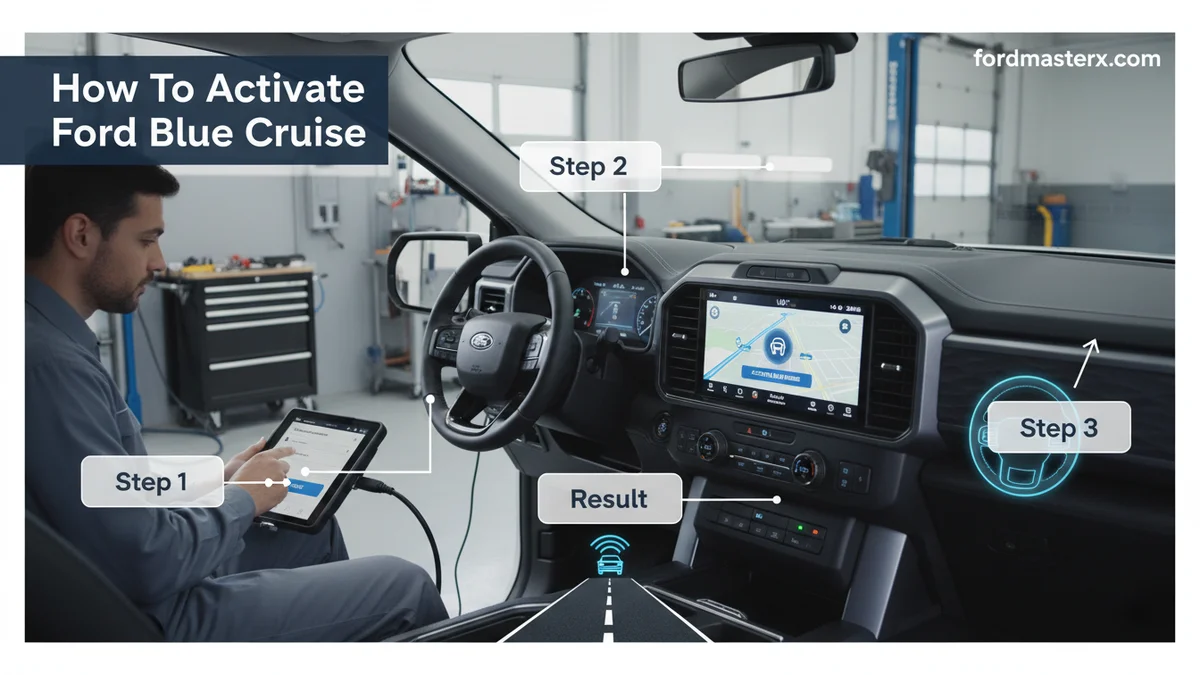
Activating Ford Blue Cruise involves ensuring your vehicle meets specific prerequisites, confirming your subscription, and following a clear sequence of steps within your SYNC infotainment system. Our comprehensive guide walks you through each stage, from initial preparation to successful hands-free driving engagement.
Activating Ford Blue Cruise involves ensuring your vehicle meets specific prerequisites, confirming your subscription, and following a clear sequence of steps within your SYNC infotainment system. Our comprehensive guide walks you through each stage, from initial preparation to successful hands-free driving engagement.

Prime for Young Adults — 6 Months Free
Students and 18–24s get six months of Prime free, then half price.
Start 6 Months Free As an Amazon Associate I earn from qualifying purchases.The first step to activate Ford Blue Cruise is understanding the simple, yet crucial, process for hands-free driving. This cutting-edge technology allows compatible Ford vehicles to operate hands-free on designated highways, making long journeys more comfortable and less fatiguing for you. To successfully enable this feature, a methodical approach is essential.
Our guide for 2026 details everything you need to know, from initial setup to resolving common issues. We aim to equip you with the confidence to utilize this advanced driver-assistance system effectively. Understanding the necessary preparations ensures a seamless activation experience in your Ford vehicle.
Key Takeaways
Recommended Best Deal Products

- Verify vehicle compatibility and active subscription.
- Perform all software updates before activation.
- Follow clear, sequential steps on your SYNC screen.
- Troubleshoot common issues like greyed-out options.
- Understand Blue Cruise operating conditions for safe use.
How to Prepare for Blue Cruise Activation in 4 Steps
Before you attempt to activate Ford Blue Cruise, several key preparations ensure a smooth setup. These preliminary checks are vital for a successful and trouble-free activation process.
Check Vehicle Compatibility
First, confirm your Ford vehicle is equipped for Blue Cruise. Not all Ford models and trims include this advanced feature. Typically, compatible vehicles include newer Ford F-150 models, Mustang Mach-E, and Expedition vehicles, especially those produced in 2021 or later that include the necessary hardware.
You can verify your vehicle’s specific compatibility by checking your owner’s manual or entering your VIN on the official Ford website. . This step ensures you have the right vehicle foundation.
Verify Subscription Status
Ford Blue Cruise requires an active subscription to function. After an initial complimentary period, which varies by model year and purchase date, you will need to subscribe. Check your FordPass app or your Ford account online to confirm your current subscription status.
An expired or inactive subscription is a common reason why Blue Cruise might not activate. Ensure your payment information is current and your subscription is active through 2026 for uninterrupted service. You can manage your subscription via the FordPass app, which provides insight into your vehicle’s services, or through your online Ford account.
.
Update Vehicle Software
Outdated software can prevent Blue Cruise activation or proper functioning. Ensure your vehicle’s SYNC infotainment system and other modules have the latest software updates installed. These updates often include performance enhancements and new features for advanced driver-assistance systems.

Audible — Listen Free for 30 Days
One free credit a month and thousands of titles included.
Listen Free for 30 Days As an Amazon Associate I earn from qualifying purchases.You can usually check for and initiate software updates directly through your vehicle’s SYNC screen, or by connecting to Wi-Fi. Sometimes, dealers also perform these updates during scheduled maintenance. For more details, refer to our guide on updating Ford SYNC software.
Set Driver Profile
Ensure a driver profile is set up in your SYNC system. Some advanced features, including Blue Cruise, may link to specific driver settings. A properly configured profile helps the system recognize you and apply your preferred vehicle configurations consistently.
Verify that your seat position, mirror settings, and other preferences are stored. This helps ensure all components are ready for the personalized driving experience Blue Cruise offers.
Once these preparations are complete, you can proceed directly to activating Blue Cruise in your vehicle.
How to Activate Your Ford Blue Cruise in 7 Steps
Activating Ford Blue Cruise directly through your vehicle’s SYNC infotainment system involves a series of straightforward steps. We will guide you through the process for a successful setup.
Access SYNC Settings
Start by ensuring your vehicle is in Park. On your SYNC infotainment screen, locate and tap the “Settings” icon. This is typically represented by a gear or cog symbol at the bottom or top of the screen.
Locate Driver Assistance
Within the “Settings” menu, scroll down or navigate to find “Driver Assistance” or “Driver Assist Features.” This section houses various advanced driving technologies available in your Ford.
Enable Blue Cruise Option
Inside the “Driver Assistance” menu, look for “Blue Cruise” or “Hands-Free Driving.” Select this option. If everything is prepared correctly, it should not be greyed out.
Accept Terms
You will likely be prompted to read and accept the “Terms and Conditions” for Blue Cruise. Carefully review these, as they outline the system’s capabilities and your responsibilities as a driver. Tap “Accept” to proceed.
Perform System Check
The system may then perform a brief internal check to confirm all sensors and modules are operational. During this check, keep your vehicle stationary and follow any on-screen prompts. .
Audible Premium Plus — Annual Membership
12 audiobook credits up front, plus the full Audible catalogue.
See Annual Plans As an Amazon Associate I earn from qualifying purchases.Confirm Activation
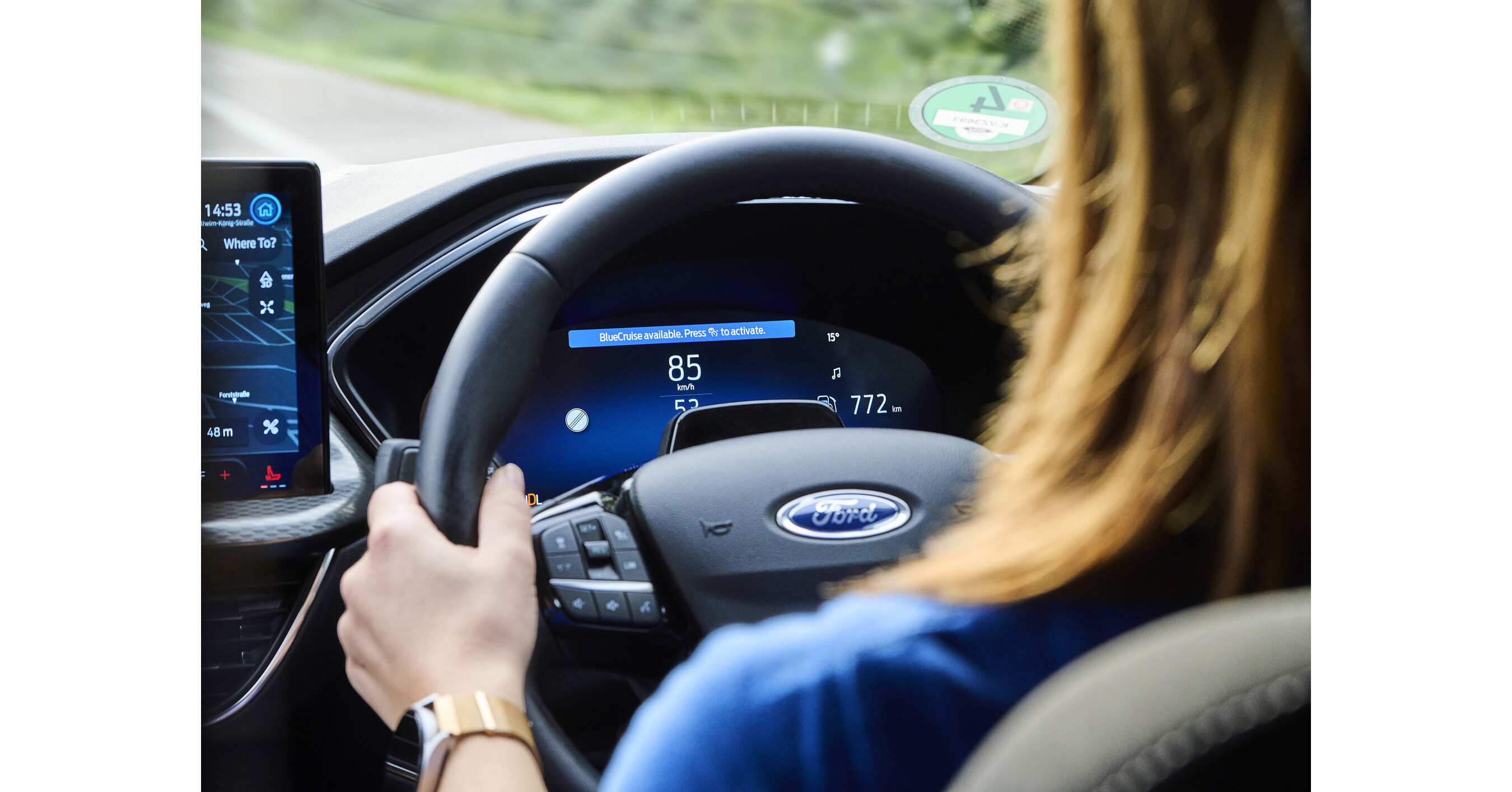
Once the system check is complete and terms are accepted, you should see a confirmation message indicating that Blue Cruise is now active. This confirms the initial setup is successful. You will know the feature is ready to engage when the appropriate dashboard indicators appear.
Drive Safely
With Blue Cruise activated, you are ready to experience hands-free driving on designated highways. Always pay attention to road conditions and be prepared to take control. Ensure you understand how the system indicates its status through your instrument cluster. .
While the activation process is generally smooth, it is possible to encounter issues, which we will address next.
5 Most Common Blue Cruise Activation Issues
Even with careful preparation, you might encounter specific challenges when attempting to activate Ford Blue Cruise. Understanding these common problems and their solutions can save you time and frustration.
Inactive Subscription Status
One of the most frequent reasons Blue Cruise fails to activate is an expired or inactive subscription. If your complimentary period has ended, or if there was an issue with renewal, the system will not permit hands-free operation.
Solution: Log into your FordPass app or Ford account online to verify your subscription status. Renew or reactivate your subscription as needed. It may take a few hours for the system to update after renewal, so be patient.
Outdated System Software
Your vehicle’s SYNC software or other underlying control modules might be out of date. Blue Cruise relies on the latest software versions for optimal performance and feature availability. An older software version could grey out the activation option.
Solution: Connect your vehicle to a reliable Wi-Fi network and check for available software updates via the SYNC screen. Install any pending updates. If self-update fails, contact your Ford dealership for assistance. .
Non-Supported Roadways
Blue Cruise is designed to operate only on pre-mapped and designated stretches of highway, known as “Blue Zones.” If you attempt to activate it outside these specific areas, the option will remain unavailable or greyed out.
Solution: Ensure you are driving on a designated Blue Zone highway. The system typically indicates when you enter one of these zones. Blue Cruise will only become available when conditions are met on eligible roads. .
Sensor Obstructions
Blue Cruise uses a suite of sensors, including cameras and radar, to monitor the road and your surroundings. If these sensors are obstructed by dirt, snow, ice, or even a misplaced parking sticker, the system may not activate or could disengage.
Solution: Regularly inspect and clean the exterior of your vehicle, especially the front grille (radar), windshield camera housing, and side mirrors. Ensure no objects are blocking the view or function of these critical components.
SYNC System Glitches
Occasionally, the SYNC infotainment system itself can experience a temporary glitch or error that prevents Blue Cruise activation. These can be minor software bugs that resolve with a simple reset.
Solution: Try performing a soft reset of your SYNC system. This usually involves holding down specific buttons on your dash until the screen reboots (consult your owner’s manual for specific instructions). If the problem persists, contact Ford customer support or visit a dealership.
Once Blue Cruise is successfully activated and functioning, understanding its operational nuances is key to safe and effective use.
When to Use Your Ford Blue Cruise
With your Ford Blue Cruise activated, knowing precisely how and when to engage it ensures a safe and optimized experience. This understanding enhances your confidence in the system.
Identify Hands-Free Zones
Blue Cruise functions exclusively on pre-qualified, divided highways known as “Blue Zones.” Your vehicle will typically notify you with a visual cue on the instrument cluster when you enter one of these zones. This notification signifies that hands-free driving is available.
The system is continuously updated with new Blue Zones, which are primarily major interstates and highways. . The map updates ensure you have access to the latest compatible routes. .
Maintain Driver Focus
While Blue Cruise enables hands-free operation, it is not autonomous driving. The system utilizes an advanced driver-monitoring camera, typically located above the steering wheel, to ensure you remain attentive to the road ahead. Your eyes must stay engaged with the driving environment.
If the system detects your attention wavering for an extended period, it will issue warnings. These warnings escalate to a requirement to take control of the steering wheel if attentiveness does not improve. Always be prepared to resume full control immediately.
Recognize System Indicators
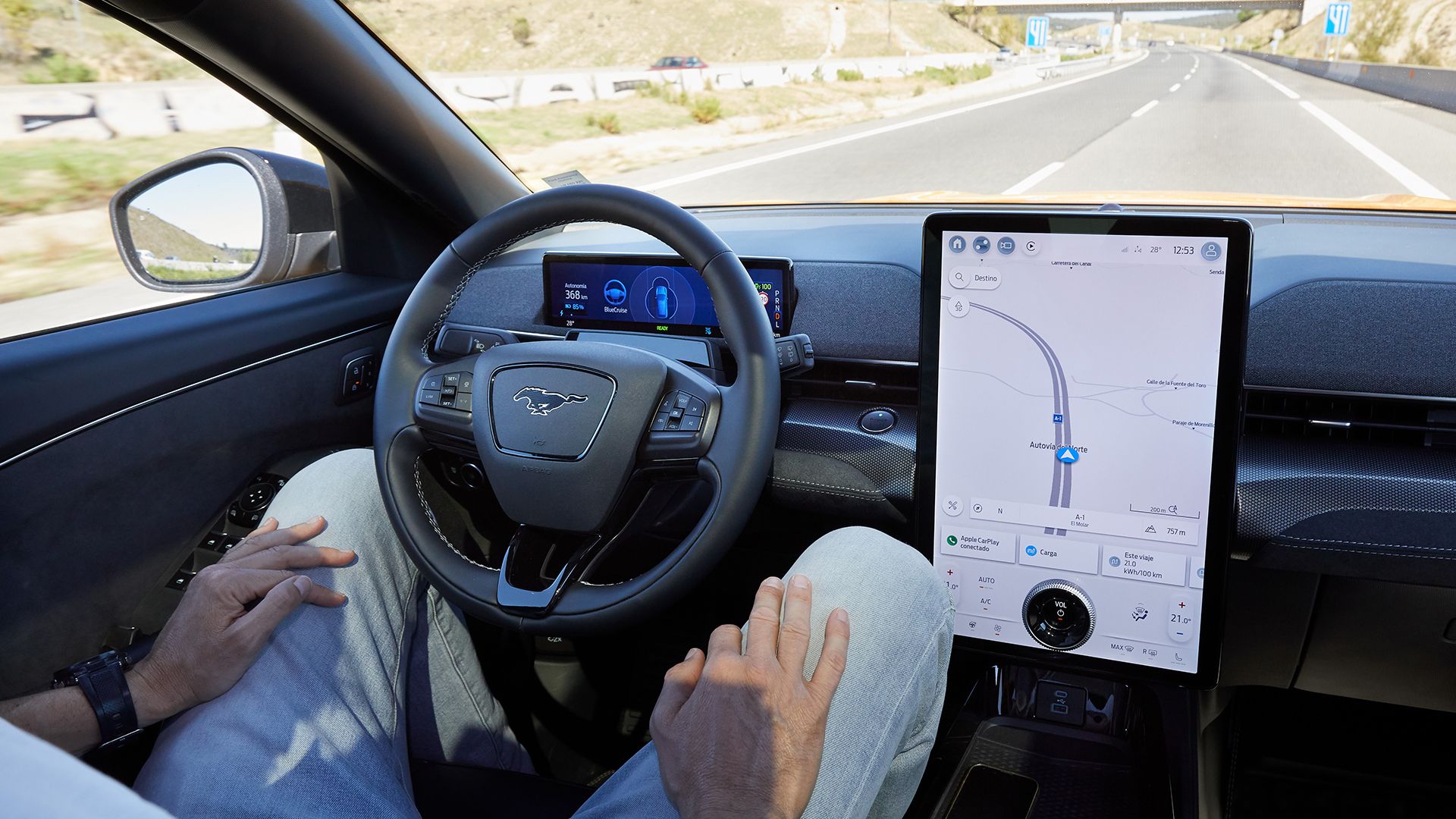
When Blue Cruise is actively engaged, distinct visual indicators appear on your instrument cluster. Typically, a blue steering wheel icon or a blue animation around the digital speedometer confirms hands-free operation is active.
Understanding these visual cues is paramount for safe use. The system will also provide audible alerts or haptic feedback if it needs you to intervene or if it disengages due to external conditions. .
Respect Speed Limits
Blue Cruise works in conjunction with adaptive cruise control. It maintains a set speed and distance from the vehicle ahead, but it still operates within legal speed limits. The system is designed to provide convenience, not to encourage unsafe driving practices.
Always adjust your set speed according to traffic, weather, and road conditions. Your judgment as the driver remains the primary safety factor, even when the system is engaged.
To further assist with common questions, we’ve compiled answers to frequently asked questions about Ford Blue Cruise.
Frequently Asked Questions About Ford Blue Cruise
How Do I Check If My Ford Vehicle Is Compatible With Blue Cruise?
You can check your Ford’s Blue Cruise compatibility by visiting the official Ford website, entering your VIN, or reviewing your vehicle’s owner’s manual. Compatible models are typically recent Ford F-150, Mustang Mach-E, and Expedition vehicles, equipped with the necessary hardware.
What Are the Subscription Requirements for Ford Blue Cruise?
Ford Blue Cruise requires an active subscription after an initial complimentary period, which varies by model year. This ensures you receive crucial map updates and continued access to the hands-free driving feature. You can manage it via the FordPass app or your Ford account online.
Why Is the Blue Cruise Option Greyed Out on My SYNC Screen?
A greyed-out Blue Cruise option often indicates an inactive subscription, outdated software, or that the vehicle is not on a pre-qualified Blue Zone highway. Verify your subscription status, ensure your SYNC system is updated, and confirm you are on a designated hands-free driving road.
Can I Use Ford Blue Cruise on Any Highway?
No, Ford Blue Cruise only operates on pre-mapped and designated ‘Blue Zones’ – specific stretches of divided highways in North America. These zones are continuously updated. The system will alert you when you enter and exit a Blue Zone, indicating when hands-free driving is available.
How Will I Know When Ford Blue Cruise Is Actively Engaged?
When Blue Cruise is active, you will see distinct visual cues on your instrument cluster, often a blue indicator light or animation. The system will also notify you with messages on the display. Always ensure your eyes remain on the road for safe operation.
Concluding Thoughts on Blue Cruise Activation
Activating Ford Blue Cruise in your compatible vehicle is a straightforward process when approached systematically. We have outlined the essential prerequisites, step-by-step activation guide, and common troubleshooting tips to ensure a smooth experience. Verifying your subscription and keeping your software updated are crucial for success.
Understanding how Blue Cruise operates and its limitations empowers you to use this advanced feature safely and effectively. It significantly enhances your long-distance driving comfort on designated highways. Successfully activate Ford Blue Cruise today and experience the future of hands-free driving on designated highways.

