
How To Change Ford Door Code Change Ford Door Code 2026

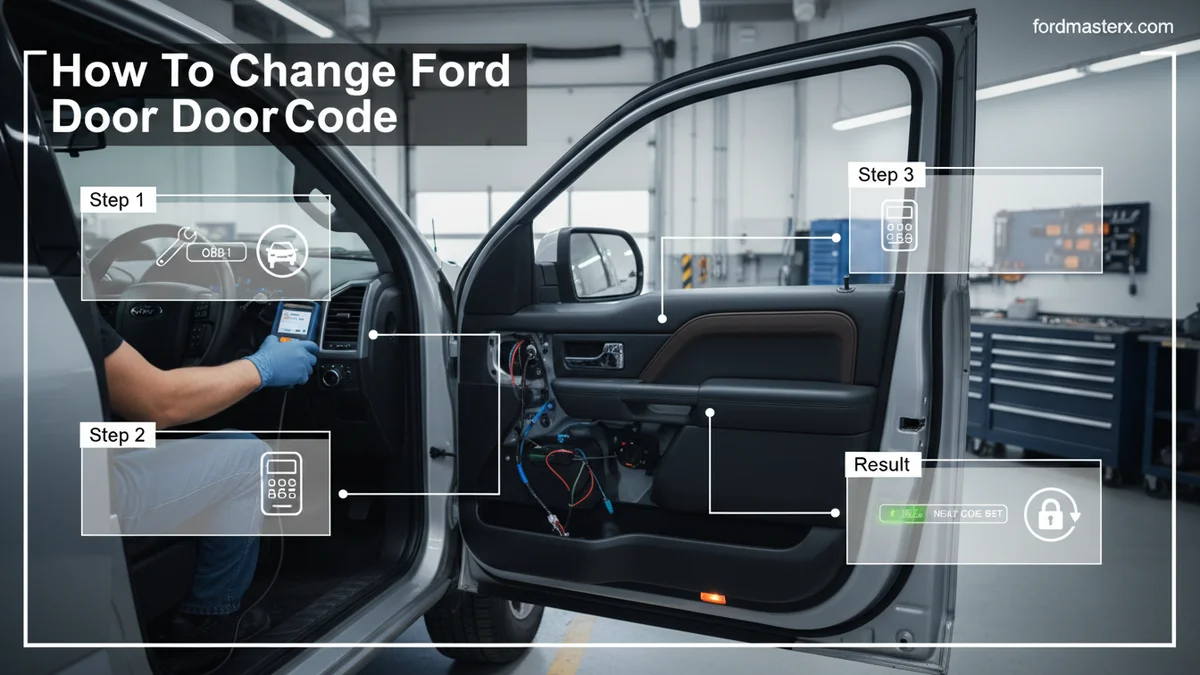
To change your Ford’s door code, you first need your factory five-digit code, usually found on a sticker in the owner’s manual or under the dash. Once you have this, you can then follow a simple sequence using your vehicle’s keypad to program a new personal code.
To change your Ford’s door code, you need your factory five-digit code to program a new personal sequence for enhanced security and convenience. Understanding the difference between your vehicle’s permanent factory code and a customizable personal code is the first step. This guide will walk you through finding your factory code and then easily setting a new, secure personal code.

Prime for Young Adults — 6 Months Free
Students and 18–24s get six months of Prime free, then half price.
Start 6 Months Free As an Amazon Associate I earn from qualifying purchases.We will cover everything from locating that crucial factory number to programming your new code in simple steps. You will also learn how to remove old codes and troubleshoot common issues. By 2026, keeping your vehicle’s security up-to-date remains paramount, and we are here to help you achieve that with clear instructions.
Key Takeaways
Recommended Best Deal Products


- Factory code is essential for personal code changes.
- Find factory code in manual or on vehicle sticker.
- New personal codes are 5 digits.
- Deleting personal codes is a distinct process.
- Troubleshoot keypad issues with specific steps.
Where Is Your Ford’s Original Factory Door Code?
Before you can program a new personal code, you must first locate your Ford’s original 5-digit factory keyless entry code. This code is permanent and unique to your vehicle, serving as the master key for all keypad functions. Knowing where to find it is essential for any code changes.

Check Owner’s Manual
The most straightforward place to find your factory door code is within your Ford’s owner’s manual. Look for a card or sticker inside the manual itself. Sometimes it is on the laminated card that comes with the manual.
This method is usually the easiest if your manual is still available.
Inspect Interior Stickers
If your owner’s manual is missing, check various locations inside your Ford for a white sticker with the five-digit code. Common spots include the glove compartment, the trunk lid, or under the dash. You might need a flashlight to locate it properly.
For many Ford F-Series trucks, like 2015-2023 F-150s, the sticker is often behind the passenger-side rear seat, sometimes under the carpet or attached to the B-pillar. For Ford Explorers and Escapes, checking under the dashboard near the steering column or inside the trunk under the floor mat can yield results.
Contact Ford Dealership
As a last resort, if you cannot find the code yourself, your local Ford dealership can retrieve it. You will need proof of ownership, such as your vehicle registration and personal identification. They can access your vehicle’s factory code using its VIN.
Be aware that some dealerships may charge a small fee for this service. Once you have this essential factory code, you are ready to set your personalized entry.
How to Program Your New Ford Door Code in 6 Steps
Recommended Best Deal Products

Programming a new personal keyless entry code for your Ford is a simple process once you have your factory code. This section provides the exact steps to set your new 5-digit sequence, ensuring seamless entry.

Audible — Listen Free for 30 Days
One free credit a month and thousands of titles included.
Listen Free for 30 Days As an Amazon Associate I earn from qualifying purchases.Prepare Vehicle Systems
First, ensure your vehicle is off and all doors are closed. You will also need to have your factory 5-digit code readily available for input.
Sitting in the driver’s seat can make the process easier. This preparation ensures no interruptions during the programming sequence.
Enter Factory Code
On your exterior keypad, input the 5-digit factory code. Press each number firmly and accurately.
The keypad should illuminate briefly after each correct entry.
Press One Two Button
Within five seconds of entering the factory code, press the ‘1/2’ button on the keypad. This action signals that you intend to program a new personal code.
You should hear a confirmation sound, such as a short horn honk or a door lock cycle, indicating the vehicle is ready for the new code.
Input New Code
Enter your desired 5-digit personal code. Choose a memorable but secure sequence that is not easily guessed.
Avoid sequential numbers or simple patterns.
Confirm New Code
Within five seconds of entering your new personal code, press the ‘1/2’ button again. This step confirms your new code.
The vehicle will honk once to indicate that the programming was successful.
Audible Premium Plus — Annual Membership
12 audiobook credits up front, plus the full Audible catalogue.
See Annual Plans As an Amazon Associate I earn from qualifying purchases.Test Keypad Function
Close all doors and stand outside the vehicle. Enter your newly programmed 5-digit personal code to lock and unlock the doors.
If the doors respond correctly, your new code is active and ready for use. If it doesn’t work, repeat the steps carefully.
How to Remove Your Personal Keypad Code
There might be instances where you need to delete a personal keypad code, such as selling your vehicle or if someone else knows the code. Removing old codes is a straightforward security measure.

Reasons for Deletion
You might want to remove a personal code for various reasons, including selling the vehicle or enhancing security if the code has been compromised. This ensures only authorized individuals can access your Ford.
It is good practice to clear all personal codes when transferring vehicle ownership in 2026.
Initiate Removal Sequence
Start by entering your factory 5-digit code on the exterior keypad. This step grants you access to modify the keypad settings.
Immediately after entering the factory code, press the ‘1/2’ button. Then, press the ‘1/2’ button again within five seconds.
This sequence signals the system to erase any personal codes.
Verify Code Erased
To confirm the deletion, try entering the personal code you just removed. The doors should not unlock. The vehicle should also honk once, indicating the personal code has been cleared.
Only the factory code will now be operational.
5 Common Reasons Your Ford Keypad Fails
Recommended Best Deal Products


Even with clear instructions, issues can arise when using or programming your Ford’s keyless entry keypad. Understanding common problems and their solutions can save you time and frustration.
Weak Vehicle Battery
A weak or dying vehicle battery can cause intermittent or complete failure of the keyless entry keypad. The system requires sufficient power to operate correctly.
- Check your car battery’s voltage.
- Jump-start your vehicle or fully charge the battery.
- If issues persist, consider testing or replacing the battery.
Incorrect Code Entry
Errors in entering the factory or personal code are a frequent cause of keypad failure. Even one wrong digit will prevent the system from responding.
- Double-check the factory code for accuracy.
- Ensure you are pressing each digit firmly and within the specified time limits.
- Verify your personal code against what you intended to program.
Keypad Malfunctions
The keypad itself can experience hardware failures or become unresponsive. This might be due to internal electronic issues or age.
- Try pressing each button individually to see if any are stuck or unresponsive.
- Perform a soft reset by disconnecting the vehicle’s battery for a few minutes.
- Consider replacing the keypad if individual buttons are not working.
Module Related Issues
The keyless entry system is controlled by a module within your Ford. A fault in this module can prevent the keypad from functioning.
- Check for any blown fuses related to the door locks or keyless entry.
- Consult a Ford service technician for diagnostic scans.
- A module replacement might be necessary in severe cases.
Physical Keypad Damage
External damage to the keypad from impacts, weather exposure, or wear and tear can compromise its functionality. Visible cracks or missing buttons are clear indicators.
- Inspect the keypad for any visible damage or signs of moisture.
- Clean the keypad surface to remove dirt or debris that might impede button presses.
- Replace the exterior keypad assembly if it is physically damaged.
For persistent issues, always refer to your specific vehicle’s owner’s manual for further, precise guidance on troubleshooting and repairs.
How to Verify Your Ford’s Specific Keypad System
While general steps apply, specific Ford models and model years can have unique nuances in their keyless entry systems. Verifying your vehicle’s particular setup ensures you follow the most accurate procedures.

Consult Vehicle Manual
Your owner’s manual is the definitive source for information specific to your Ford model and year. It will detail the exact steps for programming, deleting, and troubleshooting your keypad.
Always cross-reference any general instructions with your manual to avoid discrepancies.
Review Online Resources
Ford’s official website and reputable automotive forums often contain model-specific guides and discussions. Search using your Ford’s model, year, and “keyless entry code” for tailored advice.
These resources can provide insights into known issues or variations for your particular vehicle.
Identify Keypad Type
Distinguish between a factory-installed keypad and an aftermarket accessory. Aftermarket keypads often have different programming methods not covered by Ford’s official documentation.
Factory keypads are typically integrated flush with the door or B-pillar, while aftermarket ones might be surface-mounted. If you are unsure, your dealership can clarify your keypad type.
Frequently Asked Questions About Your Ford Code
Can I Change My Ford Door Code Without the Original Factory Code?
No, you generally cannot change or program a new personal door code without first entering the original five-digit factory code. This code acts as a master key, authenticating your ability to modify the keypad’s settings. If you do not have it, you must locate it first.
What If I Forgot My Personal Door Code?
If you forgot your personal code, you can easily reprogram a new one using your factory five-digit code. Follow the steps outlined in this article to overwrite the old, forgotten personal code with a new sequence you will remember. No factory reset is needed.
How Many Personal Door Codes Can a Ford Vehicle Have?
Most Ford vehicles can store up to two distinct five-digit personal entry codes in addition to the permanent factory code. This allows for multiple users, such as family members, to have their own unique access codes for convenience and security.
Will Disconnecting the Battery Erase My Ford Door Code?
No, disconnecting your Ford’s battery will not erase the factory code or any programmed personal codes. These codes are stored in the vehicle’s permanent memory. Disconnecting the battery might temporarily reset some electronic systems but not the keypad codes.
How Do I Know If My Ford Has a Keyless Entry Keypad?
Look for a five-digit numerical pad vertically mounted on the driver’s side door, typically on the B-pillar or near the door handle. If you see this physical keypad, your Ford is equipped with factory keyless entry. Some models may have it integrated differently.
Securing Your Ford With a New Door Code
Changing your Ford door code is a straightforward process that significantly enhances your vehicle’s security and convenience. By following these clear steps, you can easily locate your factory code, program a new personal code, and troubleshoot any issues that arise. We encourage you to personalize your Ford experience by setting a secure and memorable code for easy access in 2026 and beyond.
Keeping your security updated ensures peace of mind, knowing that your vehicle remains safe and accessible only to those you trust. Regular maintenance of your vehicle’s features, including the keyless entry, contributes to its overall longevity and functionality. Take control of your Ford’s security today.

