
2021 Ford Explorer TPMS Reset Button Location: Fact-Checked Against Manual Calibration Procedures

There is no physical TPMS reset button on the 2021 Ford Explorer. The Tire Pressure Monitoring System is designed to calibrate itself automatically after you adjust your tire pressures to the levels specified on the driver’s side door jamb placard. The following sections explain how the system detects new pressures, the correct calibration procedure, and how to troubleshoot the dashboard warning light when the system fails to reset on its own.
2021 Ford Explorer TPMS Reset Button Location: Main Reference Chart
How to Read This Chart
This reference chart clarifies that the 2021 Ford Explorer lacks a manual or tactile reset button. The “System Attribute” column lists the specific features you may be searching for, while the “Status/Value” column confirms their absence or digital equivalent.


The “Reference Point” column indicates exactly where the system functions or resides. Because the 2021 model relies on software, any interaction with the Tire Pressure Monitoring System (TPMS) occurs exclusively through the vehicle’s onboard computer interface located in the instrument cluster or settings menu.
If you are attempting to clear a dashboard warning, focus on the “Electronic” and “Settings Menu” indicators rather than searching for a hidden physical switch. All calibration steps for this specific model year are managed through the steering wheel-mounted controls, allowing the system to communicate directly with your wheel sensors.
The 2021 Ford Explorer does not feature a traditional reset button under the dash, in the glove box, or near the steering column. The vehicle is designed to identify and calibrate tire pressure readings through an automated process or by navigating the “Driver Assist” menu found in the primary settings interface.
To successfully clear a persistent TPMS light, you must first ensure all tires are inflated to the manufacturer’s recommended PSI found on the door jamb sticker. Once the pressures are verified, the system typically requires a brief drive cycle to auto-relearn sensor positions and clear the electronic fault.
If the light remains active after proper inflation and driving, utilize the steering wheel arrows to access the settings menu. From there, locate the “Tire Pressure” option within the “Driver Assist” category. This software-driven approach replaces the mechanical reset switches found in older automotive generations.
Understanding 2021 Ford Explorer Direct TPMS Architecture


The 2021 Ford Explorer utilizes a self-learning direct TPMS, which is why owners will never find a physical reset button. The vehicle computer automatically detects and registers sensor positions through signal triangulation, eliminating the need for manual triggers or button-based syncing.
| Component | Function | Metric |
|---|---|---|
| Sensor Location | Integrated Valve Stem | 1 per wheel |
| Data Transmission | Radio Frequency | 315 or 433 MHz |
| System Type | Direct Monitoring | Active BCM Logic |
How to Read This Chart


This table outlines the hardware architecture of the direct TPMS used in the 2021 Ford Explorer. The “Component” column identifies the physical parts, while the “Function” column describes their role within the network.
The “Metric” column provides the specific technical standard or quantity. Note that the 315 MHz or 433 MHz frequency is region-specific; the vehicle Body Control Module (BCM) is calibrated to recognize the exact signal ID broadcast by the sensors located within the valve stems of your specific trim level.


How Tire Pressure Sensors Communicate with the BCM
The 2021 Ford Explorer employs a direct TPMS that functions much like a local wireless sensor network. Each wheel features a sensor integrated directly into the valve stem, which continuously monitors the internal air pressure and temperature of the tire.


These sensors transmit data wirelessly to the vehicle’s Body Control Module (BCM). Unlike older systems that required manual inputs to map sensor locations, the Explorer’s BCM uses advanced logic to identify which sensor corresponds to which wheel position as you drive.
Because the BCM actively listens for these signal pulses, the system updates in real-time. This automated handshake ensures that the dashboard pressure display remains accurate without requiring a physical reset button to trigger a learning process.
Operating Frequencies and Sensor IDs Explained


Direct TPMS systems measure the physical air pressure inside the tire cavity. This is fundamentally different from indirect systems, which estimate pressure by calculating tire rotation speeds via the Anti-lock Braking System (ABS) sensors.


By using direct hardware, your Explorer provides actual pressure readouts rather than just a warning light. Each sensor broadcasts a unique identification code (ID) over a radio frequency of either 315 MHz or 433 MHz, depending on regional manufacturing requirements.
When you add air to your tires, the sensors detect the pressure change and immediately transmit updated telemetry to the BCM. The computer cross-references these unique IDs with its internal memory to update your dashboard display, removing the need for a reset button entirely.
Correct Manual TPMS Calibration for 2021 Models


| Task | Action Required |
|---|---|
| Cold Pressure Check | Use a digital gauge (verify against door jamb placard). |
| Menu Path | Settings > Driver Assist > Tire Pressure. |
| Relearn Trigger | Drive above 20 mph for at least 10-20 minutes. |
How to Read This Chart
The table above outlines the core requirements for resetting the Tire Pressure Monitoring System on a 2021 Ford Explorer. The “Cold Pressure Check” emphasizes that manual measurement via a separate gauge is mandatory, as the dashboard sensor may be inconsistent until calibrated. The “Menu Path” directs you to the specific instrument cluster interface used for system interaction, while the “Relearn Trigger” specifies the velocity and duration necessary for the onboard computer to synchronize with the wheel-mounted sensors.
Accessing the Settings Menu for Tire Pressure


Before initiating the digital reset, you must ensure all tires are inflated to the specific PSI listed on the vehicle’s driver-side door jamb sticker. Do not rely solely on the internal sensors to determine if the pressure is correct, as they require a successful relearn cycle to report accurate, live data to your instrument cluster.
Once the tires are at the manufacturer-recommended pressure, sit in the driver’s seat with the ignition in the “On” position. Use the steering wheel-mounted directional keypad to access the main menu on the instrument cluster display. Navigate to the “Settings” menu by scrolling through the primary list of vehicle configurations.
Inside “Settings,” select “Driver Assist.” Within this sub-menu, locate “Tire Pressure.” Depending on your specific trim level, you may be prompted to hold the “OK” button on your steering wheel to initiate the system calibration. This action clears the existing memory of the tire sensors and prepares the vehicle to perform a fresh scan of the tire positions.
Driving Requirements to Finalize the Training Mode
After you have triggered the reset sequence through the menu, the TPMS light on your dashboard will likely remain illuminated or display a warning message. This is normal. The system is currently in a passive training mode and requires real-world driving data to link the sensor IDs to their specific corner of the vehicle.
To finalize the process, drive your Ford Explorer for at least 10 to 20 minutes at a consistent speed, ideally above 20 mph. This sustained motion allows the vehicle’s wireless receivers to pick up strong, unique signals from each tire sensor, mapping them automatically to the correct tire position on your dashboard display.
Be patient during this phase, as the light may not turn off the moment you begin driving. It often takes several miles of uninterrupted travel for the computer to finish the handshake process with all four tires. If the light remains on after an extended drive, stop the vehicle, re-verify your tire pressure with a physical gauge, and repeat the menu initiation process.
📋
Step-by-Step Guide
Adjust all tires to the cold PSI specified on your door placard using a high-quality, calibrated handheld tire gauge.
Use the steering wheel keypad to navigate to Settings > Driver Assist > Tire Pressure and hold OK to reset.
Drive for at least 10–20 minutes above 20 mph to allow the sensors to communicate their locations to the ECU.
Common Symptoms: Why Your Tire Pressure Light Stays On
| Symptom | Most Likely Cause |
|---|---|
| Light illuminates and stays solid | Low pressure in one or more tires |
| Light flashes for 60-90 seconds, then stays solid | Sensor communication error or dead battery |
| Light triggers only on cold mornings | Natural air contraction due to temperature |
How to Read This Chart
This table differentiates between a pressure-related warning and a hardware-related fault for the 2021 Ford Explorer. A solid light generally indicates that the system is functioning correctly but has detected a deviation from the recommended PSI.
A flashing light indicates a fault within the TPMS architecture, such as a dead sensor battery or a signal blockage. Note that atmospheric temperature drops significantly impact these readings, which applies to all trim levels of the 2021 model year.
Is the Light a Puncture or a Sensor Failure?
Determining the source of a TPMS warning starts with checking the physical state of your tires. A common environmental trigger is the “cold morning” phenomenon, where air density increases as temperatures drop, causing pressure to fall below the system’s threshold.
This is a natural drop, not necessarily a puncture. If the light illuminates shortly after a sharp overnight temperature decrease, manually inflate your tires to the manufacturer’s recommended PSI, which is typically found on the sticker inside the driver’s side door jamb.
If the pressure is correct but the light persists, the issue may be a dead sensor battery. TPMS sensors in the 2021 Explorer contain internal, non-replaceable batteries that typically last 5 to 10 years. When a sensor’s internal battery dies, the onboard computer can no longer receive data, triggering a warning light.
Always verify the status of your spare tire if your model is equipped with a full-size spare. Some Ford configurations include a fifth sensor inside the spare tire. If that sensor is faulty or the spare is significantly under-inflated, it can trigger a fault light even when your primary road tires are healthy.
Tire Rotation and the Need for a New Relearn Cycle
The 2021 Ford Explorer uses a direct TPMS that identifies the specific location of each tire. When you rotate your tires or install new wheels, the sensors change physical positions relative to the vehicle’s receiver antennas.
If the vehicle is not prompted to perform a new “relearn” procedure, it will continue to associate the sensor signals with their previous locations. This can lead to the vehicle displaying incorrect pressure data for the wrong tires on the instrument cluster.
Whenever you have tires serviced, replaced, or rotated, the system must undergo a relearn cycle to map each unique Sensor ID to its new corner on the vehicle. Failing to do this often results in a persistent light or inaccurate dashboard readings.
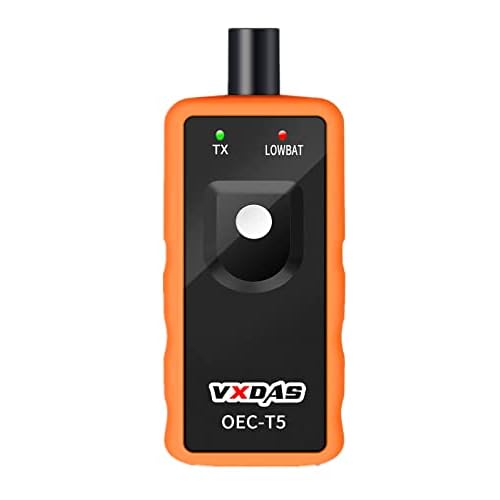
New aftermarket sensors often require a specific activation tool to be recognized by the vehicle’s computer. If you have recently changed tires and the light remains on despite correct pressures, it is likely that the system has lost its calibration mapping, rather than a failure of the sensor hardware itself.
Professional Tips for Maintaining Your Ford Explorer TPMS
Maintaining the tire pressure monitoring system on a 2021 Ford Explorer requires consistent habits. Do not rely solely on the digital readouts provided on the dashboard for your cold tire pressure checks. These sensors can experience minor fluctuations due to extreme ambient temperature changes or electronic interference.
Always verify your pressures using a calibrated, professional-grade handheld tire pressure gauge. For the most accurate results, check your tires when the vehicle has been parked for at least three hours. This ensures the air inside the tires has reached an ambient temperature, providing a true baseline reading.
Incorporate a TPMS inspection into your standard vehicle maintenance schedule. A great practice is to check your tire pressures manually every time you visit the shop for an oil change or tire rotation. This habit helps you catch slow leaks or sensor battery degradation long before the dashboard warning light activates.
Why Over-Inflating Tires Is a Dangerous Practice
A common pitfall owners fall into is over-inflating tires to try and force the dashboard warning light to turn off. This is a hazardous mistake. Adding air beyond the manufacturer’s recommended PSI—found on the driver-side door jamb sticker—compromises the vehicle’s handling, braking distance, and overall tire longevity.
Over-inflation reduces the contact patch between the tire and the road, which can lead to uneven tread wear and poor traction in wet or icy conditions. Furthermore, it creates a rigid ride that puts unnecessary stress on your Explorer’s suspension components and the TPMS sensor housing itself.
If your warning light persists after correcting the air pressure to the specified levels, do not add more air. Simply driving the vehicle at speeds over 20 mph for several minutes is usually sufficient to trigger the automatic re-calibration process. Over-inflating is never a valid solution for a technical malfunction.
Essential Tools for TPMS Maintenance and Diagnostic
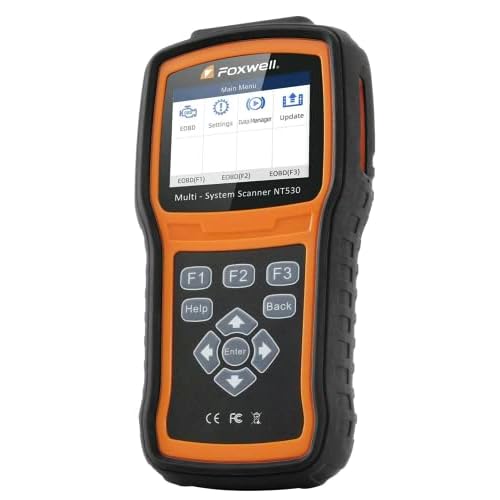
To properly manage your TPMS, invest in a high-quality digital tire pressure gauge rather than relying on cheap pencil-style readers. A professional-grade gauge provides the precision required to match the exact requirements of your Ford Explorer’s tires, which is critical for system accuracy.
Avoid common quick-fix errors, such as repeatedly unplugging the battery or attempting to force a reset via aftermarket OBD-II scan tools that are not compatible with Ford protocols. These actions can sometimes trigger secondary faults in the vehicle’s Body Control Module, leading to more expensive repairs later.
If you have verified the tire pressure is correct, the tires are not leaking, and the warning light remains illuminated, it is time to visit a professional dealer. This usually indicates a dead sensor battery or a hardware failure within the sensor unit. Dealers have specialized tools to ping individual sensors to determine exactly which unit requires replacement.
2021 Ford Explorer TPMS Reset Button Location: Common Myths
The 2021 Ford Explorer does not have a physical TPMS reset button anywhere in the vehicle. A common point of frustration for many owners is the search for a tactile switch under the dashboard, inside the glovebox, or hidden near the steering column. These physical buttons were prevalent on older vehicles from the late 1990s and early 2000s, leading to a persistent myth that they still exist in modern, computer-controlled SUVs.
If you are spending time searching for a physical button or a pinhole reset switch, stop immediately. There is no hidden hardware to press, pull, or hold. Attempting to disassemble interior panels or hunting under the dash to find a non-existent switch can lead to unnecessary damage to your interior trim or sensitive vehicle wiring.
Warning: Searching Behind the Dashboard Is Unnecessary
Searching behind the dashboard or beneath the steering column for a manual reset button is a major pitfall. Modern Ford diagnostic architecture relies entirely on the Body Control Module (BCM) and the tire pressure sensors communicating via radio frequency. There is no mechanical override or physical circuit-breaker switch that a driver can manually toggle to force a reset.
Used car buyers often fall victim to this confusion because they are accustomed to older vehicle platforms. When they see a TPMS warning light, they reflexively look for the reset sequence used in their previous, older-model vehicles. This expectation is exacerbated by outdated online forums that fail to differentiate between vehicle generations, often leading owners to believe their specific car has a “secret” button that has simply been misplaced.
Be wary of predatory service centers or online “hacks” that claim you need to pay for a manual reset procedure involving dashboard disassembly. Any technician suggesting they need to access a hidden button behind the dash to calibrate your TPMS is either misinformed or attempting to upsell unnecessary diagnostic labor. The 2021 Ford Explorer system is designed to self-calibrate once the tires are inflated to the door-placard specifications.
Why Modern Ford Systems Removed the Physical Switch
The transition away from physical buttons occurred because modern systems are now fully automated. In older vehicles, a driver had to manually press a reset button to tell the computer that the tires had been rotated or replaced. This was prone to human error, as drivers often forgot to perform the manual step, leaving the system calibrated to incorrect pressures.
In the 2021 Ford Explorer, the BCM automatically detects the position of each tire sensor through a process called auto-location. As you drive, the system listens for the unique signal from each wheel-mounted sensor. This eliminates the need for manual inputs, as the vehicle identifies which sensor belongs to which corner of the chassis through signal strength and rotation data.
By removing the physical switch, Ford reduced the complexity of the interior cabin and prevented the common issue of buttons becoming stuck or damaged due to dust and debris. The system is designed to monitor pressure continuously in the background. If the light remains on after you have properly inflated the tires to the recommended PSI, it indicates a hardware fault or a sensor battery failure rather than a need for a manual reset button.
Key Takeaways
-
✓
There is no physical reset button in the 2021 Ford Explorer interior. -
✓
System calibration occurs automatically once correct tire pressures are set and the vehicle reaches a specific speed. -
✓
Direct TPMS utilizes individual sensors in each wheel for accurate pressure monitoring. -
✓
Pros of this system include high precision, while cons include potential sensor battery failure. -
✓
Advantages of the automated process prevent errors compared to manual ‘reset’ switches found on older vehicles.
❓ Frequently Asked Questions
1
What is the 2021 Ford Explorer TPMS?
The Tire Pressure Monitoring System (TPMS) is a safety feature that uses sensors inside each tire to transmit real-time pressure data to the car’s computer. It warns drivers via a dashboard light if pressure drops significantly below the recommended PSI, ensuring better handling and fuel efficiency.
2
How does the 2021 Ford Explorer TPMS work?
It uses direct TPMS architecture where each wheel contains a radio-frequency transmitter. The features of this design allow for specific pressure readouts per tire. Once air is adjusted, the sensors wake up during driving to update the vehicle’s ECU, eliminating the need for a manual reset button.
3
Why is proper TPMS maintenance important?
Maintaining your TPMS is critical for road safety. One of the main advantages is identifying slow leaks before they cause a blowout. Disadvantages of ignoring the light include uneven tire wear, reduced fuel economy, and compromised braking performance in wet or icy conditions.
4
What are the benefits of the 2021 TPMS system?
The primary benefits are convenience and accuracy. By automating the calibration, the system removes the user error associated with manual reset buttons. It provides a head-to-head advantage over older indirect systems by showing which specific tire is low, saving time during inspections.
5
How can I get started with troubleshooting my TPMS light?
Start by checking all four tire pressures against the door jamb sticker. Inflate them to the exact manufacturer specifications. After inflation, take the vehicle for a drive at speeds over 20 mph. If the light remains on, the system may have a faulty sensor requiring professional diagnostic equipment.
6
Where is the TPMS reset button located on my Ford Explorer?
There is no physical button. All resets are handled through the vehicle’s Settings menu on the instrument cluster.