Ford Explorer Display Not Working? Ultimate SYNC/APIM Troubleshooting Guide (2011–2026)

The center console display in the Ford Explorer is far more than a simple radio screen; it functions as the vehicle’s digital nerve center. Across generations, this screen manages critical systems, including navigation, climate control, media access, phone connectivity (Apple CarPlay and Android Auto), and essential safety functions like the rearview camera and parking aids.
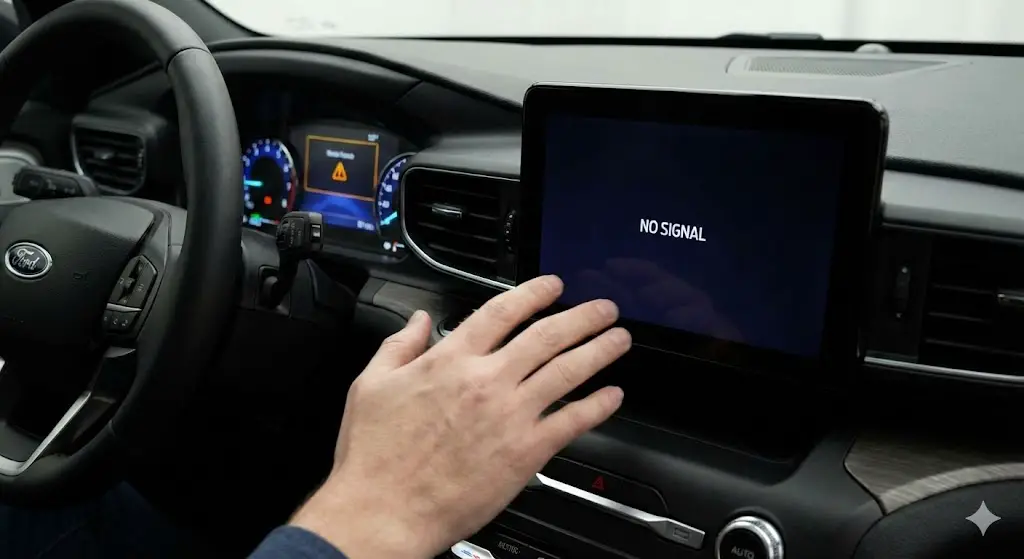
When this display ceases to function, whether due to a black screen, freezing, or intermittent flickering, the driver loses control over crucial comfort and safety features, necessitating prompt and accurate diagnosis.
The Crucial Role of the Center Display and System Architecture
The infotainment system relies on complex electronic control units (ECUs) to operate. Understanding these core entities is fundamental to diagnosing a non-functional display:
- SYNC/MyFord Touch: This refers to the software platform. Ford has utilized various versions, including SYNC Gen 1.1, MyFord Touch (often synonymous with earlier SYNC systems, particularly pre-2016 models), SYNC 3, and the newer SYNC 4/4A Digital Experience.
- APIM (Accessory Protocol Interface Module): This is the dedicated hardware computer responsible for controlling the entire infotainment system. The APIM manages inputs, executes software, and outputs the display signal. It is the most common point of catastrophic hardware failure leading to a persistent black or non-responsive screen, particularly in Explorers from the 2011–2019 model years. Replacement often requires VIN-specific programming to ensure compatibility with the vehicle.
- IPMB (Image Processing Module B): Introduced in newer generations (starting around 2020), this module is specifically dedicated to processing the video feed from the rearview camera and 360-degree camera systems. A failure in the IPMB or the camera components themselves can result in a loss of the camera image without affecting the primary SYNC functions.
Categorizing the Symptoms for Accurate Diagnosis
A “display not working” is a broad complaint that requires narrowing down the specific visual symptoms to determine if the problem is software, electrical, or hardware related.
Frozen or Unresponsive Screen
The display remains visible, potentially showing a map or media selection, but the touch controls, physical buttons, or steering wheel controls fail to register input. This is often the least severe symptom, typically indicating a temporary software glitch, system overload, or a failed application process. A simple system reboot usually restores functionality.
Black or Blank Screen
The display is completely dark, sometimes remaining dark even when the vehicle is started, though the audio system or climate controls (if separate) may still function. This symptom points to a loss of power to the display or the APIM module, a major software corruption requiring a hard reset, or a complete internal APIM hardware failure.
Stuck on Ford Logo or Persistent Boot Loop
The screen attempts to initialize, briefly displays the Ford logo, and then either freezes or repeatedly reboots itself. This symptom strongly suggests software corruption, often stemming from an incomplete or faulty firmware update. If the system was updated recently via USB, the mismatch between the hardware and the installed software package might be the culprit.
Blue or Black Screen ONLY in Reverse
The main SYNC display operates normally while driving, but when the transmission is shifted into Reverse, the screen turns entirely blue or black, failing to display the rearview image. This highly specific symptom isolates the issue to the Image Processing Module B (IPMB), the camera unit itself, or the associated wiring. This failure mode is critical because it is tied directly to a significant safety recall in recent Ford Explorer model years.
Immediate DIY Troubleshooting (Resets and Power Cycling)
Before resorting to costly parts replacement or specialized dealer services, owners should systematically attempt non-destructive system resets. These methods often resolve temporary software conflicts and electrical glitches that cause the display to freeze or go blank.
The Soft Reset: Restoring Functionality without Data Loss
The soft reset, also known as a system reset or module reset, is the first and least disruptive diagnostic step. It forces the APIM to restart its operating system without erasing any user data, such as paired Bluetooth phones, saved radio presets, or navigation destinations. This is highly effective for resolving frozen screens, delayed responsiveness, or minor software glitches.
The procedure is simple but varies slightly depending on the SYNC generation and the presence of physical buttons:
- Preparation: Ensure the vehicle is running or is switched to accessory mode and is parked in a safe location.
- Standard Procedure (SYNC 3 & MyFord Touch): Locate the physical Power Button (typically the center of the volume knob) and the Seek Right Button (often marked as $>>|$) on the center console. Press and hold both buttons simultaneously for at least 10 seconds. The screen will turn black. Release the buttons and wait for the Ford logo to reappear as the system reboots.
- SYNC 4/4A Variation: For modern Explorers without a physical power button on the entertainment center, the reset combination involves holding the Volume Down button and the Seek Right Button located on the steering wheel controls for 10 seconds.
Performing a Master Reset: Restoring Factory Defaults
If the soft reset fails to resolve persistent issues like the boot loop or deep freezing, a Master Reset is the next step. This process wipes all personalized settings and returns the SYNC module to its original factory state, resolving corrupted profile data or deep configuration errors.
Important Note: Before initiating, remove any connected devices, including USB drives and paired Bluetooth phones, and confirm that proceeding will erase all saved data.
- Procedure (Accessible Touchscreen): If the screen is responsive enough to access the menus:
- Park the vehicle and leave it running.
- Tap the Settings button on the touchscreen.
- For SYNC 3 systems, select General.
- Scroll down and press Master Reset.
- A confirmation message will appear, warning that all system data will be erased. Select Continue to proceed.
- For SYNC 4/Digital Experience, the path is often Settings > System > Reset options > Factory reset.
The Hard Power Cycle: Fusing the System Back to Life
When the display is completely black or frozen, preventing menu access for a Master Reset, a hard power cycle is necessary. The most efficient method involves removing the fuse that powers the SYNC module (APIM) for a brief period. This completely discharges any residual electricity, forcing the module to perform a hard boot when the fuse is reinserted. This is often less disruptive than disconnecting the main vehicle battery.
- Locating the Fuse: Infotainment fuses are typically found in the Passenger Compartment Fuse Box, which is usually situated beneath the steering wheel or glove box. It is crucial to consult the owner’s manual or a specific diagram to identify the correct fuse number for the model year to avoid disrupting essential safety or engine systems.
- Procedure:
- Turn the vehicle completely off.
- Locate and remove the plastic panel covering the fuse box (often secured by screws).
- Identify the designated SYNC/APIM fuse.
- Remove the fuse using a fuse puller (often located inside the fuse box cover).
- Wait 30 seconds to several minutes to ensure all residual power is drained.
- Reinsert the fuse and replace the cover.
- Start the vehicle and allow the system to attempt a full reboot.
The reliance on generalized information for fuses can lead to dangerous errors; therefore, specific fuse numbers for the dominant Ford Explorer generations must be followed meticulously.
Table: Ford Explorer SYNC Reset Procedures
| SYNC System Version | Soft Reset Button Combination | Master Reset Location (Menu Path) |
| SYNC 3 / MyFord Touch | Power (Volume Knob Center) + Seek Right Button (Hold 10+ seconds) | Settings > General > Master Reset |
| SYNC 4 / 4A (With Physical Power Button) | Power (Volume Knob Center) + Seek Right Button (Hold 10+ seconds) | Settings > System > Reset options > Factory reset |
| SYNC 4 / 4A (No Physical Power Button) | Volume Down (Steering Wheel) + Seek Right Button (Steering Wheel) (Hold 10+ seconds) | Settings > System > Reset options > Factory reset |
Table: Common SYNC/APIM Fuse Locations for Ford Explorer (for Fuse Pull Reset)
| Model Year Range | Key SYNC/APIM Fuse Number | Fuse Rating (Typical) | Fuse Box Location |
| 2011 – 2015 | FUSE #29 (Main Radio/SYNC Module) | 20A | Passenger Compartment (Under Steering Wheel/Glove Box) |
| 2016 – 2019 | FUSE #32 (SYNC Module Power) | 10A | Passenger Compartment (Under Steering Wheel/Glove Box) |
Ruling Out Power and Software Corruption
If the display remains non-functional following all soft and hard reset attempts, the root cause is likely electrical instability or a deep software corruption. Both factors can mimic catastrophic hardware failure but are significantly cheaper and easier to correct.
Prioritizing Electrical Health: The 12V System Link
The Accessory Protocol Interface Module (APIM) is functionally a dedicated computer that is highly sensitive to inconsistent power supply or voltage drops. Intermittent failures, freezing, and random reboots of the infotainment system are often not failures of the APIM itself, but rather symptoms of a compromised 12-volt electrical system.
This critical causal link means that diagnosing the battery and alternator health is essential before condemning the APIM. A weak or failing battery, or an alternator that is not consistently providing the required 12 volts, can cause the APIM to operate erratically or fail to initialize correctly. Corrosion on the battery terminals can also interrupt the connection, leading to systemic electrical issues.
A qualified diagnostic technician will use a multimeter to check the battery voltage (12.6V or higher when the engine is off) and perform load tests on the alternator. Addressing a faulty alternator or a corroded connection is a lower-cost, preventative measure against recurring display failures. If the display failure is accompanied by symptoms such as intermittent starting problems, dimming headlights, or other electrical accessories losing power, a deeper electrical issue may be present. For a thorough analysis of unexplained electrical drainage or starting issues, consult our detailed guide on Diagnosing Ford Explorer Electrical System Problems and Parasitic Draw
Software Compatibility and Outdated Firmware
One of the most common non-hardware causes of a blank screen or boot loop is corruption related to the SYNC software. This often occurs when a system update is incomplete, interrupted (e.g., the vehicle is turned off mid-update), or the wrong firmware version is installed.
System software can also become unstable over time. Therefore, maintaining the latest official firmware is a crucial preventative measure. Owners should utilize the official Ford Support website to input their Vehicle Identification Number (VIN) and check for any mandatory SYNC or navigation map updates that may be pending. If an update is available, installing it correctly via USB may resolve underlying software conflicts that cause the screen to flicker or display errors.
Warning against Software Mismatch: Technical documentation warns specifically against manually installing firmware without verifying compatibility. Loading an update designed for an 8-inch SYNC screen onto a smaller 4-inch display, for example, can permanently render the display blank, requiring advanced diagnostic tools or professional intervention to restore.
Technical Service Bulletins (TSBs) and Software Solutions
Ford has acknowledged systemic SYNC performance issues, particularly on newer models, through Technical Service Bulletins (TSBs). TSB 20-2363, which affects the 2020 Explorer (among other Ford models), addresses a variety of concerns, including frozen, unresponsive, and blank screens, as well as application malfunctions and issues with Apple CarPlay.
The TSB is significant because it directs technicians to update the Accessory Protocol Interface Module (APIM) software as the primary solution. This guidance explicitly confirms that Ford found numerous APIMs returned under warranty for replacement were simply running outdated software and did not require physical replacement.
The clear recommendation is that if simple resets fail, the most logical and cost-effective professional step is requesting a dealer-performed APIM software reflash using the latest available software level, rather than proceeding immediately to expensive hardware replacement. This prioritizes software resolution over costly physical intervention, significantly reducing the potential financial burden on the owner.
Hardware Failure Analysis and Recalls
When resets and software updates are exhausted, the issue moves into the realm of hardware failure. Diagnostics must pivot to identify whether the primary APIM module is dead or if the symptom is caused by a failure in a peripheral component, such as the camera processing unit, which often presents as a black screen in specific scenarios.
Catastrophic APIM Failure (Prevalent in Older Explorers, 2011-2019)
If an Explorer manufactured before 2020 exhibits a persistent black screen, a failed APIM module is the most likely diagnosis. The APIM module, particularly in earlier SYNC generations (including MyFord Touch and SYNC 3 versions), was known to suffer from premature internal component failure. Ford addressed the widespread APIM issues in certain model years by providing extended warranties, and newer SYNC hardware generations (SYNC 4 and later) reflect Ford’s commitment to improving hardware reliability.
APIM Replacement Requirements: Replacing a failed APIM is not a simple plug-and-play operation. The new or refurbished module must be professionally programmed with the vehicle’s specific VIN, trim level, and component configuration data. This programming ensures that all other ECUs in the vehicle, which communicate with the APIM via the vehicle’s network (CAN bus), recognize the replacement unit and operate correctly. DIY installers can mitigate the programming hurdle by purchasing pre-programmed modules tailored to their specific VIN, offering a cost-effective alternative to dealership programming.
Critical Safety Recall 23S23 (Specific to 2020–2023 Explorers)
For owners of current generation Explorers (model years 2020–2023), the black screen symptom may not be an APIM failure but a camera system defect covered by a safety recall. This distinction is crucial for both safety and cost.
Symptom Differentiation: This recall applies specifically if the screen intermittently displays a blue or black image only when the vehicle is placed in Reverse or when the 360-degree camera view is selected during low-speed maneuvers. If the black screen is constant (i.e., not only in reverse), the APIM remains the primary suspect.
Component Failure and Recall Scope: The failure is linked to the 360-degree camera system and the Image Processing Module B (IPMB), which processes the video feed.7 The loss of the rearview image while reversing poses an increased risk of collision.
Safety Recall 23S23 (issued in November 2023, superseding an earlier recall 21S44) covers a large number of 2020–2023 Ford Explorers. Ford has confirmed that the permanent remedy involves the dealer replacing the faulty rearview camera free of charge to the customer. This is a safety mandate, and the repair must be performed by an authorized dealer. Owners must verify their vehicle’s VIN on the official Ford Recall page to confirm coverage and schedule the repair immediately.
Repair Costs: DIY APIM Replacement vs. Professional Service
Repair costs for a non-functional display system vary dramatically based on the root cause and the complexity of the repair required. The largest cost differential stems from whether the replacement module requires specialized dealer programming.
Component Pricing Analysis
The APIM module is the most expensive component for non-recall repairs, overshadowing the physical display screen itself in many cases.
- New APIM Module (Professional): Purchasing a new APIM through a dealership or service center often results in a total cost ranging significantly from $800 up to $2,500. This high price accounts for the new part, required specialized labor (typically 2 to 4 hours for removal/installation), and the mandatory VIN-specific programming necessary for the module to function in the vehicle.
- Refurbished/Pre-Programmed APIM (DIY/E-commerce): Significant savings can be achieved by purchasing refurbished or used APIMs from third-party suppliers. These modules typically cost between $400 and $800. Crucially, many specialized vendors offer these units pre-programmed according to the buyer’s VIN, drastically reducing or eliminating the labor and equipment costs associated with dealership programming.
- Touchscreen Assembly (Physical Screen): The screen itself, or the digitizer assembly, is usually a secondary failure, meaning it only needs replacement if the glass is cracked or the touch function is localized to a small area. Replacement screens cost between $599 and $
The True Cost of Labor and Shop Selection
Automotive labor rates for electronic diagnostics and repair are highly variable, often falling between $120 and $200 per hour, influenced heavily by geographical location and the cost of living.
- Dealerships: Dealerships offer brand-specific expertise and specialized diagnostic tools but generally charge premium labor rates. They are mandatory for safety recall work (like 23S23) and warranty claims.
- Independent Shops: Independent repair shops often have lower overhead and offer more competitive pricing for routine component replacement.28 However, the technician must possess the equipment and expertise to perform the necessary VIN programming on the APIM; otherwise, the vehicle may still require a trip to the dealer for the final configuration steps.
Table: Estimated APIM and Screen Replacement Costs (Parts & Labor)
| Component/Service | DIY Part Cost (Refurbished/Used) | Professional Installation Cost (Parts + Labor) | Notes |
| APIM Module (Replacement) | $400 – $800 | $800 – $2,500 | VIN programming is mandatory; highest cost for non-recall failure. |
| Touchscreen Display Assembly | $599 – $1,500 | $1,000 – $2,500 | Required only if physical screen or digitizer fails; less common than APIM failure. |
| Shop Diagnostic Labor | N/A | $120 – $200 per hour | Required to pull diagnostic trouble codes (DTCs) from the module. |
Failure Following Other Major Repairs
In some complex diagnostic scenarios, display issues may be correlated with disruptions in the vehicle’s central network or electrical stress following major mechanical service. The APIM and other ECUs communicate via the Controller Area Network (CAN bus). Any significant power draw, system interference, or underlying mechanical fault that impacts the overall electrical integrity can present secondarily as a display failure.
For example, models equipped with the 3.5-liter V6 engine (2011–2019) have known issues, including internally problematic water pump designs and transmission problems that can affect electronic sensors.30 If symptoms like rough shifting, hesitation, or unusual noises occur alongside the display problems, it may indicate a broader electronic system issue rather than an isolated APIM failure. If mechanical symptoms are noted alongside the display failure, it is prudent to analyze underlying drivetrain faults.
Conclusion and Recommendations
Diagnosis of a non-functional Ford Explorer display is highly dependent on accurately categorizing the specific failure symptom. The most effective diagnostic process follows a logical sequence, prioritizing simple, non-destructive fixes before escalating to costly hardware replacement.
Key Actionable Steps:
- If the screen is frozen, lagging, or intermittently failing: Immediately perform the two-button Soft Reset (Power + Seek Right). This is the highest probability quick fix.
- If the screen remains black and unresponsive, or is stuck in a boot loop: Perform the Fuse Pull Hard Reset, ensuring the correct model-specific fuse is isolated (e.g., FUSE #29 for 2011-2015 models).
- If electrical instability is suspected: Before replacing the APIM, have the vehicle’s 12V battery and charging system professionally tested. Infotainment module failure is frequently precipitated by unstable voltage.
- If the vehicle is a 2020–2023 model and the screen fails ONLY in Reverse (blue/black image): This is highly likely covered by Safety Recall 23S23. Do not attempt self-repair; contact a Ford dealership immediately for the free camera replacement under the recall.
- If all resets and software updates fail (especially 2011–2019 models): The likely culprit is catastrophic APIM hardware failure. Determine whether to purchase a pre-programmed module for DIY installation or engage a professional shop, factoring in the non-negotiable requirement for VIN programming.
Frequently Asked Questions (FAQs)
Q: Why does my Ford Explorer screen sometimes flicker or lag before going black?
A: Flickering, lagging, and intermittent unresponsiveness are characteristic warning signs that the SYNC module is experiencing stress. This stress can be caused by system cache overload, electrical voltage instability (often due to a weak battery or failing alternator), or excessive heat8 Performing a soft reset can clear the temporary overload. If the symptoms persist, a professional inspection of the charging system is necessary to prevent complete APIM failure.
Q: My backup camera is blue/black, but the rest of the screen works. Is this the APIM?
A: No, this symptom is highly specific and points to an issue with the Image Processing Module B (IPMB) or the rearview camera hardware, not the primary APIM. For 2020–2023 Explorers, this issue is specifically addressed by Safety Recall 23S23, which authorizes the dealer to replace the faulty camera at no cost to the owner.
Q: How do I check if my SYNC software is up to date?
A: To verify your SYNC firmware status, you should visit the official Ford Support website and enter your vehicle’s 17-digit VIN (Vehicle Identification Number) into the software update checker. The system will inform you if any updates are available for download and installation via USB.
Q: Can I upgrade my old MyFord Touch (SYNC 2) to SYNC 3 or newer?
A: Yes, upgrading older SYNC systems to SYNC 3 is a common modification. This process requires replacing both the original Accessory Protocol Interface Module (APIM) and the physical touchscreen assembly. Due to the requirement for specific hardware compatibility and VIN programming, this modification is complex and often relies on specialized pre-programmed kits or professional installation. For detailed instructions on converting older technology, reference relevant technical resources.
Q: What is the risk of performing a battery disconnect to reset the system?
A: Disconnecting the negative battery cable is an effective method for a definitive hard reset if the fuse pull method fails. However, disconnecting the battery requires resetting other non-infotainment features, such as the power window initialization procedure and radio presets, and may cause temporary configuration confusion among other ECUs. It should be considered the last resort before proceeding to professional diagnosis.