
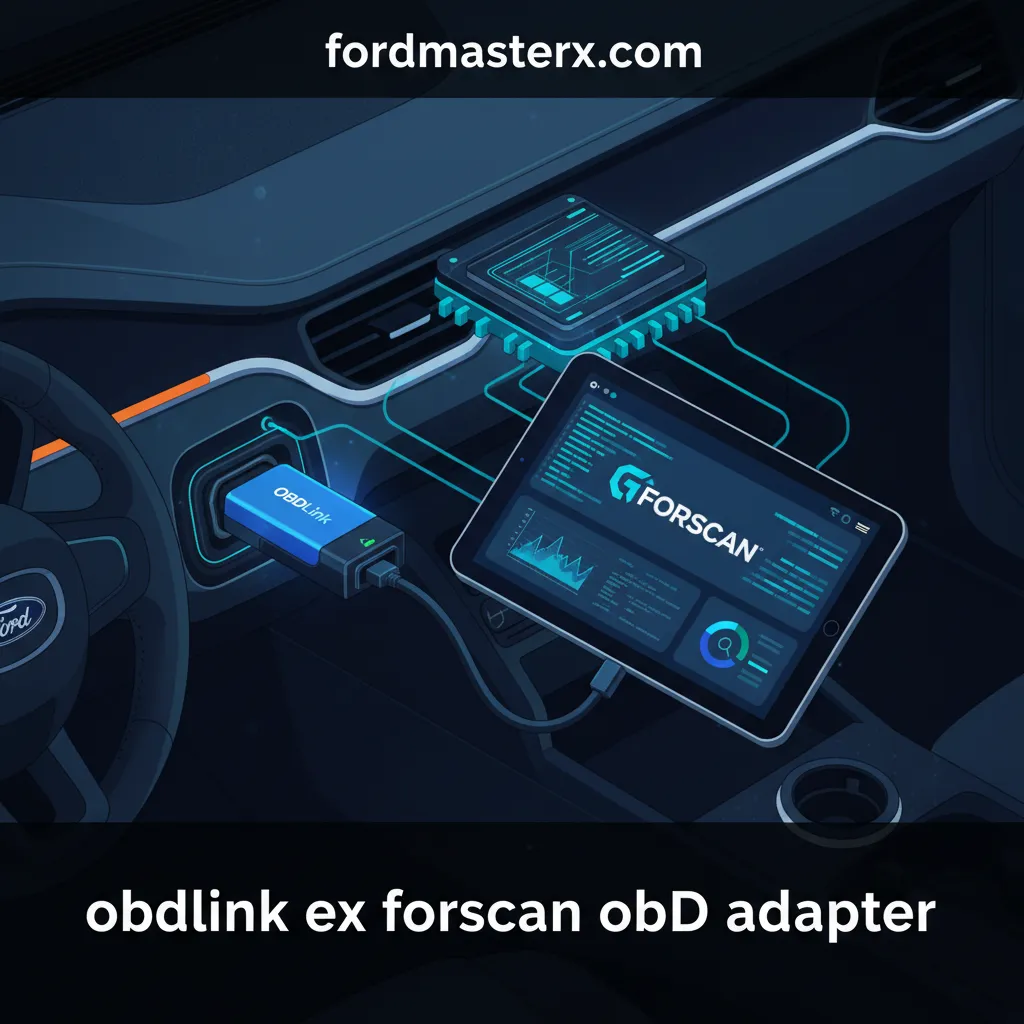
Obdlink Ex Forscan Obd Adapter: Precision Diagnostics And Module Programming For Ford Vehicles

For Ford and Mazda owners, the difference between a successful module repair and a bricked ECU often comes down to the quality of the hardware interface. Generic OBD2 adapters often lack the speed, protocol support, and stability required for deep-level programming and MS-CAN access, leading to frustration, lost communication errors, and potential vehicle damage. When you are writing “As-Built” data to a Body Control Module or updating firmware, “good enough” hardware is a liability. This article provides an expert technical breakdown of the OBDLink EX FORScan OBD adapter, explaining why it has become the professional standard for reliable vehicle diagnostics and advanced configuration in the Ford ecosystem.
Engineering Excellence in the OBDLink EX FORScan OBD Adapter Hardware
📤 Share Image
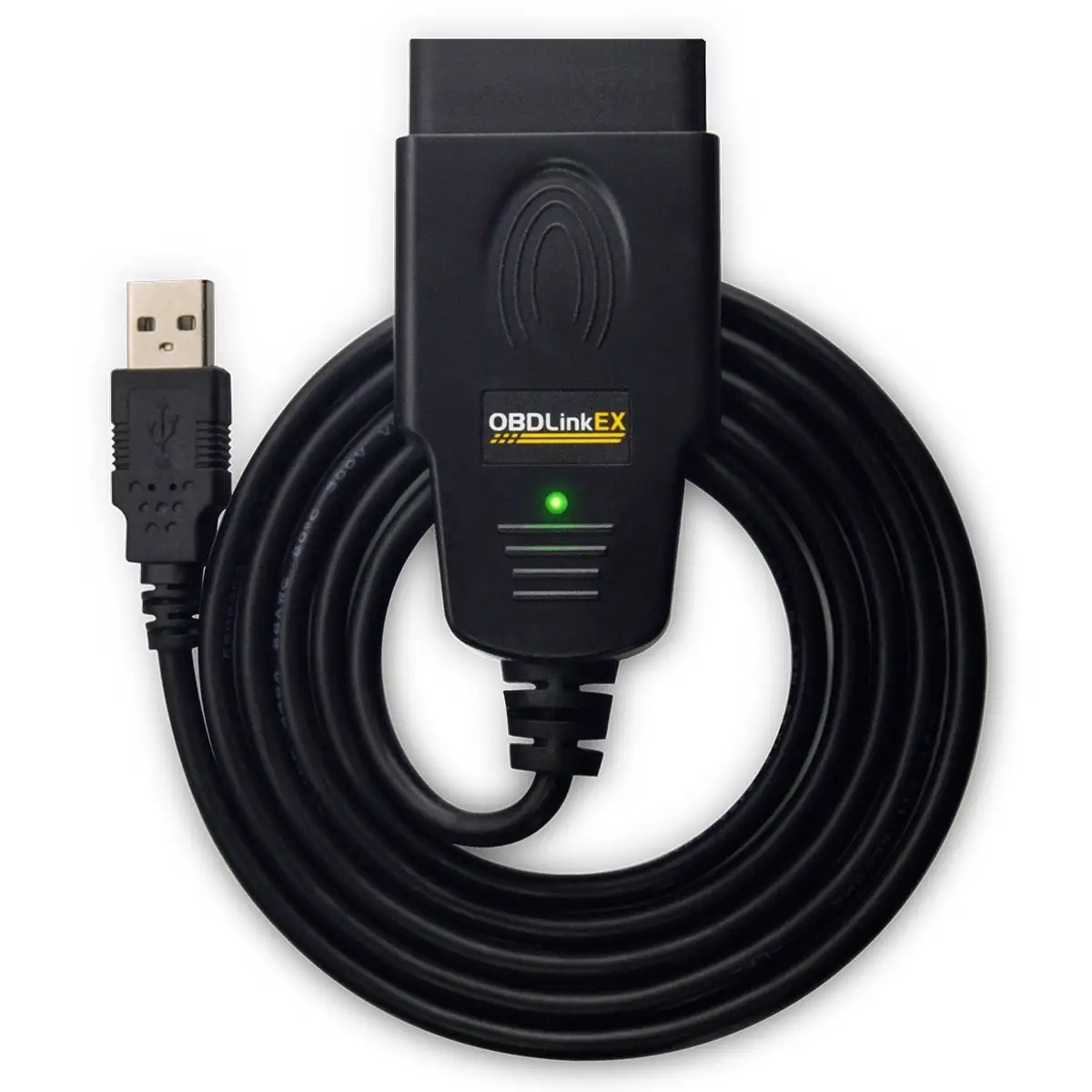
The foundation of any professional diagnostic tool is its silicon. While budget adapters rely on mass-produced ELM327 clones—often with high instruction latency and poor buffer management—the OBDLink EX utilizes the advanced STN2120 chipset. This processor is a significant leap forward, providing superior processing power and a more robust instruction set designed to handle the high-load demands of modern vehicle networks. This chipset allows the EX to sustain a data transfer rate of up to 2 Mbps, whereas most generic competitors peak at a sluggish 500 kbps.
Robust Power Management and Protection
One of the most overlooked aspects of quality hardware is power regulation. The OBDLink EX features a custom-designed 12V to 5V power regulation system. This is critical because vehicle electrical systems are notoriously “noisy,” prone to voltage spikes and dips during engine cranking or alternator cycling. While there are numerous incident reports of generic adapters blowing fuses in F-150 BCM (Body Control Module) units due to poor isolation, the EX is engineered to protect both the laptop and the vehicle’s sensitive ECUs.
By The Numbers
Maximum Data Throughput
J1962 Pinout Coverage
Manufacturer Warranty
The physical build quality reflects this engineering pedigree. Unlike the flimsy, translucent plastic housings of budget devices that can crack or heat-warp, the OBDLink EX uses a ruggedized polymer casing. Furthermore, the OBDII connector pins are designed for high-retention, ensuring that the connection remains secure even if the cable is accidentally tugged during a diagnostic session. This hardware is backed by a trusted 3-year manufacturer warranty, a rarity in the world of OBDII interfaces.

Automatic Electronic Switching and MS-CAN Protocol Support
Ford vehicles utilize a dual-network architecture. The HS-CAN (High-Speed Controller Area Network) handles powertrain and safety-critical data, while the MS-CAN (Medium-Speed CAN) manages body electronics, HVAC, and infotainment. Historically, using software like FORScan required an adapter with a physical toggle switch to jump between these networks. This manual process is not only tedious but also a common point of failure.
Eliminating Human Error via Solid-State Switching
The OBDLink EX eliminates human error by implementing automatic electronic switching. When the FORScan software requests data from a module on the MS-CAN, the EX switches protocols instantly via solid-state logic. This is a complete departure from mechanical switches, which have a mechanical life of roughly 5,000 cycles and are prone to oxidation. The electronic switching in the EX is rated for the life of the device and offers millisecond response times.
When running a ‘Self-Test’ on a 2018 Ford Explorer, the software must access the PCM on the HS-CAN and the HVAC module on the MS-CAN in a single pass. Manual adapters will pause and prompt you to flip a switch mid-test, often timing out the session. The OBDLink EX handles this transition invisibly, ensuring a comprehensive scan without interruption.
Beyond CAN protocols, the OBDLink EX offers legacy support for Ford-specific protocols such as SCP (Standard Corporate Protocol) and FEPS (Flash EEPROM Programming Signal). This ensures that the adapter is just as effective on a 1996 Ford F-150 as it is on a brand-new 2024 Mach-E. For technicians working across decades of Ford engineering, having a single, reliable tool that manages these transitions automatically is an essential productivity gain.
Expert Level Module Configuration and AS-BUILT Programming
The primary reason enthusiasts and professionals seek out the OBDLink EX is for module programming. Modification of “As-Built” data—the hexadecimal code that defines a module’s behavior—requires a rock-solid data link. If the connection drops during a write command to the BCM or IPC (Instrument Panel Cluster), the module can enter a “bricked” state, requiring a costly dealer recovery or a full hardware replacement.
As-Built Stability
Ensures data integrity when writing sensitive configuration files to core vehicle modules.
Feature Unlocking
Enables ‘Bambi Mode,’ Global Window Control, Secure Idle, and specialized TPMS relearns.
Advanced Service Functions and Risk Mitigation
Professional technicians use the EX for more than just “hacks.” It is a vital tool for critical service procedures:
- DPF Manual Regeneration: Essential for PowerStroke diesel engines to clear soot buildup when highway driving isn’t sufficient.
- Injector Coding: Required when replacing fuel injectors to ensure the PCM applies the correct flow rate compensation.
- Battery Registration: Telling the Smart Charge system that a new battery has been installed to reset the aging profile.
The secret to this expert-level reliability is the oversized internal buffer. Statistics indicate that buffer overflows cause 70% of failed ‘writes’ in DIY diagnostics. When the laptop sends data faster than the adapter can process it, the packet sequence breaks. The OBDLink EX features an expanded memory buffer specifically designed to eliminate this risk, providing a safety net during firmware flashes and APIM (Accessory Protocol Interface Module) configurations, such as upgrading an 8-inch Sync 3 screen.
Never attempt to write “As-Built” data using a wireless Bluetooth adapter unless you are using the specific OBDLink MX+ (and even then, USB is preferred). Latency jitter in wireless connections can lead to packet loss. For critical module configuration, the wired USB connection of the EX is the only trusted method recommended by seasoned professionals.
Real-Time Data Throughput and Professional Diagnostic Capabilities
Beyond programming, the OBDLink EX excels at real-time troubleshooting. Diagnosing an intermittent misfire or a lazy O2 sensor requires high-fidelity data logging. If the adapter can only poll five parameters per second (PIDs/sec), the resulting graph will be “stepped” and may miss a momentary voltage drop. The OBDLink EX can process over 80 PID requests per second, which is 4 times faster than the industry standard for consumer-grade adapters.
Zero-Latency Graphing
This comprehensive throughput allows a technician to monitor O2 sensor voltages, short-term fuel trims, and long-term fuel trims simultaneously across both banks with zero latency. In a practical scenario, identify a vacuum leak that only occurs under specific load conditions is impossible with slow hardware. With the EX, the correlation between engine load and fuel trim response is instantaneous, allowing for surgical diagnostic precision.
The wired USB connection remains the trusted choice for professional shop-floor environments. While Bluetooth is convenient for simple code reading, the 2.4GHz spectrum is often crowded in workshops (with Wi-Fi routers and power tools), leading to interference. The EX provides a physically shielded path for data, ensuring that long-term data logging during road tests remains unbroken, regardless of external RF interference.
System Compatibility and Driver Optimization for Professional Use
To extract the maximum performance from the OBDLink EX, one must understand the underlying FTDI USB-to-Serial bridge. The FTDI chip is the industry standard for reliability, boasting a failure rate of less than 0.01% in professional environments. However, the default Windows settings are often optimized for power saving rather than diagnostic speed.
📋
Pro-Level Setup Guide
Navigate to Windows Device Manager > Ports (COM & LPT). Right-click the OBDLink EX (USB Serial Port) > Properties > Port Settings > Advanced. Change the ‘Latency Timer’ from 16ms down to 1ms for snappier response.
Use the OBDLink Firmware Update Utility to ensure your STN2120 chipset is running the latest version. This often unlocks support for newer vehicle models and improves communication stability on 2023+ Ford vehicles.
The OBDLink EX is optimized specifically for the FORScan environment. In the FORScan “Settings” tab under “Connection,” the user should select “OBDLink EX” as the specific hardware ID. This bypasses generic ELM327 initialization routines and uses the expert-level STN command set. This specialized handshake ensures that the software can exploit the full 2 Mbps bandwidth and automatic switching features immediately upon connection.
✅ Pros
- Automatic HS-CAN/MS-CAN switching
- Superior STN2120 chipset processing
- High-speed 2 Mbps throughput
- Rock-solid wired USB reliability
- Official recommendation from FORScan developers
❌ Cons
- Higher initial cost than budget clones
- USB only (limited mobile device support)
- Requires driver installation on Windows
The OBDLink EX is the only adapter custom-engineered for FORScan, featuring automatic HS-CAN/MS-CAN switching that eliminates the risk of manual toggle errors. Its professional-grade 2 Mbps throughput and high-quality STN2120 chipset ensure data integrity during critical module programming, while the rugged, wired USB design provides a trusted, interference-free connection that wireless alternatives simply cannot match. For those serious about Ford vehicle maintenance, troubleshooting, and customization, the OBDLink EX is not just an accessory—it is an essential investment that ensures your diagnostic capabilities match factory-level standards. Invest in the right hardware to protect your vehicle’s electronics and unlock its full potential with confidence.
Frequently Asked Questions
Why is the OBDLink EX preferred over the OBDLink MX+ for FORScan?
While the MX+ is a quality wireless tool, the OBDLink EX is a professional, hardwired USB solution. USB offers significantly lower latency and eliminates the risk of signal interference during sensitive module ‘flashing’ or programming operations. Additionally, the EX was specifically co-designed with the FORScan team to maximize compatibility with Ford’s proprietary protocols.
Does the OBDLink EX require a manual toggle switch for MS-CAN?
No, the OBDLink EX features advanced electronic switching. Unlike cheaper ‘modified’ ELM327 adapters that require the user to manually flip a physical toggle switch to access different modules, the EX handles this automatically via software commands. This prevents user error and allows the software to scan all modules in a single seamless pass.
Can I use the OBDLink EX on vehicles other than Ford and Mazda?
Yes, the OBDLink EX is a fully compliant OBDII interface. While it is optimized for Ford and Mazda through FORScan, it works as a high-quality, reliable adapter for any 1996 or newer car or light truck sold in the United States. It can be used with various third-party diagnostic software for generic engine code reading and data logging.
Is the OBDLink EX compatible with macOS or mobile devices?
The OBDLink EX is primarily designed for Windows-based systems, which is the native environment for the full version of FORScan. It uses a USB Type-A connection. While some Android devices may support it via an OTG adapter, it is not compatible with iOS. For professional use, a Windows laptop is the expert-recommended platform for this specific adapter.
What happens if the connection is lost during a module write?
A lost connection during a write can result in a ‘bricked’ module that requires recovery. However, the OBDLink EX minimizes this risk through its high-quality FTDI USB bridge and internal data buffering. Its reliable wired connection is specifically designed to prevent the packet loss and timeouts that commonly plague lower-quality or wireless diagnostic tools.





