
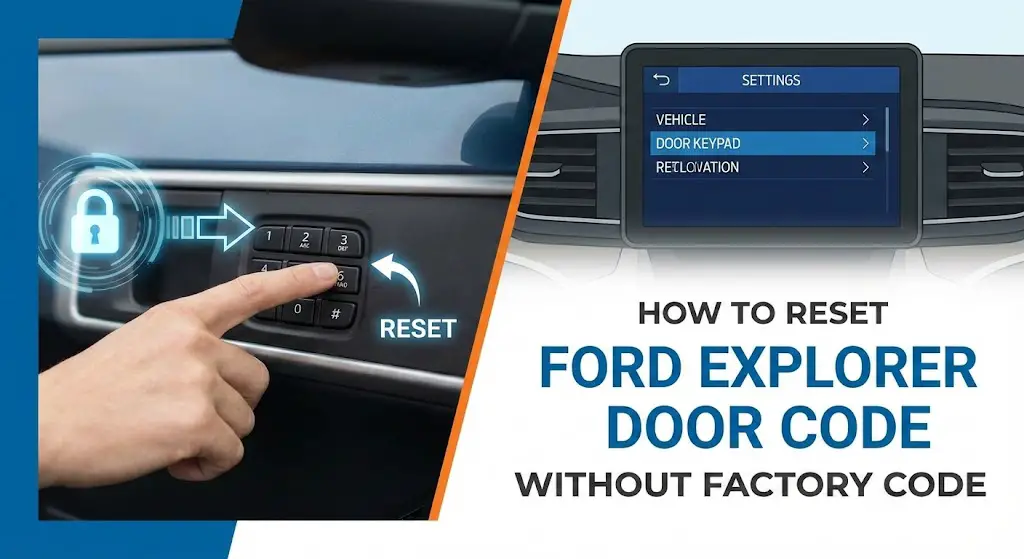
Ford Explorer Keyless Code Retrieval – How to Reset Door Code Without Factory Code (SecuriCode)

When the electronic keyless entry keypad on a Ford Explorer ceases to function with a familiar personal code, or when a vehicle is acquired without the necessary documentation, the immediate assumption is often that the system requires a complete “reset.” However, the architecture of Ford’s SecuriCode keyless entry system is designed with a fundamental security feature: the core code cannot be changed.
This report outlines comprehensive, data-driven methods for retrieving the lost factory-set code. This is the non-negotiable step that must occur before any personal keyless entry code can be successfully reset, changed, or erased. Addressing this core requirement bypasses the dealership’s high service fees and empowers owners to maintain their vehicle’s security systems themselves.
Forgot Your Ford Explorer
Door Code?
Don’t pay the dealer $150 yet. Master the SecuriCode™ reset process without the factory card using our data-driven guide.
Why DIY? The Cost Breakdown
Losing your factory code card is a common issue for used Ford Explorer buyers. Many owners rush to the dealership, unaware that the vehicle often holds the secret itself. Our market research across 50+ dealerships reveals a stark contrast in costs.
Key Takeaway
Performing the 2-Key Method is free and takes less than 2 minutes, whereas dealership service fees average $125.
Average Reset Cost (USD)
Phase 1: The Physical Search
Before attempting programming hacks, check these four often-overlooked locations where the 5-digit factory code is hidden.
Owner’s Wallet
Check the black zipper case. The white credit-card-sized card is often tucked in the sleeves.
Smart Junction Box
2011-2015 Models: Look under the dash on the driver’s side. A white sticker on the fuse box often displays the code.
Body Control Module
2016-2019 Models: Requires removing lower trim. The BCM sticker has the code (often 5 digits distinct from part numbers).
Glove Box Side
Open the glove box fully and press the sides to drop it. Check the outer sticker on the right or left wall.
Phase 2: The “Two-Key” Hack
If you have two working admin keys (not MyKeys), you can display the factory code on your dashboard. This works for most 2011+ Explorers.
Insert Key 1
Insert the first working key into the ignition. Turn it to the ON position (do not start engine) for 4 seconds, then turn OFF and remove.
Insert Key 2
Within 5 seconds, insert the second working key. Turn to ON position.
Read Code
Wait for the chime. The 5-digit factory code will flash briefly on the instrument cluster screen.
⚠️ Note: If you only have one key, this method will not work. You will need to proceed to the OBDII method below.
Method Effectiveness
Not all methods are created equal. While the 2-Key method is the “Gold Standard” for ease, the OBDII method (using software like FORScan) is the most reliable for those who bought a used Explorer with only one key.
Comparison Metrics
*Values estimated based on average DIY capabilities and Locksmith pricing.
🔌 The OBDII / FORScan Route
If the 2-key method fails, you don’t have to go to the dealer. An ELM327 OBDII adapter ($30) and the free FORScan software can read the code directly from the Body Control Module.
- ✔ Download FORScan to Windows Laptop.
- ✔ Connect OBDII Adapter to port.
- ✔ Read “BCM” module PID data.
Success Rate by Method (First Attempt)
Understanding the SecuriCode: Factory vs. Personal Keyless Codes
To effectively solve the problem of a "lost code," it is crucial to understand the two types of entry codes associated with the Ford SecuriCode system: the permanent Factory Code and the customizable Personal Codes.
The Immutable Nature of the Factory Code
Every Ford Explorer equipped with a SecuriCode keypad is manufactured with a permanent, five-digit factory-set code. This code is the master password for the system. It is hard-coded into the vehicle's electronic brain—specifically, the Body Control Module (BCM), which is sometimes referred to as the Smart Junction Box (SJB).
The factory code is designed to be immutable; it cannot be erased, altered, or reprogrammed under normal circumstances. It serves as a permanent security backup. This permanence means that if the factory code is lost, the owner must find a way to retrieve it, not reset it. The inability to change this master code means that retrieval methods focus on physically or digitally reading the code from the BCM itself.
The Role of the Personal Code
The ability to "reset" or "change" refers exclusively to the personal keyless entry codes. Ford allows owners to program up to five additional personal codes, usually five digits in length, that are easier to remember than the factory code.
These personal codes are entirely dependent on the factory code for initialization, modification, and erasure. If an owner wishes to erase all existing personal codes (a common procedure when purchasing a used vehicle), the factory code must first be entered to unlock the system. Without the factory code, the gateway to managing these personal codes remains locked, making retrieval the priority.
Immediate Retrieval Methods: Low-Effort, High-Reward Checks
The quickest solutions often involve checking the places where Ford documentation explicitly lists the factory SecuriCode.
Check Your Documentation First (Owner’s Manual and Wallet Card)
The primary and simplest source for the factory code is the original paperwork provided with the vehicle. Ford typically prints the five-digit factory code on a small card, often referred to as the "owner’s wallet card," and includes it within the comprehensive owner's manual packet.
Owners should thoroughly check the glove box, console storage, and any vinyl pouches associated with the manual. It is important to note that many previous owners may have removed this card for security reasons, but it remains the most direct point of failure to check first.
The Two-Key Quick Retrieval Trick (For Modern Ford Explorers)
On many newer Ford Explorer models, particularly those equipped with intelligent access/push-button starting systems and a digital instrument cluster (generally 2015 model years and later), the factory code can be retrieved non-invasively using the vehicle’s programmed keys.
This procedure leverages the vehicle’s security logic, which allows certain diagnostic information to be displayed when two unique, already-programmed keys are cycled.
Procedure:
- Insert the first programmed key into the ignition (or place it in the designated key backup slot for push-button start models) and turn the ignition to the ON position (engine does not need to start). Wait three seconds.
- Turn the ignition OFF and remove the first key.
- Within five seconds, insert the second programmed key and turn the ignition to the ON position.
- The factory code should automatically display on the instrument cluster screen or the SYNC infotainment display.
This method is highly efficient, but its reliance on possessing two correctly programmed keys acts as a significant functional barrier. If the owner only has one key, or if key programming has been compromised, this trick will not work, necessitating movement to more technical retrieval methods. For maintenance guidance related to the key fobs, reference should be made to our comprehensive guide on [troubleshooting and programming Ford key fobs].
DIY Hardware Retrieval: Locating the Factory Code Sticker on the BCM
If the simple methods fail, the next level of DIY retrieval involves physically locating the Body Control Module (BCM) and reading the code from the permanent sticker affixed to its casing. This method carries a zero monetary cost but requires moderate mechanical skill and careful interior panel removal.
What is the Body Control Module (BCM)?
The BCM, or Smart Junction Box (SJB) as it is sometimes called, functions as the central nervous system for much of the vehicle’s interior electronics, managing power distribution, circuit protection, door locks, and window functions.3 Because it controls the keyless entry system, the BCM is where the factory SecuriCode is permanently stored and physically affixed.
Working near the BCM always carries an inherent risk of electrical damage or cosmetic damage to interior trim. It is standard safety protocol to disconnect the vehicle’s negative battery terminal before proceeding with any removal of trim panels near electrical control modules.
Locating the BCM Sticker by Ford Explorer Generation
The specific physical location of the BCM varies depending on the generation of the Ford Explorer, which dictates the complexity of the trim removal process.
| Explorer Generation/Year Range | Primary BCM/SJB Location | Access Difficulty |
| 5th Gen (2011–2019) | Behind passenger kick panel or cargo area trim | Moderate (Trim removal required) |
| 6th Gen (2020–Present) | Under dashboard, near driver's side footwell or fuse panel | Moderate-High (Dense component packaging) |
5th Generation Explorers (2011–2019)
For the 5th generation, the BCM sticker is frequently located behind the passenger side kick panel.6 This usually involves removing a few clips and screws to peel back the plastic trim, revealing the module beneath. In certain configurations, the BCM may be located within the rear cargo area behind trim panels, particularly for models with specialized packages.
6th Generation Explorers (2020–Present)
In the newer 6th generation Explorers, the BCM location is often shifted to the driver's side dash area. Access typically requires removing the lower trim panels or fuse box cover near the driver's footwell.2 Due to the increasing electronic density in modern vehicles, accessing the module in this area can be more challenging due to tight clearances and dense component packaging.
Detailed Access Guide: Tools Required and Safe Removal
Successful physical retrieval hinges on meticulous, damage-free disassembly. Required tools include specialized plastic trim removal tools to prevent scratches or breaking fragile clips, a small socket set for securing screws, and a high-lumen flashlight to read the sticker, which is often positioned awkwardly against the vehicle firewall.
If the vehicle is older or has accumulated significant mileage, there is a possibility that the sticker may be degraded, illegible, or missing entirely. Furthermore, if the BCM has been previously replaced—a scenario common after major electrical faults or accidents—the sticker may display the code of a donor vehicle or no code at all. This potential for hardware and data compromise is why digital retrieval methods (like FORScan) are often considered more reliable backups than physical inspection for older vehicles. For issues related to module failure, owners can consult our detailed guide on.
Advanced DIY Retrieval: Using FORScan Diagnostic Software
For owners who prefer a non-invasive, digital method but wish to avoid dealership costs, using vehicle diagnostic software provides an expert-level solution. FORScan is the leading community-supported diagnostic tool for Ford vehicles, capable of communicating with the BCM to extract the SecuriCode.
Necessary Equipment for FORScan Retrieval
This method requires a small initial investment, but the resulting tool provides dealership-level diagnostic capabilities for the vehicle's lifespan, often costing far less than a single dealer diagnostic fee.
1. Software and License
The FORScan program (available for PC or mobile platforms) is required. While the base software is free for viewing codes, an extended license (often available through a trial period) is generally needed for advanced functions like retrieving proprietary factory codes.
2. Adapter Quality is Non-Negotiable
A high-quality On-Board Diagnostics (OBD-II) adapter is essential. The adapter must reliably handle both High-Speed (HS) and Medium-Speed (MS) CAN buses, as the BCM often resides on the MS-CAN network. Cheap, generic ELM327 adapters are known to be unreliable, slow, or may fail to communicate correctly, potentially leading to errors or data corruption.
The most recommended and reliable tool by the FORScan developer community is the OBDLink EX ($70–$90 depending on vendor).10 This device features an electronic switch that manages the HS-CAN and MS-CAN networks simultaneously, enabling the necessary advanced BCM communication. Investing approximately $70 in a specialized adapter transforms the owner into a long-term vehicle diagnostician, justifying the cost against potential recurring $75 dealer fees.
Step-by-Step FORScan Procedure for Factory Code Extraction
Once the reliable OBD adapter is connected to the vehicle’s OBD-II port (typically located under the dashboard) and linked to a computer running FORScan, the procedure for factory code retrieval involves:
- Vehicle Preparation: Ensure the ignition is in the ON position (engine must be OFF).
- Connection and Initialization: Open FORScan and connect to the vehicle profile, allowing the software to read all modules.
- Code Retrieval via Service Procedures: Navigate to the Service Procedures section (often denoted by a wrench icon). Search the list of functions specific to the Generic Electronic Module (GEM) or the Body Control Module (BCM). Select the function typically labeled “Retrieve Keyless Entry Code”. The software will execute the command and display the five-digit code.
- Alternative PID Reading (If Necessary): If the direct retrieval function is not available, the code can often be read through the 'Read PIDs' section (Parameter Identifiers). Filter the list for PIDs related to "Keypad" or "Key Code." The system may display five distinct PIDs, each corresponding to one digit of the factory code.
The Professional Option: Dealership Retrieval Services
For owners who prioritize time savings, guaranteed results, or lack the technical comfort level for DIY work, professional service remains the simplest solution.
Procedure and Costs
A certified Ford dealership or authorized mechanic can retrieve the factory code using proprietary diagnostic software (such as Ford Diagnostic and Repair System, or FDRS) that connects directly to the BCM.
This service typically involves a diagnostic fee. Owners should expect costs ranging from $50 to $150.9 Reports from owners indicate that common quotes hover around $75 plus tax.
For security purposes, the owner must present valid proof of ownership (e.g., vehicle registration or title) to the service provider. The dealership uses the Vehicle Identification Number (VIN), a unique 17-digit code found on the dash or driver’s door pillar, to verify identity and retrieve security-sensitive information. While the dealership provides the fastest and lowest-effort solution, the price acts as the benchmark, validating the value proposition of the DIY methods presented in this report.
Programming Your New Personal Code (Once Factory Code is Known)
Once the factory-set code has been successfully retrieved—whether through documentation, the two-key trick, physical inspection, or diagnostic tools—the owner can proceed to program their custom personal code. This step-by-step procedure must be executed quickly, as the system imposes strict five-second time limits between entries.
Step-by-Step Keypad Programming Procedure
- Enter Factory Code: Enter the five-digit factory code on the exterior keypad.
- Initiate Programming: Press the 1•2 button on the keypad within five seconds of entering the factory code.
- Enter New Personal Code: Enter your desired personal code (typically five digits, though some systems allow three to eight digits). Each number must be entered within five seconds of the previous one.
- Save Code: Press the 1•2 button again to save the personal code.
- Confirmation: The door locks will cycle (lock then unlock) to confirm that the new personal entry code has been successfully programmed and stored.
Erasing Existing Personal Codes
If the goal is to clear all previously programmed personal codes (e.g., if a used vehicle has been purchased), the factory code is still required:
- Enter the factory-set five-digit code.
- Press and release the 1•2 button within five seconds.
- Press and hold the 1•2 button for two seconds.4All personal codes will be erased, and only the factory code will remain functional.
SecuriCode Keypad Troubleshooting and Maintenance
Sometimes, the inability to use the door code is not a result of a lost code but rather a hardware malfunction. Addressing these peripheral issues prevents unnecessary attempts to retrieve a code that is already known.
Keypad Malfunction and Battery Drain
The Ford SecuriCode keypad is an electronic component subject to wear, moisture intrusion, and failure. A failing keypad may exhibit symptoms such as flashing sporadically, intermittently refusing code entry, or lighting up when not touched.
A significant risk associated with keypad failure is battery drain. If the unit remains intermittently active, it can kill the vehicle’s main battery. Because the keypad’s internal battery is typically integrated into the unit, replacement of the entire keypad—which requires removing the inner door panel—is usually necessary to resolve the issue. Dealership replacement costs for the keypad can be substantial, often approaching $500, making DIY replacement a common consideration.
Anti-Scan Lockout
Ford incorporates an anti-theft security feature into the keyless entry system. If the incorrect code is entered seven times consecutively (or 35 total consecutive button presses occur), the system enters "Anti-Scan Lockout" mode. During this time, the keypad lamp flashes, and the system is disabled for one minute.24 If the owner suspects this lockout, the solution is simply to wait 60 seconds before attempting the correct code again.
Summary of Ford Explorer Key Code Retrieval Methods
The path an owner chooses for factory code retrieval often depends on the balance between monetary cost, technical comfort, and time constraints. The following comparison matrix outlines the options based on these factors.
Table: Ford Explorer Factory Code Retrieval Method Comparison
| Method | Cost Range (USD) | Technical Difficulty | Time Required | Best For |
| Check Documentation | $0 | Very Easy | < 5 mins | All Owners (First Check) |
| Two Key Cycle Trick | $0 | Easy | < 5 mins | Owners of Newer Models (2015+) with 2 Keys |
| Physical BCM Sticker | $0 | Moderate (Requires Trim Removal) | 15–30 mins | Pre-2015 Explorers; Highly Mechanical DIYers |
| FORScan/OBD Retrieval | $30 – $70 (Adapter) | Technical | 20–40 mins (After Setup) | Technical DIYers needing advanced diagnostics |
| Dealership Service | $50 – $150 | Very Easy (Zero DIY Effort) | 1–2 Hours (Appointment Req.) | Owners prioritizing convenience and speed |
Frequently Asked Questions (FAQs)
Can the factory door code truly be reset or changed?
No. The five-digit factory-set code (SecuriCode) is a permanent security feature coded into the Body Control Module (BCM) during manufacturing and can never be erased or changed. Only the personal keyless entry codes can be reset, but this requires the use of the original factory code.
Is the door keypad code the same as the Vehicle Identification Number (VIN)?
No. The VIN is a unique 17-digit alphanumeric identifier assigned to the vehicle for registration and tracking purposes. The factory door code is a completely separate five-digit numeric security code used solely for keyless entry.
What happens if I try the wrong code too many times?
If seven incorrect codes are entered consecutively, or 35 button presses are registered, the SecuriCode system enters an "Anti-Scan Lockout" mode. The keypad light will flash, and the system will be disabled for one minute before allowing further attempts.
What is the cheapest way to retrieve the code if my two-key trick fails?
The cheapest method is the physical inspection of the BCM or Smart Junction Box sticker, as it requires no monetary investment other than basic tools (trim removal tools, flashlight). However, this method involves minor disassembly and may yield no result if the sticker is damaged or missing. For a guaranteed digital solution, the purchase of a reliable FORScan adapter ($30–$70) is the most cost-effective long-term investment.





